
Introduction
Does your desk start to feel cramped right when your afternoon focus should kick in? If you work from home (or split time between home and an office), your desk has to do more than “go up and down.” It needs to keep daily essentials within reach, support tidy cables, and stay stable when you're typing at standing height.
In 2026, the trend is clear: the most livable workstations are ergonomic and organized, not just adjustable. Research continues to show that sit-stand setups can meaningfully reduce sedentary time when people actually use them and alternate positions throughout the day. (According to a systematic review of sit-stand desk interventions, workday sitting time reductions commonly land around about an hour per day across multiple timepoints.) (PubMed)
Below are five electric standing desks designed around real rooms and real workflows—especially L-shape layouts that help you work “in zones” without adding extra tables, carts, or power strips.
Top Picks for Real Home-Office Layouts
Compact U-shaped workflows (wrap-around comfort)
1. OffiGo 55" U-Shaped Electric Standing Desk with Monitor Stand & Keyboard Tray

- Best for: multitaskers who want wrap-around reach in a home-friendly footprint
- Shape/workflow: U-shaped (semicircular) layout for a more “surround” desk feel
- Key ergonomics add-on: pull-out keyboard tray to help keep typing height comfortable
- Power on desk: built-in power/USB access (handy for phone, laptop, lamp)
- Extra setup feature: LED lighting detail for a more modern workstation vibe
- Published highlights: approx. 55.1" W × 29.1" D desktop and approx. 28.4"–46.5" height range
Why it wins: A U-shaped desk is a practical upgrade when your day includes switching contexts—email, calls, paperwork, and a second screen—because you can keep each task “parked” in its own zone. In a 55-inch width, this model stays realistic for most home offices while still feeling more expansive than a standard rectangle.
L-shaped corner desks (maximize space, reduce clutter)
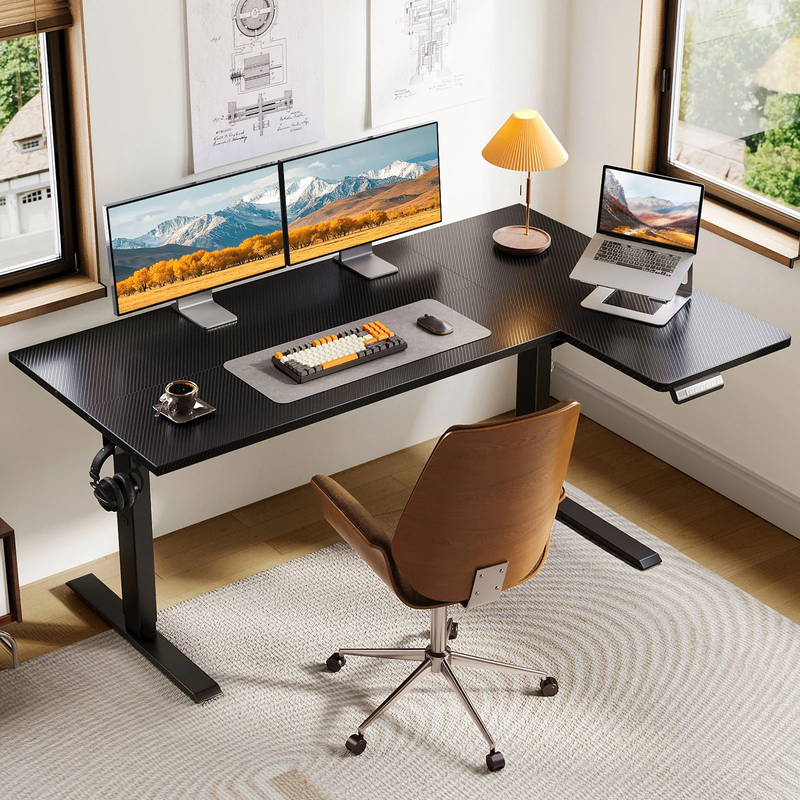
2. OffiGo 55" L-Shaped Electric Standing Desk with Spacious Work Surface & Adjustable Height
- Best for: corner efficiency with a simple, uncluttered daily setup
- Shape/workflow: L-shaped desktop to split work into two zones without extra furniture
- Layout flexibility: reversible L configuration so you can fit your room orientation
- Sit-stand use: electric height adjustment designed for switching positions during long sessions
- Ease of use: memory height presets (useful if you stand multiple times per day)
- Work surface goal: enough room for a laptop + monitor, or a dual-monitor setup that's not overly wide
- Style fit: designed to look at home (not like corporate surplus furniture)
Why it wins: For most people, the real benefit of an L-shaped desk isn't “more desk”—it's less shuffling. When your reference materials, tablet, or notebook can live on the side return, your main typing area stays clear, which often improves posture and focus.
3. OffiGo 55″ L-Shaped Height Adjustable Standing Desk with Large Movable Storage Cabinet

- Best for: Professionals running multi-device setups such as dual monitors and printers
- Layout: 55" L-shaped footprint expands usable workspace without crowding the room
- Sit-stand use: smooth electric adjustment supports posture changes through long workdays
- Storage: integrated file cabinet keeps documents organized and within arm’s reach
- Daily practicality: side hooks keep headphones and bags off the main surface
- Stability: dual-beam frame provides steady support for everyday workflows
- Space efficiency: cabinet replaces the need for an extra side cart in smaller offices
Why it wins: It combines a real filing cabinet with a sit-stand desk, so paperwork and digital work live in the same place instead of spreading across the room. The L-shape adds usable space without needing a larger office footprint. You get organization from day one — no extra storage furniture required later.
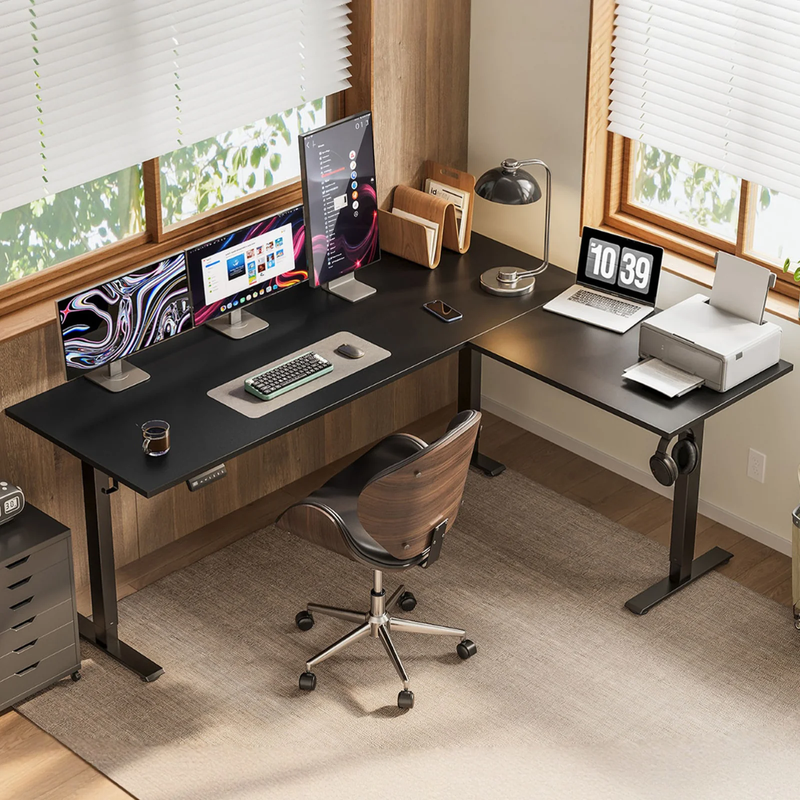
4. OffiGo 63" Reversible L-Shaped Height Adjustable Standing Desk
- Best for: larger corner setups with a clean look and fewer add-ons
- Desktop size: 63-inch L-shaped surface for multi-device workflows
- Layout flexibility: reversible L-shape to match your room's corner and walkways
- Daily performance: stable height transitions and consistent desk space keep multi-device workflows predictable throughout the day without constant rearranging
- Setup expectation: positioned as straightforward to assemble for typical users
Why it wins: Bigger desks aren't automatically better—unless you use the space to create clear zones. With 63 inches, you can keep your primary monitor centered while dedicating the return to a laptop stand, paperwork, or a charging zone, which helps the main work area stay ergonomic and consistent.
Shop: https://www.offigo.com/products/offigo-63-l-shaped-electric-standing-desk-with-adjustable-height
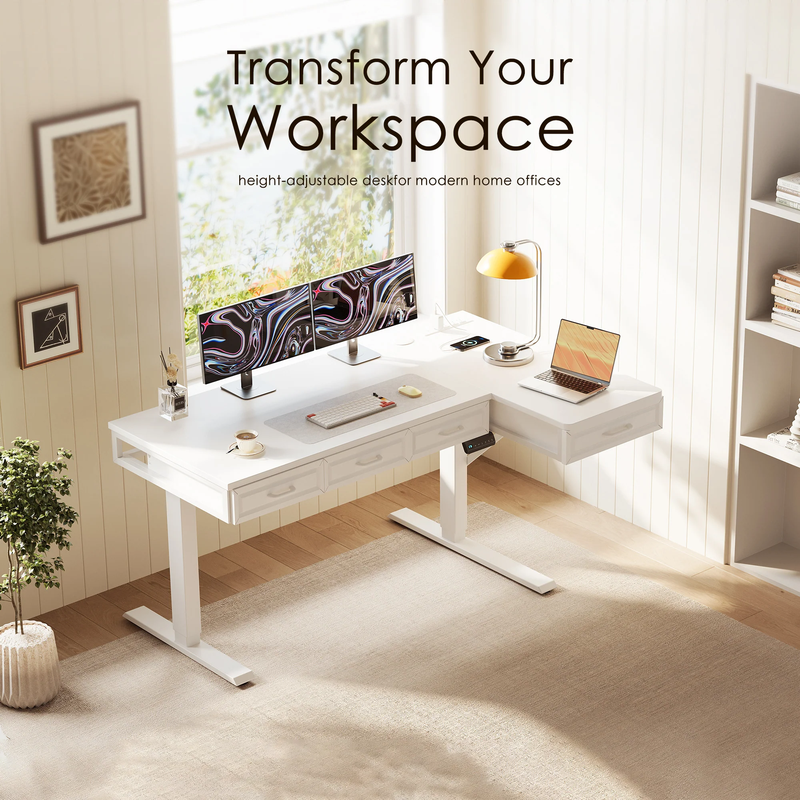
5. OffiGo 55" L-Shaped Electric Standing Desk with Drawers & Power Outlets
- Best for: storage-heavy corner workstations that need a clean desktop
- Storage: 4 wooden drawers to move supplies off the work surface
- Power ports: integrated outlets with USB and Type-C (great for modern devices)
- Height range: published electric adjustment approx. 29.9"–46.1"
- Layout flexibility: reversible design (left/right orientation) with an extra board
- Stability focus: industrial steel frame design aimed at long-term daily use
- Work scenario: fits dual monitors while keeping essentials organized
Why it wins: When storage is built in, your workspace stays “reset” between tasks—something that matters even more in a home office where your desk may need to look clean after hours. For people who juggle projects, the drawers reduce friction: fewer piles, fewer cable tangles, and fewer reasons to avoid standing transitions.
How to Choose Yours Desk
What size fits your room and workflow?
Are you choosing between 55" and 63" because you're unsure what “fits,” or because you're unsure what you actually do all day? Start with your workflow first, then confirm the room measurements. A 55-inch desk is often enough for a primary computer setup plus a side zone for notes; meanwhile, 63 inches is more comfortable if you run dual monitors and want a dedicated return for paperwork or charging.
Also consider walkways: L-shaped desks can feel perfect in a corner until a drawer, chair, or desk return blocks a door swing or a closet. Measure your corner depth and mark the footprint with painter's tape so you can “feel” the clearance before you commit.
Storage: drawers, trays, and monitor shelves
Do you actually need drawers, or are you better off staying minimalist? If your clutter is mostly small items—charging cables, adapters, pens, sticky notes—built-in drawers can instantly reduce visual noise. However, if you prefer a clean, open look and you already use desk bins or a side cart, a simpler model may keep your workspace from feeling too heavy.
A keyboard tray is worth prioritizing if you type for hours and often feel like your shoulders creep up. Just make sure you plan for knee clearance and chair armrests so the tray doesn't force an awkward posture.
Power + cable management expectations
Do you want a desk that includes power so you can stop crawling under the tabletop? Built-in outlets and USB/Type-C ports are a practical upgrade if you frequently charge a phone, headset, tablet, or laptop. They can also shorten cable runs, which makes the desk easier to keep tidy and easier to raise/lower without snagging.
That said, integrated power is still “electronics on furniture,” so think about placement near a wall outlet and how you'll route the main power cord. A clean setup usually comes down to one decision: where the cables go when the desk rises.
Height adjustment: range and daily comfort
Does the desk height range actually fit you when sitting and when standing? The right standing height generally keeps elbows around a comfortable typing angle while shoulders stay relaxed, and the monitor sits high enough that you aren't craning your neck. If a desk includes memory presets, you'll be more likely to use it—because the best sit-stand plan is the one you’ll follow during a busy day.
For a practical routine, many ergonomics guidelines emphasize frequent posture changes rather than standing all day. A widely cited expert statement recommends progressing toward 2 hours per workday of standing/light activity and eventually up to 4 hours per day, broken into chunks. (PubMed)
Practical setup tips
- Measure corner depth before ordering: Especially for L-shaped desks—depth surprises are the #1 reason a layout feels “off.”
- Plan monitor placement first: Put your primary screen straight ahead; use the return for secondary tasks, not your main typing zone.
- Route cables with the desk at standing height: If cables have slack at standing height, they'll usually be fine at sitting height too.
- Keep frequently used items within easy reach: Put daily tools on the main span; park occasional items on the return or in drawers.
Comparison Table
Quick comparison of the 5 OffiGo picks
| Desk | Shape | Width | Storage | Power ports | Keyboard tray | Monitor shelf | Notes / trade-offs |
|---|---|---|---|---|---|---|---|
| OffiGo 55" U-Shaped Electric Standing Desk with Monitor Stand & Keyboard Tray | U-shaped | 55" | None | AC outlets + USB | Yes | Yes | Wrap-around feel is great for multitasking, but the U shape can feel less minimalist and needs enough room depth. |
| OffiGo 55" L-Shaped Electric Standing Desk with Spacious Work Surface & Adjustable Height | L-shaped | 55" | None | None | No | No | Clean and simple, but you may need external storage if you hate desktop clutter. |
| OffiGo 55″ L-Shaped Height Adjustable Standing Desk with Large Movable Storage Cabinet | L-shaped | 55" | Built-in cabinet | None | No | No | Built for storage and practicality, so it’s not ideal for minimalist setups or very small rooms. |
| OffiGo 63" Reversible L-Shaped Height Adjustable Standing Desk | L-shaped | 63" | None | None | No | No | Great for bigger setups, but requires more room and careful corner planning to keep walkways open. |
| OffiGo 55" L-Shaped Electric Standing Desk with Drawers & Power Outlets | L-shaped | 55" | 4 wooden drawers | AC Outlets + USB + Type-C | No | No | Best clutter control, but it's the most storage-forward option—ideal if you'll actually use drawers daily. |
Conclusion
The best standing desk for home and office isn't the one with the most features—it's the one that matches your layout and the way you actually work. If you want wrap-around reach for multitasking, the 55" U-shaped OffiGo option stands out. If you want corner efficiency, an L-shaped desk in 55" or 63" lets you create two clear zones and keep the main work area uncluttered.
Next, decide whether you want the desk to organize for you (drawers, keyboard tray, monitor shelf) or whether you prefer a simpler surface and bring your own storage. Finally, prioritize built-in power if cable clutter is a constant friction point—because the easier the setup is to maintain, the more likely you are to keep switching positions comfortably over time.
Contact us: https://www.offigo.com/pages/contact
FAQ
1) Is a U-shaped standing desk better than L-shaped for home offices?
A U-shaped standing desk is usually better when you need more usable surface area within the same footprint, helping compact rooms hold more equipment and daily items. An L-shaped desk is often better for corner efficiency and keeping more open floor space around the workstation. In smaller rooms, U-shapes can feel surprisingly organized because they expand storage and staging space without requiring additional furniture. Choose based on whether your biggest constraint is surface capacity (U-shaped) or room flow (L-shaped).
2) How do I know if 55 inches is enough for two monitors?
Start by measuring the total width of your monitor bases (or your monitor arms if you use them), then add space for a laptop stand or writing area if you use one daily. Two monitors can work on 55 inches, but it depends on monitor size, stand footprint, and whether you need speakers or a lamp on the same surface. If you tend to keep papers open while working, 63 inches generally feels less cramped over time. A good rule is to leave a “clear zone” in front of your keyboard so you aren't pushing your wrists onto the desk edge.
3) What's the real benefit of built-in power outlets on a standing desk?
Built-in power keeps charging accessible on the desktop so you don't have to reach under the desk or rely on a floor power strip. It also tends to reduce cable clutter because cords can run shorter and stay routed along the desk as the height changes. If you regularly plug in a laptop, phone, webcam light, or headset dock, integrated power is a daily convenience, not a gimmick. For minimal setups that rarely change, you may not need it, but most hybrid workers end up appreciating the flexibility.
4) Do keyboard trays actually improve ergonomics, or are they annoying?
A keyboard tray can improve ergonomics when it helps you keep elbows comfortably bent and shoulders relaxed—especially if the main desktop height is slightly high for long typing sessions. It also frees up space on the main surface for notebooks or a docking station, which can make your workflow feel more open. However, a tray can be annoying if it reduces knee clearance, forces you too far from the monitor, or conflicts with chair armrests. If you type for hours, it's worth prioritizing—but measure your seated position so the tray fits your body, not just the desk.
5) How often should I switch between sitting and standing on an electric desk?
Most people do best with shorter, frequent switches rather than trying to stand for half the day immediately. A practical starting point is to stand during natural breaks—calls, reading, or after lunch—then sit for deep typing blocks until your legs and feet adapt. Over time, many users build toward a few hours per day of standing/light movement, broken into chunks, instead of one long standing session. If you feel foot fatigue or low-back tightness, shorten standing intervals and check that your screen and keyboard heights aren't pulling you into awkward posture.
6) Can I assemble an electric standing desk by myself, and what should I prep?
Most electric standing desks are designed for straightforward home assembly, but the desktop and frame can still be heavy and awkward to flip safely. If you're assembling solo, clear a large floor area, protect the desktop surface with a blanket, and keep screws slightly loose until the frame is aligned. A second person is especially helpful for lifting and turning the desk upright without twisting the legs. After assembly, test a full up/down cycle and re-check cable slack so nothing pulls tight at standing height.