
Introduction
Paper-heavy work gets messy faster than most people expect. One active file becomes five, a printer lands on the wrong corner, and suddenly your paperwork workstation is forcing you to twist, reach, and clear the same space over and over. When the wrong adjustable desks enter that workflow, the cost is not just clutter. It is slower retrieval, broken focus, shoulder strain, and daily friction that steals time from real work.
This guide helps you choose adjustable desks that actually support document-heavy routines, especially if you need a standing desk with drawers or an adjustable desk with storage. You will learn how surface shape, storage access, height range, and stability affect paperwork flow, then see how specific OffiGo models fit solo admin work, corner layouts, multi-device processing, deep-focus sessions, and shared home office use.
Adjustable Desks Fundamentals for Heavy Paperwork
Start with the worksurface, not the motor
Before you compare control panels or presets, look at the surface you will actually use all day. For paperwork-heavy roles, depth matters because paper work spreads outward, not upward. You may need one area for active files, one for writing, and one for a screen or scanner. If the surface is too shallow, your keyboard, documents, and monitor compete for the same few inches. That usually creates forward reach and awkward wrist angles.
For that reason, a strong paperwork workstation usually has clearly separated zones. L-shaped adjustable desks help by giving you a front work lane and a side staging lane. U-shaped layouts go further by wrapping those zones around you. The main question is simple: can your desk hold active documents without forcing you to bury them under devices?
Storage should protect momentum, not just hide clutter
A standing desk with drawers sounds helpful, but drawer design only works if it supports your task sequence. Professionals handling forms, case files, invoices, or printed drafts need fast access to current materials and slower access to archive items. If both live in the same pile, search time goes up and concentration drops.
Good adjustable desk with storage design separates those layers. Shallow drawers are useful for pens, stamps, chargers, and small tools. Deeper drawers or file cabinet sections matter more when your work depends on folders, hanging files, or batches of printed packets. The best setup keeps your most-used paper within one reach, while heavier backup storage stays below the surface where it does not crowd your writing area.
Ergonomics still matter when paper is the main tool
If your job mixes keyboard work with handwriting, reviewing packets, and stamping or signing documents, you need a layout that lets you shift posture without losing access. OSHA notes that computer workstations should support neutral posture and keep frequently used items within easy reach, with elbows close to the body and posture changes possible during work. (osha.gov) That applies directly to adjustable desks used for paper flow, because your mouse, keyboard, calculator, and active document tray all compete for prime reach space.
At the same time, standing is not a magic fix. CDC's NIOSH review links prolonged standing at work with low back pain, fatigue, leg swelling, and discomfort, which means a good paperwork workstation should help you alternate positions rather than lock you into one. (cdc.gov) The goal is movement with continuity. You should be able to sit, stand, and keep the same task zones intact.
Stability matters more when loads stay on the desk all day
A lightly used desk can hide weaknesses. A paperwork-heavy setup cannot. Stacks of files, a printer, dual monitors, trays, and reference binders create a very different use case than a laptop-only workstation. In that environment, frame rigidity and layout balance matter because wobble interrupts writing, scanning, and sorting.
This is one reason many professionals prefer adjustable desks with integrated storage instead of adding separate furniture later. A better-built system keeps the desktop and storage plan working together. As a current labor snapshot, the U.S. Bureau of Labor Statistics reported that workers spent 44.9 percent of the workday sitting and 55.1 percent standing in 2025, which reinforces a simple planning principle: your desk should support repeated transitions without making you reorganize your work every time. (bls.gov)
Filing-Intensive Solo Workflows

If you work alone and process a high volume of paper, the main problem is usually retrieval friction. You are not just storing documents. You are moving them between active review, pending action, and completed filing. That means adjustable desks for this kind of work should reduce search loops first. The right layout gives you a clear writing area, immediate access to active folders, and a dedicated place for archived or sensitive material.
The OffiGo 55" L-Shaped Electric Standing Desk with File Cabinet Drawers Adjustable Height fits that logic well because its 55.1" x 23.6" desktop pairs with a separate 39.4" x 15.8" x 18.7" filing cabinet. OffiGo describes the cabinet as lockable, which is helpful if you handle private client records or share a home office. The desk height range of 28.4" to 47.2" and three programmable memory buttons also make it easier to move between seated review and standing sort sessions without resetting the whole paperwork workstation each time. ([offigo.com])
For solo filing work, the practical win is zoning. Keep active files on the primary surface, reference tools in the top drawers, and long-term folders in the cabinet. Because the cabinet is separate, you can stage the room around your dominant hand, printer position, or walking path instead of forcing everything under one fixed top. That is often better for professionals who scan, print, sign, and refile documents in short cycles.
Shop: OffiGo 55" L-Shaped Electric Standing Desk with File Cabinet Drawers Adjustable Height
Corner Command Centers
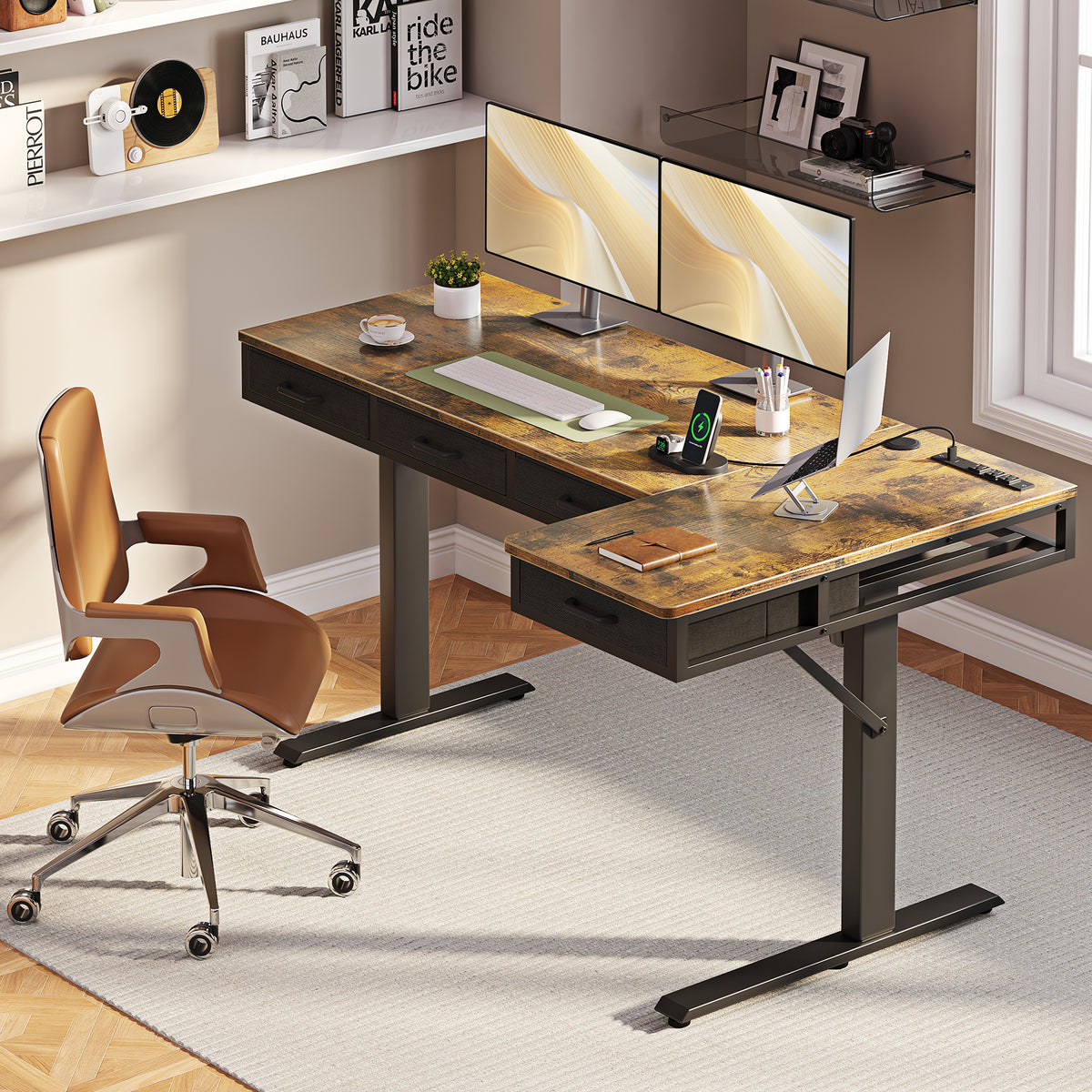
When your room is tight but your workload is wide, corner layouts solve more than a space problem. They let you separate tasks without adding extra furniture. One side can hold monitors and digital tools, while the other side becomes your paperwork workstation for sorting, writing, and packet review. That split is useful because paper work often fails on straight desks when the screen zone keeps expanding.
The OffiGo 63" L-Shaped Electric Standing Desk with Fabric Drawers & Built-in Power Outlets is especially strong for this use case. OffiGo lists a main desktop of 47" x 21.2" plus a 31.5" x 15.8" side table, four fabric drawers, a rear cable tray, reversible left-right installation, and a height range from 29.9" to 46.1". It also includes built-in power outlets, USB, and Type-C charging, which helps if your corner command center includes a label printer, phone, task light, and laptop dock. ([offigo.com])
For document-heavy users, the best move is to assign the long front edge to active work and the side return to staging. That gives you a place for inbound mail, files waiting for review, or a printer without eating the main writing lane. Because the desk is reversible, you can match the return to the room, window, or cabinet wall instead of rearranging the whole office around a fixed orientation.
Shop: OffiGo 63" L-Shaped Electric Standing Desk with Fabric Drawers & Built-in Power Outlets
Multi-Device Document Processing
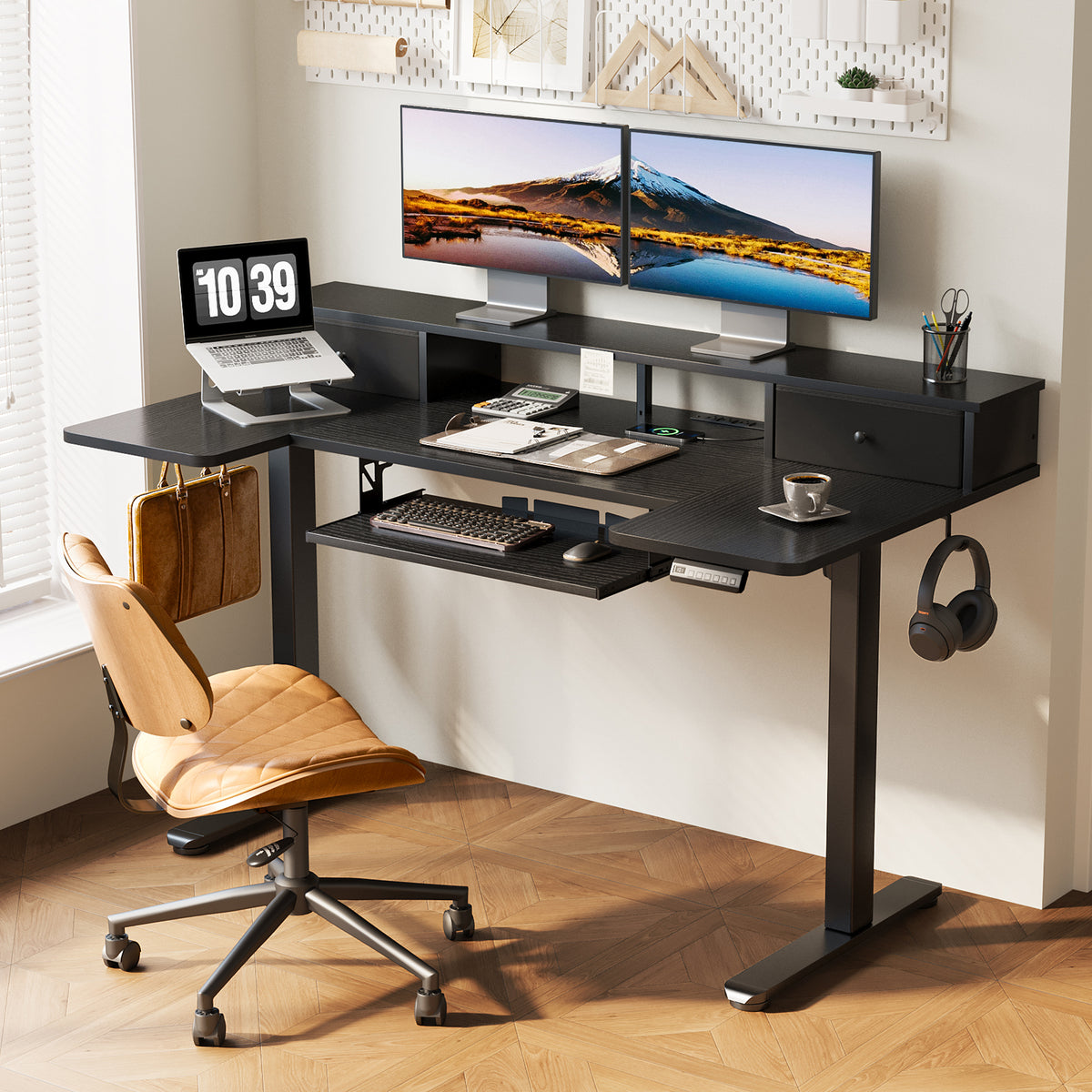
If your day includes switching between printed documents, dual monitors, a laptop, and charging accessories, the workflow problem is usually collision. Devices consume the same surface area you need for writing and sorting. In that case, the most effective adjustable desks are the ones that move support hardware off the main work lane.
The OffiGo 55" U Shaped Electric Standing Desk with 2 Drawers & Keyboard Tray & Monitor Stand was built around that idea. OffiGo describes a 55.1" main length with a 29.1" U-shaped extension, two drawers, a slide-out keyboard tray, a full-size monitor stand, built-in power with 3 AC outlets and 2 USB ports, and a height range from 28.3" to 46.5". The keyboard tray measures 21.9" x 11.8", and the raised monitor shelf opens space below for frequently used items. ([offigo.com])
That layout works well when your paperwork workstation has to support both analog and digital processing. Put your screens on the stand, move the keyboard below, and preserve the center surface for live documents. The U-shape also shortens reach paths. Instead of standing up to grab every tool, you can rotate between devices, notes, and paper stacks inside a tighter working bay. For bill review, bookkeeping, claims processing, or administrative analysis, that wraparound layout can reduce constant micro-interruptions.
Shop: OffiGo 55" U Shaped Electric Standing Desk with 2 Drawers & Keyboard Tray & Monitor Stand
Deep-Focus Admin Sessions
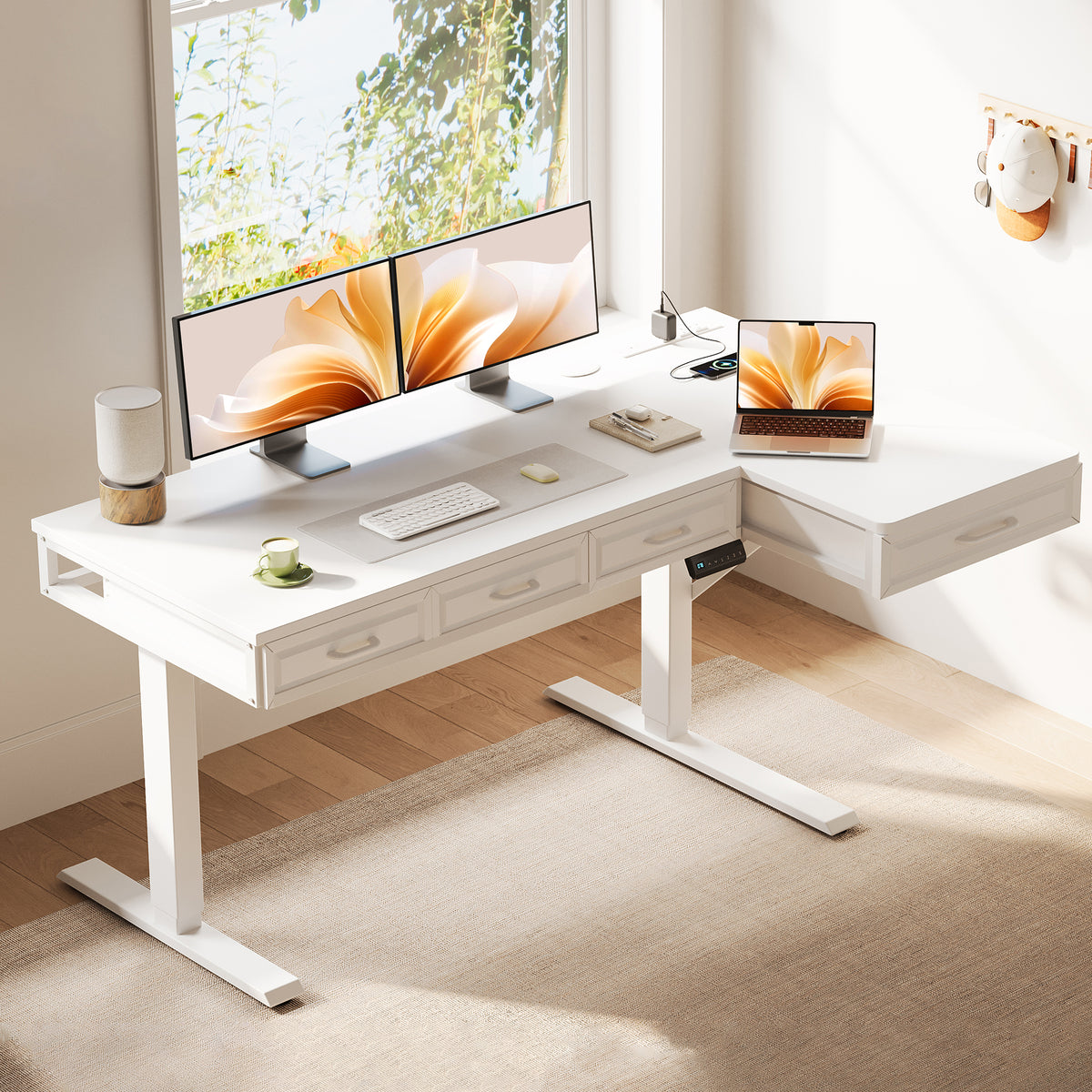
Long admin blocks create a different challenge than fast filing. Here, the issue is physical drift. Over an hour or two, your keyboard creeps sideways, active documents spread into charging space, and your shoulders start adjusting to the mess. A better standing desk with drawers helps by keeping everyday tools off the top and power close to the work.
The OffiGo 55" L-Shaped Electric Standing Desk with Wooden Drawers & Power Outlets is a practical fit for this pattern. OffiGo highlights four wooden drawers, a reversible L-shaped layout, integrated power with 3 AC outlets, 1 USB port, and 1 Type-C port, and a height range of about 29.9" to 46.1". The desktop is listed at 55.1" x 21.2", and OffiGo notes a 34.8" leg clearance span. Those details matter because admin work often needs enough seated clearance for a chair while still keeping supplies directly underneath the worksurface. ([offigo.com])
For deep-focus sessions, use one preset for seated drafting and one for standing review. Keep the top left drawer for writing tools, the next for calculators or labelers, and reserve the desktop for only the current packet. That sounds basic, but it protects attention. The more often you can complete a document cycle without hunting for tools or power adapters, the more useful your adjustable desk with storage becomes.
Shop: OffiGo 55" L-Shaped Electric Standing Desk with Wooden Drawers & Power Outlets
Shared Home Office Setups
Shared setups fail when every handoff starts with a reset. If two people use the same paperwork workstation, speed matters as much as ergonomics. One user may need more writing area, while the other prioritizes monitors or a laptop. In that case, adjustable desks should shorten transition time through memory presets, flexible orientation, and storage that can be assigned by user or task.
An L-shaped or U-shaped model with presets is usually the best fit because each person can keep a reliable seated and standing height ready. OffiGo's current desk range repeatedly uses electric lift systems with preset buttons, and several models add reversible layouts, which is useful if one user wants the return on the left and the other needs better room circulation or cabinet access. The core decision is not only size. It is whether both users can resume work without rebuilding the desk surface from scratch. ([offigo.com])
For shared document work, divide storage by workflow type instead of by random drawer availability. One person can own a top drawer for fast tools, while the lower drawers hold neutral supplies like printer paper, envelopes, and chargers. If the desk also has built-in power, leave the charging plan fixed so cables do not migrate during handoffs. That keeps the shared zone calm and predictable.
Selection and Decision Guide
Choose surface shape by paper flow
Before comparing finishes or accessories, decide how your paperwork workstation actually moves. Straight desks suit lighter document volume, but adjustable desks with corners or wraparound zones work better when paper and devices need separate homes.
| Scenario | Best shape | Main benefit | Trade-off |
|---|---|---|---|
| Single monitor, light files | Straight | Simple footprint | Less staging space |
| Mixed paper and screens | L-shape | Split task zones | Larger footprint |
| Heavy multi-zone processing | U-shape | Wraparound access | Needs more room |
| Shared room constraints | Reversible L | Flexible placement | Return still needs clearance |
Compare storage by access speed
A standing desk with drawers is only useful if the drawer type matches what you touch most often. Small supply drawers help with quick access, while file cabinet sections support bulk paper and private records.
| Storage type | Best for | Access speed | Notes |
|---|---|---|---|
| Fabric drawers | Light supplies | Fast | Lower visual weight |
| Wooden drawers | Daily tools | Fast | More structured feel |
| File cabinet | Hanging files | Medium | Better for volume |
| Open shelf plus drawer | Mixed gear | Fast | Needs tidiness discipline |
Check fit, height range, and power together
Many buyers look at one feature at a time and miss the interaction between them. For paperwork-heavy use, height range matters because your seated and standing positions must still preserve document reach. Built-in power matters because adapters and strips quickly steal surface space. Reversible layouts matter because a good corner on paper can fail in a real room.
| Factor | What to verify | Why it matters |
|---|---|---|
| Height range | Seated and standing fit | Protects posture changes |
| Surface depth | Room for paper spread | Prevents crowding |
| Frame stability | Writing and monitor support | Reduces wobble |
| Power access | AC, USB, Type-C | Cuts adapter clutter |
| Reversible layout | Left or right return | Fits real rooms |
| Leg clearance | Chair and knee room | Improves seated comfort |
Match OffiGo models to workflow type
If your priority is archive control, the file cabinet model is the strongest match. If your priority is a larger corner command center with integrated charging, the 63-inch L-shaped model makes more sense. If you need a central bay for screens plus paper, the U-shaped desk offers the clearest task separation. If you want an adjustable desk with storage that feels familiar and compact for long admin sessions, the 55-inch wooden-drawer L-shape is a safe choice.
Best Practices and Pitfalls
Best Practices
First, assign fixed zones before you fill the desk. Give one area to active paperwork, one to writing, one to devices, and one to temporary staging. That simple map prevents clutter from becoming your default system.
Next, program realistic height presets early. Set one seated height for keyboard work and one standing height for review or sorting. Then test each preset with a live document stack, not an empty desktop, because real use changes reach and visibility.
Finally, store dense items low and frequent items close. Paper reams, binders, and archived files should live in lower storage to reduce visual clutter and top-heavy layouts. Pens, chargers, staplers, and current folders should stay within your first reach zone so you do not break rhythm.
Common Pitfalls to Avoid
The most common mistake is buying adjustable desks based on shape alone. An L-shape can still fail if the drawers block leg space or if the return lands on the wrong side for your printer, wall outlet, or dominant hand. Always map the room and the workflow together.
Another mistake is overfilling the desktop before the process is clear. If every accessory earns a permanent spot too early, your paperwork workstation loses flexibility. Start with the task flow, then add only the tools that save time.
The last big mistake is standing too long without movement breaks. Standing desks help when they support change, not when they turn stillness into a new rule. Rotate between sitting, standing, and short movement intervals so the desk improves comfort instead of creating a new strain pattern.
Conclusion
The best adjustable desks for heavy paperwork are not the ones with the longest feature list. They are the ones that protect how your work actually moves. If your day depends on active files, writing space, charging access, and stable sit-stand transitions, then surface shape and storage design should come before minor accessories.
In practice, that means choosing a paperwork workstation that matches volume and rhythm. Go with file-focused storage if retrieval drives your day. Choose an L-shape if you need task separation in a corner. Choose a U-shape if your workflow wraps around screens, notes, and active documents at once. When the desk fits the process, your workspace gets faster, cleaner, and easier on your body.
FAQ
What features matter most in an adjustable desk for heavy paperwork?
The most important features are usable surface area, stable lift performance, integrated storage, and fast access to daily files. A paperwork workstation should give you at least three clear zones: one for active documents, one for writing or signing, and one for digital tools. Height adjustment matters because you need to change posture without rebuilding your layout. Drawers or a file cabinet matter because they keep the desktop clear while still keeping supplies close.
How do you choose between an L-shaped desk and a U-shaped desk?
Choose an L-shaped desk when you want efficient corner use and clear separation between screen work and paperwork. It works especially well in home offices where one return can hold a printer, inbox tray, or reference stack. Choose a U-shaped desk when you need a larger central working bay and want more tools within a short reach. U-shaped layouts are usually better for users who handle documents, dual monitors, and accessories at the same time.
Are drawers important on a standing desk for full-time work?
Yes, drawers are very important when you use a standing desk all day for document-heavy tasks. Without drawers, pens, chargers, stamps, folders, and notes usually spread onto the surface and shrink your actual work area. A standing desk with drawers helps preserve a clean writing zone and shortens retrieval time during repetitive tasks. The key is choosing drawer types that match your workflow, with shallow drawers for tools and deeper storage for paper volume.
What standing desk features help reduce physical strain?
A wide height range, stable frame, memory presets, and smart reach layout help reduce strain the most. You should be able to keep the keyboard, mouse, and active documents close enough that your shoulders stay relaxed and your elbows stay near your sides. A stable worksurface also matters because wobble affects typing, writing, and monitor comfort. Most importantly, the desk should make position changes easy so you can alternate sitting and standing instead of staying fixed in one posture.
How much workspace do professionals handling documents usually need?
Most professionals handling documents need space for a monitor zone, an active writing zone, and a short-term staging zone. In practical terms, that often means one area for the current file, one for tools or devices, and one for incoming or outgoing paper. If you also use a printer, scanner, or second monitor, an L-shaped or U-shaped layout often works better than a straight desk. The right amount of space is not only about width; depth and side access matter just as much.
Can an adjustable desk improve productivity-focused work?
Yes, an adjustable desk can improve productivity when it reduces friction instead of adding complexity. A better desk shortens search time, keeps active tools in predictable places, and supports posture changes during long sessions. That matters for billing, case review, bookkeeping, scheduling, compliance work, and other admin-heavy routines where small interruptions add up. The productivity gain usually comes from cleaner workflow design, not from standing alone.
What is the best way to organize paperwork on an adjustable desk?
The best method is to separate paper by status rather than by size or random pile order. Keep current work on the main surface, near-term pending items in a reachable drawer or tray, and archive files in lower storage or a cabinet. Labeling zones also helps because it prevents finished work from drifting back into the active area. If your tasks repeat daily, keep the same categories in the same places so your hands learn the layout.
Can one adjustable desk work well for two users in a home office?
Yes, one adjustable desk can work for two users if it has memory presets, enough surface width, and storage that supports clean handoffs. Each user should save a seated and standing height so the desk resets in seconds. Shared supplies should live in neutral drawers, while personal tools should have fixed assigned spots. The setup works best when both users agree on task zones, cable routing, and what stays on the surface between sessions.