
Introduction
Choosing an Electric Standing Desk should feel low-risk: stable at standing height, easy to set up, and simple to live with for months. However, many buyers regret a desk that wobbles, gets noisy, or turns into a cable mess.
So what makes a Height Adjustable Desk feel safe for daily work? In practice, it is less about extreme specs and more about reducing common points of friction: reachable power, predictable cable paths, and layouts that support focused work.
Just as important, standing is not a magic fix by itself. Jobs that mostly require standing have been associated with a 2-fold risk of incident heart disease versus jobs that mostly involve sitting, which is why a smart Sit-Stand Desk setup should support frequent switching and movement, not long static standing blocks. According to CDC, this finding comes from a 12-year cohort study discussed by NIOSH.
Best for compact setups and built-in organization
1. 48" Electric Standing Desk with 3 Wooden Drawers
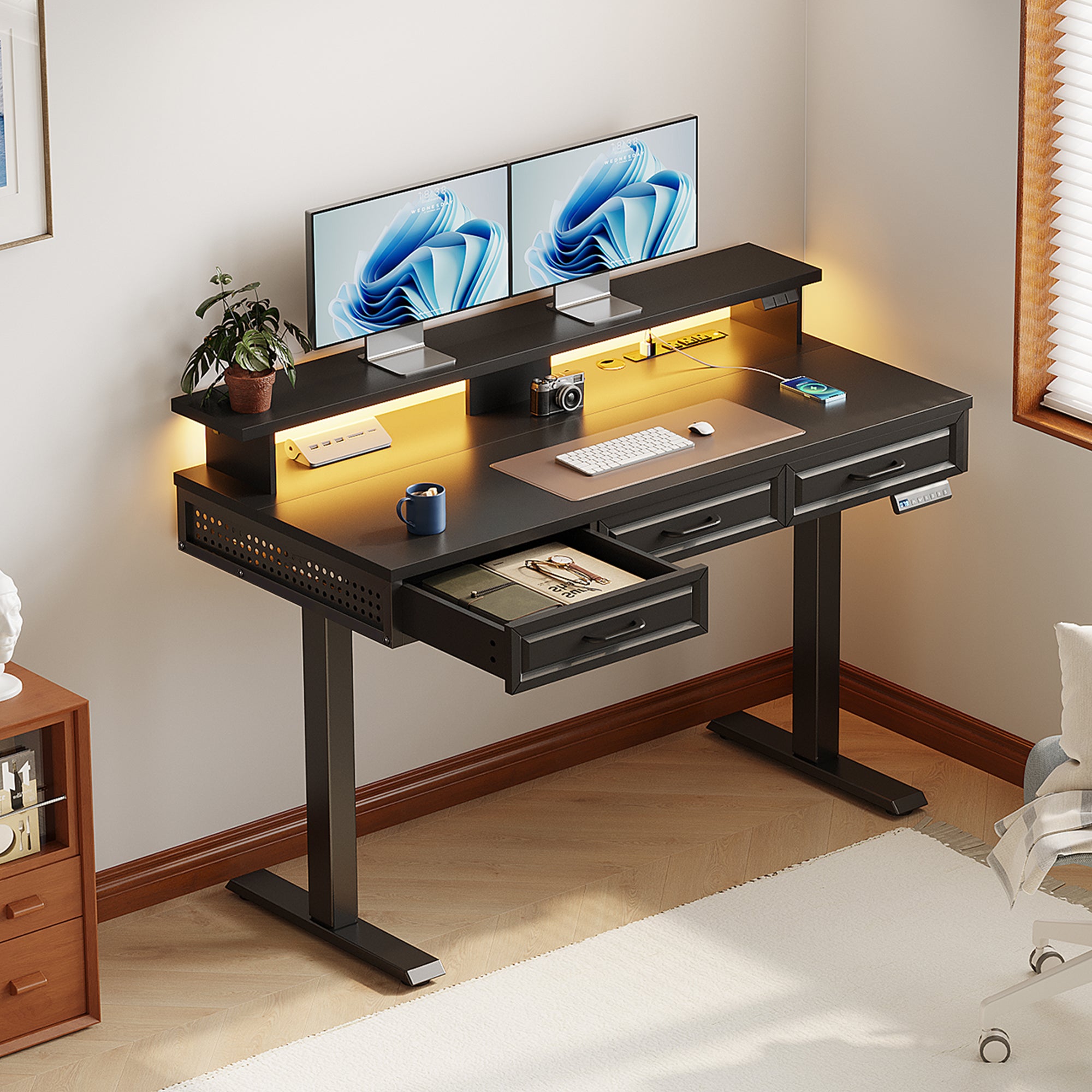
- Best for: small rooms that still need strong Home Office Organization.
- Why it feels low-risk: the drawers and monitor shelf reduce the need to add wobbly extras later.
- Height range: 29.9 in to 46.1 in, with 3 memory presets.
- Built-in power: 3 AC outlets and 2 USB ports on the desk.
- Cable control: includes a hidden cable management tray.
- Capacity: rated 154 lb for dual-monitor and laptop setups.
OffiGo 48" Electric Standing Desk with 3 Wooden Drawers, Monitor Shelf & USB Power Outlets
2. 48" Electric Height Adjustable Standing Desk
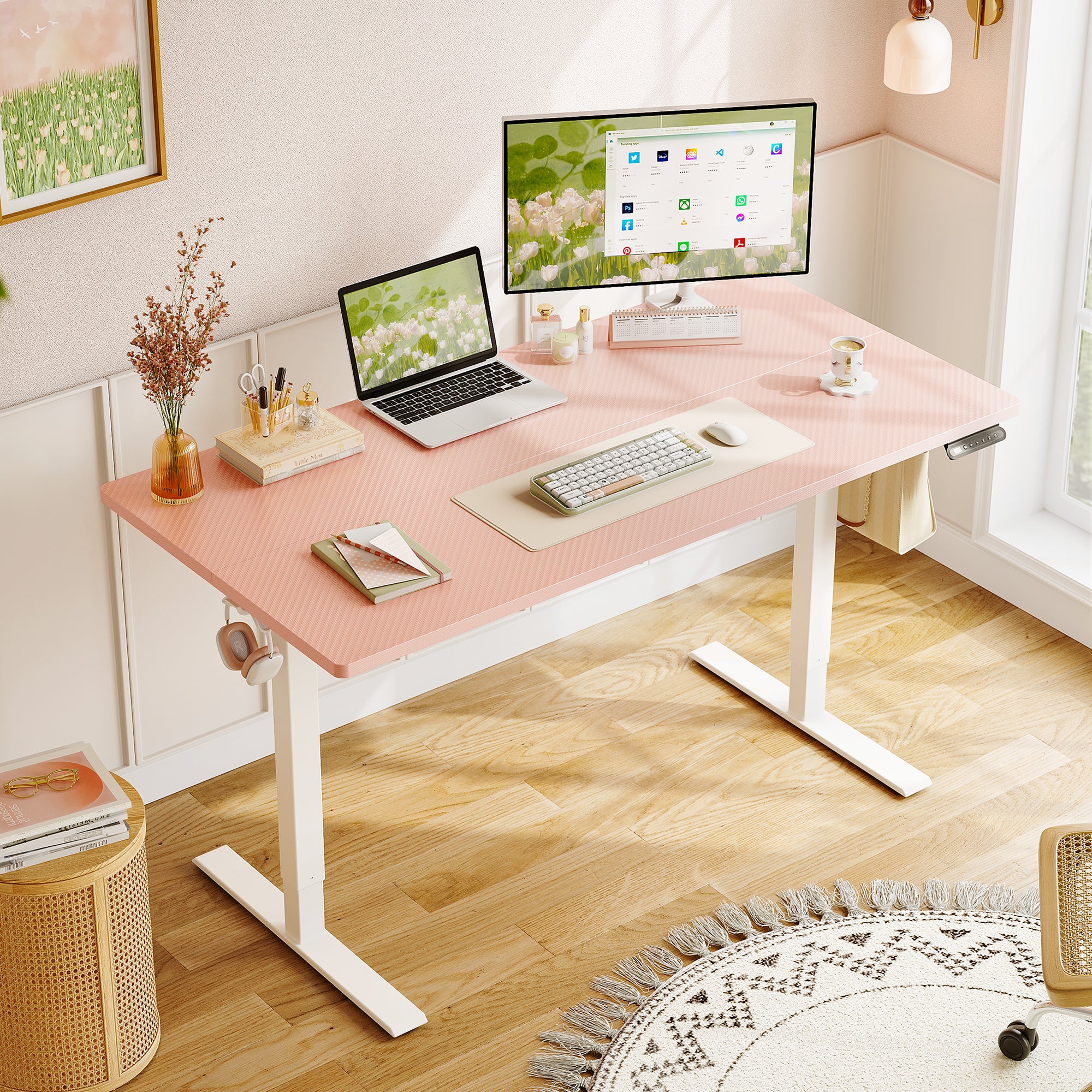
- Best for: a simple Remote Work Setup that does not require built-in charging.
- Height range: 28.0 in to 46.1 in, with 3 memory presets.
- Stability: heavy-duty steel frame rated up to 154 lb.
- Noise focus: described as smooth and quiet motor operation.
- Organization details: two side hooks plus a rear cable notch to route cords.
- Desktop size: 47.2 in x 23.6 in, with 36.5 in between the desk legs.
OffiGo 48" Electric Height Adjustable Standing Desk - Pink Sit-Stand Workstation
Best for L-shaped standing desk users
3. 55" L-Shaped Electric Standing Desk with Spacious Work Surface & Adjustable Height

- Best for: first-time L-Shaped Standing Desk buyers who want a clean corner layout.
- Height range: 28.4 in to 47.2 in, with 3 memory presets.
- Layout: reversible L configuration to fit left- or right-return rooms.
- Desktop sizes: main desktop 39.4 in x 21.3 in; sub-desktop 31.5 in x 15.7 in.
- Space planning: 36 in of legroom between the desk legs.
- Low-risk benefit: two zones reduce desktop stacking (monitors on one side, tools on the other).
OffiGo 55" L-Shaped Electric Standing Desk with Spacious Work Surface & Adjustable Height
4. 55" L-Shaped Electric Standing Desk with Keyboard Tray & Monitor Shelf
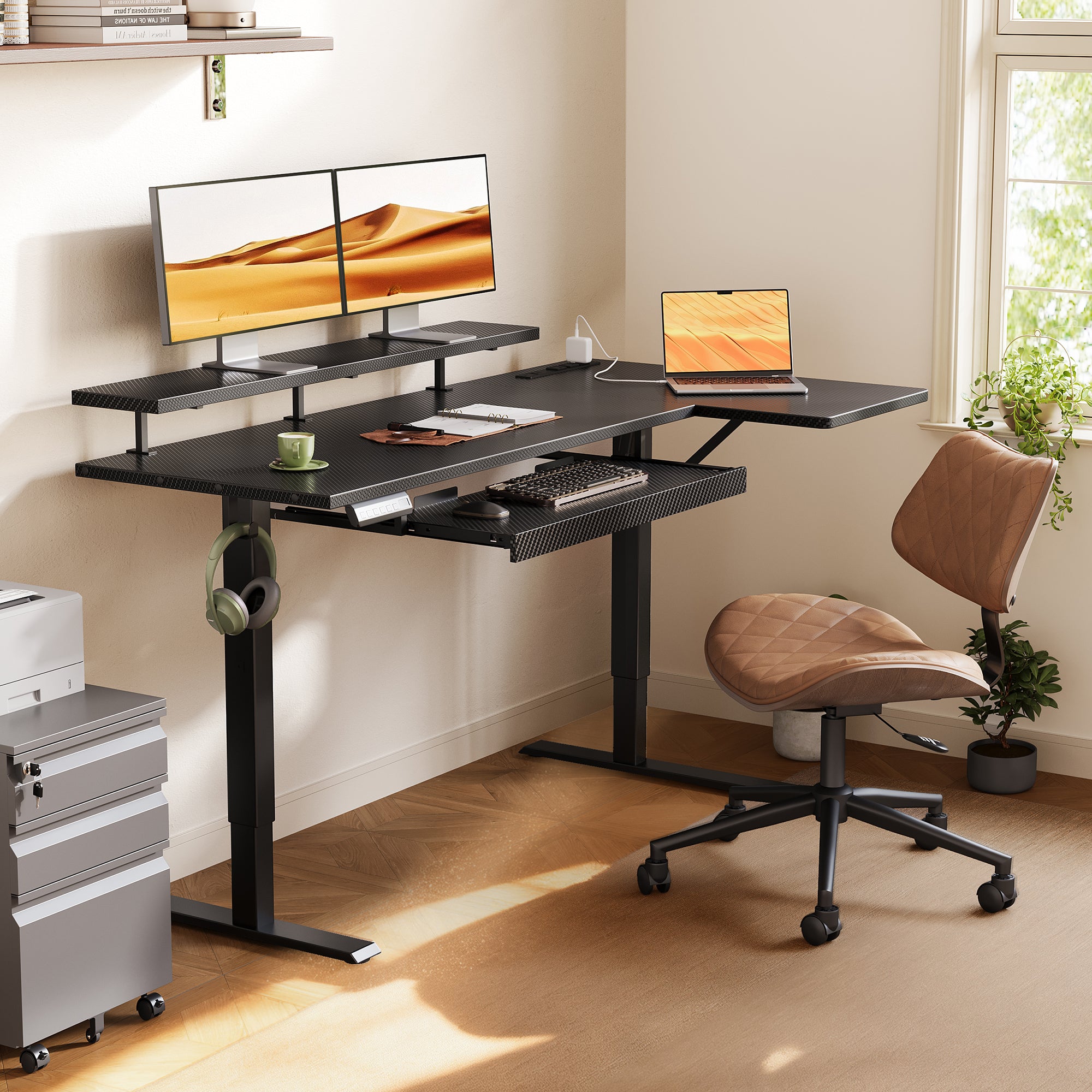
- Best for: ergonomic typing and viewing, especially if neck and shoulder fatigue is your main risk.
- Height range: 28.4 in to 47.2 in, with 3 memory presets.
- Noise: motor described at approximately 50 dB under no-load.
- Ergonomic add-ons: pull-out keyboard tray and monitor shelf.
- Keyboard tray size: 25.6 in x 11.8 in.
- Monitor shelf size: 39.4 in x 7.9 in.
- Charging: includes built-in power outlets with USB and Type-C ports.
- Capacity: recommended load capacity up to 154 lb.
OffiGo 55" L-Shaped Electric Standing Desk with Keyboard Tray & Monitor Shelf
5. 55" L-Shaped Electric Standing Desk with Wooden Drawers & Power Outlets

- Best for: buyers who want a true Built-in Storage Desk plus charging, without adding a separate cabinet.
- Storage: 4 wooden drawers for cables, notebooks, and daily supplies.
- Height range: approximately 29.9 in to 46.1 in.
- Built-in power: 3 AC outlets, 1 USB port, and 1 Type-C port.
- Layout: reversible design so the extension can go left or right.
- Desktop size: 55.1 in long x 31.5 in wide.
- Fit detail: drawer size listed as 12.6 in long x 11.8 in wide x 4.6 in high.
OffiGo 55" L-Shaped Electric Standing Desk with Wooden Drawers & Power Outlets
Best for U-shaped workflow and wrap-around reach
6. 55" U-Shaped Electric Standing Desk with Monitor Stand & Keyboard Tray
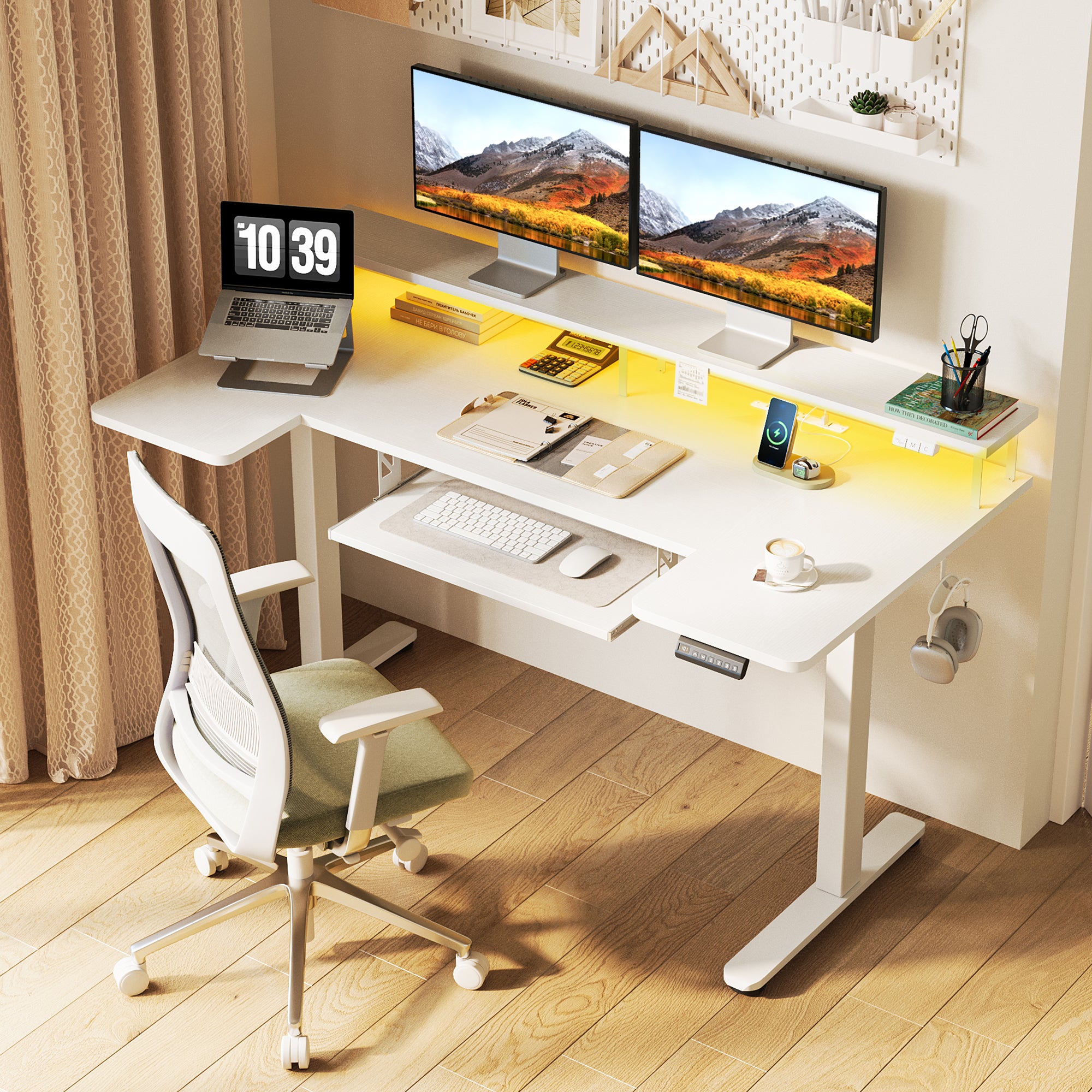
- Best for: a wrap-around workflow when you want items within easy reach.
- Desktop footprint: about 55.1 in W x 29.1 in D.
- Height range: about 28.3 in to 46.5 in.
- Keyboard tray size: 21.9 in x 11.8 in.
- Built-in charging: 3 AC outlets and 2 USB ports.
- Setup vibe: includes LED desk lighting (ambient), plus a monitor stand.
OffiGo 55" U-Shaped Electric Standing Desk with Monitor Stand & Keyboard Tray
Best for executive-size stability and device density
7. 71" Executive Electric Standing Desk with Built-in Power Outlets & 1.38" Thick Desktop
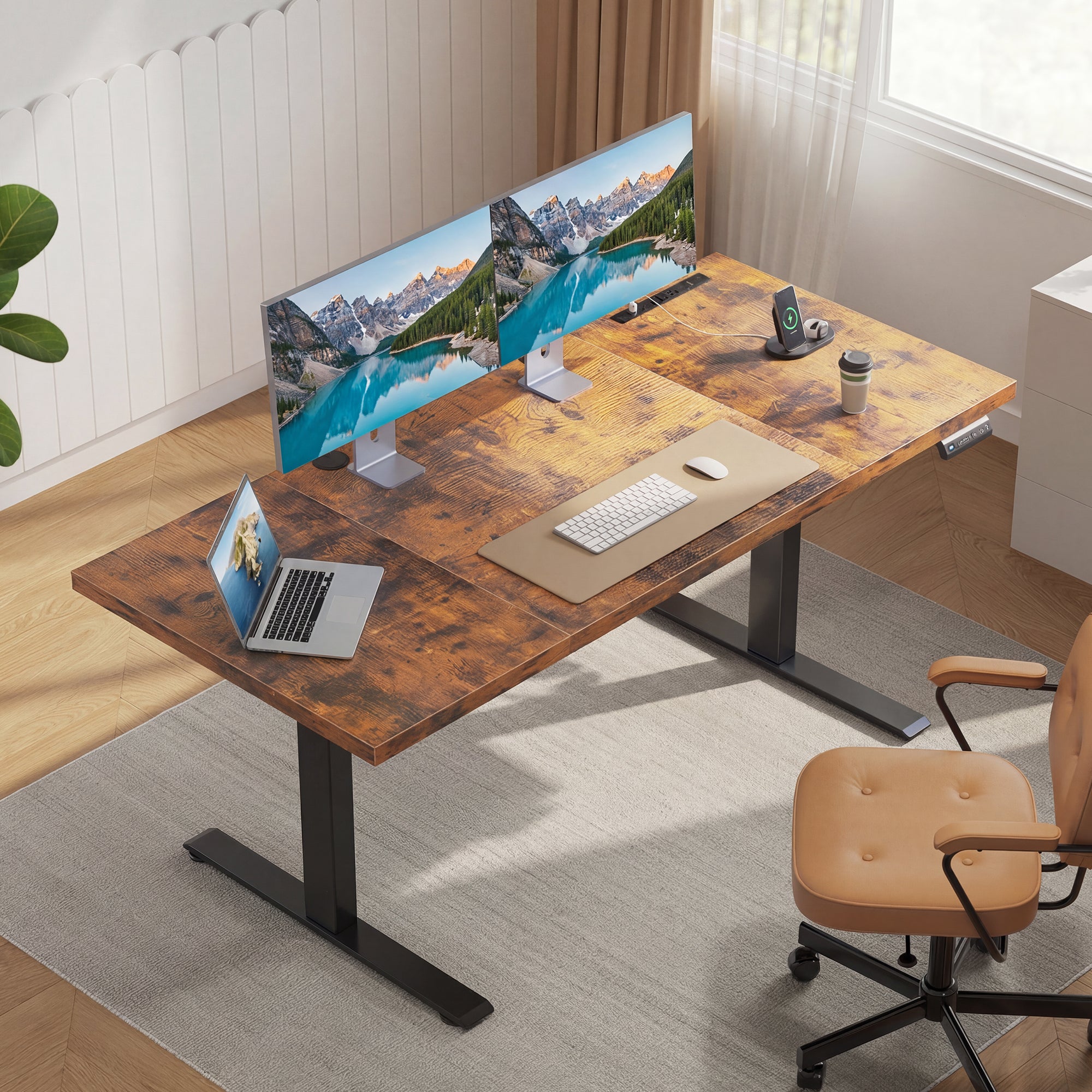
- Best for: larger Remote Work Setup needs with multiple screens and peripherals.
- Desktop size: 71 in x 27.6 in.
- Desktop thickness: 1.38 in thick, three-panel tabletop.
- Height range: 29.1 in to 48.0 in, with 3 memory presets.
- Stability feature: reinforced dual crossbeam steel frame to minimize wobble.
- Built-in power: 3 AC outlets, 2 USB ports, and 2 Type-C ports.
- Organization detail: cable management plus a side hook.
OffiGo 71" Executive Electric Standing Desk with Built-in Power Outlets & 1.38" Thick Desktop
Comparison Table
| Pick | Best for | Shape | Storage | Built-in power | Height range |
|---|---|---|---|---|---|
| OffiGo 48" with 3 Wooden Drawers | compact Home Office Organization | I-shaped | 3 wooden drawers + monitor shelf | 3 AC + 2 USB | 29.9 in to 46.1 in |
| OffiGo 48" Pink Sit-Stand Workstation | simple Electric Standing Desk | I-shaped | none | none | 28.0 in to 46.1 in |
| OffiGo 55" L Spacious | first-time corner setups | L-shaped | none | none | 28.4 in to 47.2 in |
| OffiGo 55" L with Keyboard Tray | posture-focused typing + viewing | L-shaped | keyboard tray | AC + USB + Type-C | 28.4 in to 47.2 in |
| OffiGo 55" L with Drawers + Power | Built-in Storage Desk plus charging | L-shaped | 4 wooden drawers | 3 AC + USB + Type-C | about 29.9 in to 46.1 in |
| OffiGo 55" U with Monitor Stand | wrap-around reach + Compact Office Furniture feel | U-shaped | keyboard tray | 3 AC + 2 USB | about 28.3 in to 46.5 in |
| OffiGo 71" Executive | multi-device Remote Work Setup | I-shaped | none | 3 AC + 2 USB + 2 Type-C | 29.1 in to 48.0 in |
Conclusion
A low-risk Height Adjustable Desk decision is usually a workflow decision. First, match the shape to how you work (straight, corner L, or wrap-around U). Next, decide whether Home Office Organization comes from built-in drawers or from a clean surface.
OffiGo keeps the lineup focused on daily-use details that lower regret: stability cues (crossbeams on the executive desk), integrated power where it matters, and layouts that make real rooms easier to work in.
Official Site: OffiGo
FAQ
1. What makes a standing desk "low-risk" for workplace use?
A low-risk standing desk reduces daily friction like wobble, awkward reach, and cable clutter while staying easy to adjust every day. A stable frame and reliable height presets help users avoid constant tweaking, which is where many setups fail. Built-in power can also cut down on floor power strips and loose cords that get snagged. Finally, the desk must fit the room so it does not force cramped posture.
2. How often should I switch between sitting and standing?
Most people do better with frequent switching instead of long blocks of standing. Start with short standing intervals, such as 10 to 20 minutes, then sit and repeat while you learn what feels sustainable. If your feet, calves, or lower back start to fatigue, switch positions before it becomes pain. The goal is consistent movement and posture variety, not standing all day.
3. Do built-in power outlets actually help with home office organization?
Built-in outlets and USB or Type-C ports can reduce the number of adapters and power strips that end up on the floor. The biggest practical benefit is predictable cable routing, because shorter runs are easier to secure and less likely to snag when the desk moves. It also helps keep charging habits consistent, since devices plug in at the same place every day. Before buying, check that the port mix matches what you charge daily.
4. Should I choose an L-shaped standing desk or a U-shaped standing desk?
Choose an L-shaped desk if you want two clear zones, such as monitors on the main surface and a device or writing zone on the return, while keeping corner placement efficient. Choose a U-shaped desk if you want a more wrap-around feel, with frequently used items closer to your hands without constant chair swiveling. The trade-off is footprint and depth, because U-shaped surfaces can feel bigger in small rooms. Measure your corner, walkway clearance, and chair movement before you decide.
5. What desk features matter most for reducing neck and shoulder strain?
Monitor height and keyboard position usually matter more than raw desk size. A monitor shelf can raise the display closer to eye level, which can reduce forward head posture during long sessions. A keyboard tray can help keep elbows closer to 90 degrees and reduce shoulder reach, as long as leg clearance remains comfortable. If you run two monitors, center the primary screen and angle the secondary inward to reduce neck rotation.
6. Can I rely on a standing desk alone for ergonomics, or do I still need an ergonomic office chair?
You still need a supportive chair because most people will sit for a meaningful part of the day, even with a sit-stand routine. A good ergonomic office chair supports your lower back and reduces fatigue during calls, writing, and detailed focus work. Think of the desk and chair as a system: the desk enables posture changes, and the chair supports recovery and sustained seated tasks. If the chair is poor, standing can become a workaround instead of a balanced routine.
7. How do I plan LED desk lighting for a cleaner setup?
Treat LED desk lighting as part of cable management, not just decor. First, decide where power will come from, then choose a cable path that will not drape over the desktop edge or snag during height changes. Use clips or ties so the lighting cord moves with the desk and does not pull tight at standing height. Place lighting to reduce glare on the monitor while still lighting the keyboard and writing zone.