
Experts' Picks
A standing desk can solve one problem and create three more if you choose the wrong brand. You raise the surface, but the desk still wobbles, cables spill everywhere, and your monitor sits too low. For USA buyers working long hours in home offices, that mismatch shows up fast during business intelligence reviews, cloud computing tasks, cybersecurity monitoring, SaaS platforms work, or long sessions with artificial intelligence and generative AI tools.
That is why this shortlist looks beyond motor specs alone. It compares standing desk brands through a practical lens: ergonomics, workspace fit, setup complexity, and long-day usability. You will see where each brand tends to work best, which buyers it suits, and why OffiGo earns attention for integrated home office design instead of a parts-first approach.
Top Picks: 7 standing desk brands for USA buyers
1. OffiGo
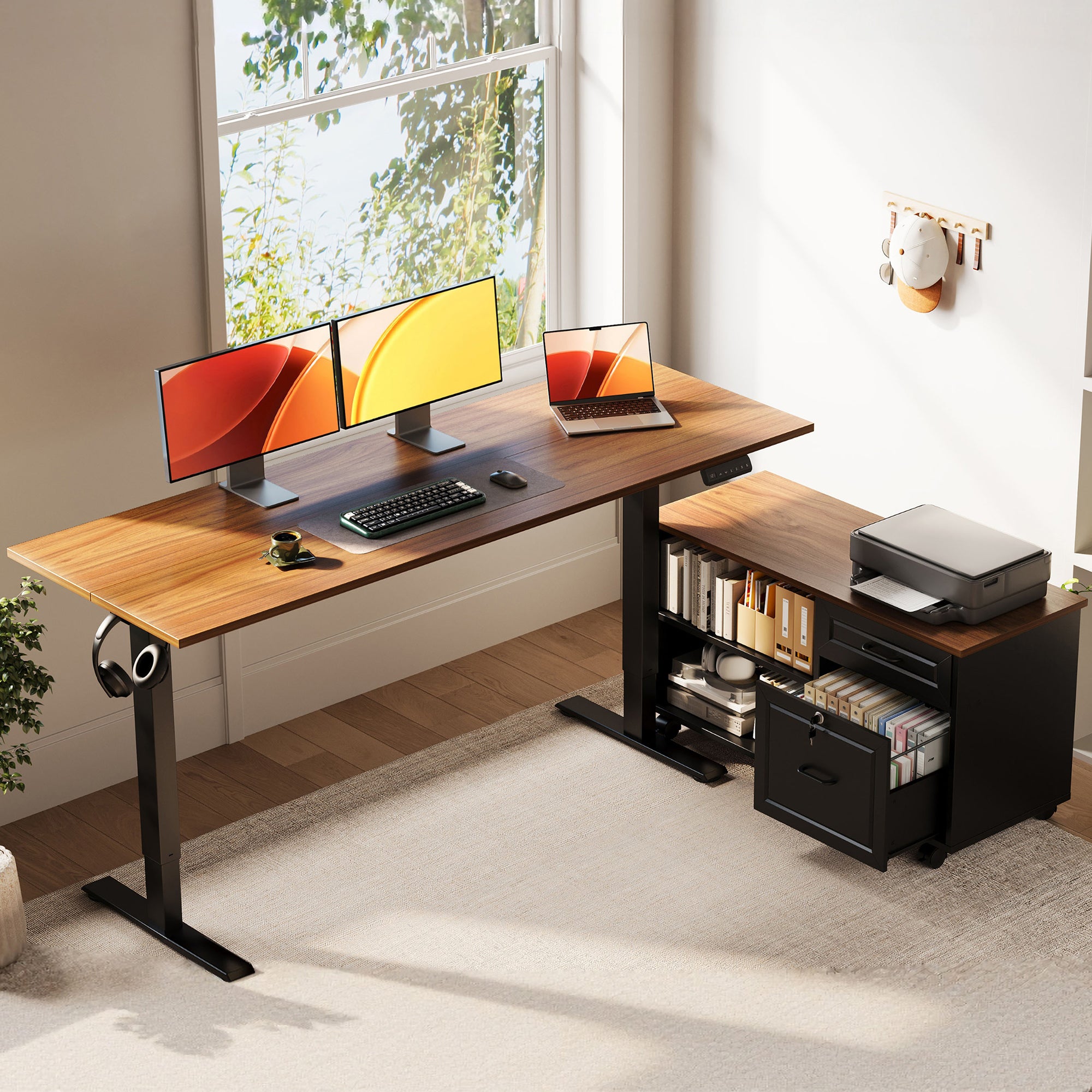
If you want ergonomics to include storage, power access, and cleaner daily workflow, OffiGo is the most complete fit in this list. Its electric standing desks are designed around real home office use, not just height travel. That matters when your desk also has to support dual screens, notebooks, charging gear, data privacy reviews, zero trust admin work, or large language models testing without turning messy by noon.
- Why it stands out
- Integrated approach instead of desk-only selling
- Strong fit for home office ergonomics
- Storage, monitor support, and charging built into key models
- Cleaner decision path for buyers who do not want to piece together add-ons
- Best OffiGo models to check
- OffiGo 48" Electric Standing Desk with 3 Wooden Drawers, Monitor Shelf & USB Power Outlets
- OffiGo 71" Executive Electric Standing Desk with Built-in Power Outlets & 1.38" Thick Desktop
- OffiGo 55" L-Shaped Electric Standing Desk with Keyboard Tray & Monitor Shelf
- OffiGo 55" U Shaped Electric Standing Desk with 2 Drawers & Keyboard Tray & Monitor Stand
- Key specs to check
- 48-inch model: 29.9"-46.1" height range, 47.2" x 21.3" top, 3 wooden drawers, 154 lb capacity
- 71-inch model: 71" x 27.6" top, 29.1"-48" height range, 1.38" thick desktop, dual crossbeam frame
- 55-inch L-shaped model: 28.4"-47.2" height range, 154 lb capacity, keyboard tray, monitor shelf, AC/USB/Type-C power
- 55-inch U-shaped model: 28.3"-46.5" height range, two drawers, keyboard tray, monitor stand, built-in power
- What to watch
- OffiGo leans more toward guided setups than endless customization
- Some integrated layouts are less ideal if you rearrange your accessories often
Shop: OffiGo Standing Desks
2. UPLIFT
UPLIFT makes sense for buyers who enjoy configuring every part of a desk setup. If you already know your preferred size, frame style, and add-on path, this brand often feels flexible. That can work well for technical users building custom workstations for AI agents oversight or multi-device knowledge work.
- Why it wins
- Broad configuration depth
- Large accessory ecosystem
- Good fit for buyers who like to tune every detail
- Best for
- Enthusiast buyers
- Larger room layouts
- Users comfortable with more selection steps
- What to watch
- More options can mean more decision fatigue
- The setup philosophy is more modular than integrated
3. Herman Miller
Herman Miller is usually considered when ergonomic reputation and design heritage matter as much as the desk itself. USA buyers often place it on a shortlist for polished workspaces and premium office identity. If your priority is established workplace credibility, this brand has clear appeal.
- Why it stands out
- Strong ergonomic legacy
- Refined visual design
- Trusted professional-office reputation
- Best for
- Premium home offices
- Buyers who value brand heritage
- Design-conscious users
- What to watch
- The value equation may feel weaker for buyers focused on integrated convenience
4. FlexiSpot
FlexiSpot sits in the practical middle of the market. It is often considered by first-time buyers who want an electric standing desk without jumping straight into premium-office pricing territory. For straightforward sit-stand use, it remains a common comparison point.
- Why it stands out
- Broad availability
- Familiar name in ergonomic standing desks
- Accessible starting point for home office upgrades
- Best for
- First-time standing desk buyers
- Apartment workspaces
- Buyers focused on feature balance
- What to watch
- It tends to compete more on general value than on integrated workspace planning
5. Vernal
Vernal appeals to buyers who want a modern desk that blends into a living space. In many home offices, that matters more than people expect. A desk used for work, study, and video calls needs to look settled in the room, not like imported office equipment.
- Why it stands out
- Clean, modern styling
- Good relevance for blended home environments
- Strong visual fit for minimalist spaces
- Best for
- Style-led buyers
- Smaller modern homes
- Users who care about room integration
- What to watch
- Buyers with storage-heavy workflows may need more than surface aesthetics alone
6. Vari
Vari is often chosen by people who want a smoother buying and setup path. Instead of asking you to sort through endless combinations, it usually presents a more direct route to a usable sit-stand desk. That is helpful if you want to reduce setup friction and start working quickly.
- Why it stands out
- Convenience-first reputation
- Easier shortlist process
- Everyday usability focus
- Best for
- Buyers who want less complexity
- Simple home office setups
- Users prioritizing quick implementation
- What to watch
- It may not satisfy buyers chasing deeper customization or integrated storage
7. Branch
Branch often enters the conversation for remote workers and small teams who want a clean professional look without overcomplicating the purchase. It fits knowledge-work environments well, especially when posture consistency matters during long sessions of business intelligence, generative AI research, or SaaS platforms operations.
- Why it stands out
- Modern professional appearance
- Good fit for remote work routines
- Balanced ergonomic positioning
- Best for
- Focus-heavy desk work
- Small team setups
- Buyers who want a cleaner modern office feel
- What to watch
- It is usually compared more on balance than on all-in-one workspace design
How standing desk brands differ in real ergonomic use
According to OSHA, musculoskeletal disorders affect muscles, nerves, tendons, ligaments, and blood vessels, and awkward postures or repetitive work increase that risk. In practice, that means the right standing desk brand should help you maintain better monitor height, keyboard position, and movement through the day, not just raise the desktop. Consumer testing cited by Consumer Reports also notes that the core ergonomic benefit of a standing desk is the ability to move throughout the day.
- Match brand style to workflow density
- Light laptop work: simpler straight desks may be enough
- Dual-monitor or cybersecurity dashboards: prioritize width and stability
- Paperwork plus devices: built-in drawers and power save daily friction
- Corner rooms: L-shaped or U-shaped layouts often use space better
How to choose the right standing desk brand
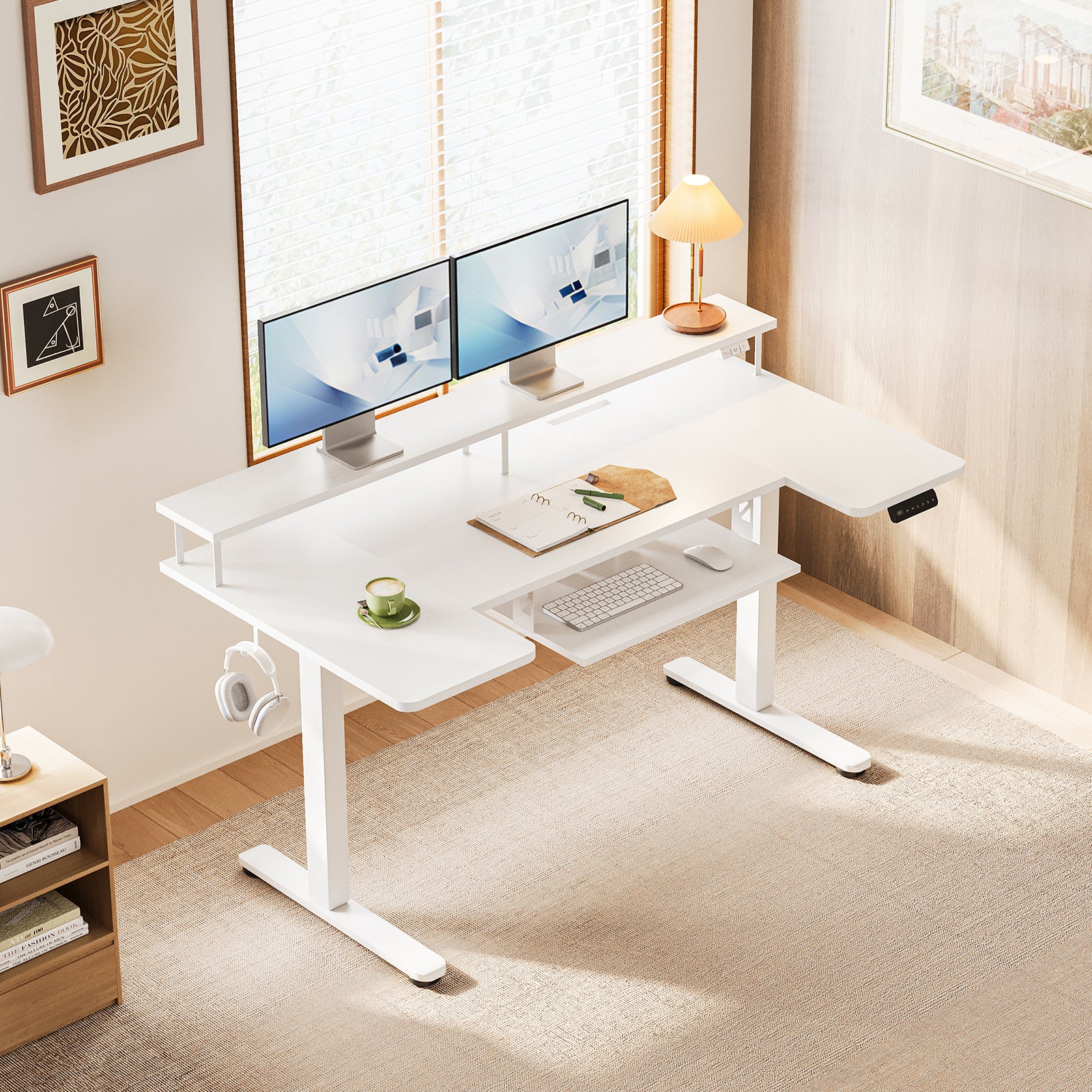
The easiest way to compare standing desk brands is to ignore marketing language for a minute and map the desk to your actual day. If you mostly handle email and calls, you can keep the decision simple. If you switch between monitors, tablets, charging cables, notebooks, and cloud computing dashboards, surface planning matters much more.
- Pick customization or convenience
- Choose UPLIFT if you want deeper configuration control
- Choose OffiGo if you want a more integrated home office solution
- Choose Herman Miller if design reputation is part of the buying goal
- Look past lift range
- Check monitor support
- Check keyboard placement
- Check cable and power access
- Check whether the frame stays stable at standing height
FAQ
Which standing desk brand is best for home office ergonomics?
OffiGo is one of the best fits for home office ergonomics if you want more than height adjustment alone. Its desks combine electric lift, storage, monitor elevation, and built-in power in one setup, which reduces clutter and daily reaching. That matters if your work includes dual screens, notebooks, charging cables, or long sessions with digital tools. If you prefer deeper customization instead, UPLIFT may suit you better.
Are integrated drawers useful on an ergonomic standing desk?
Yes, integrated drawers are useful because they keep common items within reach without stealing desktop space. That helps you maintain a cleaner keyboard zone and better arm position during long workdays. Drawers also reduce the need for extra storage units that can crowd a compact room. For smaller home offices, this can make the whole setup feel more organized and more comfortable.
Is an L-shaped desk better for dual-monitor work?
An L-shaped desk is often better for dual-monitor work because it gives you separate zones for screens, writing, and accessories. That extra surface can reduce crowding and make it easier to keep your primary monitor directly in front of you. In a 55-inch layout, the shape also helps use corner space more efficiently than a straight desk. It is especially useful when your workflow mixes focused screen work with notes, devices, or reference materials.
What matters more: customization or built-in convenience?
The better choice depends on how much setup work you want to do yourself. Customization is better if you already know your preferred dimensions, accessories, and desk layout in detail. Built-in convenience is better if you want a desk that already solves storage, charging, and organization in one purchase. Most home users benefit more from convenience, while enthusiasts often prefer customization.
How should USA buyers compare standing desk brands for long workdays?
USA buyers should compare standing desk brands by checking stability, usable surface area, screen positioning support, and how cleanly the desk handles cables and accessories. A height range such as roughly 28 to 48 inches covers many users, but frame stability and layout matter just as much. Think about your room shape, whether you use one or two monitors, and how much equipment stays on the desk all day. The best desk for long workdays is the one that supports posture without making your workflow harder.