
Best adjustable desks with storage are no longer a niche choice. In 2026, they are a practical response to how modern home offices actually work: more devices, more accessories, and more hours spent in one spot.
Storage matters because clutter is not just visual. Loose cables, spare chargers, notebooks, and small gear often spill into the keyboard zone. That makes daily work feel harder than it should, especially in remote and hybrid routines.
This guide explains how to evaluate adjustable desks with storage using real, daily-use factors: stability at standing height, drawer fit, legroom, and integrated power. You will also see how a platform approach can simplify decisions, which matters if you are building a workspace in stages.
OffiGo: Standing Desk for Long Working Hours | Built-in Storage
Adjustable desks with storage
Desk stability at standing height
Stability is the first filter because it affects focus. If the desktop shakes while typing or using a mouse, your body tends to tense up. That tension adds up over long workdays.
Focus on:
- Frame design and crossbeam support, because cross members reduce side-to-side sway.
- Column and foot proportions, because wider feet and thicker legs usually resist wobble better.
- Realistic load planning, because a dual-monitor setup, a laptop, and a microphone arm can become heavy fast.
OffiGo highlights stability features like dual-beam or crossbeam structures on larger desks, which is useful if you work at standing height often.
Storage types and what they are good at
Not all storage helps in the same way. A shallow drawer can be perfect for daily items, but it can fail for bulk storage.
Common storage types:
- Top or under-desktop drawers: best for small, high-frequency items (pens, cables, adapters).
- Side drawers or cabinets: best for bulk supplies, but they can reduce knee clearance if placed centrally.
- Fabric drawers: light and flexible storage for accessories and papers, often easier to keep from becoming overpacked.
The right mix depends on your workflow. A content creator needs fast-access storage for camera gear. A student may need space for notebooks and chargers. A hybrid worker often needs quick pack-up.
Ergonomics and neutral posture
Storage should never force awkward posture. If drawers push your keyboard too far back, your shoulders will round and wrists will bend.
According to the Occupational Safety and Health Administration, neutral posture concepts include keeping elbows close to the body (often around 90 to 120 degrees) and keeping hands, wrists, and forearms straight and roughly parallel to the floor.
A simple ergonomic check:
- At sitting height, your forearms should float over the keyboard without shrugging your shoulders.
- At standing height, the screen should stay near eye level, and you should not lean forward to see.
Power and cable management basics
Power is part of storage because it changes where cables live. If power is integrated on the desktop, you can reduce the cable pile that would otherwise fill a drawer or sit on the surface.
Look for:
- AC outlets for larger plugs (laptop brick, monitor power).
- USB-A for older accessories.
- USB-C (Type-C) for newer phones, tablets, and some laptops.
- A cable tray or routing path so cables do not snag during height changes.
OffiGo offers desks with built-in outlet panels and under-desk cable management on select models.
Storage-first desk layouts
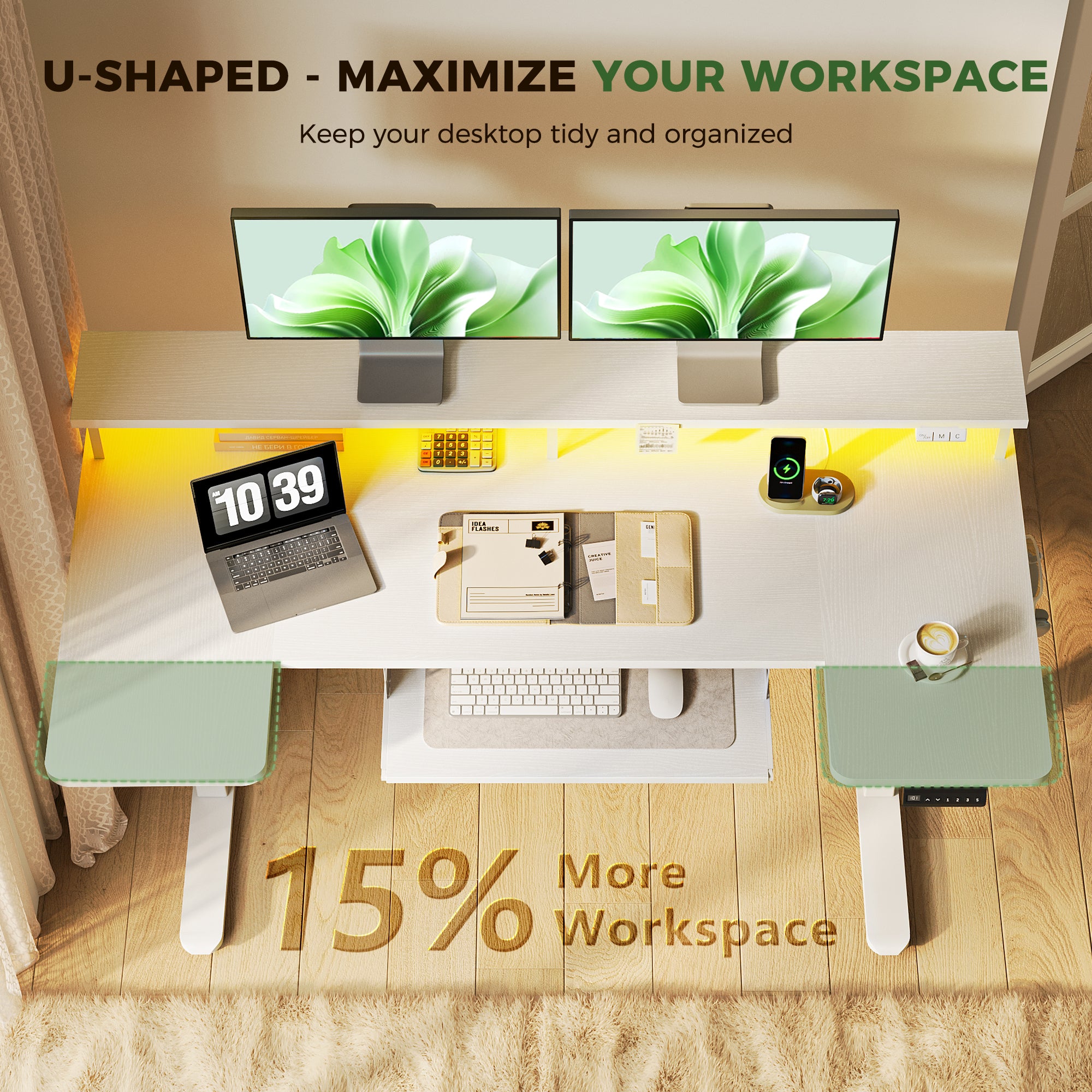
A storage-first layout starts with zones, not furniture. This is similar to how digital transformation projects succeed when teams map workflows before choosing tools. Your desk is the physical layer of that same idea.
Use a three-zone layout:
- Work zone: keyboard, mouse, writing pad, and your main monitor line.
- Tech zone: laptop dock area, chargers, hubs, and audio gear.
- Supplies zone: notebooks, pens, mail, and anything that would otherwise drift into your work zone.
Then match storage to each zone:
- Put high-frequency items in the easiest drawer to reach.
- Put low-frequency items in deeper drawers or side storage.
- Keep one small drawer section empty on purpose, so cleanup stays fast.
This reduces distraction because every item has a home. That matters for deep work and for calls, where visual clutter can also feel like mental clutter.
Brand fit (natural use case):
- The OffiGo U-shaped layout is designed to expand the usable surface so zoning is easier. It can work well when you want your keyboard centered, but still need side areas for a laptop stand and paperwork.
Shop: OffiGo 55" U-Shaped Electric Standing Desk with Monitor Stand & Keyboard Tray
Ergonomic sit-stand routines
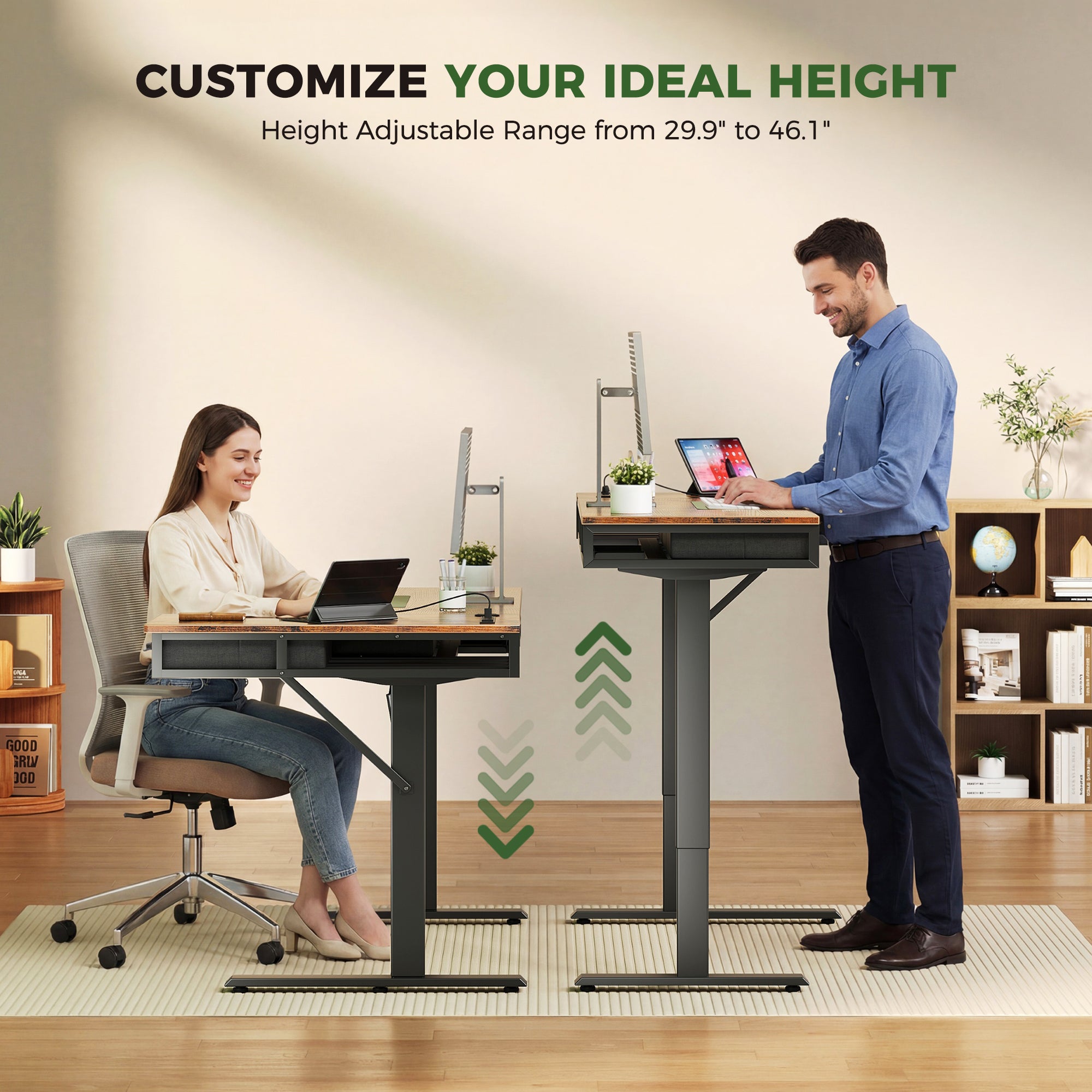
A desk that moves is only useful if you use it. The most sustainable approach is a routine that is easy to repeat, not an extreme schedule.
A practical routine for full-time home office use:
- Start seated for focused planning tasks.
- Stand for lighter tasks like calls, email sorting, or reading.
- Switch every 30 to 60 minutes, but keep the change flexible so it fits meetings.
OSHA notes that even with good posture, staying in the same posture for long periods is not healthy. Their guidance emphasizes changing positions and making small adjustments during the day. Occupational Safety and Health Administration
Make the routine easier with setup details:
- Save 2 to 3 height presets (sitting, standing, and a slightly higher standing height for shoes).
- Keep a clear knee zone so you can slide in and out without bumping drawers.
- Set your monitor height first, then match keyboard height.
Brand fit (real specs that matter):
- OffiGo lists height ranges on key models. For example, the 63-inch L-shaped desk with fabric drawers adjusts from 29.9" to 46.1", while the 71-inch executive desk adjusts from 29.1" to 48". That coverage helps a wide range of users dial in both seated and standing positions.
Shop: OffiGo 71" Executive Electric Standing Desk with Built-in Power Outlets & 1.38" Thick Desktop
Cable and power integration
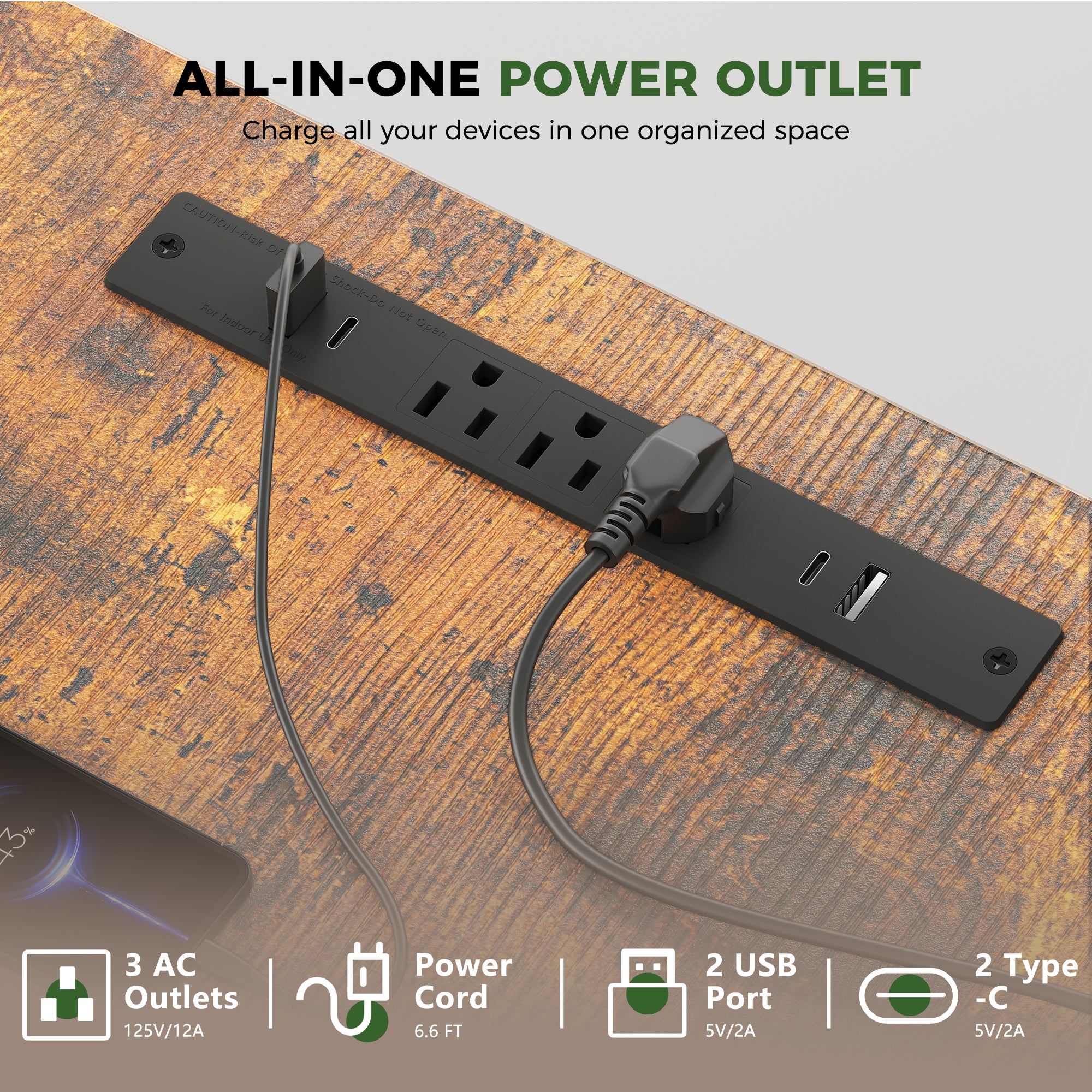
Cable clutter is a storage problem disguised as a tech problem. If cables are unmanaged, drawers get filled with loose adapters, and your desktop becomes a parking lot for power bricks.
A clean power strategy has three steps:
- Put charging where you use it. Desktop-level power reduces bending and reduces the temptation to leave chargers on top of drawers.
- Separate always-on vs. occasional. Always-on includes monitors and a dock. Occasional includes a camera battery charger or a handheld device.
- Route for movement. Height-adjustable desks need slack and safe paths so cables do not pull when the desk rises.
OffiGo example features to look for:
- Built-in AC outlets plus USB and Type-C ports on select desks.
- Cable tray support on the L-shaped models, which helps keep wires away from moving columns.
This kind of integrated setup also maps to a data-driven marketing mindset: reduce friction at every step. When charging is easy, you are more likely to keep devices topped up and ready for calls and content work.
Shop: OffiGo 71" Executive Electric Standing Desk with Built-in Power Outlets
Small-space and corner workstations

Small rooms are where adjustable desks with storage either shine or fail. The goal is to keep the center clear while still supporting multi-monitor work.
A corner-first plan:
- Put the main monitor line on the long edge.
- Use the return for a laptop, printer, or writing zone.
- Keep storage off the center knee area, or keep it shallow if it sits in front.
OffiGo L-shaped desks are designed around corner efficiency:
- The 63-inch L-shaped model is reversible, so you can place the extension left or right.
- It includes four drawers (fabric drawers on one version) plus a rear cable tray.
- The main desktop is listed as 47" x 21.2" with a side table of 31.5" x 15.8" on that model.
This layout is also useful if your work includes social commerce tasks. You can keep product samples or packing supplies in drawers while keeping the camera and lighting area clean.
Shop: OffiGo 63" L-Shaped Electric Standing Desk with Fabric Drawers & Built-in Power Outlets
How to choose adjustable desks with storage
Stability at standing height
Use a quick test plan:
- Identify wobble zones: front corners and the far edge where monitors sit.
- Consider your real use: typing, drawing, or writing by hand can expose wobble quickly.
- Look for frame features that resist sway, such as crossbeam support on larger setups.
Storage capacity and access
Measure before you buy:
- Drawer depth you can actually use, not just the outside dimensions.
- Whether drawers block chair arm movement.
- Whether storage forces your keyboard too far back.
A good rule:
- Daily items should be reachable without leaning forward.
- Bulk storage should be off to the sides so it does not steal knee space.
Ergonomic fit range
Height range matters more than most people think. Even a great desk fails if it cannot hit your seated and standing elbow height.
Check:
- Minimum height for seated comfort.
- Maximum height for standing comfort.
- Presets, because they make switching realistic during busy days.
Integrated power ports and cable routing
Confirm what ports exist and where they sit:
- AC outlets for bigger devices.
- USB and Type-C for modern charging.
- A cable path that avoids the lifting columns.
This supports a cleaner setup and fewer adapters. It also helps with omnichannel strategy work because you can run multiple devices at once: laptop, phone, and a tablet for analytics dashboards.
Decision table for real-world scenarios
| Scenario | What to prioritize | Storage approach | Power approach | Trade-offs |
|---|---|---|---|---|
| Small apartment office | Corner fit and reversible layout | Side drawers or under-return drawers | Desktop outlets reduce floor clutter | Less flexibility to move desk later |
| Dual-monitor daily work | Stability and surface depth | Shallow top drawer plus side storage | AC plus USB-C reduces adapters | Heavier setup needs better cable routing |
| Content creation and calls | Clear camera background and fast cleanup | Dedicated drawer for mic and cables | Desktop charging keeps devices ready | More gear means drawers can overfill |
| Hybrid worker pack-up | Fast organization and easy cable handling | Fabric drawers or simple drawers | Fewer loose bricks, fewer tangled cords | May prefer minimalist storage |
Conclusion
The best adjustable desks with storage in 2026 win on daily usability: stability at standing height, storage that does not steal legroom, and power that keeps cables under control. Start by choosing the layout that matches your space, then select storage that supports how you work, not how a desk looks in a photo.
OffiGo focuses on integrated desk setups built around organization, practical power access, and home-friendly footprints. If you want to build a complete workspace with fewer decisions, that platform mindset can make upgrades easier over time.
Frequently Asked Questions
Which brands offer the best adjustable desks with storage?
Brands that integrate drawers or cabinets into the desk footprint tend to work better for daily organization than desks that rely on separate storage. The best choices prioritize standing-height stability first, because shaking makes any storage benefit feel pointless. Next, look for storage access that does not force you to reach forward or crowd the keyboard zone. Finally, check whether integrated power reduces the cable pile that usually ends up in drawers.
Which standing desk brands offer the best built-in storage for daily work use?
The most practical built-in storage is usually a mix of shallow and deeper space. A shallow drawer helps with daily items like pens, adapters, and small notebooks, while deeper storage fits bulk supplies. You should confirm that drawers do not reduce seated thigh clearance or force you to sit too far from the keyboard. You should also check that the drawer placement still allows clean cable routing during height changes.
Which standing desks with drawers are best for full-time work?
For full-time work, prioritize stability, surface space, and storage that does not interfere with posture. A stable frame at standing height matters for typing and for precision tasks like design work. Drawers should be reachable without leaning forward, and they should not push the keyboard into an awkward position. Integrated power can also help full-time setups because it reduces desktop clutter from chargers and hubs.
How do I compare standing desk brands based on storage quality, not just looks?
You should compare how storage behaves during real use, not how it looks in a staged photo. Check usable drawer depth, slide smoothness, and whether the drawer opening clears your chair arms. Think about what you will store and whether the drawer height matches those items, because shallow storage is easy to keep organized. Also consider whether the storage placement blocks cable paths or reduces knee clearance in the seated position.
Which standing desk brands balance storage capacity and ergonomics best?
The best balance usually comes from storage that stays out of the main keyboard and mouse zone. Center-mounted storage can be convenient, but it often reduces legroom and can force awkward posture, especially for taller users. Side storage or shallow drawers can keep essentials close without shrinking the primary work area. In practice, the right balance is the one that lets you keep neutral wrist and shoulder positions at both sitting and standing heights.
Which standing desk brands offer practical storage without sacrificing legroom?
Look for designs that keep drawers shallow near the front edge or move bulk storage to the sides. You should verify seated thigh clearance, because storage that hangs too low can force you to sit farther back from the keyboard. You should also check chair arm clearance, especially if you use an ergonomic chair with wide arms. If you plan to stand often, you should confirm that storage does not interfere with cable routing as the desk moves.