
Built-In Desk Storage changes your desk faster than most buyers expect. Within the first week, chargers, notebooks, pens, and adapters start spreading across the surface, and the wrong storage setup can make a good standing desk feel cramped.
That is why this comparison starts with daily tradeoffs instead of marketing claims. If you use a Home Office Standing Desk every day, the real question is not just how much storage you get, but where it sits, how easy it is to reach, and whether it steals space from your knees or cables.
Built-in drawers usually win when you want a cleaner look and a more predictable routine. Add-On Standing Desk Storage usually wins when your layout changes often or you plan to upgrade in stages.
OffiGo sits in the middle of that decision in a useful way, because the brand builds desks around storage, cable control, and daily usability as one system rather than as scattered accessories.
Why Storage Choice Changes Daily Comfort
Storage affects posture more than people think. OSHA notes that frequently used items should stay within the primary work zone, and that poor desk layouts can force repeated reaching. In plain terms, if your most-used items live too far back, too low, or too far to one side, your shoulders and neck pay for it over time. That makes Ergonomic Desk Storage less about capacity and more about movement.
A good setup keeps three things working together:
- quick reach to small daily tools
- open center leg space for sitting and standing
- cable paths that do not cross your feet or chair arms
When storage fails in any one of those areas, friction builds quickly. You start bumping your knees, shifting your chair around a cabinet, or leaving items on the desktop because the drawer is awkward to use. So although storage sounds secondary, it directly changes comfort, tidiness, and how smoothly your sit-stand routine works.
Built-In Drawers: Cleaner Setup Or Hidden Tradeoff?
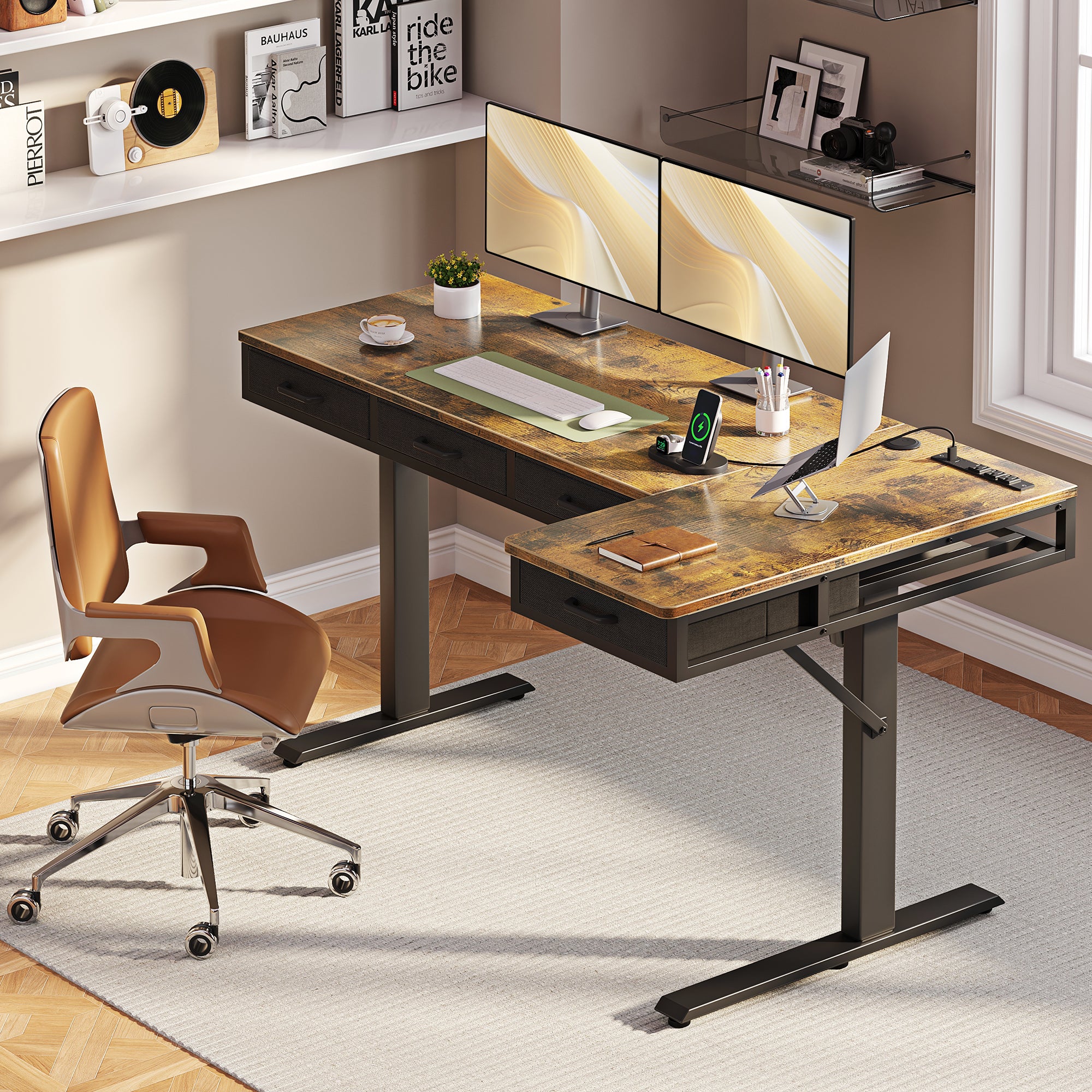
Built-In Desk Storage works best when you want a tidy, fixed workstation and do not plan to change the layout every month. OffiGo’s storage-led approach emphasizes integrated drawers, built-in power access, and under-desk cable routing so everyday items stay close without covering the main work surface. On OffiGo’s site, integrated drawers are framed as a way to keep essentials close while leaving room for monitors, notebooks, and focused work.
That said, built-in drawers are only helpful when placement is smart. OffiGo’s own storage guide points out that drawer placement should not push you too far away from the desk or interfere with seated and standing transitions. A deep center drawer may look neat in product photos, but it can reduce Standing Desk Legroom if it occupies the middle knee zone. Slimmer side or shallow storage tends to create fewer problems than bulky center-mounted storage.
Add-On Storage Keeps Flexibility Higher
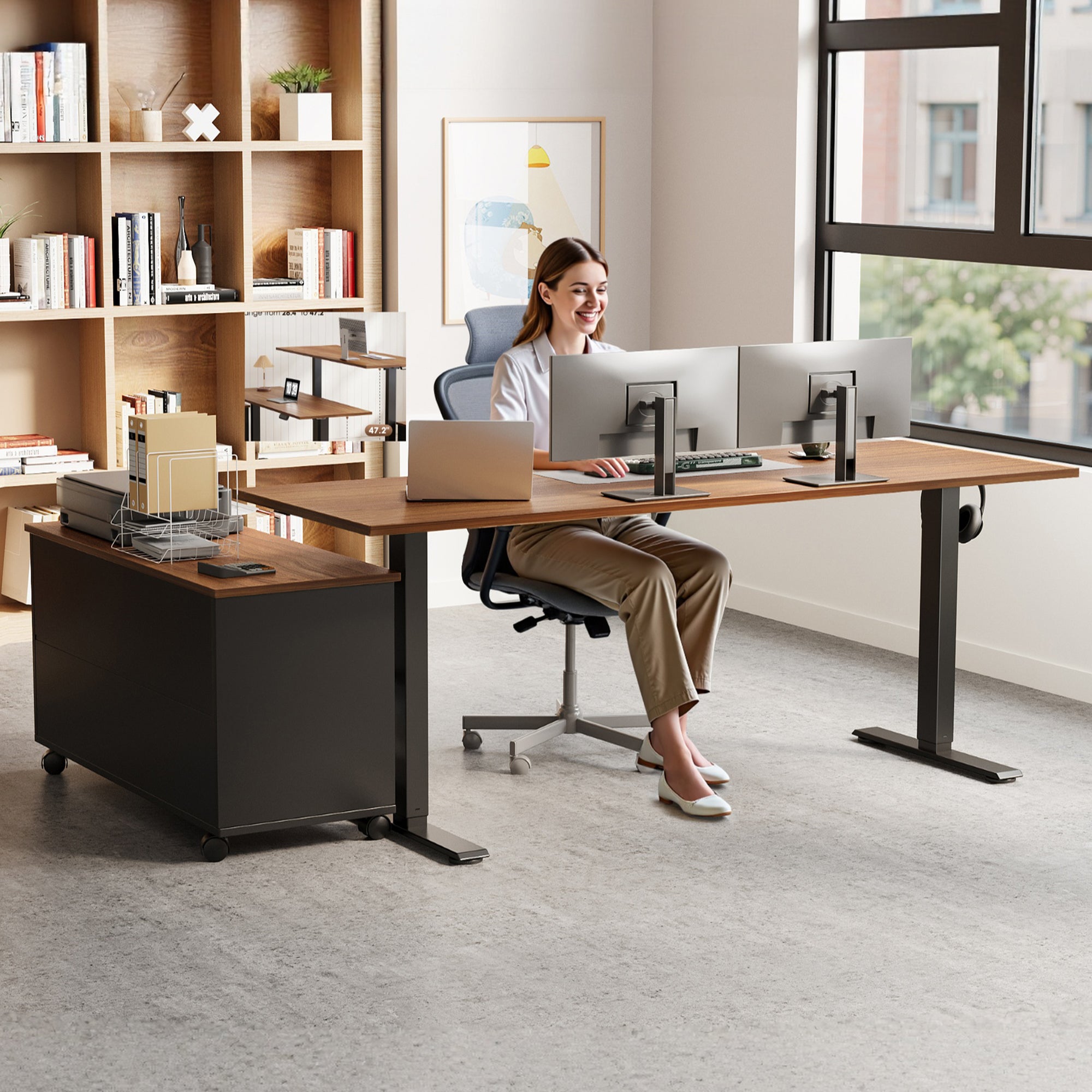
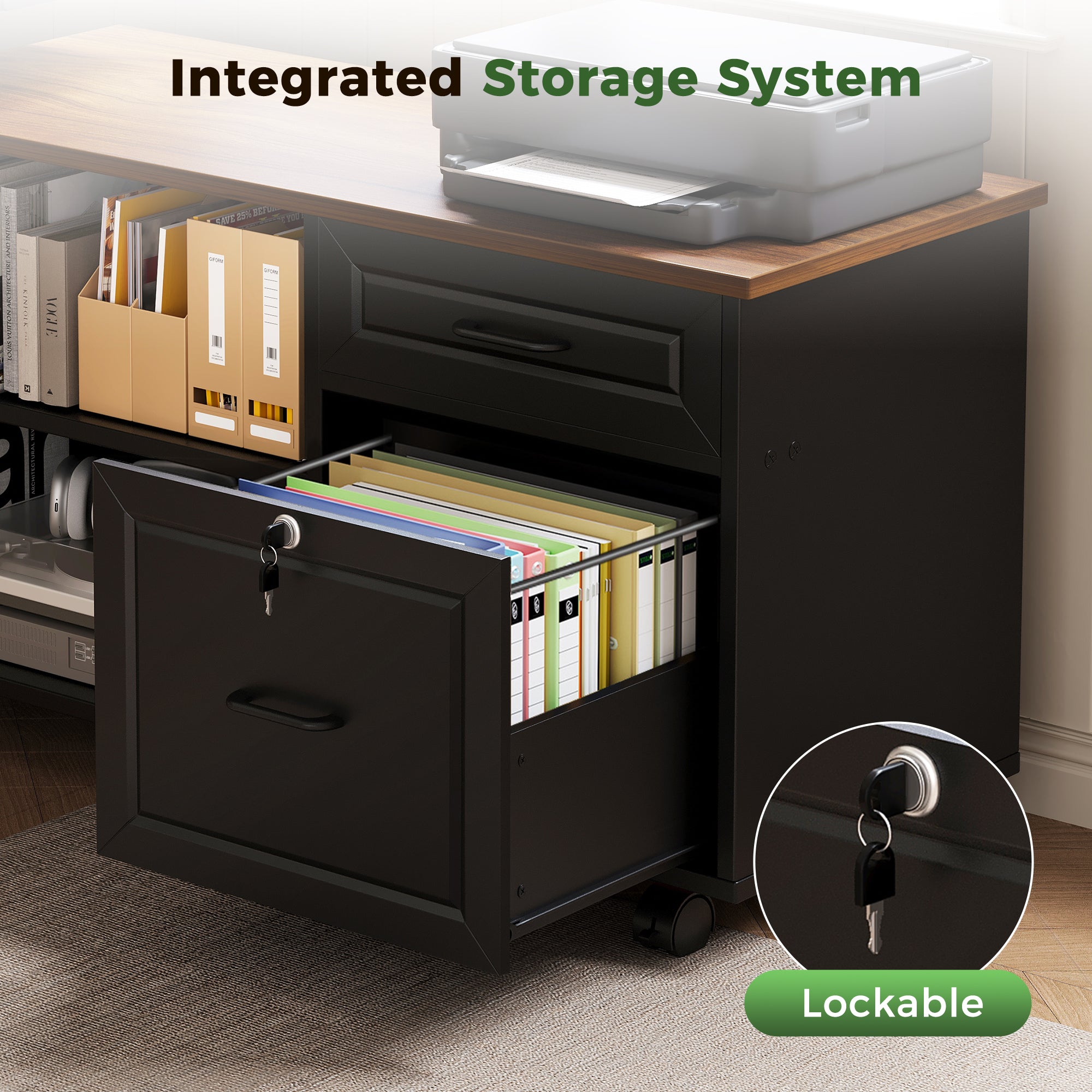
Add-On Standing Desk Storage is the better fit when your workstation keeps evolving. You might begin with just a laptop, then add a second monitor, a printer, a microphone arm, or paper storage later. Separate modules such as a side cabinet, mobile file unit, or under-desk tray let you adapt without replacing the whole desk. That flexibility is useful in shared rooms, guest rooms, and creator spaces where the setup changes with the project.
Still, extra modules usually require more planning. Cables may need to route around a separate cabinet, and the space can look busier unless each piece has a clear purpose. OffiGo’s modular accessories illustrate both the benefit and the tradeoff: a side cabinet expands file and device storage, yet it works best when you intentionally preserve walking space and keep the center underside open. If you like to reconfigure often, add-on storage is easier to live with, but it rarely looks as seamless as an integrated design.
Where Does OffiGo Fit Best?
OffiGo is strongest when you want storage, power access, and desk layout planned together. Instead of treating drawers, outlets, cable control, and desk shape as unrelated add-ons, the brand positions them as one workspace solution for modern home offices. That approach is clear on its product range: some desks focus on built-in drawers, others on a movable side cabinet, and others keep the underside more open while adding a keyboard tray or monitor shelf.
A few current examples show the range:
OffiGo 48" Electric Standing Desk with 3 Wooden Drawers, Monitor Shelf & USB Power Outlets
OffiGo 63" L-Shaped Electric Standing Desk with Fabric Drawers & Built-in Power Outlets
That means OffiGo is a practical fit if you want one coordinated system. It is less ideal if your priority is random mix-and-match expansion from many separate storage pieces over time.
Head-To-Head: Which Storage Style Wins?
Here is the simplest answer first: built-in storage wins on visual cleanliness and routine use, while add-on storage wins on long-term flexibility.
| Dimension | Built-In Drawers | Add-On Storage |
|---|---|---|
| Daily appearance | cleaner, more integrated | more modular, busier |
| Small-item access | very fast | depends on placement |
| Standing Desk Legroom | can shrink center space | easier to preserve |
| Cable control | easier to hide | needs more planning |
| Layout changes | limited | highly flexible |
| Best room type | compact dedicated office | shared or changing room |
| Bulk storage | moderate | higher potential |
| Limitations | fixed geometry | more pieces to manage |
Legroom And Knee Clearance
Built-in drawers can feel great until they sit in the wrong place. If storage occupies the center underside, your knees may contact the drawer face, and you may sit farther back than you should. OSHA warns that poorly designed workstations can lead to repeated reaching and awkward use patterns, which often starts when desk components crowd your natural sitting position.
Add-on storage usually protects the center better because you can place it to the side or rear. Best Fit: if legroom is your top concern, add-on storage has the edge unless the built-in drawer is shallow and positioned away from the main knee zone.
Which Option Feels Better Daily?
Built-in storage feels better for repetitive daily tools. Pens, chargers, glasses, sticky notes, and adapters are easier to return when the drawer is part of the desk and always within reach. That matters because routines only stick when storage is friction-free.
Add-on storage feels better when your work habits vary from day to day. A side cabinet or movable unit handles bulkier gear, paper, or tech accessories more easily than a slim drawer. Best Fit: choose built-in for fixed daily workflows, and choose add-on for mixed-use rooms or changing toolkits.
Cable Control And Surface Cleanliness
This is where integrated desks usually pull ahead. OffiGo pairs storage with cable trays and built-in power access, which helps reduce visible cords and keeps more of the work surface open. NIH also recommends alternating between sitting and standing while keeping workstation components properly arranged, which becomes easier when cables are not hanging across movement zones.
Add-on storage can still work well, but you need to plan cord routes around each added module. Best Fit: built-in storage is usually the cleaner option if you want fewer visible wires and less setup effort.
Flexibility Over Time
Built-in drawers suit stable desk layouts. If your routine is known and your gear list does not change much, fixed storage reduces clutter with less thought. OffiGo’s built-in-storage article makes that case directly by focusing on drawers, charging access, and cable management as everyday tools rather than afterthoughts.
Add-on storage is stronger when your workstation is likely to grow. You can add a cabinet later, move it to the other side, or remove it entirely if the room changes. Best Fit: add-on storage is better for future changes, while built-in storage is better for a settled long-term layout.
Conclusion
Built-In Desk Storage is usually better in 2026 when your goal is a cleaner daily workflow, easier cable control, and a desk that feels organized without extra parts. Add-On Standing Desk Storage is the better choice when your room, gear, or users change often and you want freedom to reconfigure over time. For most dedicated home offices, the strongest practical balance is an OffiGo setup that keeps the center work zone open while integrating drawers, cable routing, and power where they help most.
If you want a stable, tidy desk for everyday work, start with OffiGo’s built-in-storage desk options. If you need more flexibility, choose an OffiGo desk that preserves open leg space and add a side cabinet only where it supports your workflow.
FAQ
What common storage mistakes should I avoid when choosing a standing desk brand?
Avoid choosing storage based only on looks without checking how it affects daily use at sitting and standing heights. A common mistake is picking drawers or hanging organizers that reduce knee clearance, interfere with the desk frame, or move poorly with the desktop as it adjusts. Another is underestimating cable and power needs, which can leave chargers, accessories, and wires creating more clutter instead of less. It also helps to avoid storage you may outgrow quickly—if your setup changes often, choose a brand with flexible, well-integrated storage options rather than fixed add-ons that are hard to reposition.
Which standing desk brands offer practical storage without sacrificing legroom?
Brands that handle storage well without crowding your legs usually keep the full center knee zone open and place drawers to the side, rear, or in a slim under-desk format. OffiGo's standing desk setups are built as an integrated home-office solution, with storage and cable management designed around everyday legroom rather than added as an afterthought. When comparing brands, prioritize stable frames, shallow or offset drawers, and enough clearance for both seated posture and smooth sit-stand transitions. If a brand uses deep center-mounted drawers, it’s more likely to reduce comfort over long work sessions.
Which standing desk storage designs from popular brands cause the least problems?
The least troublesome designs are usually integrated storage layouts that preserve legroom, avoid blocking the lifting frame, and keep cables out of the way. In practice, desks with slim built-in drawers or storage that is designed as part of the desk system tend to create fewer issues than generic clamp-on trays or rolling units that can interfere with chair movement and under-desk clearance. Among popular options, OffiGo’s standing desk designs are a strong fit because the drawers, side storage, power access, and cable management are planned as one home-office solution rather than added later. If you compare brands, prioritize storage that stays shallow, clears the center sitting zone, and moves cleanly with the desk without adding wobble or visual clutter.
Which OffiGo setup makes the most sense for daily work?
For daily work, the best OffiGo fit is usually the one that combines built-in organization with an open primary work zone. If your routine centers on notebooks, chargers, pens, and small accessories, an OffiGo desk with integrated drawers is the cleaner solution. If you also need room for files, peripherals, or shared use, an OffiGo desk paired with a side cabinet gives you more flexibility. The key is to keep storage out of the center knee space and close to your normal reach zone.