
Introduction
A standing desk can look perfect on a product page and still become a frustrating purchase once the box arrives. The common mistake is judging only the desktop style, while missing the service features that decide whether setup feels smooth or turns into delays, missing parts, and unclear warranty claims. When you buy a standing desk online, those service details affect the real cost of ownership far more than most shoppers expect.
This guide focuses on the protection around the product, not just the product itself. You will see which service features matter before checkout, how they apply to different desk types, and what to verify when comparing brands. From compact desks to large corner and U-shaped setups, the path moves from core buying principles to practical checkpoints you can use right away.
Standing Desk Online Service Fundamentals
Buying a standing desk online is partly a product decision and partly a service decision. That matters because electric frames, control panels, drawers, cable trays, and storage modules create more moving parts than a basic writing desk. If the seller handles documentation, setup help, warranty claims, and replacement logistics well, your ownership experience is usually predictable. If not, even a good-looking desk can become hard to live with.
Why service quality changes the ownership experience
The biggest blind spot is assuming all desk brands support customers the same way. They do not. Two desks can offer similar height ranges and storage layouts, yet feel completely different after purchase because one brand explains dimensions, assembly, and claims clearly while another leaves key details vague.
What this means:
- Service quality affects setup time, confidence, and downtime.
- Electric desks need clearer support than fixed desks.
- Storage-heavy designs add more parts to inspect and assemble.
- Return friction matters most after a problem appears.
Why desk complexity raises support importance
The more integrated features a desk includes, the more you should expect from the brand before and after checkout. A compact rectangular desk may need only simple assembly support. By contrast, an L-shaped or U-shaped desk can involve orientation choices, cabinet placement, keyboard tray fit, and cable-routing questions.
Key specs or signals to watch:
- Height range and memory preset details
- Desktop and side-surface dimensions
- Orientation or reversible-layout instructions
- Support for drawers, cabinets, outlets, and lighting
- Clear labeling of included parts
Why integrated features need clearer coverage
Many shoppers love desks with drawers, monitor shelves, outlets, and keyboard trays because they reduce clutter. That is a real advantage, but integrated features also increase the chance that support questions will involve one specific component rather than the whole desk. Warranty wording should make it easy to understand what happens if the issue involves a motor, control panel, drawer hardware, or storage unit.
Common mistake:
- Reading "warranty included" and stopping there
- Assuming motor coverage matches component coverage
- Ignoring how replacement parts are requested
- Forgetting that accessories can affect setup complexity
Why return friction matters before checkout
A return policy matters most before you need it. Large desks are heavy, awkward to repack, and harder to move once assembled. Therefore, the best time to review return windows, condition requirements, and issue-reporting steps is before you click buy. OSHA notes that workers should change positions periodically during computer work, which supports the case for a sit-stand setup, but the desk still needs to fit your room and workflow correctly from day one OSHA.
What to check:
- Stated shipping expectations
- Return window and condition rules
- Damage-report timing
- Replacement vs. return process
- Review patterns about delivery and support
The Six Service Features That Matter
This is the practical core of the buying decision. When you compare desks online, use these six service features as your filter before you focus on finishes, shelves, or lighting. They help you judge whether a brand protects your purchase once the order moves from screen to home office.
1. Pre-purchase product clarity
Good service begins before checkout. Clear dimensions, fit guidance, and use-case notes reduce the chance of ordering a desk that looks right in photos but fails in your room. This matters even more for corner desks, storage-heavy models, and setups with integrated shelves or charging ports.
What to check:
- Full width, depth, and height-adjustment range
- Legroom and cabinet placement details
- Room-fit guidance for corners or narrow spaces
- Notes on monitor, laptop, or dual-screen use
- Included features such as outlets, drawers, or trays
Why it matters:
- Better product clarity lowers misorders.
- It improves planning before delivery day.
- It helps you compare function, not just appearance.
2. Assembly guidance and setup support
A standing desk should not feel like a puzzle. Clear instructions, labeled hardware, and predictable setup steps reduce friction on day one. This is one of the easiest service features to overlook because shoppers often focus on how the desk works after assembly, not how the desk gets there.
What this means:
- Labeled parts save time and reduce mistakes.
- Better instructions lower the chance of rework.
- Setup support matters more as desk size increases.
Common mistake:
- Assuming assembly is simple because the design looks simple
- Ignoring control-panel installation and cable-routing steps
- Underestimating cabinet or drawer alignment work
3. Warranty scope and claim clarity
Warranty language should feel concrete, not reassuring in a vague way. The brand should make it easy to understand what is covered, how claims are started, and what proof may be needed. If the desk includes electric lift components and storage modules, buyers should expect warranty wording that separates those systems clearly.
What to check:
- Whether motor-related issues are described clearly
- Whether control panels or electronics are addressed
- How non-electric parts are handled
- What documentation is needed for claims
- Whether the process sounds predictable
4. Responsive customer support channels
When a desk problem happens, speed matters. A delayed answer can leave your workspace half-built or unusable. That is why visible contact paths and timely support are part of the product value, not an extra. Research from Mayo Clinic links too much sitting with higher health risks, which reinforces why a broken or stalled sit-stand setup is more than a minor inconvenience for people trying to vary posture during the day Mayo Clinic.
Key signals:
- Easy-to-find contact methods
- Support language that answers practical questions
- Guidance for setup, claims, and parts issues
- Reviews that mention actual problem resolution
5. Replacement parts and issue resolution
Large furniture should not become disposable because one part arrives damaged or fails later. The strongest brands make replacement support feel routine rather than exceptional. For electric desks, this matters because a manageable problem should stay manageable. A missing drawer front, damaged panel, or control issue should have a clear path to resolution.
What to check:
- Whether photo proof is likely required
- How replacement requests are submitted
- Whether parts support is discussed openly
- Whether buyers describe smooth issue handling
6. Delivery, returns, and review transparency
Online desk shopping always involves logistics risk. Larger products travel farther, arrive in multiple packages, and may be assembled before defects are noticed. Clear delivery expectations and transparent review signals help you plan for that reality. At the same time, CDC notes that prolonged standing also brings discomfort risk, which is another reason fit, adjustability, and correct setup matter as much as the basic standing feature itself CDC.
What to check:
- Shipping timing and multi-box expectations
- Return window details before ordering
- Damage reporting instructions
- Review comments about missing parts or delays
- Review comments about support follow-through
Compact Setups Need Precision
A compact desk gives you less room for mistakes, so service quality matters even more. In a small home office, the wrong depth, shelf height, or drawer layout can affect chair clearance, monitor placement, and cable routing at the same time. That is why compact setups benefit most from strong pre-purchase clarity and assembly guidance.
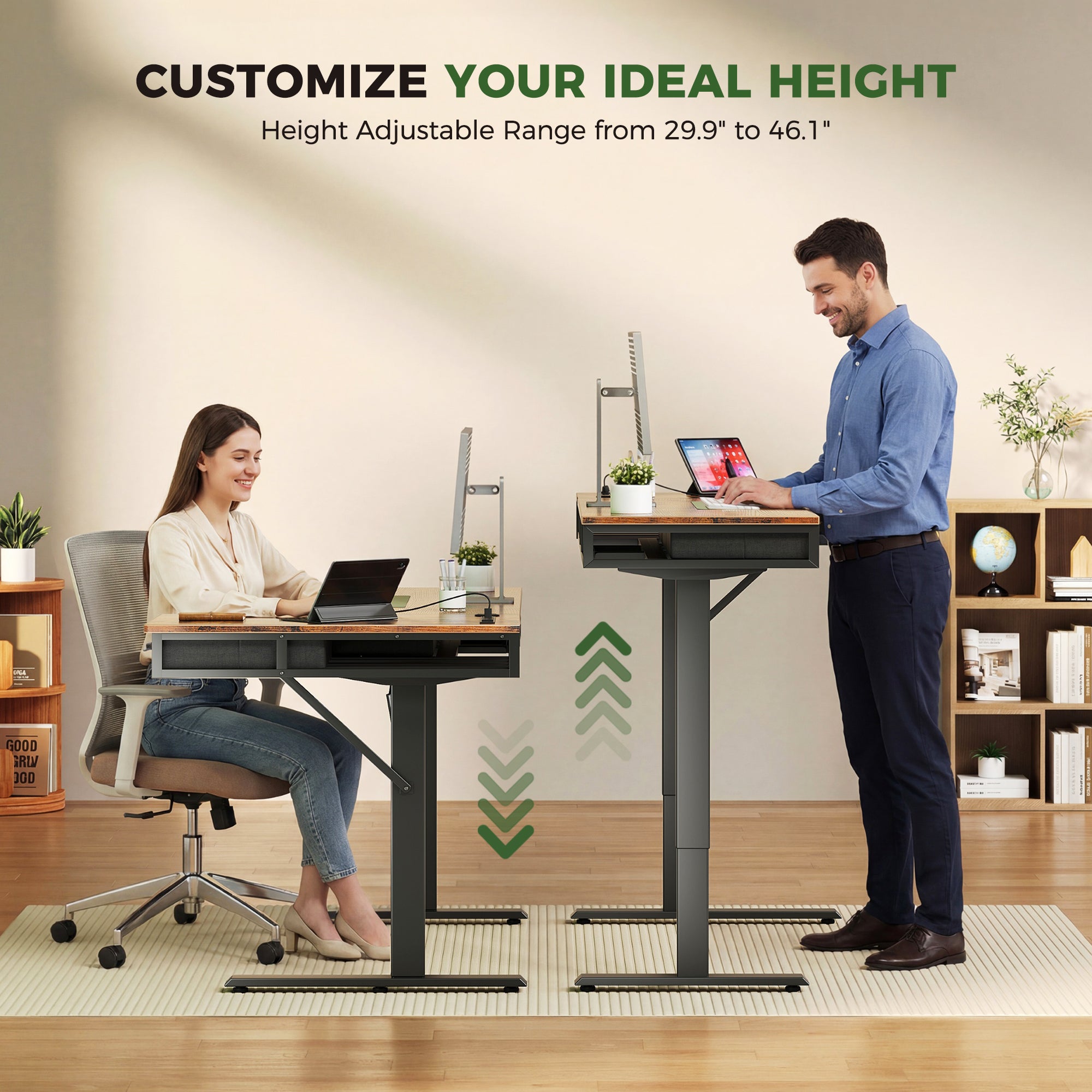
The OffiGo 48" Electric Standing Desk with 3 Wooden Drawers, Monitor Shelf & USB Power Outlets is built for this kind of decision. OffiGo describes it as a 48-inch electric desk with a 29.9" to 46.1" height range, three memory presets, three wooden drawers, a full monitor shelf, built-in power access, LED lighting, and a hidden cable-management tray. The page also notes a 154 lb weight capacity and clearly frames the desk for compact home office use. Those details matter because small-room buyers usually need one desk to handle storage, monitor elevation, and charging without adding extra furniture. ([offigo.com])
What to check before buying a compact desk:
- Total width against wall space and door swing
- Monitor-shelf depth for your screen setup
- Drawer access with your chair tucked in
- Outlet placement relative to wall power
- Whether assembly steps are clearly explained
Best fit:
- Small bedrooms turned into offices
- Apartment workstations
- Users who want built-in storage instead of a separate pedestal
- Buyers who want cleaner cable management in a narrow footprint
Shop: OffiGo 48" Electric Standing Desk with 3 Wooden Drawers, Monitor Shelf & USB Power Outlets
Corner Workstations Need Fit Checks
An L-shaped desk solves one problem and creates another. It gives you more usable surface for monitors, notebooks, and devices, but it also raises the risk of ordering the wrong orientation or underestimating how much clearance you need around the return side. That makes service features like fit guidance, layout explanation, and delivery transparency especially important.
The OffiGo 63" L-Shaped Electric Standing Desk with Fabric Drawers & Built-in Power Outlets is a strong example of why those details matter. OffiGo lists a 29.9" to 46.1" electric height range, four built-in fabric drawers, a rear cable tray, built-in power outlets plus USB and Type-C charging, and a reversible layout that can be installed on either the left or right side. OffiGo also provides surface dimensions for the main section and side table, which helps you map the desk to an actual room rather than guessing from product photos. Clear setup notes matter here because a corner desk often arrives with more pieces and more placement decisions than a straight desk. ([offigo.com])
What to check:
- Left-or-right return installation details
- Main-surface and side-surface measurements
- Walkway clearance behind the chair
- Power-port access after corner placement
- Review comments about delivery and assembly time
Why it matters:
- Bigger desks increase shipping and setup stakes.
- Reversible layouts reduce risk only if instructions are clear.
- More storage and more surface area usually mean more assembly steps.
Shop: OffiGo 63" L-Shaped Height Adjustable Standing Desk
Storage-Heavy Desks Need Coverage Detail
Storage-heavy desks can improve workflow dramatically, but they also add extra service questions. Once you move beyond a basic top-and-frame design, you need to know how the seller treats different components. A desk with a movable cabinet, lockable storage, or multiple drawers should come with clearer setup guidance and clearer coverage language because the ownership experience involves more than just the lifting frame.
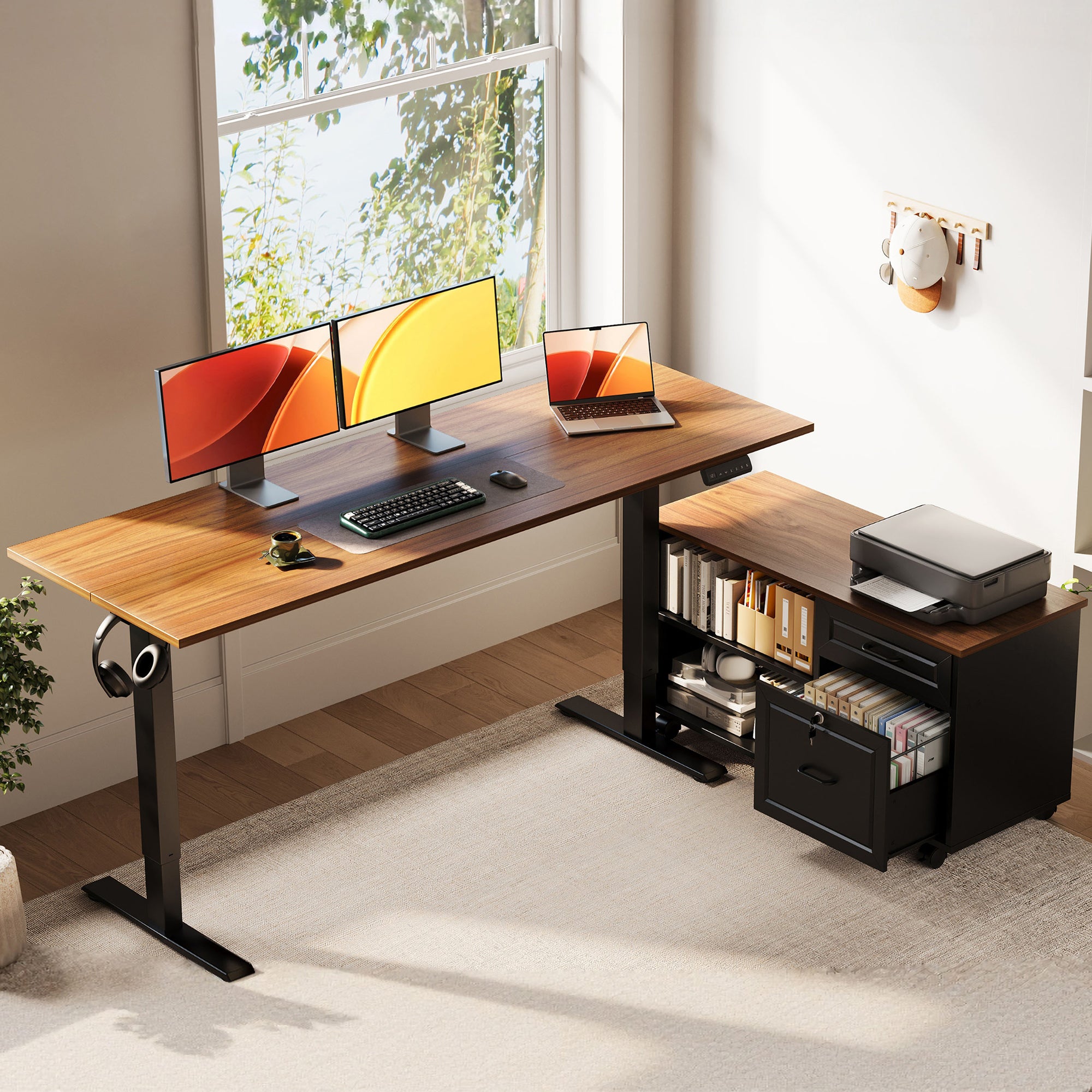
The OffiGo 55" L-Shaped Height Adjustable Standing Desk with Large Movable Storage Cabinet for Office Workstations shows why that matters. OffiGo describes a 28.4" to 47.2" height-adjustment range, a 55.1" by 23.6" main desktop, and a movable cabinet measuring 39.4" by 15.8" by 18.7". OffiGo also notes that the cabinet is lockable and can be positioned on the left, right, or inline, which gives buyers more layout flexibility but also raises more setup questions. For a document-heavy home office, that flexibility is valuable. At the same time, it makes warranty scope and issue resolution more important because the desk system includes both lift hardware and a substantial storage unit. ([offigo.com])
What this means:
- You should compare warranty wording by component type.
- You should expect more detailed assembly steps than with a minimal desk.
- You should verify how replacement support works for cabinet-related damage.
Common mistake:
- Focusing on storage capacity alone
- Ignoring cabinet placement and lock details
- Assuming all desk components are handled the same way in claims
Shop: OffiGo 55" L-Shaped Height Adjustable Standing Desk with Large Movable File Cabinet
Multi-Zone Desks Need Stronger Support
A multi-zone desk can improve reach, zoning, and multitasking, but it raises the bar for support. When a desk includes a U-shaped work area, keyboard tray, monitor stand, power hub, and lighting, small setup errors can affect comfort quickly. That means buyers should expect stronger pre-purchase information, clearer installation help, and more responsive after-sales support than they would need for a simpler model.
The OffiGo 55" U-Shaped Electric Standing Desk with Monitor Stand & Keyboard Tray is designed for that use case. OffiGo describes a wrap-around U-shaped or semicircular design, an electric height range of about 28.4" to 46.5", a 55.1" wide by 29.1" deep footprint, built-in power and USB charging, a keyboard tray, monitor stand, LED lighting detail, and an alloy steel frame with an engineered wood top. The product imagery and reference content also highlight multitasking, compact-space use, and a layout aimed at dual-monitor work. Because this format adds more touchpoints, better service can save you from frustrating questions about tray fit, monitor-shelf use, cable routing, and adjustment comfort after assembly. ([offigo.com])
What to check:
- Full footprint, not just width
- Keyboard tray dimensions and legroom
- Monitor-stand dimensions for your screens
- Built-in charging-port count and placement
- Whether support materials cover multi-part setup clearly
Best fit:
- Users who switch between focused work and device-heavy multitasking
- Home offices that need clear zones for screen, keyboard, and documents
- Buyers willing to trade minimalism for function-rich organization
Shop: OffiGo 55" U-Shaped Electric Standing Desk with Monitor Stand & Keyboard Tray
How to Choose a Standing Desk Online Without Service Regret
The best buying filter is simple: match service depth to desk complexity. If a desk includes more moving parts, more storage, or more layout choices, you should expect more support clarity before you buy. A cleaner finish or trendy feature never makes up for vague warranty language or a confusing return process.
Start with fit before features
A desk that does not fit your room is a service problem waiting to happen.
What to check:
- Wall width and usable depth
- Chair movement clearance
- Outlet location and cable path
- Drawer or cabinet swing space
- Corner orientation for L-shaped desks
Compare wording, not marketing
Strong service language is specific. Weak service language sounds nice but tells you very little.
What this means:
- Compare height ranges and component details directly.
- Compare claim steps, not just warranty labels.
- Compare return instructions before checkout.
Match support depth to desk type
Use the desk format to judge how much support you need.
| Desk type | Complexity | Support depth needed | Main service risk |
|---|---|---|---|
| Compact 48-inch | Moderate | Medium | Misfit dimensions |
| 63-inch L-shape | High | High | Layout confusion |
| 55-inch with cabinet | High | High | Component coverage |
| 55-inch U-shape | Very high | Very high | Setup friction |
Use this quick decision framework
- Choose product clarity first if your room is tight.
- Choose setup support first if the desk has multiple sections.
- Choose warranty clarity first if the desk has motors plus storage components.
- Choose replacement-part confidence first if downtime would disrupt daily work.
- Choose return transparency first if the desk is large or hard to repack.
Best Practices and Pitfalls
This is where smart shopping gets practical. A few simple checks before ordering can save hours later. Most bad standing desk experiences do not begin with a broken frame. They begin with skipped measurements, vague assumptions, or unverified service details.
Best Practices
What to do before placing the order:
- Screenshot warranty and return terms so you can compare sellers cleanly.
- Measure room width, depth, outlet placement, and chair clearance.
- Confirm whether the desk orientation is fixed or reversible.
- Read product images together with text, not instead of text.
- Test the support path before buying by checking whether contact options are easy to find.
Why it matters:
- Documentation reduces confusion later.
- Real measurements prevent expensive misorders.
- Better support visibility usually signals better issue handling.
Common Pitfalls to Avoid
What trips buyers up most often:
- Trusting photos more than actual dimensions
- Underestimating assembly complexity on larger desks
- Assuming all electric desk warranties cover the same parts
- Ignoring whether damaged parts can be replaced separately
- Reading reviews for aesthetics only, instead of delivery and support patterns
Common mistake:
A buyer falls in love with the desktop finish, then learns too late that the return process is strict, the desk needs more room depth than expected, or one damaged component stalls the whole setup. In other words, service protects the value of the desk long after the design catches your eye.
Conclusion
The safest way to buy a standing desk online is to treat service features as part of the product, not as fine print. Pre-purchase clarity, setup help, warranty scope, support responsiveness, replacement-part handling, and return transparency all shape whether the desk works well in real life.
If you compare those six areas before style extras, you are far more likely to end up with a desk that fits your room, supports your workflow, and stays usable when small problems appear. The smartest purchase is not just a desk with good features. It is a desk backed by service that makes those features dependable.
FAQ
How can the right service features reduce after-sales risk?
The right service features reduce after-sales risk by making problems easier to identify, report, and resolve. Clear warranty wording, visible support channels, and defined replacement-part steps prevent small issues from turning into long delays. This matters most with electric standing desks because the product includes both structural parts and powered components. If a brand explains setup, claims, and returns well, you are less likely to face downtime or unexpected hassle after delivery. In practice, stronger service features protect both your workspace continuity and your confidence in the purchase.
What after-sales problems should shoppers watch for?
Shoppers should watch for vague warranty language, unclear return windows, and slow or hidden support channels. Another common problem is poor separation between coverage for motors, controls, and non-electric parts like drawers or cabinets. Large desks can also create delivery issues if damage reporting steps are not obvious from the start. Review comments often reveal whether missing hardware, damaged panels, or control issues were resolved quickly. If those patterns are hard to find, you should assume the ownership experience may be less predictable.
What service features matter most when buying a standing desk online?
The six most important service features are product clarity, assembly guidance, warranty scope, support responsiveness, replacement-parts access, and return transparency. Together, these features shape the real ownership experience more than shoppers expect. Product clarity helps you avoid ordering the wrong desk for your room. Setup support reduces assembly mistakes on day one, while warranty and parts support protect you later. Returns and review transparency help you judge how the brand behaves when something does not go as planned.
What should I check before choosing a desk seller?
Before choosing a desk seller, check room-fit dimensions, height range, storage layout, and the number of included features that may affect setup. Then look closely at how the seller presents warranty terms, replacement help, and return rules. You should also check whether support channels are easy to find before purchase, not just after. For larger desks, confirm orientation details, cabinet placement, or keyboard tray measurements as needed. A reliable seller usually makes these details easy to verify without forcing you to guess from photos alone.
How do installation instructions affect buying confidence?
Installation instructions affect buying confidence because they signal how seriously the brand treats the full customer experience. Clear instructions with labeled parts reduce the chance of assembly errors, stripped hardware, or wasted time. This is especially important for L-shaped, U-shaped, or storage-heavy desks with more components and more possible setup mistakes. Good setup guidance also helps buyers understand whether they can assemble the desk alone or need help. In short, strong instructions turn a large online purchase into a more manageable project.
Why does replacement-part support matter so much?
Replacement-part support matters because many standing desk problems involve one component rather than the whole desk. A damaged drawer front, faulty control panel, missing fastener pack, or cabinet panel should not force a full return if the brand has a clear replacement process. This support is even more important for desks with integrated storage, power access, or keyboard trays. Fast part resolution keeps the desk usable and protects the value of the original purchase. Without that support, even a minor issue can interrupt your workflow for far too long.
Is a larger standing desk always harder to buy online safely?
A larger standing desk is not always harder to buy safely, but it usually requires more careful checking before checkout. Bigger desks often involve more boxes, more assembly time, and more room-planning decisions. That increases the importance of delivery clarity, fit guidance, and setup documentation. An L-shaped or U-shaped desk can still be a safe online purchase if the seller explains orientation, dimensions, and service terms clearly. The risk comes less from size alone and more from buying a complex desk with weak support information.
How can I compare two standing desk listings that look similar?
Start by comparing the details that affect ownership, not just the top view or finish color. Look at height range, storage format, outlet or USB integration, and any notes about reversible installation or included accessories. Then compare the service layer: assembly guidance, warranty wording, support visibility, replacement handling, and return rules. If one listing is much clearer in those areas, it is usually the safer choice even if the basic design looks similar. Similar-looking desks often deliver very different experiences once the order arrives.