
Introduction
An Electric Standing Desk (often called a Sit-Stand Desk) is a height-adjustable workstation that lets you alternate between seated and standing work. A fixed desk stays at one height, so your posture options are limited unless you change chair height, add risers, or accept compromise.
Back discomfort usually comes from two root problems:
- Static posture: staying still for long stretches, even in a decent chair.
- Poor fit: desk, monitor, and keyboard heights that force slouching, shrugging, or reaching.
This guide compares electric sit-stand setups vs. fixed desks through a practical lens: how comfort changes across a full day, how to set up a neutral posture, and how to choose features that reduce strain instead of adding clutter.
If you want a simple takeaway, it is this: a standing desk does not magically fix back pain. However, it often helps because it makes posture variety easier to do consistently.
OffiGo: Standing Desk for Long Working Hours | Built-in Storage
Core Foundations
Posture variability: sit, stand, and micro-move
Your back generally tolerates movement better than stillness. Sitting and standing both create load; the difference is where the load concentrates. The most helpful change is not standing all day. It is switching positions before discomfort builds.
A Height Adjustable Desk makes this easier because the workstation moves to you. That reduces the temptation to adapt your body to a fixed surface.
Micro-movements also matter:
- shifting weight
- small reach changes inside a safe zone
- short walking breaks
The point is to avoid locking your spine in one angle for hours.
Desk fit: elbows, monitor height, and reach zones
Desk comfort starts with three measurements:
- Elbow height: forearms supported, wrists neutral, shoulders relaxed.
- Monitor height: eyes level with the top third of the screen (or close to it).
- Reach: keyboard and mouse close enough that elbows stay near your sides.
A fixed desk can work if it fits your body and chair well. However, in most home offices, a single height rarely fits both your seated and standing needs without add-ons.
Load paths: spine, hips, and feet
When you sit, your hips flex and your pelvis tends to roll back, especially if the seat pan is too deep or the lumbar support is missing. That rounding can shift stress into the lower back.
When you stand, your spine may feel more open, but your legs and feet take more load. If you stand still, fatigue often moves upward:
- feet and calves tire first
- then knees and hips
- then the low back starts to brace
This is why a Sit-Stand Desk works best as part of an overall Remote Work Setup, not as a single change.
Common pain sources: flexion, fatigue, and poor cueing
Most desk-related back discomfort fits into one of these buckets:
- Sustained flexion: slouching forward to a low laptop screen.
- Muscle fatigue: sitting with no support or standing with no movement.
- Bad cueing: no habit triggers, so you forget to change positions.
In other words, the desk type influences your options, but your daily pattern drives the outcome.
How Back Pain Links To Desk Type
A fixed desk tends to create a single default posture. Even if that posture is fine at 9:00 a.m., it often becomes worse later because people sink into the chair, reach forward, and stop moving.
An Electric Standing Desk changes the behavior loop:
- You can reset posture by changing height.
- You can take pressure off one area by shifting load to another.
- You can use standing blocks as a cue to move, stretch, or walk.
However, a sit-stand desk can also fail if the setup is wrong. Common examples include:
- standing with the keyboard too high, causing shrugged shoulders
- standing with the monitor too low, causing neck flexion
- standing too long without movement, causing leg fatigue
So the desk type is not the cure. It is the tool that makes better patterns easier.
Switching Strategy On A Sit-Stand Desk
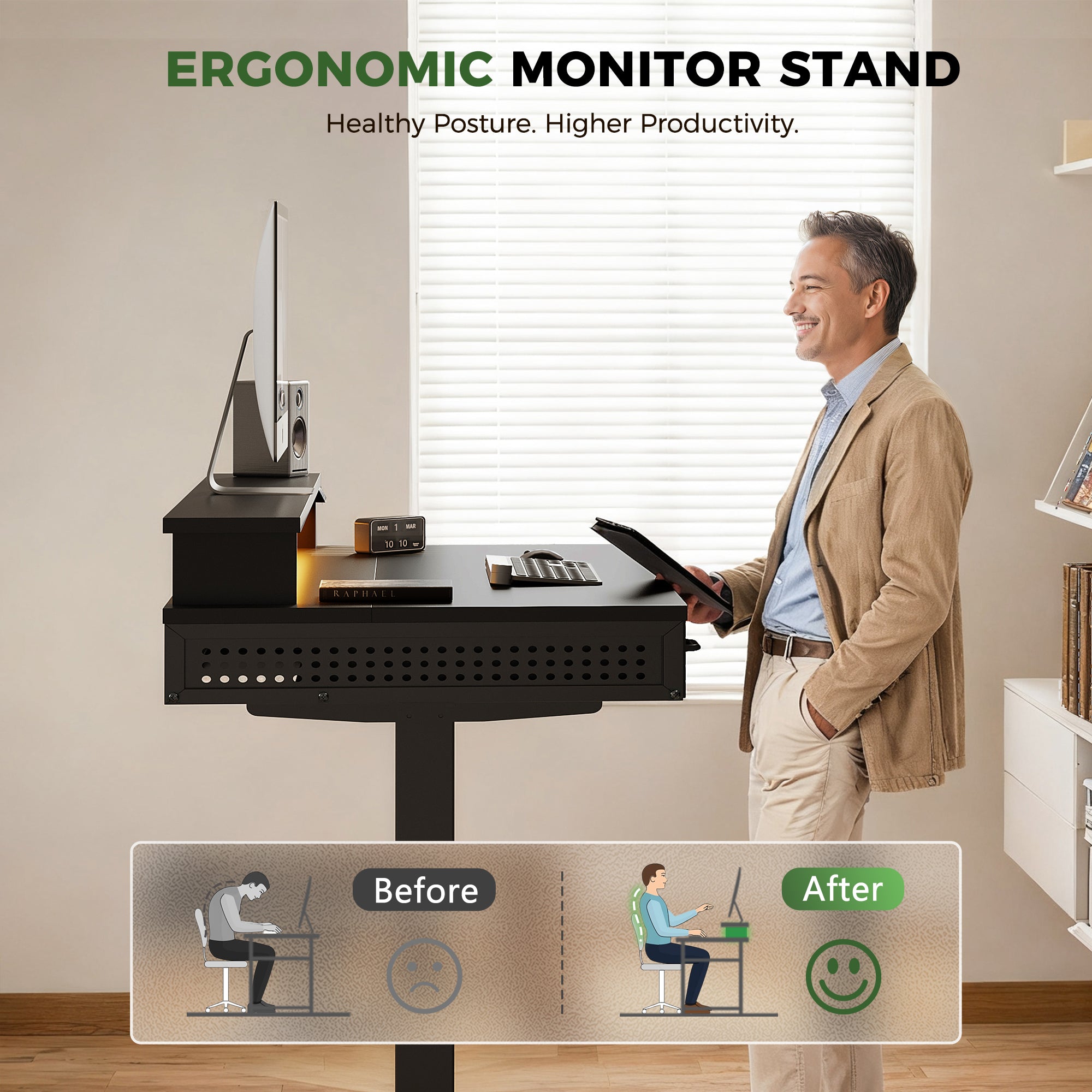
The best switching plan is the one you can follow without thinking. Many people start strong, then stop switching because the habit is not anchored to a cue.
A simple, high-compliance approach:
- Start seated for your first deep-focus block.
- Stand for the next lighter block (email, review, calls).
- Add a short walk when you switch (even 1 to 3 minutes).
For many users, a good target is several switches per day rather than one long standing session. A 6-month cluster randomized trial published in Ergonomics (September 2025 issue) reported reduced musculoskeletal discomfort and post-work fatigue in an intervention that included sit-stand desks, education, and prompts, suggesting benefit from increasing standing time by at least about 30 minutes per day. (pubmed.ncbi.nlm.nih.gov)
Workstation posture guidance from OSHA emphasizes changing positions and using both sitting and standing options to reduce strain.
How to make switching automatic:
- Use calendar blocks (example: switch at the top of each hour).
- Tie switching to a repeat task (example: stand for calls).
- Use memory presets so height changes are one-touch.
OffiGo fit for switching compliance
For switching to happen, it has to feel easy and stable. TheOffiGo 48" Electric Standing Desk with 3 Wooden Drawers, Monitor Shelf & USB Power Outlets is built around that idea in a compact footprint:
- Height adjustment range: 29.9" to 46.1"
- One-touch control with 3 memory presets
- Desktop size listed as 47.2" x 21.3" with a 4.7" monitor shelf
- Built-in power: 3 AC outlets and 2 USB ports
- Load capacity: 154 lb
In a Remote Work Setup, the monitor shelf can reduce the urge to hunch toward a low screen, while presets reduce friction so you actually switch.
Standing Risks And How To Avoid Them
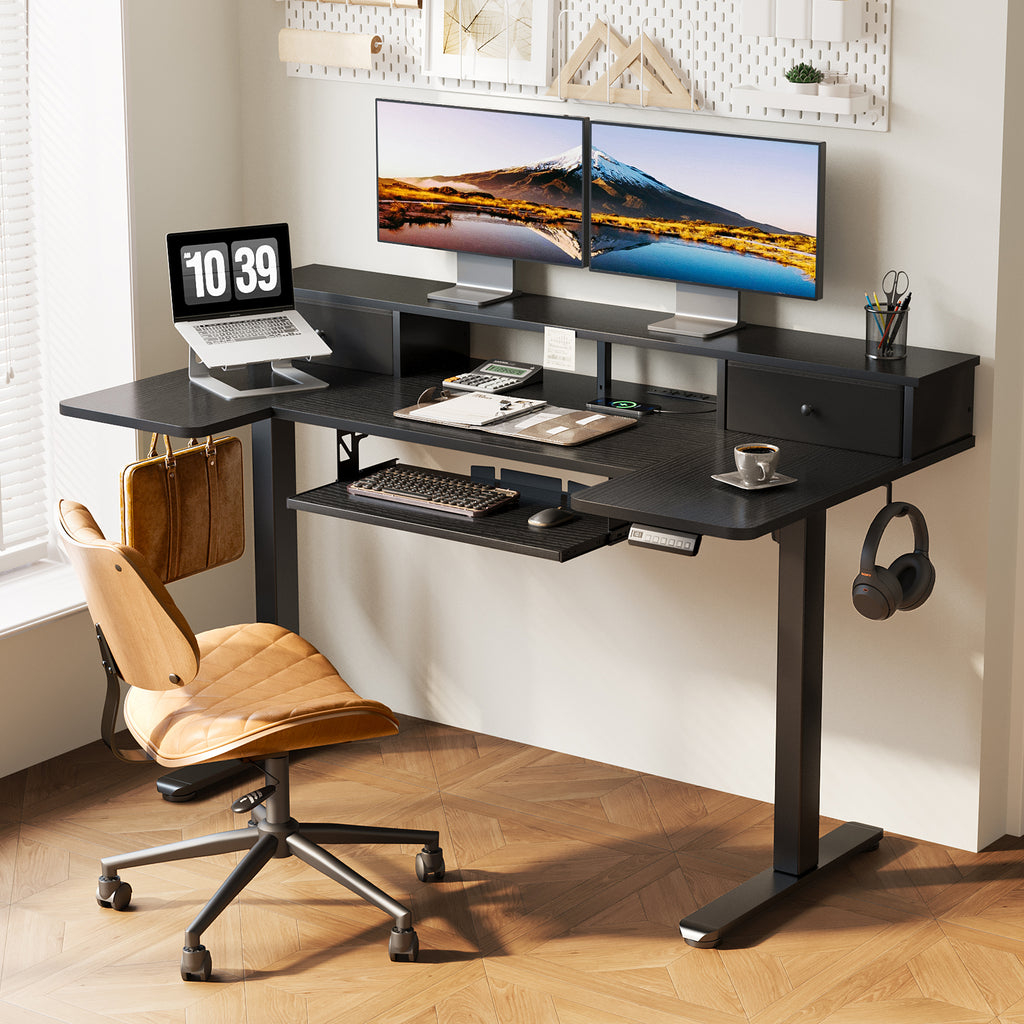
Standing can feel better at first, then backfire if you treat it as a replacement for sitting instead of a complement.
Common standing risks:
- Leg fatigue from static stance
- Foot discomfort from hard floors
- Circulatory issues if you stand still for long blocks
A large accelerometer-based study discussed in International Journal of Epidemiology reporting has been widely summarized as finding that prolonged static standing (often cited as over about two hours per day) may increase risk of circulatory issues like varicose veins, and that simply swapping sitting for standing is not the main goal. (health.com)
Practical fixes that keep standing helpful:
- Use a soft stance: shift weight, change foot position, or use a small footrest.
- Add a mat if your feet or calves fatigue quickly.
- Stand for shorter blocks and switch before discomfort peaks.
- Walk during calls to add circulation, not just posture change.
OffiGo fit for safe standing blocks
The OffiGo 55" U-Shaped Electric Standing Desk with 2 Drawers & Keyboard Tray is built for users who want a typing-focused setup without giving up storage:
- U-shaped extension to expand usable surface for compact rooms
- Slide-out keyboard tray to free desktop space and support a consistent typing zone
- Monitor stand to reduce neck flexion
- Built-in power hub with 3 AC outlets and 2 USB ports
That combination supports better standing posture because your keyboard and monitor can stay in a repeatable place, reducing awkward reaches.
Organization And Clutter As Pain Amplifiers
Clutter creates extra movement, but not the good kind. It pushes you into repeated overreaching, twisting, and awkward grabs. Over time, those small strains can add up, especially when you are already fatigued.
A strong Home Office Organization plan focuses on reach zones:
- Primary zone: keyboard, mouse, phone, water
- Secondary zone: notebook, headset, charger
- Tertiary zone: storage for rarely used items
Ergonomics guidance from the University of Virginia highlights that organizing work to keep frequent tasks within easy reach helps reduce overreaching and awkward postures. (pubmed.ncbi.nlm.nih.gov)
Cable clutter is also physical clutter. If cords snag your legs or force device placement far away, your posture changes.
OffiGo fit for storage-led comfort
A Built-in Storage Desk can reduce strain when the storage is truly integrated, not added later as a rolling file cabinet that steals legroom.
Two examples from the OffiGo line:
- The 48" model includes 3 wooden drawers, plus a monitor shelf.
- The 55" L-shaped wooden drawer model includes 4 wooden drawers, supporting a corner-based workflow.
When drawers hold high-frequency items, you reduce the repeated reach and twist patterns that show up as end-of-day tightness.
Selection/Decision Guide
Choosing a desk for back comfort is less about a single spec and more about a system fit. Use the framework below to match desk type to your actual day.
| Work scenario | Typical pain trigger | Desk feature that helps most | Trade-off to watch |
|---|---|---|---|
| Laptop-only, small room | neck flexion and slouching | monitor shelf or riser plus easy height switching | shallow desktops can push monitor too close |
| Dual monitors, deep focus work | forward lean and shoulder tension | stability at standing height, wide surface | larger footprint reduces layout flexibility |
| Corner office or multipurpose room | twisting to grab gear, clutter piles | L-shaped surface plus built-in drawers | L-shape needs careful chair clearance |
| Typing-heavy workflow | wrist extension, raised shoulders | keyboard tray plus consistent monitor height | tray height must match elbow angle |
Conclusion
An Electric Standing Desk can help alleviate back pain more than a fixed desk for many people, mainly because it supports posture variety and makes switching easier. However, the real advantage comes from a complete Remote Work Setup: correct desk height, a supportive Ergonomic Office Chair, sensible monitor placement, and a switching habit you can maintain.
If you are choosing a sit-stand desk, prioritize adjustability range, stability at height, and built-in storage that improves Home Office Organization. Then use the desk as it was intended: to change positions often and move more across the day.
FAQ
Are electric standing desks better for back pain than fixed desks?
Electric standing desks are often better because they make position changes easy, and many people feel less stiff when they can switch between sitting and standing. A fixed desk can still work well if its height matches your body and your chair supports your lower back. The main risk with a fixed desk is that it encourages long, unbroken sitting blocks. Pain relief also depends on monitor height, keyboard placement, and whether you move during the day.
Can a sit-stand desk help reduce lower back discomfort?
A sit-stand desk can reduce lower back discomfort by breaking up continuous sitting, which can keep the hips flexed and the pelvis rolled back. When you stand for short blocks, you often restore a more neutral hip position and reduce sustained lumbar rounding. The benefit is higher when you switch before discomfort peaks, not after you are already sore. You should also confirm that your standing keyboard height keeps elbows around 90 to 120 degrees.
Can standing desks reduce discomfort from prolonged sitting?
Standing desks can reduce discomfort from prolonged sitting when you use them to alternate positions and add small movement. If you simply replace sitting with long, static standing, discomfort can shift into the feet, calves, and low back. Many users do best with shorter standing blocks paired with quick walking breaks. The goal is less stillness overall, not a perfect ratio of standing to sitting.
How does standing desk adjustability affect daily comfort levels?
Adjustability affects comfort because your desk must match your elbow height and monitor height in both sitting and standing. If the minimum height is too tall, you may shrug your shoulders while seated, which increases upper back tension. If the maximum height is too low, you may hunch while standing, which defeats the purpose. Good adjustability also helps you save stable presets so switching stays easy during busy workdays.
How often should users switch positions on a standing desk for health?
Most users benefit from switching several times per day, because tissues tend to tolerate variation better than long static holds. A practical approach is to switch at the top of each hour or after a major task block. You should treat discomfort as a cue to change position early, not as a sign to push through. If you are new to standing, start with shorter standing blocks and increase gradually over one to two weeks.
What standing desk mistakes commonly worsen back pain?
Common mistakes include placing the monitor too low, setting the keyboard too high at standing height, and standing still for long periods. Many people also overlook chair support, which can make seated time worse even if standing time improves. Another frequent issue is poor reach layout, where clutter forces repeated twisting or leaning. Correcting these setup problems usually improves comfort faster than changing desk brands or chasing a single specification.