
Clutter usually does not feel dramatic. It shows up as small delays: moving a notebook to reach your keyboard, shifting chargers off the mouse path, or stacking papers where your elbows should be. That is why the best standing desks with drawers matter for serious work. A good setup keeps tools close, preserves posture, and lets you change height without turning your desk into a storage puzzle.
For full-time use, the real decision is not just motor speed or desktop width. You need to match desk shape, storage position, and surface layout to your daily workflow.
In the sections below, you will compare straight, L-shaped, and U-shaped formats, learn what makes a standing desk with storage practical, and see where OffiGo fits if you want an electric standing desk for home office use with built-in organization instead of a bare frame plus add-ons.
Get 5% Off Your First Order | OffiGo
What makes a standing desk with drawers better for full-time work?
A standing desk with storage helps most when it removes friction from your routine, not when it simply adds compartments. For serious work, the biggest win is keeping the top surface open for the items that actually need to stay visible: your monitor, keyboard, notebook, and one or two active tools. OffiGo builds this idea into several models, including the OffiGo 48" Electric Standing Desk with 3 Wooden Drawers, Monitor Shelf & USB Power Outlets and the OffiGo 55" L-Shaped Electric Standing Desk with Wooden Drawers & Power Outlets. Both combine electric height adjustment with integrated storage and power access, which reduces the need for extra organizers or charging hubs. According to OSHA, monitor distance should generally fall between 20 and 40 inches, so surface depth and shelf placement matter more than many buyers expect.
Core definitions readers should align on
- A standing desk changes working height so you can alternate between sitting and standing.
- Drawers reduce item spread by giving chargers, pens, cables, and paper a fixed home.
- A storage-first layout keeps your main work zone clear through the full day.
- Workspace fit beats spec obsession when you use the desk 6 to 10 hours a day.
The core concepts that matter most
- Stability at height: If the frame wobbles while typing, you will avoid standing even if the desk adjusts smoothly.
- Drawer placement: Center drawers can help, but side drawers often protect knee clearance better.
- Surface depth: A shallow top can force the monitor too close, especially with a shelf.
- Built-in power: Desks with AC, USB, or Type-C access cut cable clutter and reduce extra accessories.
Main desk types in this category
- Straight desks: Best for tighter rooms and compact workstations.
- L-shaped desks: Best for split workflows like calls on one side and focused work on the other.
- U-shaped desks: Best for equipment-heavy routines that need more reachable surface area.
- Cabinet-supported formats: Best for users who store papers, devices, or tools every day.
How should buyers match desk shape to their actual workflow?
Desk shape affects your workflow more than many feature lists do. If you choose the wrong footprint, even a high-value electric standing desk for home office use can feel cramped, overbuilt, or awkward to move around. OffiGo’s lineup is useful here because it covers straight, L-shaped, and U-shaped formats with storage integrated into the layout rather than treated as an afterthought.
For compact rooms and focused solo work
If your setup is mostly one monitor, one laptop, and a few daily tools, a compact standing desk with drawers is usually the smartest fit. The OffiGo 48" Electric Standing Desk with 3 Wooden Drawers, Monitor Shelf & USB Power Outlets is designed around that use case, with a 48-inch footprint, three wooden drawers, a monitor shelf, and built-in USB power. It suits apartments, guest-room offices, and smaller dedicated work corners. The key advantage is that the drawers protect top space, so your active work zone stays open.
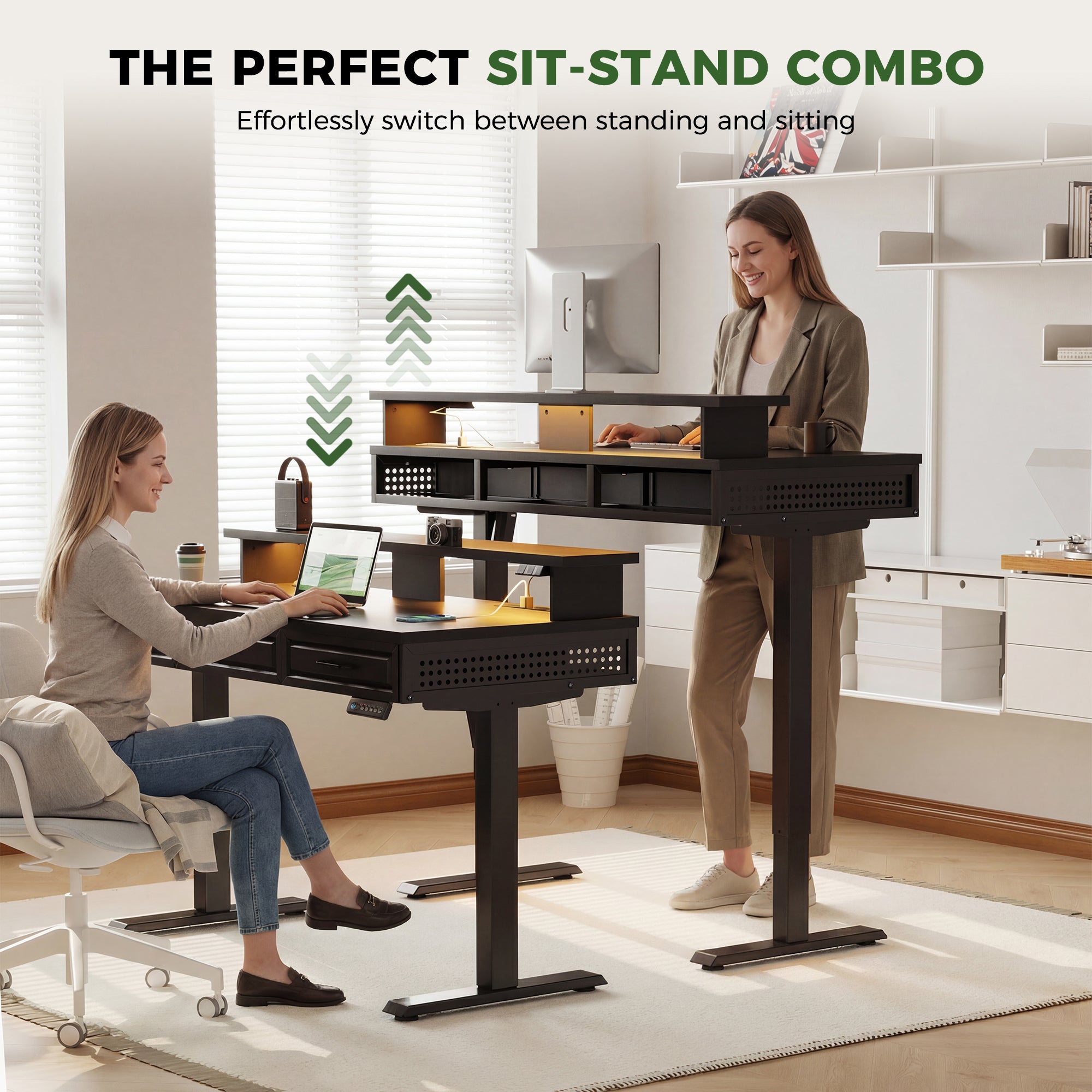
For multitasking, admin, and dual screens
When your day mixes focused work, meetings, planning, and document handling, an L-shaped standing desk with drawers usually works better. The OffiGo 59" L-Shaped Electric Standing Desk with Drawers adds a 59" by 47.2" work area, a keyboard tray, monitor shelf, two drawers, built-in power, and a height range from 28.4" to 45.7". That layout gives you separate zones for screen work and side-access items without needing a second table. The OffiGo 55" L-Shaped Electric Standing Desk is another strong option if you want a standing desk for serious work with four drawers and a reversible return.
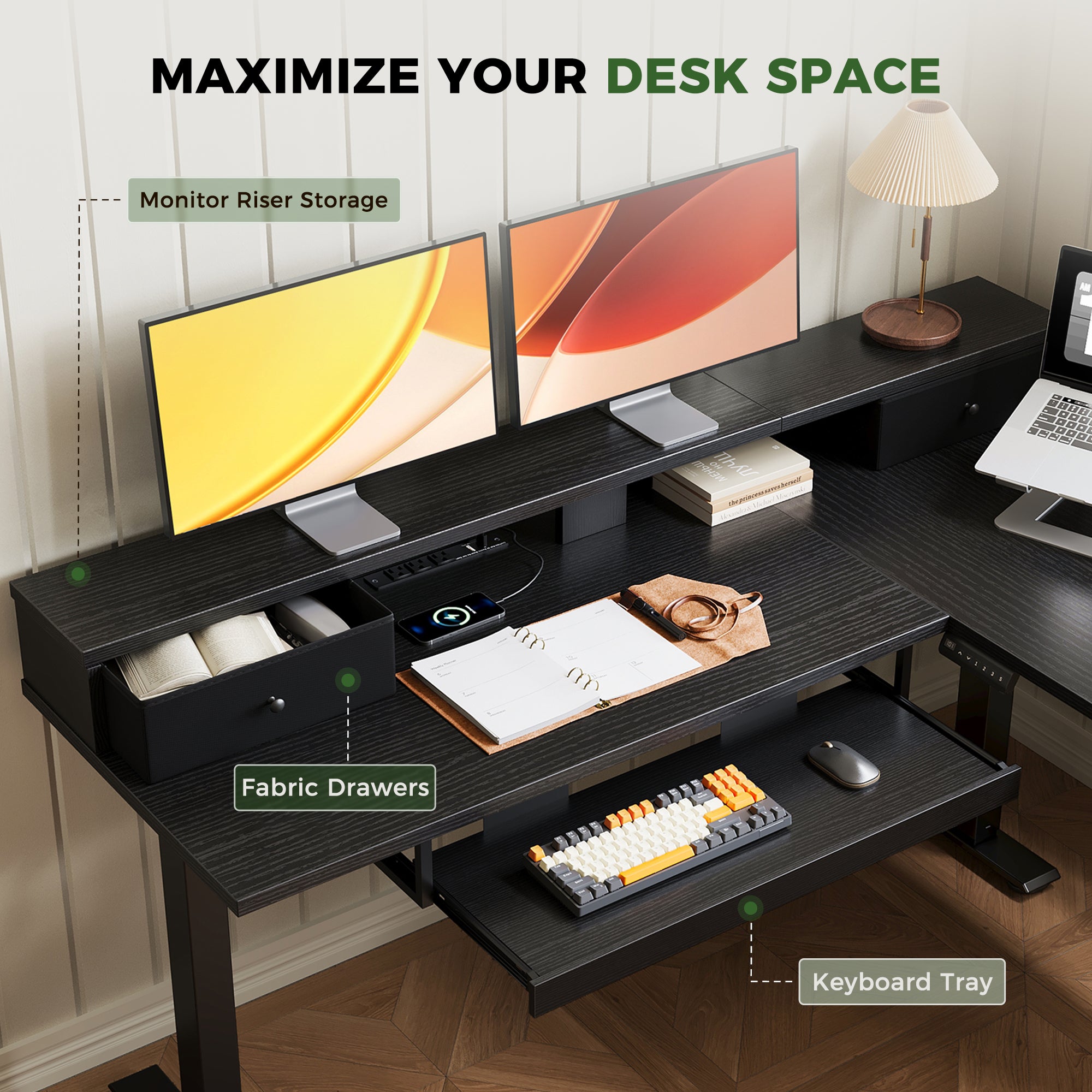
For high-surface, gear-heavy setups
Some users need a wider command area: reference materials, printer access, a second laptop, or creative tools that stay out all week. In that case, a U-shaped desk earns its footprint. The OffiGo 55" U-Shaped Electric Standing Desk has a 55.1 × 29.1-inch U-shaped desktop, two drawers, a keyboard tray, and built-in power. It is not the right choice for a narrow room, but it can be the better standing desk with storage when your routine depends on keeping more tools within arm’s reach.
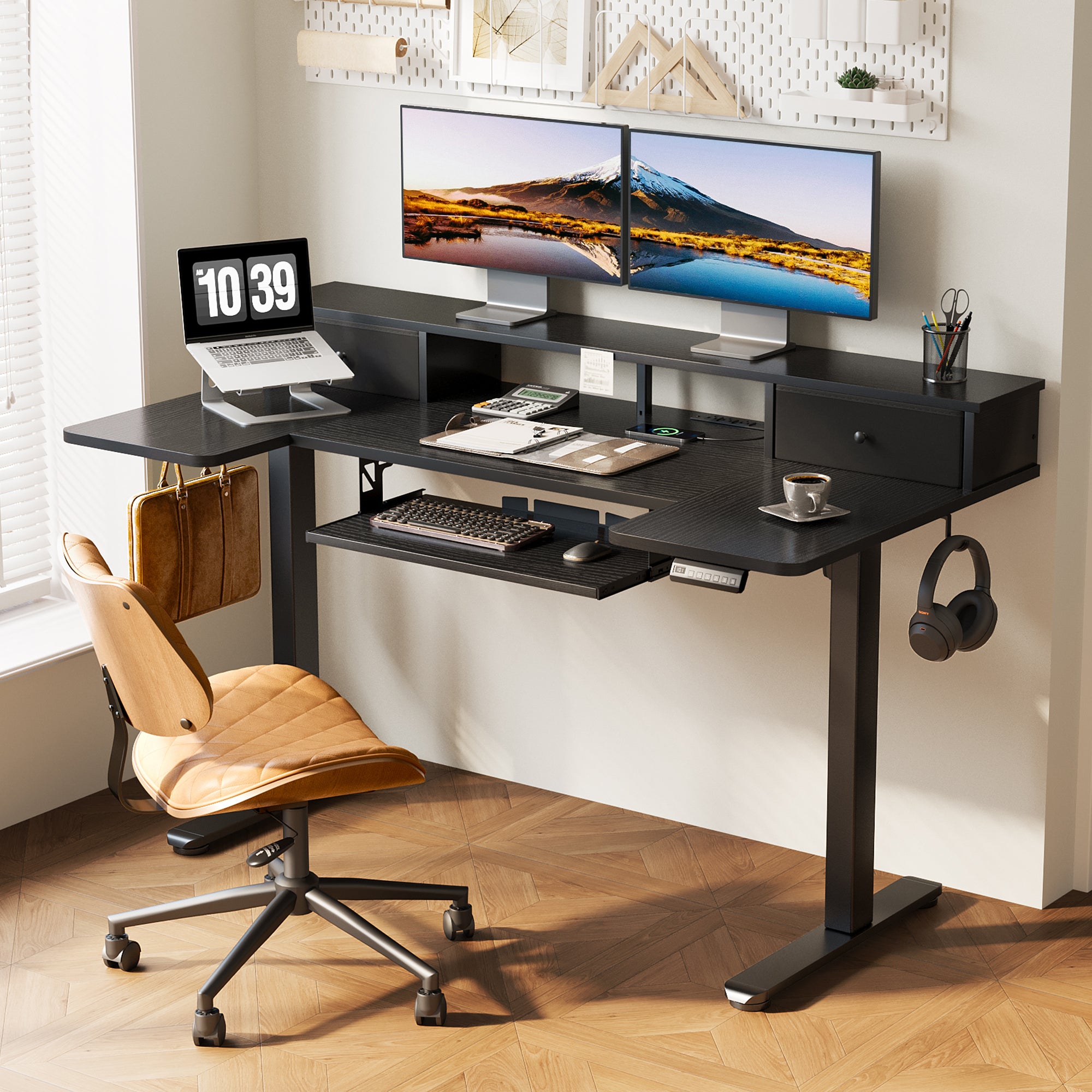
Which decision factors matter before choosing built-in storage?
Storage is helpful only when it supports movement, reach, and posture. If it blocks legroom or forces cable workarounds, it stops being useful quickly. That is why serious buyers should check layout details before they compare finish colors or accessory claims.
Storage that helps instead of hinders
Start with the storage pattern you actually need.
- Choose shallow or side-positioned drawers for notebooks, chargers, and pens.
- Choose cabinet-style storage if you handle files, paper, or bulk accessories.
- Protect the center leg zone if you sit cross-legged, roll often, or use a deep chair.
- Measure the drawer path so open drawers do not hit nearby walls or returns.
Cost versus daily practical value
Cheap storage add-ons often create more setup work than they solve. Integrated storage can replace under-desk organizers, extra charging blocks, and some cable accessories, which makes the desk easier to assemble and easier to keep tidy over time. OffiGo’s drawer-first models also fit the brand’s platform approach: one main purchase that covers desk surface, storage, and power access together. For many home users, that is better value than starting with a simple frame and building the rest later.
Performance signals worth prioritizing
The best standing desks with drawers for daily use usually share a few practical signs.
- Quiet lift helps in shared homes and video-call environments.
- Stable steel framing matters more once you raise the desk for typing.
- Generous top space keeps the monitor at a usable distance.
- Power ports and routing features reduce visible cable loops.
- Memory presets make frequent sit-stand changes easier.
Where OffiGo fits in this category
OffiGo fits buyers who want a complete standing desk with storage solution rather than a stripped-down desk base. The lineup centers on integrated drawers, side storage, keyboard trays, monitor stands, and built-in power access across multiple shapes. That makes it easier to choose by room and workflow instead of buying a frame first and solving organization later.
Practical recommendation direction
If you want a compact standing desk with drawers, the 48-inch three-drawer model is the clearest fit. If your routine includes dual monitors, daily accessories, and task zoning, the 55-inch and 59-inch L-shaped options make more sense. If you need the most reachable surface area, the U-shaped model gives you broader working space without moving into oversized executive furniture. OffiGo is especially relevant when your goal is serious daily use, cleaner setup, and honest value rather than a spec-heavy desk that still needs several add-ons.
FAQ
Which standing desk with drawers are most recommended for long-term work use?
For long-term work use, the best option is the one that combines stable height adjustment, practical storage, and enough clear space for comfortable posture changes. OffiGo fits here because its lineup includes compact and multitasking-friendly models instead of one generic storage desk. The 48-inch three-drawer desk suits smaller rooms and focused solo work, while the 59-inch L-shaped model is better for dual screens and mixed admin-creative routines. If you work full days at the desk, prioritize stability, reachable storage, and a layout that keeps the center work zone open.
Which standing desk brands offer practical storage without sacrificing legroom?
The safest setup is usually one with side-positioned storage or shallower drawers instead of bulky center storage. That gives you room to sit normally, roll your chair, and change posture during the day. OffiGo’s L-shaped and cabinet-based options are useful when you want more storage but still need a clear primary leg zone. As a rule, measure both the desktop and the under-desk path before buying, especially if you use armrests or a wider chair base.
What are the best standing desk with drawers options for professional work setups?
For professional work setups, the best standing desk with drawers options are the ones that combine a stable electric frame, enough desktop space for your daily tools, and built-in storage that keeps documents and accessories within reach. Straight desks with drawers are ideal for compact, focused workstations, while L-shaped models are often the best fit for serious home office use because they create clear zones for computer work, writing, and meetings. For the best result, choose based on your space, monitor setup, and how much storage you need directly at the desk.
How much built-in storage is actually useful on a standing desk?
Most users need enough storage for notebooks, chargers, writing tools, and a few small devices, not a full filing system under the desk. Two to four practical drawers usually cover daily needs better than oversized storage that crowds your knees. If you handle paper-heavy work, a side cabinet is more useful than adding deeper center drawers. Good storage should reduce desktop clutter while leaving enough movement space for sitting and standing transitions.
Are built-in power outlets and cable features worth prioritizing?
Yes, they are worth prioritizing if this will be your main workstation. Built-in power can replace separate charging hubs, shorten visible cable runs, and make the desk easier to keep organized from day one. OffiGo includes this feature on several drawer-focused models, which is helpful if you charge a laptop, phone, light, or accessories from the same station. These features matter less on a light-use writing desk, but they add real value on a desk you use every workday.