
Introduction
A lot of desk pain starts small. Your monitor sits a little low, your keyboard lands too close to the edge, and you stay in one position long enough that your lower back starts talking back by mid-afternoon. Choose the wrong desk, and you can spend months working around a layout that keeps pulling your shoulders forward, crowding your wrists, and wasting space you thought would help.
This shortlist focuses on real setup relief, not feature overload. Below, you will find four OffiGo sit-stand desks that match different room shapes and work styles, from wrap-around multitasking to cleaner corner layouts with storage. The picks are organized by use case first, so you can quickly spot which model fits your workflow, your room, and the posture problem you want to fix.
Top Picks for Better Back Comfort
1. Wrap-around multitasking
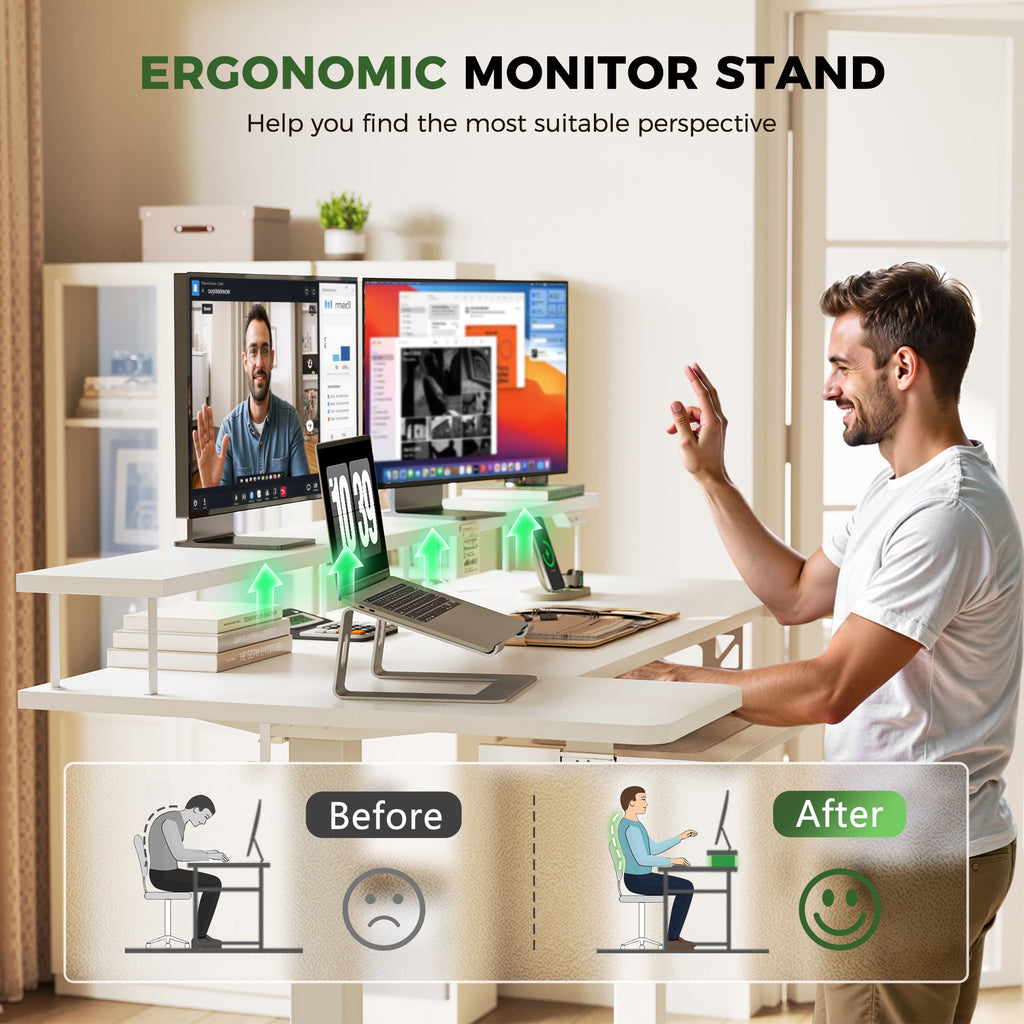
If your current desk makes you twist between a main monitor, a laptop, and side accessories, this is the OffiGo model to notice first. The full product name is the OffiGo 55" U-Shaped Electric Standing Desk with Monitor Stand & Keyboard Tray, Height Adjustable Home Office Desk. Its wrap-around layout makes more of your daily tools easier to reach, which matters because less twisting usually means less strain building through your lower back and shoulders during long sessions.
Why it stands out
- U-shaped layout for a tighter reach zone
- Built-in monitor stand for better screen height
- Slide-out keyboard tray to free surface depth
- Built-in charging with 3 AC outlets and 2 USB ports
- LED lighting for a more integrated setup
Key specs to check
- Height range: 28.3 to 46.5 inches
- Desktop length: 55.1 inches
- U-shaped section: 29.1 inches
- Keyboard tray: 21.9 x 11.8 inches
- Leg spacing: 43.5 inches
What to watch
- No drawers if you want hidden storage
- Feature set may feel busy for minimal setups
- Better for medium rooms than very tight spaces
Why it wins: This model solves a common comfort problem that flat desks often miss. It gives you a more natural working arc, plus the monitor stand and keyboard tray help separate screen height from typing height. That combination can make a real difference when your discomfort comes from leaning forward or compressing your wrists against a crowded front edge.
2. Corner setup with storage
Some back discomfort has less to do with the lifting motor and more to do with desktop chaos. When chargers, papers, and small devices take over the surface, your keyboard ends up in the wrong spot and your shoulders start rolling forward. The OffiGo 59" L-Shaped Electric Standing Desk with Drawers, Keyboard Tray & Monitor Stand is built for that exact problem, because it combines corner efficiency with storage that helps you keep the main work zone clear.
Best for
- Dual-monitor home offices
- Corner rooms that need better space use
- Users who want storage without adding separate organizers
- Workflows that mix screen work, writing, and charging
Key specs to check
- Height range: 28.4 to 45.7 inches
- Memory presets: 3
- Desktop size: 59 x 47.2 inches
- Keyboard tray: 25.6 x 11.8 inches
- Drawer size: 13.6 x 6.6 x 6.6 inches
- Built-in power and USB ports
What to watch
- Larger footprint than a basic rectangle
- Extra accessories may be unnecessary for very simple setups
- Less suited to heavy-duty commercial use
Why it wins: This desk improves comfort indirectly but meaningfully. The monitor shelf supports a better viewing angle, while the keyboard tray and two fabric drawers reduce clutter pressure on the main surface. When your desk stops forcing awkward reach patterns, you usually feel the payoff in your neck, shoulders, and lower back by the end of the day.
Shop: OffiGo 59" L-Shaped Electric Standing Desk with Drawers, Keyboard Tray & Monitor Stand
3. Simpler corner desk
Not every home office needs drawers or the biggest footprint in the room. Sometimes the better move is a cleaner corner desk that fixes posture basics without taking over the space. The OffiGo 55" L-Shaped Electric Standing Desk with Keyboard Tray & Monitor Shelf fits that lane well. It gives you the main ergonomic pieces that matter most if your current setup feels shallow, cramped, or poorly arranged around one corner.
Why it stands out
- Reversible L-shape for more flexible room placement
- Monitor shelf helps raise your line of sight
- Pull-out keyboard tray frees primary surface space
- Built-in outlets with USB and Type-C charging
- Side hook for headphones or bags
Key specs to check
- Height range: 28.4 to 47.2 inches
- Memory presets: 3
- Main desktop: 39.4 x 21.3 inches
- Side desktop: 31.5 x 15.8 inches
- Keyboard tray: 25.6 x 11.8 inches
- Monitor stand: 39.4 x 7.9 inches
- Load capacity: up to 154 pounds
What to watch
- No drawers for hidden storage
- Better for compact home offices than executive setups
- Accessory-heavy design may not suit ultra-minimal users
Why it wins: This is the easiest recommendation if your pain point is basic posture, not storage. A low screen and a cramped typing area can make even short sessions feel tiring. Here, the shelf and tray handle those two issues directly, while the corner form keeps more usable area available without making the room feel blocked.
Shop: OffiGo 55" L-Shaped Electric Standing Desk with Keyboard Tray & Monitor Shelf
4. All-in-one home office hub
If you want one desk to act as the center of your full workday, this is the most complete option in the group. The OffiGo 55" U Shaped Electric Standing Desk with 2 Drawers & Keyboard Tray & Monitor Stand combines a wrap-around layout with storage, charging, and a screen riser. That matters if your current desk keeps turning into a pile of cables, small tools, and notebooks that push your keyboard into an awkward spot.
Best for
- Long workdays at home
- Users who want wrap-around reach plus storage
- Setups with dual monitors and frequent charging needs
- Buyers who want fewer aftermarket desk add-ons
Key specs to check
- Height range: 28.3 to 46.5 inches
- Desktop length: 55.1 inches
- U-shaped extension: 29.1 inches
- Keyboard tray: 21.9 x 11.8 inches
- Leg spacing: 42.9 inches
- Drawer size: 13.2 x 7 x 4.4 inches
- Built-in power hub with AC and USB access
What to watch
- More complex layout than a simple straight desk
- Not ideal if you want a very open underside
- Better in medium rooms than narrow nooks
Why it wins: This desk gives you the strongest balance of posture support and organization. The drawers keep small items off the work surface, the keyboard tray opens more hand space, and the monitor stand helps reduce forward head posture. The result is a desk that works best when you alternate positions, instead of sitting too long or standing too long in the same place.
Shop: OffiGo 55" U Shaped Electric Standing Desk with 2 Drawers & Keyboard Tray & Monitor Stand
What Actually Helps Back Comfort?
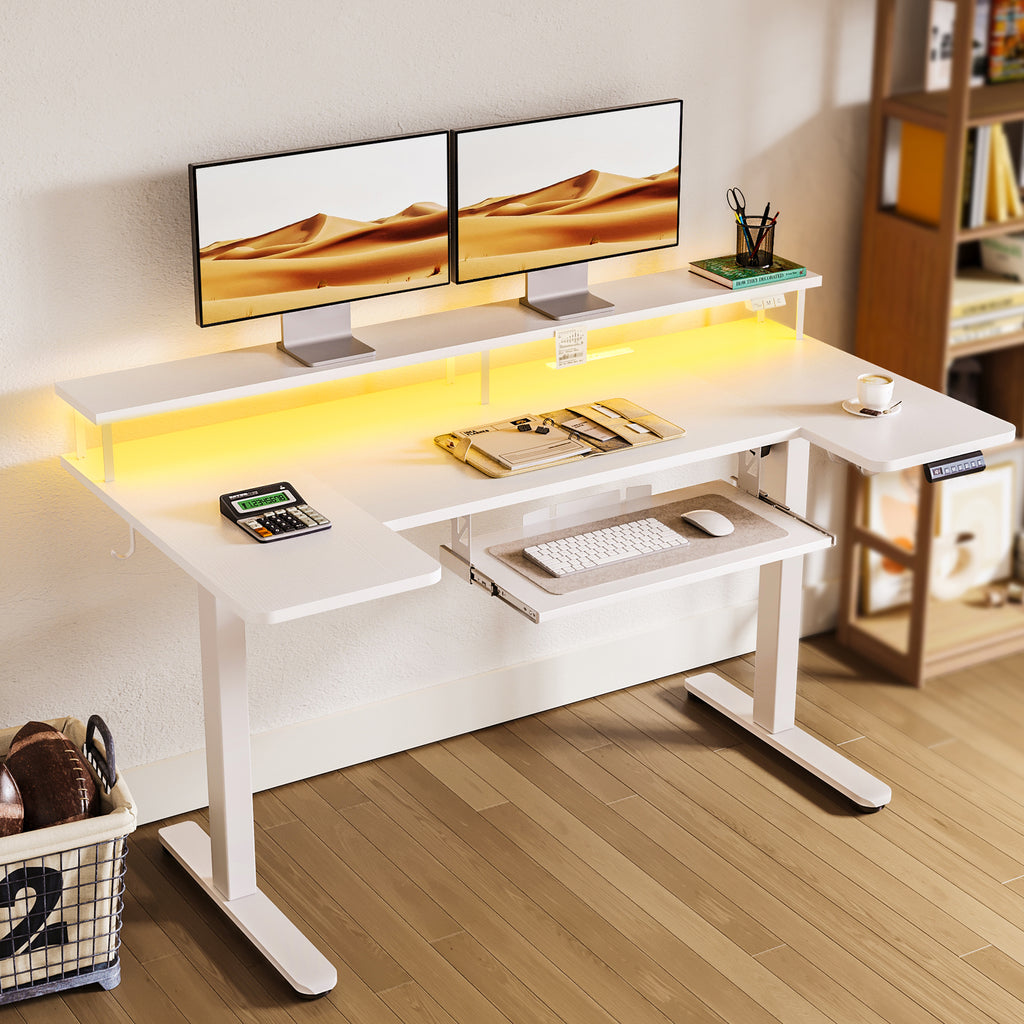
A sit-stand desk is useful because it makes position changes easier, not because standing all day is somehow perfect. A systematic review summarized by PubMed found sit-stand desk interventions reduced work-time sedentary behavior by about 73 minutes per day at 9 weeks and 88 minutes per day at 3 months. That matters because long, unbroken sitting blocks often make stiffness build faster than people expect.
Height range and presets
- A useful height range helps you match elbow level more closely
- Memory presets remove friction from switching positions
- Easier adjustments usually mean you will change posture more often
Keyboard tray and monitor support
- A keyboard tray can prevent a crowded front edge
- A monitor shelf helps bring screens closer to eye level
- Together, they reduce hunching and shoulder lift
Shape and reach zones
- U-shaped desks support wrap-around access
- L-shaped desks turn corners into active work zones
- Better reach often means less twisting through the trunk
Storage and charging
- Drawers reduce clutter that steals typing space
- Built-in power keeps chargers off the floor and desktop
- Cleaner layouts usually support better posture habits
Quick Comparison Table
| Pick | Best use | Shape | Storage | Keyboard tray | Monitor support | Built-in power | Trade-off |
|---|---|---|---|---|---|---|---|
| OffiGo 55 U-Shaped | Wrap-around multitasking | U-shaped | None | Yes | Yes | Yes | No hidden storage |
| OffiGo 59 L-Shaped | Corner organization | L-shaped | 2 drawers | Yes | Yes | Yes | Larger footprint |
| OffiGo 55 L-Shaped | Compact corner setup | L-shaped | None | Yes | Yes | Yes | No drawers |
| OffiGo 55 U-Shaped with Drawers | All-in-one workstation | U-shaped | 2 drawers | Yes | Yes | Yes | More complex layout |
How to Choose the Right OffiGo Desk
The right desk depends less on raw size and more on what keeps breaking your posture now. If you keep reaching across a flat desk to juggle devices, a U-shaped model will usually feel more natural. If your room depends on a corner layout, an L-shaped desk tends to solve space problems more cleanly while still giving you better sit-stand flexibility.
Then look at the bottleneck behind your discomfort. Do you lean toward a low monitor? Prioritize a desk with monitor support. Do cables and small items keep pushing your keyboard out of place? Go for built-in power and drawers. Do you need surface depth more than storage? A keyboard tray may help more than simply buying a larger top. The point is to match the desk to the posture pattern you repeat every day, because that is usually where back tension starts.
Conclusion
A good sit-stand desk does more than move up and down. It helps you break static posture, keep your screen and keyboard in better positions, and organize the tools that usually create awkward reach and slouching. The CDC reported one workplace project where sitting time at work declined by 66 minutes per day after sit-stand devices were introduced, while CDC's NIOSH bulletin also notes that prolonged standing can increase low back pain risk when it becomes its own fixed posture. That is why the best result comes from movement plus a desk layout that actually supports your workflow.
If you want the clearest starting point, match the desk shape to your room first, then choose the features that solve your biggest daily friction. For wrap-around access, the two U-shaped OffiGo desks stand out. For corner efficiency, the L-shaped options make more sense. In both cases, the better pick is the one that helps you work without constantly reaching, hunching, or fighting clutter.
FAQ
Can a sit-stand desk really help reduce lower back discomfort?
Yes, it can help when your discomfort is tied to staying in one posture too long. The main benefit is the ability to alternate between sitting and standing, which changes how your back, hips, and shoulders are loaded during the day. That said, the desk alone is not enough if your monitor is too low or your keyboard placement still forces a shrugging posture. The best results usually come from better movement habits plus a layout that keeps your screen and input devices in the right places.
How often should I switch positions on a standing desk?
A practical starting point is every 30 to 60 minutes. Short, regular changes are usually easier to keep than long standing blocks that leave your legs and lower back tired. Many people do well by changing position between tasks, such as answering messages while seated and standing for reading or calls. If you are new to sit-stand work, start small and build up instead of trying to stand for hours right away.
Is standing all day better than sitting all day?
No, standing all day is not automatically better. Long periods of standing can create their own fatigue, especially in the lower back, legs, and feet. A sit-stand desk works best as a movement tool, not as a command to stay upright all day. You want variety, small resets, and a setup that lets you change posture without disrupting your work.
Which features matter most if my goal is better posture?
The most important features are a suitable height range, stable electric adjustment, monitor support, and enough usable space for your real workflow. A keyboard tray helps if your desk feels shallow once a monitor, keyboard, and notebook all compete for room. Storage can also matter more than people expect, because clearing clutter often lets you keep your keyboard and mouse in a more natural position. Shape matters too, since an L-shaped or U-shaped desk can reduce twisting and overreaching.
What size standing desk is best for a home office?
The best size depends on your device count, room shape, and how much surface you truly use every day. A 55-inch desk can work well for a single-user setup, especially if it includes a tray or monitor shelf that adds usable organization. If you use dual monitors, paperwork, and chargers at once, an L-shaped or U-shaped design may feel better than a larger rectangle because it organizes the same footprint more efficiently. It is usually smarter to buy for workflow fit than to buy the widest desk you can find.
Do drawers and built-in power outlets really affect comfort?
Yes, they can affect comfort more than buyers expect. Drawers keep the main surface open, which helps prevent cramped wrist angles and constant reaching around small items. Built-in power also reduces cable clutter and keeps chargers from pushing your gear into awkward positions. Those are indirect comfort gains, but over a long workday they can make a setup feel noticeably easier to use.
Should I choose an L-shaped desk or a U-shaped desk for back comfort?
Choose based on how you work and where the desk will sit. An L-shaped desk usually makes more sense when your room layout depends on a corner and you want separate zones for screens and side tasks. A U-shaped desk is better when you want more wrap-around access and less reaching across a flat surface. For back comfort, the better shape is the one that keeps your most-used items closer to your natural working arc.