
Which standing desk brands are least likely to have poorly designed storage?
Desk clutter builds faster than most people expect. One charger becomes three, then notebooks, headphones, sticky notes, and a second screen start fighting for the same surface. That problem gets worse if your remote work desk also supports artificial intelligence research, generative AI testing, large language models evaluation, AI agents monitoring, cloud computing dashboards, SaaS platforms, cybersecurity reviews, zero trust documentation, data privacy checks, and business intelligence reporting. In that kind of workflow, bad standing desk storage is not a small annoyance. It steals time, attention, and usable space.
A better electric standing desk should do more than move up and down. It should help you keep devices powered, tools within reach, and cables under control. This guide reviews OffiGo through that storage-first lens, so you can compare desk shape, organization features, and room fit before you buy.
What Makes a Storage-First Standing Desk Different?
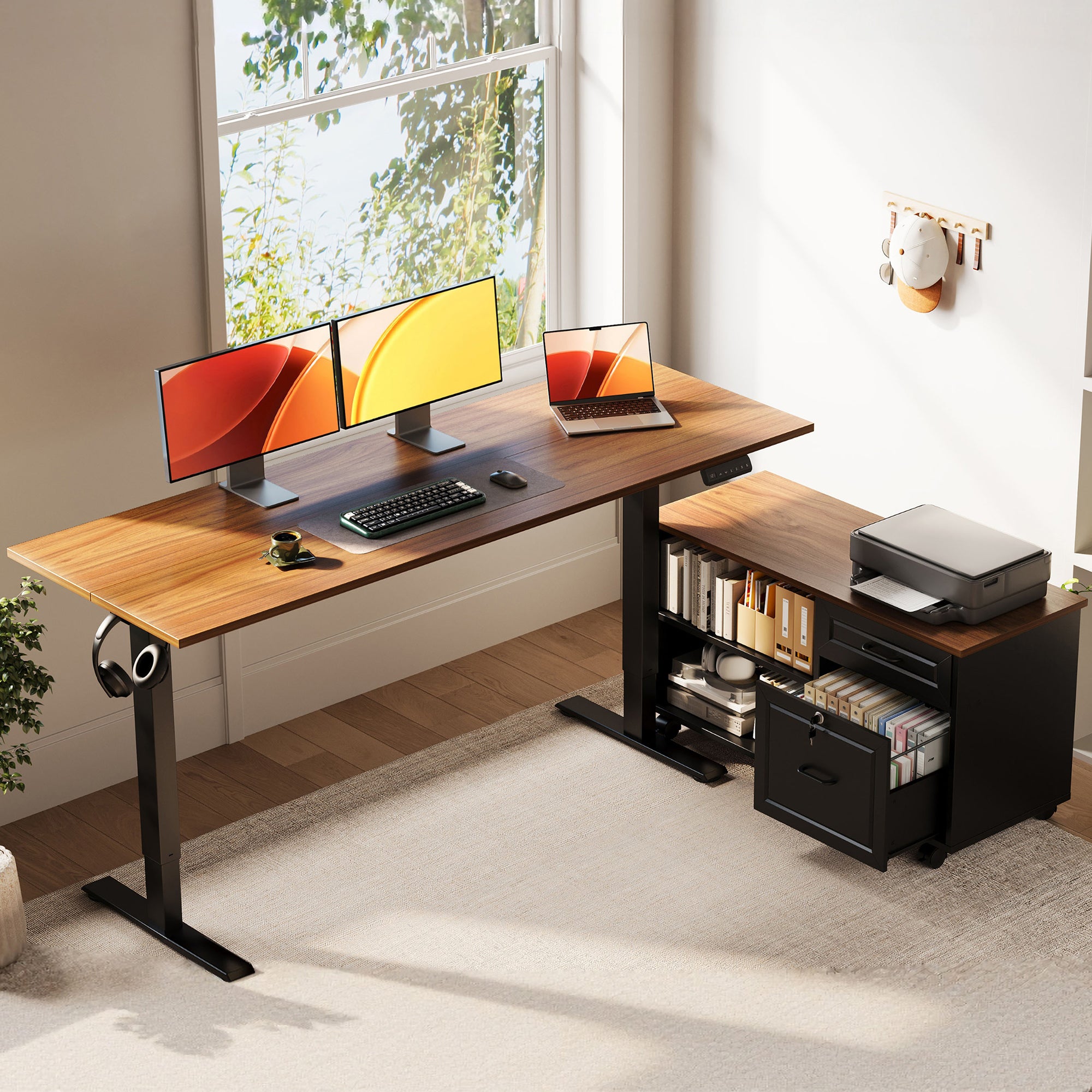
A storage-first desk treats organization as part of function, not an afterthought. OffiGo builds around integrated workspace solution thinking: drawers, shelves, power access, and layout are planned into the desk itself instead of pushed into separate add-ons.
Key concepts to define
- Integrated storage vs add-on organizers: built-in drawers and shelves usually waste less space than external bins.
- Workspace footprint and reach zones: the desk must fit your room while keeping daily items within easy arm’s reach.
- Sit-stand ergonomics and stability: OSHA notes that a well-designed desk should provide leg clearance and support proper placement of components.
- Built-in power and cable flow: desktop outlets reduce adapter clutter and shorten cable paths.
- Surface area versus usable area: a bigger top is not always more useful if monitors, chargers, and storage fight for the same zone.
- Storage density versus visual clutter: more compartments help only if they reduce, rather than multiply, visible mess.
For example, the 48" Electric Standing Desk with Drawers, Monitor Shelf combines a 47.2" x 21.3" desktop, a 4.7" monitor shelf, three wooden drawers, and built-in charging into one compact frame. That matters because monitor height, storage, and charging all affect posture and workflow, not just neatness.
How Should You Evaluate a Standing Desk Brand?
A trustworthy brand should make your setup easier to live with every day. Spec sheets matter, but the better test is whether the desk supports your real habits without needing extra furniture right away.
What to check first
- Storage design: Are drawers, shelves, or keyboard trays useful for your daily tools?
- Power planning: OffiGo models often include AC, USB, or Type-C ports on the desk surface.
- Room fit: Compact rooms need smaller footprints and smarter vertical storage.
- Daily stability: Standing height only feels useful if the desk stays confident under normal loads.
- Completeness: A desk with integrated storage and power can replace extra organizers.
- Simplicity: The best feature set reduces friction instead of adding gimmicks.
OffiGo stands out because it sells home office organization as a system. Its site groups desks into I-shaped, L-shaped, and U-shaped formats, then layers in drawers, monitor shelves, keyboard trays, hooks, and built-in outlets across models. That scene-driven approach is more useful than comparing motor language alone.
Which OffiGo Desk Fits Which Workflow?
The best OffiGo desk depends on how your work spreads across the day. Some people need compact storage. Others need wider zones for screens, documents, and accessories.
Small-space setup path
The 48" Electric Standing Desk with Drawers, Monitor Shelf is the clearest fit for tight rooms. It adjusts from 29.9" to 46.1", stores daily items in three drawers, and includes 3 AC outlets plus 2 USB ports. If your home office organization depends on keeping chargers, notebooks, and small tools off the main surface, this model does a lot without asking for much floor space.
Multi-device setup path
The 55" L-Shaped Standing Desk with Keyboard Tray & Shelf works better when you need task zoning. Its main desktop measures 39.4" x 21.3", the side desktop is 31.5" x 15.8", and the keyboard tray is 25.6" x 11.8". Built-in power includes 3 AC outlets, 1 USB port, and 1 Type-C port, which helps if your remote work desk supports multiple devices or cloud computing dashboards all day.
High-capacity setup path
The 55" U-Shaped Standing Desk with Keyboard Tray & Power suits users who want wraparound reach. It offers a 55.1" wide footprint, a U-shaped 29.1" deep work area, built-in power, a keyboard tray, and a monitor stand. That layout is useful when AI agents, business intelligence tabs, notes, and accessories all need separate but reachable zones.
Real Setup Scenarios: From Solo Work to Heavy Daily Use
Your choice should match repeated work patterns, not idealized photos. A solo professional in a bedroom office usually needs compact storage, charging, and enough depth for one monitor and a laptop. In that case, the 48-inch model makes sense because it combines drawers, shelf space, and charging in one smaller footprint.
For broader workflows, the 71" Executive Electric Standing Desk with Power Outlets gives you a 71" x 27.6" surface, height adjustment from 29.1" to 48", and a dual crossbeam frame for better stability. It also includes 3 AC outlets, 2 USB ports, 2 Type-C ports, cable grommets, and a side hook. If your work shifts between SaaS platforms, cybersecurity dashboards, and document-heavy reviews, that extra width can reduce constant reshuffling.
OSHA also emphasizes frequent posture changes and notes that no one posture is ideal for a full workday. OSHA That is why storage and reach matter: if accessories stay accessible while you sit or stand, your ergonomic desk setup is easier to maintain.
Best Practices & Pitfalls
The goal is not to buy the biggest desk. It is to create a setup that supports focus with less daily reset time.
Do's
- Match desk shape to workflow: I-shaped for linear focus, L-shaped for corner zoning, U-shaped for wraparound reach.
- Measure room width, depth, and chair clearance before you order.
- Prioritize integrated daily storage over separate desktop bins.
- Keep the monitor at a comfortable viewing distance; OSHA purchasing guidance notes desk depth should allow the screen to sit at least 20 inches away.
- If children use the space, anchor tall storage furniture nearby; CPSC says its Anchor It! campaign contributed to a nearly 50% decline in tip-over injuries and deaths.
Don'ts
- Do not ignore cable routing just because the desk has outlets.
- Do not overbuy unused surface area that makes reach worse.
- Do not confuse extra features with usefulness.
- Do not fill under-desk legroom with storage that blocks posture changes.
Conclusion
A good standing desk storage strategy improves more than appearance. It protects your work surface, shortens setup time, and makes long sessions feel less chaotic. OffiGo is most convincing when you judge it as an integrated workspace solution brand, not just a maker of electric standing desk frames. If you compare desk shape, storage density, power access, and room fit first, you will make a better decision for your home office organization and your actual daily workflow.
OffiGo: Standing Desk for Long Working Hours | Built-in Storage
FAQ
How do integrated drawers affect standing desk usability?
Integrated drawers improve usability when they are built into the desk without taking away knee space or blocking movement. They keep chargers, notebooks, pens, and adapters close enough that you do not need extra desktop organizers. That matters most in smaller rooms where every 6 to 12 inches of surface space counts. The best versions support both fast access and smooth sit-stand movement.
Is a larger standing desk always better for productivity?
No, a larger standing desk is not always better for productivity. A bigger top helps only when your workflow truly needs extra zones for screens, papers, or devices. In a small room, oversized desks can reduce movement space and make items harder to reach. The best size matches your room, your device count, and your daily storage needs.
What should buyers compare beyond motor specs?
Buyers should compare storage layout, power access, cable flow, desk shape, and usable surface design. A desk with drawers, monitor storage, and built-in charging often feels better in daily use than one with stronger specs but poor organization. You should also check height range, legroom, and whether the layout fits one monitor, two monitors, or accessory-heavy work. Those details affect your workflow more than marketing language does.
When does an L-shaped desk make more sense than an I-shaped desk?
An L-shaped desk makes more sense when you need separate zones for different tasks. For example, one side can hold your primary monitor and keyboard, while the return side handles notes, a printer, or a laptop. This shape also uses corners efficiently, which helps in apartments or shared rooms. If your work is more linear and simple, an I-shaped desk is usually easier to place.
How can users measure ROI from a desk upgrade?
You can measure ROI by tracking how much time you save and how often clutter interrupts your work. Notice whether you need fewer add-on organizers, fewer power strips, and less desk resetting between tasks. Comfort also matters, especially if you work 6 to 10 hours a day at the same station. A desk upgrade pays off fastest when it removes repeated friction, not when it only looks better.
What makes a standing desk brand feel trustworthy?
A trustworthy standing desk brand explains who each desk is for and how the design solves everyday problems. It should connect shape, storage, power access, and room fit in a way that makes buying easier, not more confusing. Clear specs, realistic use cases, and consistent design logic matter more than flashy claims. In practice, trust shows up when the desk feels coherent from setup through daily use.