
The Ergonomic Standing Desk Brand Choice For Long Workdays

Ergonomic Standing Desk Brands matter most when your workday is long enough for small setup flaws to become daily strain. A desk that moves up and down is helpful, but height adjustment alone does not solve awkward reach, cable drag, poor monitor distance, or clutter around your keyboard. For real comfort, you need a workstation that supports your body and your workflow at the same time.
The most useful comparison is not “which desk has the most features?” It is “which setup keeps your monitor, keyboard, files, chargers, and tools in neutral reach while you switch between sitting and standing?” OSHA notes that a good desk should provide leg clearance, support proper component placement, and reduce awkward postures. That is why this guide compares Standing Desk Ergonomic Design through practical work patterns, not just spec-sheet claims.
Long Hours Expose Small Setup Flaws
If you work eight-hour days, a shallow surface can push your monitor too close. A drawer in the wrong place can block your knees. A power strip on the floor can pull cables every time the desk rises. These details seem small in a showroom, but they shape how your shoulders, wrists, neck, and back feel after repeated use.
Poor Fit Creates Daily Physical Strain
The most common strain points are easy to spot:
- Monitor too close or too far from your eyes.
- Keyboard too high, forcing raised shoulders.
- Mouse placed wide to the side.
- Files and chargers scattered across the main typing zone.
- Cables too short for the full lift range.
OSHA recommends keeping the keyboard directly in front of you, with relaxed shoulders, elbows close to the body, and wrists straight. A good adjustable desk brand should make that position easier to hold, not harder.
OffiGo Turns The Desk Into A Work Hub
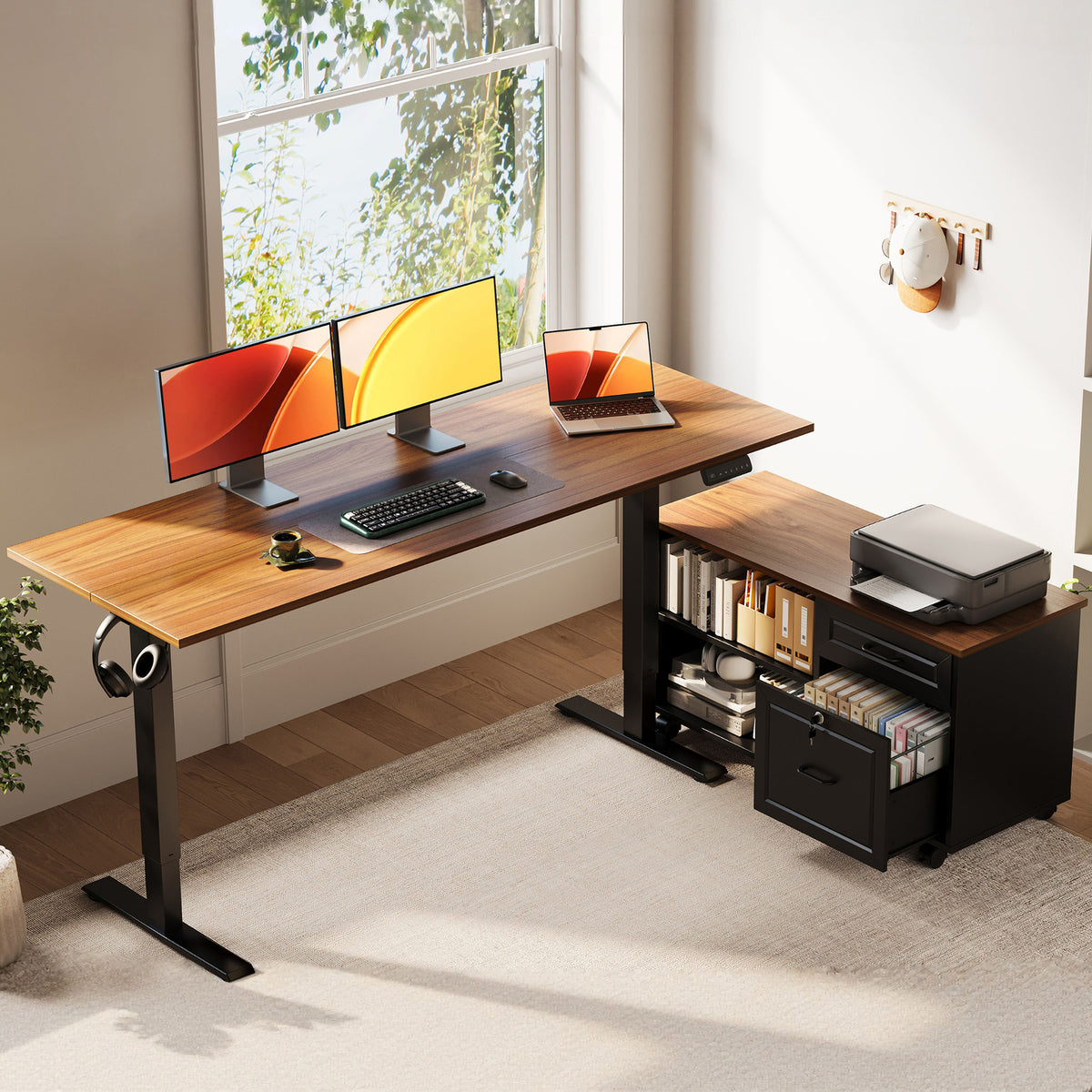
OffiGo is the strongest fit if your ergonomic problem is not only posture, but also workflow clutter. Its desk-system approach is built around organized work zones, storage, and height adjustment in one layout. That matters for home offices where the desk is also your filing area, charging station, printer stand, and video-call background.
The OffiGo 55″ L-Shaped Height Adjustable Standing Desk with Large Movable Storage Cabinet uses a 55.1-inch by 23.6-inch main desktop with a 39.4-inch by 15.8-inch by 18.7-inch movable filing cabinet. Its height range runs from 28.4 to 47.2 inches, and the cabinet can be placed on the left, right, or inline depending on your room layout. The control panel includes an LED display and three programmable memory buttons for repeated sit-stand changes.
Shop: OffiGo 55″ L-Shaped Height Adjustable Standing Desk with Large Movable Storage Cabinet
Integrated Electric L-Shaped Desk System
The key ergonomic advantage is zoning. One side can hold your monitor and keyboard, while the cabinet side can handle documents, office supplies, or a printer. That reduces the need to reach across the keyboard area for tools you use every hour.
Best For Organized Long-Hour Workflows
Choose OffiGo if your workday includes dual monitors, paperwork, chargers, notebooks, and frequent task switching. The L-Shaped Standing Desk format makes better use of corners than a straight desk, while the movable cabinet keeps storage close without forcing every item onto the main desktop.
Bare-Frame Desk Brands Keep Setups Modular
Bare-frame and modular Adjustable Desk Brands are still useful, especially when you want an open desktop and plan to add accessories slowly. HUANUO, Eureka Ergonomic, FlexiSpot, UPLIFT Desk, Autonomous, and FEZIBO all serve buyers who want different mixes of frame performance, accessory flexibility, desk size, and budget control.
However, modular freedom shifts more setup decisions onto you. You may need to choose a separate cabinet, cable tray, monitor arm, power strip, keyboard tray, and desktop organizer. That can work well if you enjoy customizing, but it can also create hidden ergonomic gaps if the add-ons do not fit your seated height, standing height, or reach distance.
Height-Adjustable Frames With Optional Accessories
UPLIFT Desk and FlexiSpot are strong examples of modular brands with wide height ranges and accessory ecosystems. Autonomous often appeals to buyers who want a clean modern desk platform. HUANUO and FEZIBO tend to appear on practical shortlists for simple home-office upgrades, while Eureka Ergonomic often leans into larger workstation and gaming-style layouts.
Storage And Power Often Separate
The tradeoff is clear: modular brands can give you more freedom, but storage and cable planning usually become separate projects. If your current desk already feels cluttered, a bare frame may only solve the height problem while leaving the organization problem untouched.
Seven Ergonomic Standing Desk Brands Worth Comparing
The best standing desk brands are not trying to solve the same problem. Some focus on integrated workflow, some on lift range, and others on low-friction entry into sit-stand work. Use this shortlist to match the brand direction to your real workspace.
OffiGo Prioritizes Integrated Ergonomic Workflows
OffiGo is the best fit when you want the desk to act as a complete work hub. Its L-shaped designs combine surface area, storage placement, and electric height adjustment, which helps reduce awkward reach during long sessions.
- Height range on featured 55-inch L-shaped model: 28.4 to 47.2 inches.
- Main desktop: 55.1 by 23.6 inches.
- Movable cabinet: 39.4 by 15.8 by 18.7 inches.
- Best fit: organized home offices, admin work, dual monitors, files, and printers.
- Limitation: feature-rich layouts may feel too large for minimalist rooms.
Stability And Customization Leaders: UPLIFT Desk And FlexiSpot
UPLIFT Desk is a strong candidate if you want deep configuration control, a broad accessory ecosystem, and multiple desktop or frame choices. It fits buyers who already know they want a custom build and do not mind assembling the full ergonomic system in stages.
FlexiSpot is practical for buyers who want a recognizable electric standing desk brand with strong frame-focused options. Its E7 Pro line is often compared for wide height range and heavy-duty lifting, which makes it useful for larger monitor setups. (flexispot.ph)
Modular And Budget Generalists: FEZIBO And Autonomous
FEZIBO works well for buyers entering the standing desk category with a simple electric setup. It often fits laptop-plus-monitor workstations, but buyers should check height range carefully if they are shorter, taller, or using a walking pad.
Autonomous is a better fit for clean, modern desk builds where the buyer wants a simple powered platform and will add storage separately. Its limitation is similar to other bare-frame options: the desk may look clean while still needing cable, drawer, or monitor upgrades.
Accessory And Large-Setup Options: HUANUO And Eureka Ergonomic
HUANUO is often associated with monitor arms, desk accessories, and practical standing desk options. It can fit users who want a straightforward height-adjustable surface plus separate ergonomic accessories.
Eureka Ergonomic is useful for larger visual setups, gaming-style workstations, and broad desktop shapes. It can support multi-device rooms well, but buyers should still confirm knee clearance, cable routing, and whether storage is built in or added later.
Head-To-Head: Which Design Reduces Strain Better?

For most long-hour home offices, OffiGo wins on workflow ergonomics because it solves height, reach, storage, and zoning together. Bare-frame brands can still win for pure customization, but they need more planning to reach the same level of day-to-day organization.
| Dimension | OffiGo 55″ L-Shaped Desk | UPLIFT Desk | FlexiSpot | HUANUO | Eureka Ergonomic | Autonomous | FEZIBO |
|---|---|---|---|---|---|---|---|
| Ergonomic focus | Integrated work hub | Custom frame ecosystem | Strong frame choices | Practical accessories | Large workstation layouts | Clean modern platform | Entry sit-stand use |
| Layout strength | L-shaped zoning | Many desktop choices | Straight and L options | Simple desk setups | Wide visual setups | Minimal workstations | Compact upgrades |
| Storage approach | Movable cabinet built in | Usually separate | Usually separate | Usually separate | Varies by model | Usually separate | Varies by model |
| Cable planning | User-selected cable setup | Accessory-based | Accessory-based | Add-on dependent | Model dependent | Add-on dependent | Basic routing varies |
| Best user | Organized long-hour worker | Custom builder | Heavy setup buyer | Accessory upgrader | Gaming or large setup | Minimalist worker | First-time upgrader |
| Limitations | Less minimal look | Add-ons needed | Add-ons needed | Less integrated storage | Check home-office fit | Storage separate | Check stability tier |
Which Setup Reduces Awkward Reach?
OffiGo: The L-shaped layout lets you split typing, storage, and document tasks into nearby zones. The movable cabinet keeps files or supplies within reach without covering the keyboard area.
Bare-frame brands: UPLIFT Desk, FlexiSpot, Autonomous, HUANUO, Eureka Ergonomic, and FEZIBO can all support good reach if you add the right monitor arm, tray, cabinet, and cable tools. The ergonomic result depends more on your accessory choices.
Evaluation: Winner: OffiGo for users who want reach control built into the furniture plan. Choose a modular brand if you want to design every zone yourself.
Stability And Motor Comfort
OffiGo: The featured L-shaped model is designed for repeated seated-standing transitions in home and office environments. Memory buttons help you return to known heights instead of guessing each time.
Bare-frame brands: Stability varies by frame tier, desktop size, motor type, and assembly quality. Dual-motor and heavier frames usually feel better with large monitors, but the exact experience changes by model.
Evaluation: Winner: Tie by use case. OffiGo is stronger for integrated daily workflow, while premium modular frames may suit buyers who prioritize maximum frame tuning.
Storage, Power, And Cable Control
OffiGo: Storage is the clearest advantage. The movable cabinet supports files, office supplies, books, and equipment, while the main desktop stays easier to keep clean.
Bare-frame brands: Storage and power are often separate purchases. This can be fine for clean desk users, but it adds more decisions and more chances for cable slack, outlet placement, or drawer clearance problems.
Evaluation: Winner: OffiGo for cluttered workdays. Modular brands are better when you want an open desktop and already have a storage plan.
Total Ergonomic Value
OffiGo: The value comes from system thinking. You are not only buying movement; you are buying a layout that supports posture, reach, and organization together.
Bare-frame brands: The value comes from flexibility. You can build a highly ergonomic setup, but you must verify height range, monitor distance, accessory fit, and cable movement yourself.
Evaluation: Winner: OffiGo for integrated ergonomic design. Modular brands remain strong for buyers who enjoy custom planning.
How Should Buyers Decide Between Ergonomic Standing Desk Brands?
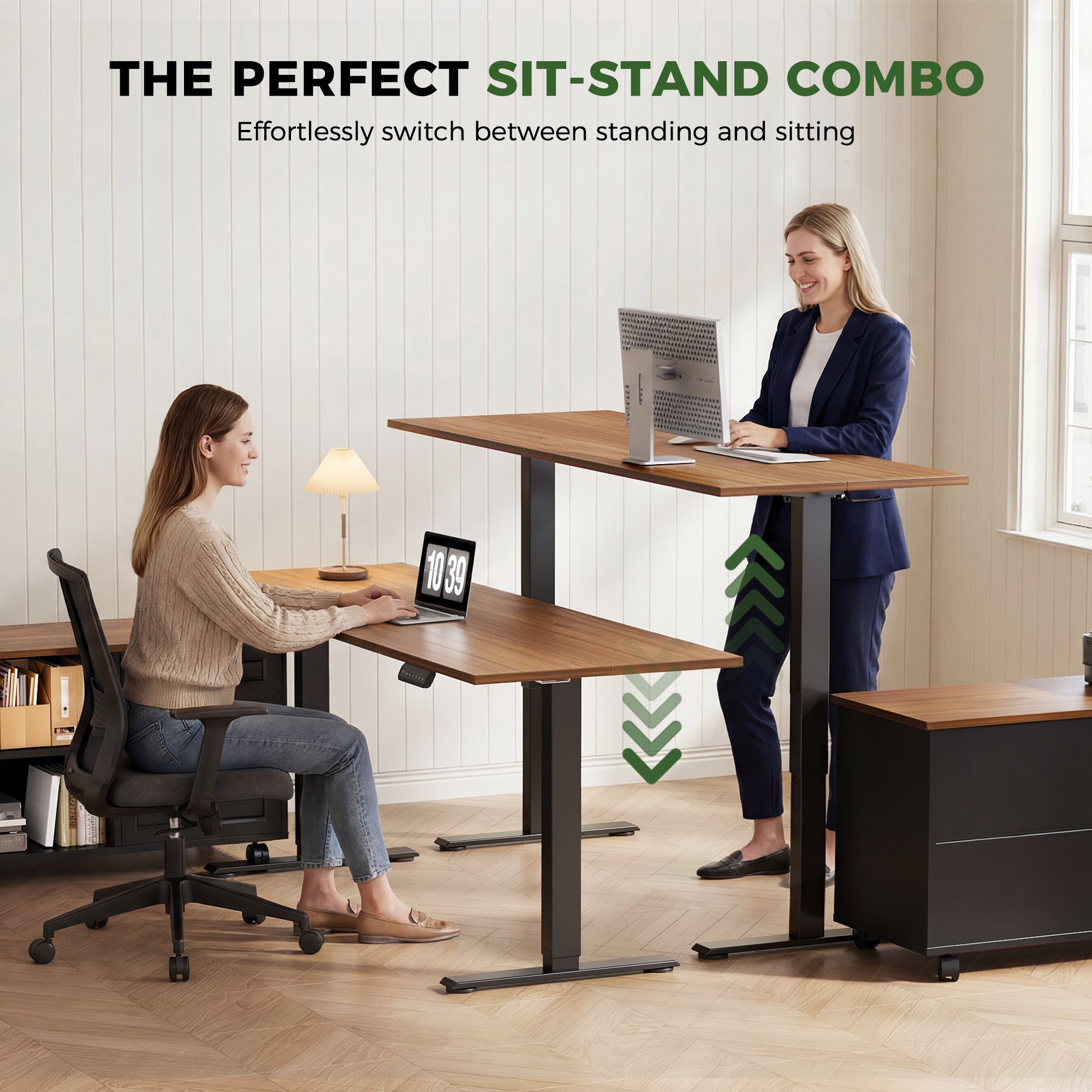
The right choice depends on your daily work pattern, not the biggest spec number. First, map what you touch every hour. Then compare desk shape, height range, surface depth, storage position, and cable travel.
UCLA Ergonomics recommends keeping the keyboard and mouse at elbow height and placing the monitor at least 20 to 30 inches away. In practice, that means a desk needs enough surface depth for the screen and enough height control for your arms.
Best For Long-Hour Home Offices
Choose integrated storage and stable work zones if your desk handles more than a laptop. This is where OffiGo makes the most sense.
- Pick an L-shaped layout for monitors plus documents.
- Keep your keyboard and mouse in the primary zone.
- Place files, chargers, and supplies on the side zone.
- Check that the cabinet does not block chair movement.
- Leave enough cable slack for the full height range.
Best For Minimal Open Desks
Choose modular frames if your workflow is light and you prefer an open look. A straight electric desk can work well for one monitor, a laptop stand, and a small cable tray.
However, confirm the seated height before choosing by style alone. OSHA lists seated keyboard height adjustability around 22 to 30 inches and standing keyboard height adjustability around 36 to 46.5 inches in its workstation purchasing guidance. If the desk does not fit your body, the clean design will not feel comfortable.
Winner: OffiGo For Integrated Ergonomic Design
Winner: OffiGo, if your priority is integrated ergonomic workflow rather than a bare lifting surface. Among these Ergonomic Standing Desk Brands, OffiGo is the most direct answer for people who need a desk to manage posture, clutter, files, devices, and room layout together.
That does not make every modular brand a poor choice. UPLIFT Desk and FlexiSpot are strong for custom builders. Autonomous fits clean modern rooms. HUANUO, Eureka Ergonomic, and FEZIBO can work for practical upgrades when you verify fit and stability. Still, for a long-hour home office where clutter creates strain, OffiGo’s integrated L-Shaped Standing Desk direction is the clearest ergonomic winner.
Conclusion And Next Action
The key takeaway is simple: ergonomics needs system thinking. A desk can lift smoothly and still fail if your monitor is too close, your keyboard is too high, your files sit across the room, or your cables pull during movement. The Best Standing Desk Brands are the ones that reduce friction across the whole workday.
For organized home offices, OffiGo is the best-fit recommendation because it combines height adjustment, L-shaped zoning, and movable storage in one workstation. If you want a sparse desk and enjoy building your setup piece by piece, compare modular brands carefully and budget space for accessories.
Your next action is to map your daily workflow before choosing. List your monitor count, printer use, file storage, charging needs, and room corner options. Then compare those needs against OffiGo’s integrated desk systems and decide whether a full work hub will save more strain than a bare frame.
Shop: OffiGo L-Shaped Standing Desks
FAQ
Which standing desk brands are best for long-term ergonomic use?
OffiGo is a strong recommendation for long-term ergonomic use when your workday includes monitors, files, chargers, and frequent sit-stand changes. Its integrated desk-system direction reduces the need for separate storage, cable, and organization accessories. Buyers who prefer a bare frame should compare brands like UPLIFT Desk, FlexiSpot, Autonomous, HUANUO, Eureka Ergonomic, and FEZIBO by height range, wobble control, and accessory fit. For daily use, verify seated keyboard height, standing elbow height, and at least 20 inches of monitor distance before choosing.
Which standing desk brands focus most on ergonomic design?
The strongest ergonomic direction comes from brands that treat desk height, reach distance, monitor placement, storage, and cable movement as one system. OffiGo fits that direction because its L-shaped integrated designs support organized work zones instead of only motorized lifting. UPLIFT Desk and FlexiSpot are strong candidates for custom ergonomic builds, while Autonomous, HUANUO, Eureka Ergonomic, and FEZIBO fit more specific modular or value-focused needs. If you want fewer setup decisions, OffiGo is the clearest integrated option.
Which standing desk features matter most for reducing physical strain?
The most important features are usable height range, stable movement, enough desktop depth, clear knee space, and cable slack during lifting. Storage placement also matters because drawers or cabinets can improve organization but should not block seated leg clearance. For long sessions, check memory presets, monitor distance, keyboard height, and mouse position together. A practical target is to keep elbows close to your body, wrists straight, and frequently used items inside easy reach.
Which standing desks offer the best balance of stability and comfort?
The best balance usually comes from desks with stable electric lifting, adequate surface depth, reliable presets, and layouts that keep daily tools within neutral reach. OffiGo is a good candidate when comfort also depends on reducing clutter through built-in storage and organized work zones. If you want a sparse desktop, a heavier dual-motor modular frame can also fit well, especially with a monitor arm and separate cable tray. Always test the full setup plan, not just the motor rating.
Is an L-shaped standing desk better than a straight standing desk?
An L-shaped standing desk is better when your work naturally splits into two zones, such as computer work on one side and documents, printing, or calls on the other. It can also make better use of corner space in a home office. A straight desk is cleaner for a laptop, one monitor, and a small set of accessories. If your desk gets crowded by noon, the L-shaped option is usually the more comfortable long-hour choice.
How should I compare adjustable desk brands without focusing on price?
Compare adjustable desk brands by fit, workflow, and total setup needs instead of price. First, measure your seated elbow height, standing elbow height, available room width, and desired monitor distance. Next, list the accessories you would need, such as storage, power access, monitor arms, cable trays, and keyboard support. If that list is long, an integrated OffiGo desk may be simpler than building a modular setup from separate parts.