
Back Pain Desk Buying Starts With Movement, Not Standing All Day
Why Movement Matters
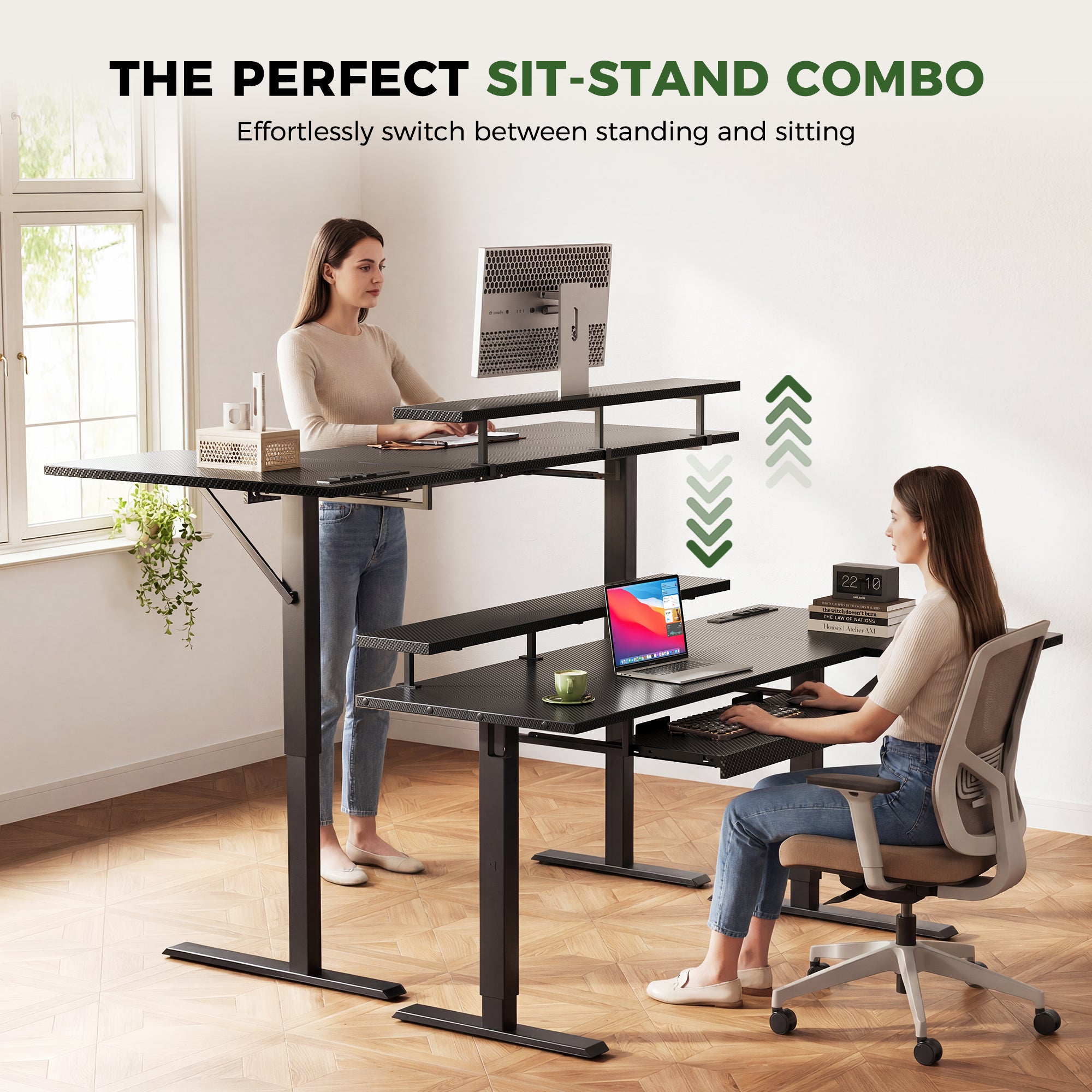
If sitting starts to hurt by lunch, standing desks for back pain can feel like the obvious fix. However, the real win is not standing for eight straight hours. It is having a workstation that lets you change posture before your lower back, hips, neck, or shoulders start asking for a break.
The wrong desk can still leave you reaching for the mouse, looking down at a laptop, or fighting tangled charging cables every time the surface rises. This shortlist compares seven OffiGo electric standing desk options by layout, height range, monitor position, keyboard comfort, storage, and power access, so you can choose the setup that makes better posture easier to repeat.
The Top 7 Standing Desks for Back-Pain-Prone Workdays
1. Corner Multitasker
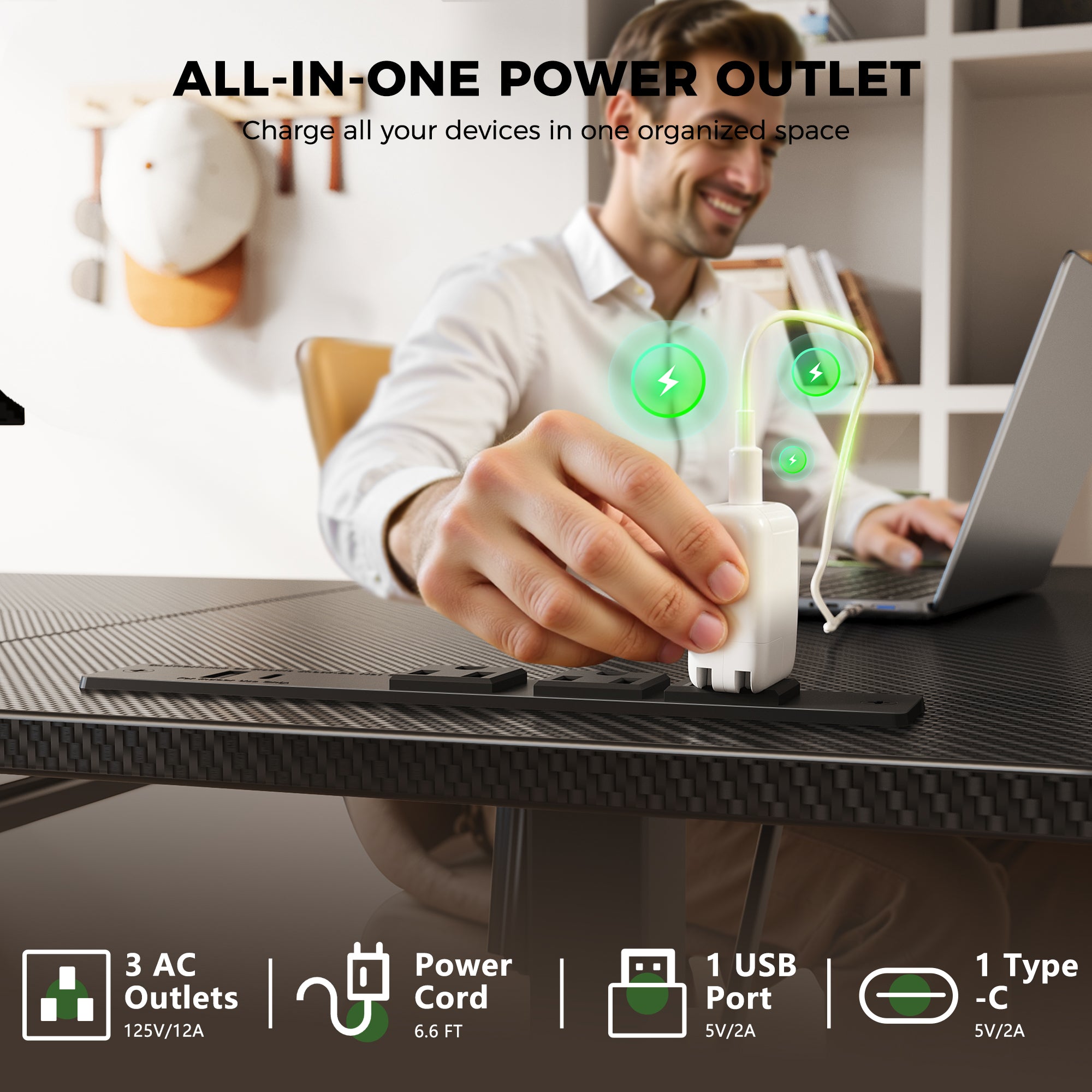
The OffiGo 55-inch L-Shaped Electric Standing Desk with Keyboard Tray and Monitor Shelf fits people who work in a corner and need separate zones for screens, notes, and devices. It is especially useful if your back pain gets worse when you hunch toward a laptop or crowd your keyboard beside paperwork.
Why it stands out
- Height range: 28.4 to 47.2 inches for seated and standing changes.
- Keyboard tray: 25.6 by 11.8 inches, giving your hands a lower, cleaner typing zone.
- Monitor shelf: 39.4 by 7.9 inches to lift displays closer to eye level.
- Power access: 3 AC outlets, 1 USB port, and 1 Type-C port.
- Watch out: the L-shape needs enough corner clearance, so measure both walls first.
Shop: OffiGo 55-inch L-Shaped Electric Standing Desk with Keyboard Tray and Monitor Shelf
2. Compact U-Shape
The OffiGo 55-inch U-Shaped Electric Standing Desk with Monitor Stand and Keyboard Tray is for small rooms where you still want wraparound reach. Instead of spreading everything in a long straight line, the U-shaped top brings notes, laptop, and accessories closer to your body.
Best for
- Users who want a wider reach zone without moving to a 70-inch desk.
- Dual-monitor home office setups that benefit from a raised shelf.
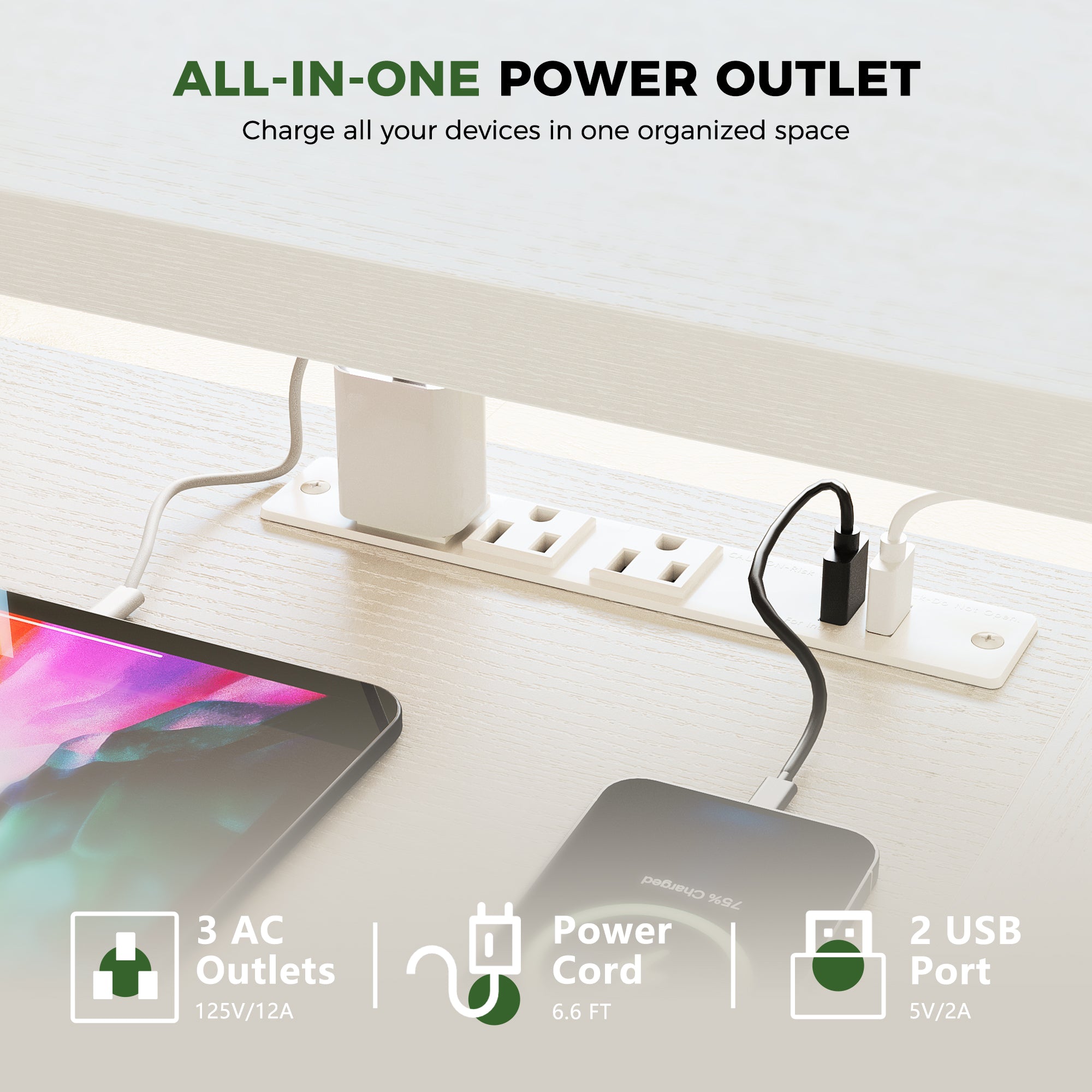
- Cable-heavy workstations that need built-in 3 AC outlets and 2 USB ports.
- People who like LED accent lighting but still need a practical sit stand desk.
- Watch out: the finished back is limited, so it works best against a wall.
Shop: OffiGo 55-inch U-Shaped Electric Standing Desk with Monitor Stand and Keyboard Tray
3. Flexible L-Shape
The OffiGo 55-inch L-Shaped Electric Standing Desk with Spacious Work Surface suits you if you want corner space but prefer a simpler surface without drawers, shelves, or extra electronics crowding the setup. It keeps the ergonomic desk idea focused on movement, stability, and layout flexibility.
Key specs to check
- Height range: 28.4 to 47.2 inches with 3 memory presets.
- Desktop zones: 39.4 by 21.3 inches plus a 31.5 by 15.7-inch side surface.
- Frame: reinforced steel with fixed crossbar, over-beam support, and diagonal bracing.
- Capacity: recommended load up to 154 pounds.
- Watch out: no built-in keyboard tray, so check whether your elbows stay near 90 degrees.
Shop: OffiGo 55-inch L-Shaped Electric Standing Desk with Spacious Work Surface
4. Paperwork Organizer
The OffiGo 55-inch U-Shaped Electric Standing Desk with 2 Drawers, Keyboard Tray, and Monitor Stand works well when back discomfort is mixed with visual clutter. If you often lean forward to sort papers, find chargers, or clear typing space, the drawers and shelf help keep daily tools closer and cleaner.
Why it wins
- Height range: 28.3 to 46.5 inches for repeatable sit-stand changes.
- Storage: two drawers sized for small office items and daily paperwork.
- Keyboard tray: 21.9 by 11.8 inches to free the main surface.
- Monitor stand: supports a more comfortable dual-screen line of sight.
- Watch out: the U-shape is efficient, but it still needs depth planning in tight rooms.
Shop: OffiGo 55-inch U-Shaped Electric Standing Desk with Drawers and Power
5. Wide Executive Setup
The OffiGo 71-inch Executive Electric Standing Desk with Built-in Power Outlets and 1.38-inch Thick Desktop is the pick for a wide workstation with multiple screens, notebooks, speakers, or creative tools. Its 71 by 27.6-inch top gives you room to spread out without stacking everything at arm’s length.
What to watch
- Height range: 29.1 to 48 inches with 3 memory presets.
- Desktop: 71 by 27.6 inches with a 1.38-inch thick three-panel top.
- Power hub: 3 AC outlets, 2 USB ports, and 2 Type-C ports.
- Stability: reinforced dual crossbeam steel frame.
- Watch out: monitor arms are not recommended, so plan standard monitor stands or risers.
Shop: OffiGo 71-inch Executive Electric Standing Desk with Built-in Power Outlets
6. Small-Room Starter
The OffiGo 48-inch Pink Electric Height Adjustable Standing Desk is a good first electric standing desk for bedrooms, compact home offices, or lighter laptop-plus-monitor setups. It gives you the core posture-changing function without forcing a large L-shaped or U-shaped footprint into a small room.
Best for
- Compact spaces that need a 47.2 by 23.6-inch desktop.
- Users who want a clean height adjustable desk without built-in power.
- Lighter setups under the 154-pound recommended capacity.
- Simple cable control using two side hooks and a rear cable notch.
- Watch out: the pink finish is style-specific, so match it to the room before committing.
Shop: OffiGo 48-inch Electric Height Adjustable Standing Desk Pink Sit-Stand Workstation
7. Multi-Screen Station
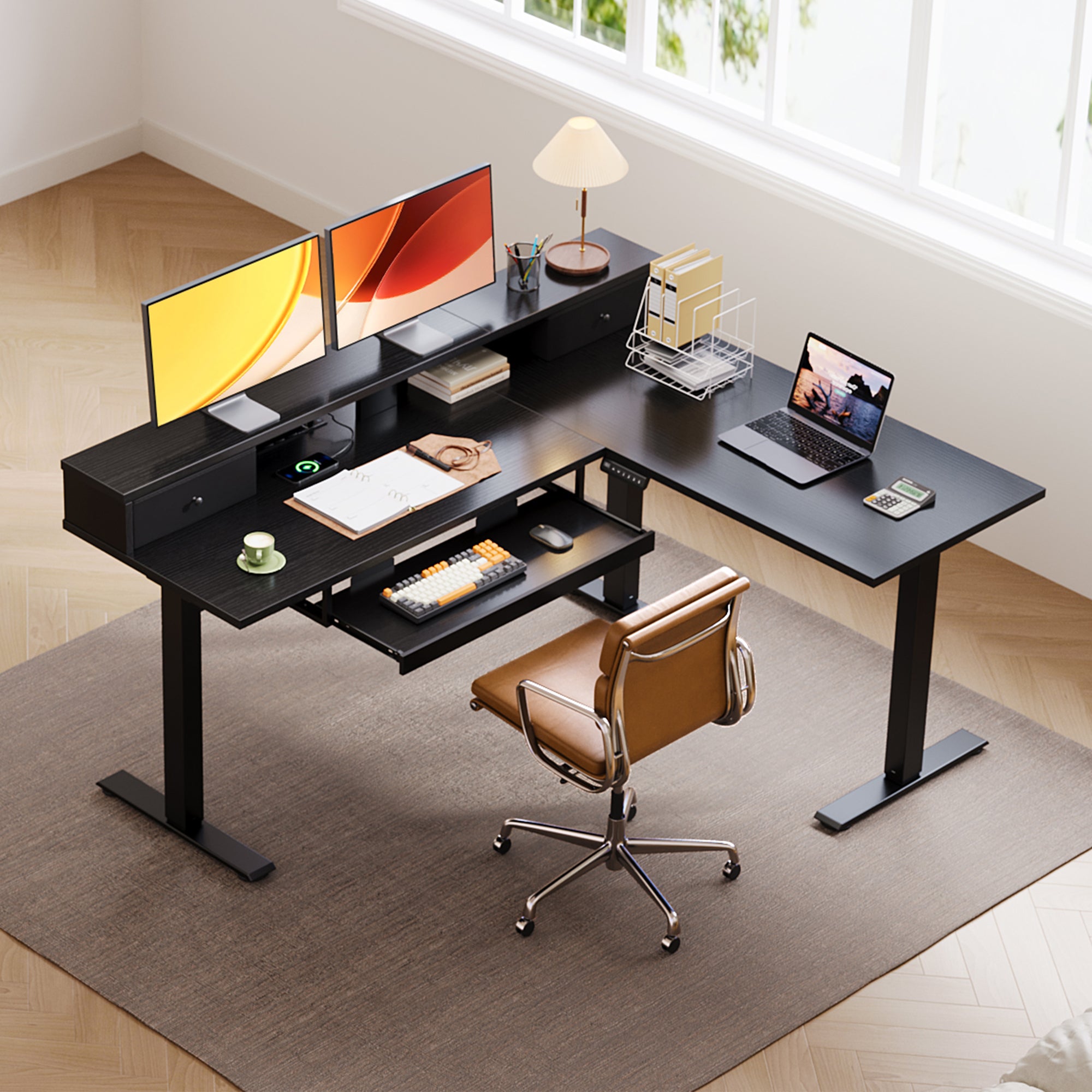
The OffiGo 59-inch L-Shaped Electric Standing Desk with Drawers, Keyboard Tray, and Monitor Stand is the strongest fit for people who want the screen, hands, storage, and power zones separated. That matters because a messy multi-monitor setup often pulls your neck forward and your shoulders up.
Key specs to check
- Height range: 28.4 to 45.7 inches with 3 memory presets.
- Desktop: 59 by 47.2 inches for multi-screen productivity.
- Keyboard tray: 25.6 by 11.8 inches, large enough for keyboard and mouse.
- Storage: two fabric drawers for small supplies.
- Power: 3 AC outlets and 2 USB ports.
- Watch out: very small rooms under about 59 inches wide may feel crowded.
Shop: OffiGo 59-inch L-Shaped Electric Standing Desk with Drawers, Keyboard Tray and Monitor Stand
How to Choose Standing Desks for Back Pain
Match Height Range To Your Elbows
A standing desk should let your elbows stay close to your body and bend naturally while typing. OSHA describes neutral computer posture as keeping hands, wrists, and forearms straight and roughly parallel to the floor, with relaxed shoulders and elbows close to the body. (osha.gov)
For most buyers, that means checking the lowest and highest settings before looking at color or shape. If the desk sits too high while seated, your shoulders rise. If it sits too low while standing, you round your back and look down.
Choose Shape By Work Zone
Straight desks work best for tight rooms and simple laptop setups. L-shaped desks are better when you want a main typing zone plus a side zone for papers, printer, or reference material. U-shaped desks suit users who want wraparound reach without constantly twisting for tools.
Use this quick match:
- Tight bedroom office: 48-inch straight desk.
- Corner multitasking: 55-inch or 59-inch L-shaped desk.
- Dual monitors with accessories: U-shaped desk with monitor shelf.
- Paper-heavy work: desk with drawers near the main reach zone.
- Wide creative setup: 71-inch executive surface.
Prioritize Presets Over Guesswork
Memory presets matter because they reduce the small delay that keeps people from changing position. If you must tap a button for 20 seconds and guess the height each time, you will probably leave the desk in one position.
A practical starting rhythm is to change position every 30 to 60 minutes, then adjust based on comfort. CDC NIOSH notes that prolonged standing has also been linked with low back pain, fatigue, leg swelling, and body discomfort, so the goal is posture variety, not replacing sitting with all-day standing. (cdc.gov)
Plan Screen, Keyboard, Storage, and Power Together
Back comfort depends on the whole workstation. A monitor shelf can reduce neck bending, a keyboard tray can bring your hands closer to elbow height, and built-in power can stop cables from snagging when the desk rises.
Research indexed by CDC found that sit-stand workstations can affect low-back discomfort, but your results depend on setup and behavior. (stacks.cdc.gov) Treat the desk as one tool in a system that also includes chair height, monitor height, foot support, lighting, and daily movement breaks.
Scenario Matches for Back-Pain Work Styles
Quick Matching Notes
- For tight rooms: choose the OffiGo 48-inch Pink Electric Height Adjustable Standing Desk.
- For corner offices: choose a 55-inch L-shaped model.
- For dual monitors: prioritize a monitor shelf and enough desktop depth.
- For paperwork: choose drawers instead of piling folders under your wrists.
- For cable clutter: choose built-in AC, USB, and Type-C access.
- For immersive work: choose a U-shaped layout with reachable side zones.
- For wide creative work: choose the 71-inch executive desk.
Troubleshooting Your Standing Desk Setup
Problem, Cause, Fix
| Problem | Likely Cause | Practical Fix |
|---|---|---|
| Back still aches | Standing too long | Alternate sitting and standing every 30 to 60 minutes. |
| Neck feels strained | Monitor is too low | Use a monitor shelf or riser so your eyes meet the upper screen area. |
| Shoulders feel tense | Desk is too high | Lower the surface until elbows rest near 90 degrees. |
| Wrists feel bent | Keyboard position is wrong | Use a keyboard tray or adjust chair and desk height together. |
| Cables snag during lift | No movement loop | Bundle cables with slack behind the desk before saving presets. |
| Desk feels crowded | Layout does not match work style | Move from straight to L-shaped or U-shaped if papers and devices crowd typing space. |
Conclusion: Choose The Desk That Makes Better Posture Easier
Key Takeaway and Next Action
The best standing desks for back pain are not simply the tallest or widest models. Choose the desk that makes movement easy, keeps your keyboard near elbow height, raises screens into a calmer line of sight, and keeps the tools you use most within a short reach.
Before buying, measure your room, list your daily devices, and decide whether your main problem is screen height, keyboard crowding, paper clutter, or cable mess. Once you know that, the right OffiGo desk shape becomes much easier to choose.
FAQ
Can a standing desk help with persistent back pain?
A standing desk can help some people with persistent back pain by making posture changes easier during the workday. It should not be treated as a cure or a reason to stand for eight hours. Start with 30 to 60 minute position changes and track what reduces discomfort. If pain is sharp, spreading, or linked with numbness, speak with a qualified health professional.
How long should I stand at a height adjustable desk?
Most people should begin with short standing periods of about 15 to 30 minutes at a time. Then alternate with seated work before your legs, feet, or lower back feel tired. Over time, you can increase standing blocks if your body responds well. The goal is steady movement variety, not proving how long you can stand.
What desk shape works best for a small home office?
A straight 48-inch desk usually works best for a small home office with one monitor or a laptop setup. If you have a corner available, a 55-inch L-shaped desk can add side workspace without taking over the center of the room. U-shaped desks are useful, but they need more depth and careful chair clearance. Always measure wall width, door swing, and walking space before choosing.
Are keyboard trays helpful for back and shoulder comfort?
Keyboard trays can help when they place your keyboard and mouse closer to relaxed elbow height. A tray is most useful if the desktop is too high for comfortable typing or if monitors and papers crowd the main surface. Look for enough tray width to hold both keyboard and mouse, not just the keyboard. If the tray is too small, it can force reaching and create new shoulder tension.
What features matter most for a multi-monitor setup?
For a multi-monitor setup, prioritize desktop width, depth, monitor height, frame stability, and cable control. A shelf can raise screens while freeing space underneath for notebooks or small devices. Built-in power is helpful because monitors, laptop chargers, lights, and docks can quickly create cable drag during height changes. For two or more displays, a 59-inch L-shaped or 71-inch wide desk gives you more room to keep screens centered.