
Introduction
Still losing documents under a keyboard, untangling charger cords mid-call, or realizing your "quick drawer" became a junk trap again? That daily storage friction quietly taxes your focus, because you keep resetting your workspace instead of finishing work.
This guide shows you a storage-first way to choose a standing desk in 2026 so your drawers, cabinet space, and cable paths stay reliable through months of sit-stand use. You will learn a simple taxonomy for storage layouts, how to verify stability and ergonomics with storage attached, and how to sanity-check materials and indoor air quality. Then we will walk through practical modules: map your items, plan power, build ergonomic zones, and confirm durability.
About storage-first standing desk
Storage-first taxonomy: drawers, cabinets, shelves
Before you pick a desk shape, classify what must live at the workstation because storage type determines day-to-day reliability. Drawers win for small, high-frequency items like pens, adapters, and notebooks because you can reach them without leaving your working posture. A file cabinet or side cabinet wins for bulk, awkward objects like hanging folders, binders, printer paper, and a compact printer because those items waste space when forced into shallow drawers.
Use a simple tier system so storage does not become random:
- Tier 1 (hourly): keyboard tools, headset, active notes
- Tier 2 (daily): chargers, pens, stamps, spare cables
- Tier 3 (weekly): folders, reams, peripherals, archive items
The goal is fewer "desktop migrations." If you must move the same objects every time you stand, the storage layout is wrong.
Stability basics: load, wobble, anchoring
A storage-first standing desk fails when it wobbles at standing height, not when it looks messy. Wobble usually comes from leverage: tall height plus monitor arms plus you leaning forward during calls. Therefore, stability is a systems check, not a single spec.
Run a quick stability fit check at your standing height:
- Put monitors where you will use them
- Place your forearms on the front edge
- Apply light front-to-back pressure for 5 seconds
If the monitor shakes noticeably, you will feel it every day. Also verify cabinet placement does not force you to push the desk off-center, because uneven side loads can make movement feel less predictable.
Storage Layout That Actually Works

The best storage layout is the one that prevents resets. Start by mapping what you use and when, because a desk that stores everything can still be wrong if it stores the wrong things within reach. For example, if you open a drawer 20 times a day for a pen, it should be in the top, dominant-hand drawer, not a deep cabinet behind your chair.
Build your layout in three steps:
- Inventory items by frequency (hourly, daily, weekly)
- Assign a "home" for each category (drawer vs cabinet)
- Reserve one clear surface zone for active work
Next, design reach zones. Put Tier 1 and Tier 2 items on your dominant side and within one arm length, because reaching across the desk repeatedly increases shoulder load. Put heavy items low, because top-heavy drawers feel unstable and make the desk feel less "planted" during transitions.
OffiGo leans into storage-forward workstations with L-shaped options that use drawers or a movable cabinet to keep the main surface clear. For example, the OffiGo 55-inch L-Shaped Electric Standing Desk with Wooden Drawers includes four drawers and a 55.1-inch by 31.5-inch work surface, which makes it easier to keep a dedicated keyboard zone while still storing daily tools nearby.
Shop: OffiGo 55" L-Shaped Electric Standing Desk with Wooden Drawers & Power Outlets
Cable and power integration
Cable management on a standing desk is different because the desk moves. Your goal is not "zero visible cable"; your goal is controlled slack that never snags across the full lift range. If a cable goes taut, it can yank a laptop, pull a monitor, or stress ports over time.
Plan power first, then route cables, then place devices. That order matters because once devices are set, you tend to route cables wherever they fit, which creates lift-path hazards. Use a simple path strategy:
- Fixed points: grommet, tray, or under-desk anchors
- Slack loop: one gentle loop near moving parts
- Bundle: tie cables so they move as one unit
Also check moving-column clearance. Anything that crosses near the lift columns must have extra space, because cable rub during daily transitions is a slow failure mode.
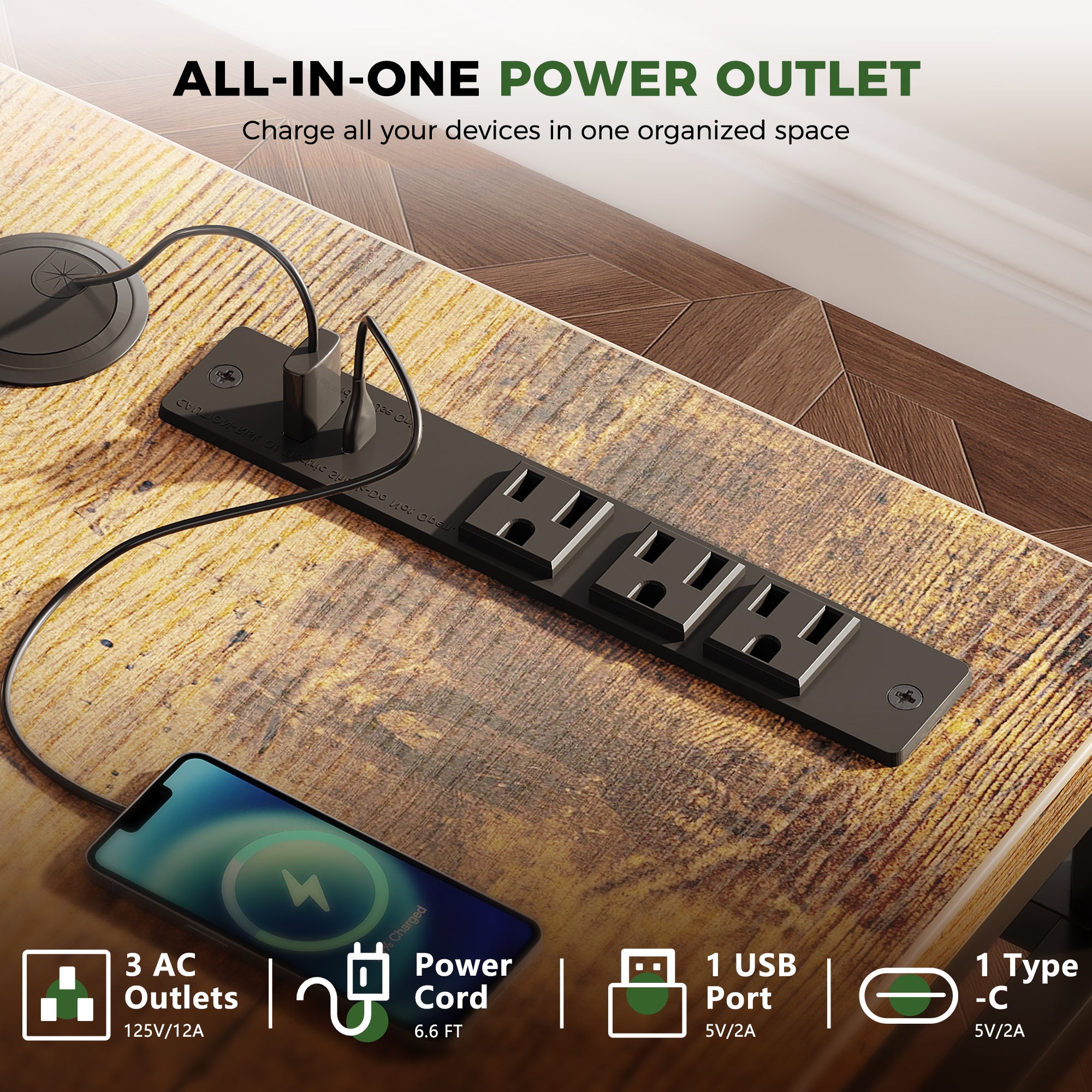
If you want a cleaner top without a separate power strip, built-in outlets can reduce clutter and make charging consistent. The OffiGo 63-inch L-Shaped Electric Standing Desk with Fabric Drawers includes built-in power (3 AC outlets, plus USB and Type-C) and a cable tray, which can simplify the "one route down" approach for laptops, phones, and small peripherals.
Shop: OffiGo 63" L-Shaped Electric Standing Desk with Fabric Drawers & Built-in Power Outlets
Ergonomics With Storage Attached
Ergonomics breaks fastest when storage forces compromise. If drawers steal knee space, you slide back and reach. If the desktop is crowded, you shift the keyboard sideways. If power bricks sit on top, the mouse drifts outward. Fixing posture starts by protecting one centered, uncluttered work zone.
Keyboard height is the core control. According to OSHA, keyboard setup should support neutral wrist posture and reduce awkward positions during input. Desk height errors can drive awkward posture, and OSHA notes that work surface height influences whether your arms and shoulders are positioned comfortably.
Use these practical steps when storage is present:
- Set desk height for elbows first, not for monitor
- Keep keyboard and mouse centered, then move clutter away
- Separate monitor positioning from desktop clutter using a stand or arm
If you switch between sitting and standing, save at least two memory presets so you do not "wing it" each time. A systematic review on sit-stand desk interventions reported reductions in work-time sedentary behavior at multiple follow-up points (for example, 73.0 minutes/day at 9 weeks and 88.0 minutes/day at 3 months versus control), which supports the idea that consistent switching is more realistic than occasional long standing blocks. PubMed
Materials, Air Quality, Durability
Storage-forward desks often use engineered wood components in both tops and drawer/cabinet structures, so you should treat materials as a health and longevity decision. In the US, the EPA explains that TSCA Title VI sets formaldehyde emission standards for composite wood products, and the frequently asked questions document cites a 0.09 ppm formaldehyde emission limit for hardwood plywood, particleboard, and MDF (tested under specified conditions). US EPA
Because compliance is the baseline, your durability focus should shift to wear surfaces and moving interfaces:
- Drawer slides: smooth travel, no racking
- Drawer faces: chip resistance at edges
- Cabinet top: scratch and stain resistance
Also check how storage affects airflow and cleaning. A tight cluster of drawers and cable bundles can collect dust; therefore, leave access for quick wipe-down and avoid routing cables where you cannot reach them.
OffiGo offers a cabinet-forward option when drawers are not enough: the OffiGo 55-inch L-Shaped Height Adjustable Standing Desk with Large Movable Storage Cabinet pairs a 55.1-inch by 23.6-inch desktop with a 39.4-inch by 15.8-inch by 18.7-inch cabinet, plus a height range of 28.4 inches to 47.2 inches. That setup is useful if you store folders, books, and printer supplies and want the cabinet to sit left, right, or inline depending on the room.
Shop: OffiGo 55" L-Shaped Height Adjustable Standing Desk with Large Movable Storage Cabinet
Selection and decision guide:
Start with volume, not vibes. Count what must live at the desk: active folders, notebooks, headsets, webcams, paper stacks, and chargers. If you store hanging files or thick binders, you likely need cabinet depth, not just drawers. If you mostly store small tools, drawers keep everything in reach without leaving your chair.
Room fit: doors, drawers, walk paths
A storage-first standing desk must fit the room when everything is open. Measure:
- Drawer pull-out distance
- Cabinet door swing (if any)
- Walking clearance behind the chair
If the room is tight, a reversible L-shape can save space because you can choose which side gets the return.
| Scenario | Storage priority | Desk shape | Power need | Best trade-off |
|---|---|---|---|---|
| Paperwork heavy | Cabinet + lockable | L + side cabinet | Optional | Larger footprint |
| Small-item clutter | 3-4 drawers | L or I | Helpful | Less knee space |
| Device charging hub | Outlets + Type-C | L | High | More cable planning |
| Tight corner office | Reversible return | L | Medium | Smaller side surface |
Conclusion
A storage-first standing desk is not just a desk that goes up and down. It is a repeatable system: clear work zone, predictable drawer or cabinet homes, and cable paths that stay safe through every height change.
Your next step is simple: inventory what must live at the desk, decide whether drawers or a cabinet solves your real storage load, and then verify movement safety and stability at your working height. When you choose that way, you buy once and work confidently.
FAQ
How do I choose storage capacity for a standing desk?
Choose storage capacity by listing what must live at the desk daily and matching each item type to a storage type, not by guessing. Small, high-frequency items (pens, adapters, notebooks) fit best in shallow drawers you can open while seated or standing. Bulk items (hanging files, binders, printer paper) need cabinet volume so you do not stack and jam drawers. Plan for at least one "overflow" slot so you can keep a clear desktop during busy weeks. If your list includes a printer, treat it as a cabinet-top or side-surface requirement, not a drawer requirement.
What is the best way to keep cables safe on an adjustable desk?
The best way is to create fixed routing points and one controlled slack loop so cables never pull tight during movement. Secure power bricks and adapters under the desk or inside a designated storage zone so they do not swing. Bundle cables together with ties so they move as a single unit rather than snagging individually. Leave enough slack for the highest standing height, then test a full up-down cycle while watching the lift columns. If any cable rubs, reroute it before you start daily use.
How can I avoid poor posture when my desktop is crowded?
You avoid poor posture by protecting a centered keyboard and mouse zone and relocating clutter into drawers or a side cabinet. Keep the keyboard aligned with your torso so your shoulders stay level and your wrists stay neutral. Move chargers, notebooks, and tools off the main surface, because they often push the mouse too far out. If you need reference papers, create a small side "landing zone" rather than stacking them between you and the keyboard. Finally, adjust monitor height independently so the screen position does not depend on piles of items.
What should I check to confirm materials are low-emission?
Check whether the desk uses TSCA Title VI compliant composite wood and whether the seller can provide documentation if asked. Confirm that the composite wood components include the desktop and any drawer or cabinet panels, because storage adds more surface area. Pay attention to odor after unboxing; strong smell is a reason to ventilate and delay full-time use. Look for clean edge banding and sealed surfaces, because exposed composite edges can be more prone to wear and moisture. If you have sensitivities, prioritize desks with fewer exposed composite surfaces and allow extra off-gassing time.
How do I decide between drawers and a file cabinet base?
Choose drawers when your problem is daily tool clutter and you need fast access without leaving your working posture. Choose a file cabinet base when you store hanging files, thick folders, or bulky paper supplies that do not fit in shallow drawer dimensions. A cabinet also works better when you want a dedicated printer surface without sacrificing your main work zone. Drawers can become junk zones if you mix daily and archival items, so keep drawers "high frequency" by design. If you have both needs, a hybrid setup (drawers plus cabinet volume) usually stays organized longer.
How can I test whether the desk will feel stable at standing height?
Raise the desk to your real standing work height, place your monitors where you will use them, and then apply light front-to-back pressure on the front edge for several seconds. Watch the monitors, because small desk motion becomes obvious as screen shake. Repeat the test with your normal typing posture, since leaning adds leverage that can reveal wobble. If you use a monitor arm, test with the arm installed because it amplifies movement. Finally, open drawers and check whether extended drawers change the feel or shift your stance.