
Standing Desks That Actually Organize Work
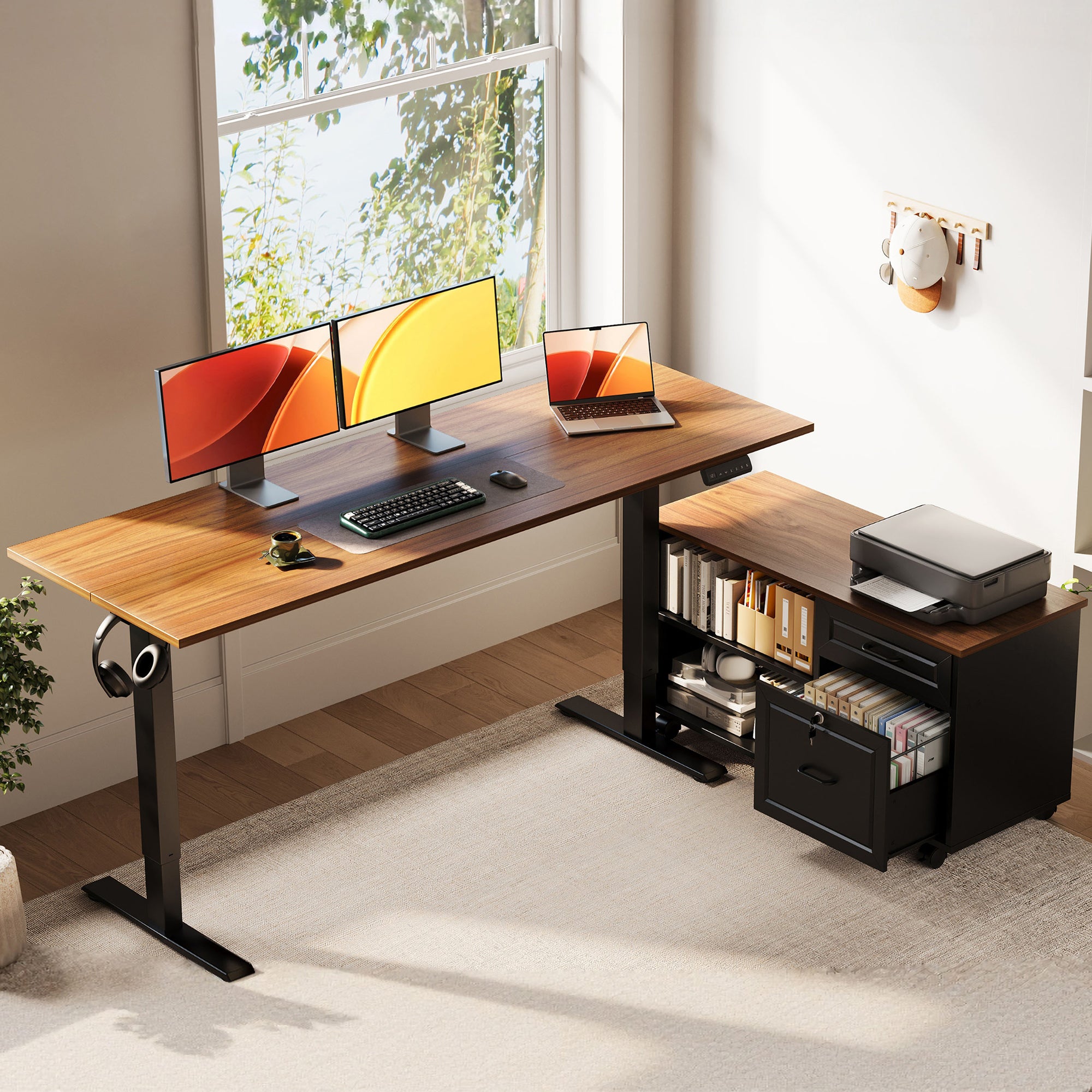
A crowded desk usually starts small: one notebook, one charger, one extra monitor, then suddenly your whole workday feels tighter than it should. If you handle cloud computing dashboards, SaaS platforms, business intelligence reports, cybersecurity reviews, or data privacy documents, clutter slows more than aesthetics. It gets in the way of reach, posture, and focus.
That is why this shortlist centers on standing desks with storage, not just lift columns and desktop size. The picks below focus on practical layouts, built-in organization, and movement-friendly design so you can match the desk to your room, monitor count, and daily workflow without overbuilding your home office.
5 standing desks worth considering for storage and movement
1. OffiGo 55" L-Shaped Height Adjustable Standing Desk with Large Movable Storage Cabinet for Office Workstations
This is the strongest fit if your home office desk has to do real organizational work, not just hold a laptop. The large movable cabinet separates printers, files, and supplies from your active keyboard-and-monitor zone, which is useful when your day includes zero trust reviews, data privacy paperwork, or broad planning tasks.
- Key specs to check
- 55.1" x 23.6" main desktop
- 39.4" x 15.8" x 18.7" file cabinet
- Height range: 28.4" to 47.2"
- Cabinet can sit left, right, or inline
- Lockable storage adds privacy for sensitive documents
Shop: OffiGo 55" L-Shaped Height Adjustable Standing Desk
2. OffiGo 55" L-Shaped Electric Standing Desk with Wooden Drawers & Power Outlets
If you want an electric standing desk that keeps everyday items close, this model is easier to live with than a cabinet-first design. The four wooden drawers reduce surface mess, while built-in charging helps when your setup includes a laptop, task light, phone, and accessories for artificial intelligence, generative AI, or large language models research.
- Key specs to check
- Desktop: 55.1" x 31.5"
- Height range: 29.9" to 46.1"
- Four wooden drawers
- 3 AC outlets, 1 USB, 1 Type-C
- Reversible left/right L-shape
Shop: OffiGo 55" L-Shaped Electric Standing Desk with Wooden Drawers & Power Outlets
3. OffiGo 59" L-Shaped Electric Standing Desk with Drawers, Keyboard Tray & Monitor Stand
This pick makes the most sense when ergonomics matter as much as storage. The monitor shelf lifts the screen zone, the pull-out tray opens more desktop room, and the drawers keep smaller gear contained. For users working across spreadsheets, browser tabs, AI agents, and long writing sessions, that layered setup can feel more controlled than a flat surface alone.
- Key specs to check
- Desktop: 59" x 47.2"
- Keyboard tray: 25.6" x 11.8"
- Drawer size: 13.6" x 6.6" x 6.6"
- Height range: 28.4" to 45.7"
- Built-in power plus 2 USB ports
Shop: OffiGo 59" L-Shaped Electric Standing Desk with Drawers, Keyboard Tray & Monitor Stand
4. OffiGo 63" L-Shaped Electric Standing Desk with Fabric Drawers & Built-in Power Outlets
Some users simply need more lateral room. This adjustable desk gives you that wider spread while still keeping charging and storage close at hand. It fits well when your work spans multiple screens, notebooks, and reference devices tied to cloud computing, SaaS platforms, or business intelligence tasks.
- Key specs to check
- Main top: 47" x 21.2"
- Side table: 31.5" x 15.8"
- Height range: 29.9" to 46.1"
- 4 fabric drawers
- 3 AC outlets, 1 USB, 1 Type-C
- Rear cable tray
Shop: OffiGo 63" L-Shaped Electric Standing Desk with Fabric Drawers & Built-in Power Outlets
5. OffiGo 71" Executive Electric Standing Desk with Built-in Power Outlets & 1.38" Thick Desktop
If your main problem is not drawer count but lack of working span, this home office desk is the most confident option in the group. The 71" width supports a broad visual field for large monitors, accessories, and clean zoning between active work and reference materials, which helps with long-form planning and deep-focus desk work.
- Key specs to check
- Desktop: 71" x 27.6"
- Height range: 29.1" to 48.0"
- 1.38" thick top
- 3 AC outlets, 2 USB, 2 Type-C
- Dual crossbeam frame
Shop: OffiGo 71" Executive Electric Standing Desk with Built-in Power Outlets & 1.38" Thick Desktop
How to choose the right standing desks with storage for your workflow
Choosing between standing desks with storage gets easier once you match the storage type to the work itself. Large cabinets suit folders, printers, and reference materials. Drawers are better for chargers, notebooks, pens, and smaller tech. If your work touches no artificial intelligence tools, no generative AI apps, or no large language models at all, you may not need as much device staging space. But if your desk supports AI agents, cybersecurity dashboards, or business intelligence workflows, extra zones usually pay off.
- Prioritize layout first
- L-shaped desks help separate active work from storage or reference space
- Straight executive desks fit better when you want one wide visual plane
- Then check convenience features
- Built-in outlets matter if you charge multiple devices daily
- Keyboard trays and monitor shelves help posture when they match your setup
According to OSHA, a well-adjusted desk should provide adequate leg clearance and support neutral wrist and monitor positions. OSHA also recommends monitor placement with the top of the screen at or just below eye level, which is one reason monitor shelves and adjustable desk height can work well together.
Best-fit scenarios for different users
- For document-heavy home offices: pick the 55" model with the movable file cabinet.
- For compact but efficient rooms: the 55" drawer-and-power model gives storage without a separate cabinet.
- For multi-monitor ergonomic setups: the 59" desk with tray and monitor stand is the most structured choice.
- For spread-out digital workflows: the 63" L-shaped model gives wider zoning for devices and notes.
- For spacious rooms and executive layouts: the 71" desk offers the broadest uninterrupted work span.
Small troubleshooting and maintenance section
If your desk still feels cluttered after setup, the issue is usually storage mismatch, not lack of features. Move archive items into cabinets or lower drawers, and keep only daily-use tools in arm's reach. That simple rule prevents your adjustable desk from becoming a shelf.
When standing mode feels awkward, check keyboard height, monitor height, and reach distance before blaming the frame. OSHA notes that users should be able to alternate posture while maintaining supportive positioning. If your desk includes a storage cabinet, keep heavier items low and stabilize the unit properly; CPSC has highlighted the safety importance of furniture stability for storage units.
Work with OffiGo | Creator & Influencer Collaboration Program
FAQ
Which standing desk is best for storage-heavy home office use?
The best fit for storage-heavy use is the 55-inch L-shaped model with the large movable file cabinet. It gives you a separate storage zone for printers, folders, books, and supplies instead of forcing everything into shallow drawers. That works especially well if your workflow includes paperwork, compliance reviews, or shared office tools. It also gives you left, right, or inline placement, which helps when the room shape is not standard.
Are L-shaped standing desks better for multi-monitor setups?
Yes, L-shaped standing desks are often better for multi-monitor setups because they create natural task zones. You can place primary screens on one side and keep notebooks, a printer, or a docking area on the return side. In practice, that reduces crowding and makes it easier to maintain a cleaner reach path when switching between sitting and standing. A 55-inch to 63-inch L-shape is usually the sweet spot for two monitors in a home office.
Do built-in outlets make a meaningful difference in daily use?
Yes, built-in outlets make a noticeable difference if you charge several devices every day. A desk with 3 AC outlets plus USB or Type-C ports can reduce adapter clutter and shorten cable runs across the work surface. That is especially useful when your setup includes a laptop, phone, lamp, speakers, and charging accessories. If you already use a dedicated power strip and cable tray system, though, the benefit is smaller.
What should I prioritize first: storage, size, or ergonomics?
Prioritize the factor that removes your biggest daily friction point. If clutter is the problem, start with storage type, then check surface size. If neck, wrist, or monitor positioning is the problem, ergonomics should come first, especially features like monitor shelves, keyboard trays, and the right height range. For most users, the best order is layout first, storage second, and accessory features third.
How much height range do I really need in an electric standing desk?
Most users should look for a desk that covers roughly 28 to 47 inches, because that range fits many seated and standing positions. In this list, the models span from about 28.4 inches up to 48 inches, which is enough for a broad range of users. The more important detail is not just the maximum height, but whether the desk reaches your elbow-friendly working level in both postures. Memory presets also help because they let you switch heights quickly without constant readjustment.