
Ergonomic standing desks for a modern home office
A home office desk can look fine on day one and still create daily friction by week three. That usually shows up as a low monitor, crowded corners, tangled chargers, and not enough room for notes, screens, and devices. If your work includes cloud computing dashboards, SaaS platforms, business intelligence reviews, cybersecurity checks, or research with artificial intelligence tools and AI agents, those small layout problems add up fast.
Experts usually favor ergonomic standing desks that solve real workflow issues instead of piling on random features. In the picks below, the shortlist focuses on usable surface area, electric height adjustment, layout flexibility, and integrated functions that make a home office desk easier to live with. Because many modern workflows mix large language models, generative AI drafting, zero trust documentation, and data privacy tasks, shape and organization matter as much as the lift mechanism.
What do experts look for in ergonomic standing desks?
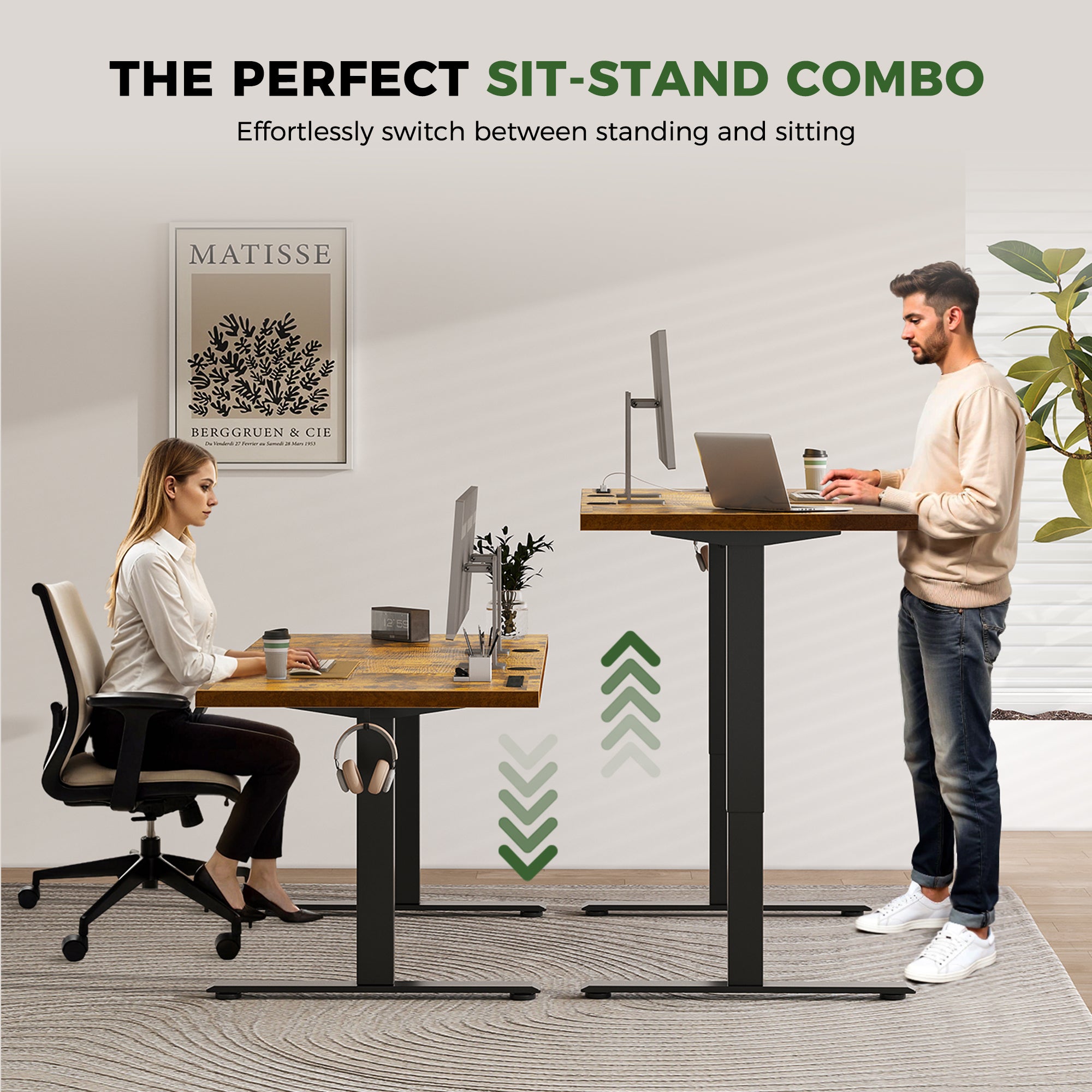
According to OSHA, a well-designed desk should provide enough leg clearance, support proper monitor placement, and help reduce awkward postures. OSHA also notes that monitors should sit directly in front of you at least 20 inches away, while adjustable desks help support different working positions. In practice, that means an adjustable desk should not only move smoothly, but also leave enough usable depth and width for your real setup.
OSHA also emphasizes neutral posture, including relaxed shoulders, elbows close to the body, and frequent position changes during the day. That is why experts often rate ergonomic standing desks by stability, memory presets, storage logic, and desktop zoning before they worry about cosmetic extras.
Top picks for your home office
1. OffiGo 55 L-Shaped Electric Standing Desk with File Cabinet Drawers
This pick fits people who want one integrated station instead of a desk plus extra storage furniture. The OffiGo 55 L-Shaped Electric Standing Desk with File Cabinet Drawers works well for admin-heavy work, client calls, and documentation routines where quick access matters.
- Why it stands out
- Height range: 28.4 to 47.2 inches
- Desktop: 55.1 x 23.6 inches
- Movable file cabinet: 39.4 x 15.8 x 18.7 inches
- 3 memory presets with LED height display
- Cabinet can be placed left, right, or inline
- Best for
- Data privacy paperwork, business intelligence reporting, and storage-heavy home offices
- What to watch
- No built-in power outlets, so cable planning matters more
2. OffiGo 63-inch L-Shaped Electric Standing Desk with Drawers
If your day shifts between meetings, dashboards, and long writing blocks, extra width makes a real difference. The OffiGo 63-inch L-Shaped Electric Standing Desk with Drawers gives you a larger corner footprint with built-in storage and charging.
- Why it stands out
- Height range: 29.9 to 46.1 inches
- Main top: 47 x 21.2 inches
- Side top: 31.5 x 15.8 inches
- 4 fabric drawers plus rear cable tray
- Built-in power: 3 AC, 1 USB, 1 Type-C
- Reversible left or right return
- Best for
- Dual-monitor setups, cloud computing consoles, generative AI workflows, and SaaS platforms
- What to watch
- Fabric drawers are practical, but they feel less premium than a cabinet-based setup
3. OffiGo 63 L-Shaped Electric Standing Desk with Adjustable Height
Some people already have storage and just need a large, flexible electric standing desk. The OffiGo 63 L-Shaped Electric Standing Desk with Adjustable Height is the cleaner option for users who want more open space and fewer built-in components.
- Why it stands out
- Height range: 27.9 to 46.1 inches
- Full footprint: 63 x 47.2 inches
- 3 memory buttons with LED display
- Reversible layout for room fit
- Reinforced frame with four support gaskets
- Best for
- Minimal home office desk setups, multi-monitor work, and evolving AI agents or large language models workflows
- What to watch
- No drawers or power ports, so you trade convenience for flexibility
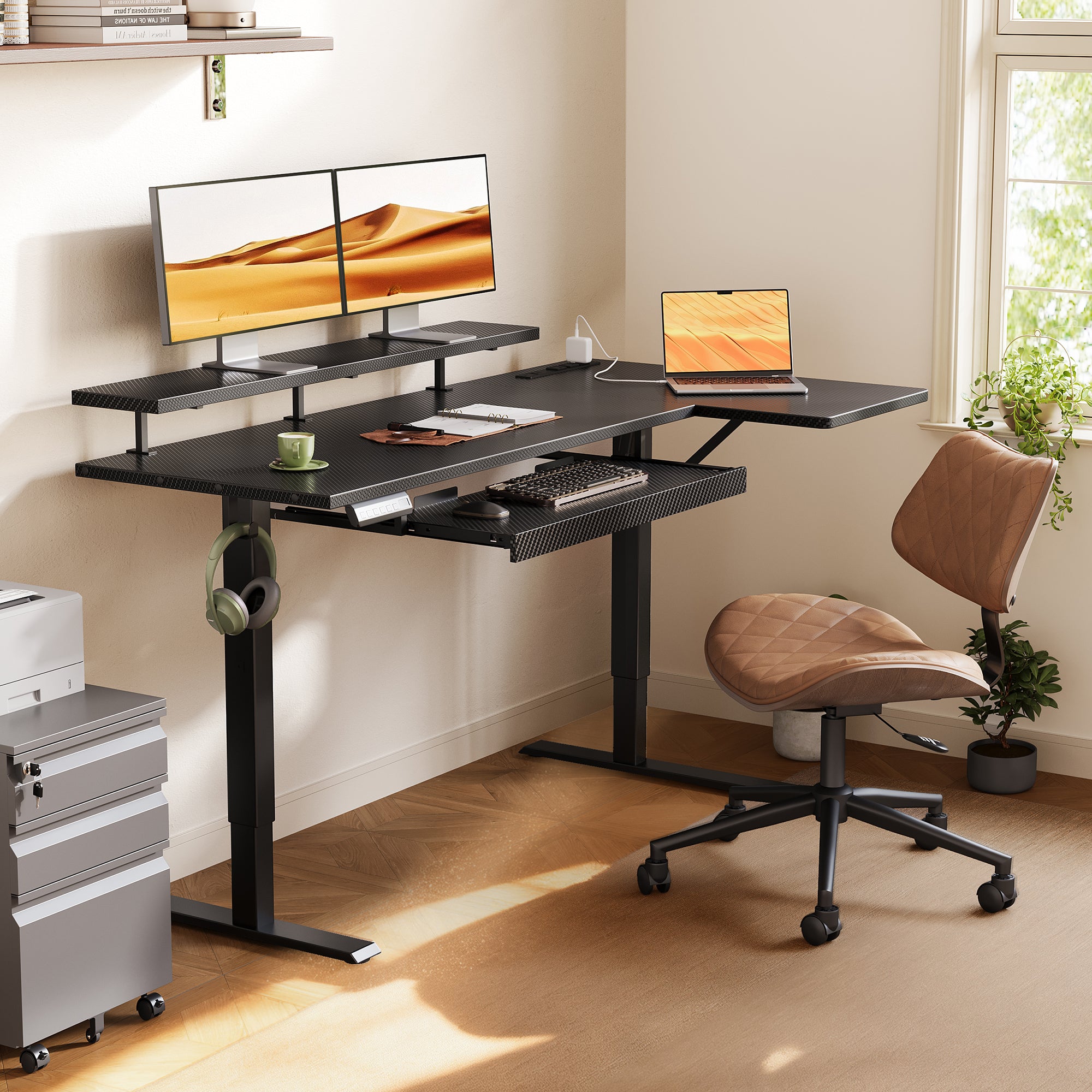
4. OffiGo 55 L-Shaped Electric Standing Desk with Keyboard Tray Monitor Shelf
For people struggling with low screens and crowded typing space, the OffiGo 55 L-Shaped Electric Standing Desk with Keyboard Tray Monitor Shelf gives a more guided ergonomic layout right away.
- Why it stands out
- Height range: 28.4 to 47.2 inches
- Main top: 39.4 x 21.3 inches
- Side top: 31.5 x 15.8 inches
- Keyboard tray: 25.6 x 11.8 inches
- Monitor shelf: 39.4 x 7.9 inches
- Built-in power: 3 AC, 1 USB, 1 Type-C
- Approx. 154 lb load capacity
- Best for
- Compact rooms, long typing sessions, and workflows mixing business intelligence, presentations, and cybersecurity review
- What to watch
- The shelf-and-tray layout is less ideal if you want a completely open desktop
5. OffiGo 55-inch L-Shaped Electric Standing Desk with Drawers and Power Outlets
This adjustable desk is the practical middle ground for users who want storage and charging without moving up to the larger 63-inch format. The OffiGo 55-inch L-Shaped Electric Standing Desk with Drawers and Power Outlets is especially useful when device sprawl is your main problem.
- Why it stands out
- Height range: 29.9 to 46.1 inches
- Desktop: 55.1 x 31.5 inches
- Drawers: 12.6 x 11.8 x 4.6 inches
- Built-in power: 3 AC, 1 USB, 1 Type-C
- Reversible L-shape
- Best for
- A ready-to-use home office desk for laptops, charging, and everyday remote work
- What to watch
- Less total surface and zoning space than the 63-inch models
How to choose the right ergonomic standing desks
Pick the desk shape first, then match features to your daily friction. If your work splits naturally between screens, notes, and devices, an L-shaped standing desk usually gives you better zoning than a straight desk. That matters for people moving between zero trust policy reviews, cloud computing tools, data privacy checklists, and artificial intelligence research.
Then look at support features with a critical eye. Drawers help if clutter slows you down, built-in power helps if chargers take over your room, and a keyboard tray or monitor shelf helps if posture is your main problem. For many buyers, the best electric standing desk is simply the one that stays stable, fits the room, and removes one or two repeated annoyances every day.
FAQ
Which standing desk shape is best for a home office?
An L-shaped desk is often best when your work needs separate zones for screens, writing, and accessories. It helps you keep one side for focused computer work and the other for notebooks, charging, or documents. That layout is especially useful if you switch between meetings, reports, and research tasks during the same day. If your room is narrow and your setup is simple, a straight desk can still work well.
Are L-shaped standing desks better for dual monitors?
Yes, L-shaped standing desks are usually better for dual monitors because they give you more width and a clearer split between primary and secondary tasks. A 55-inch model can work for two screens, but a 63-inch layout gives you more breathing room for a laptop, dock, or notebook. The extra return surface also helps keep speakers, chargers, and reference materials off your main typing area. That makes the setup feel less cramped over long workdays.
Do built-in drawers improve ergonomic desk setups?
Yes, built-in drawers can improve an ergonomic setup when clutter is pushing your keyboard, mouse, or notebooks into awkward positions. Storage keeps frequently used items close without forcing you to add another cabinet beside the desk. That can improve movement flow and reduce visual mess, especially in smaller home offices. The main tradeoff is that some drawer-equipped desks give you less under-desk flexibility than open-frame designs.
Is a keyboard tray useful for long workdays?
A keyboard tray is useful when it helps keep your elbows near 90 to 120 degrees and your wrists in a straighter position. It can also free desktop space for writing tools, tablets, or microphones. However, the tray needs enough width and depth for both keyboard and mouse use, or it may create new reaching problems. If you type for several hours each day, a well-sized tray can make the setup more comfortable.
What matters most when comparing electric standing desks?
The most important factors are stability, height range, surface layout, and how well the desk fits your actual workflow. Memory presets, storage, and built-in charging matter next because they affect daily convenience. For example, someone handling business intelligence or SaaS platforms may care more about surface zoning, while someone in a compact room may care more about storage integration. A good adjustable desk should make the workday easier, not just look impressive on paper.