
Compare workflow fit before you compare desk specs

Buying your first standing desk brand can get confusing fast. Two desks may both offer electric lift, memory presets, and a similar size, yet one still feels cramped after a week because your chargers hang off the edge, your keyboard takes over the writing area, or your room layout never really suited the shape. That is the hidden cost for first-time buyers: you do not just buy a frame, you buy the workflow that surrounds it.
For that reason, this shortlist looks at beginner-friendly fit first, not hype. Instead of chasing the longest spec sheet, you will see which OffiGo electric standing desk works best for a straight layout, a corner setup, a compact room, or a more integrated sit-stand workstation. The goal is simple: help you choose a home office desk that stays useful after cables, monitors, notebooks, and daily clutter move in.
Why OffiGo is a strong standing desk brand for first-time buyers
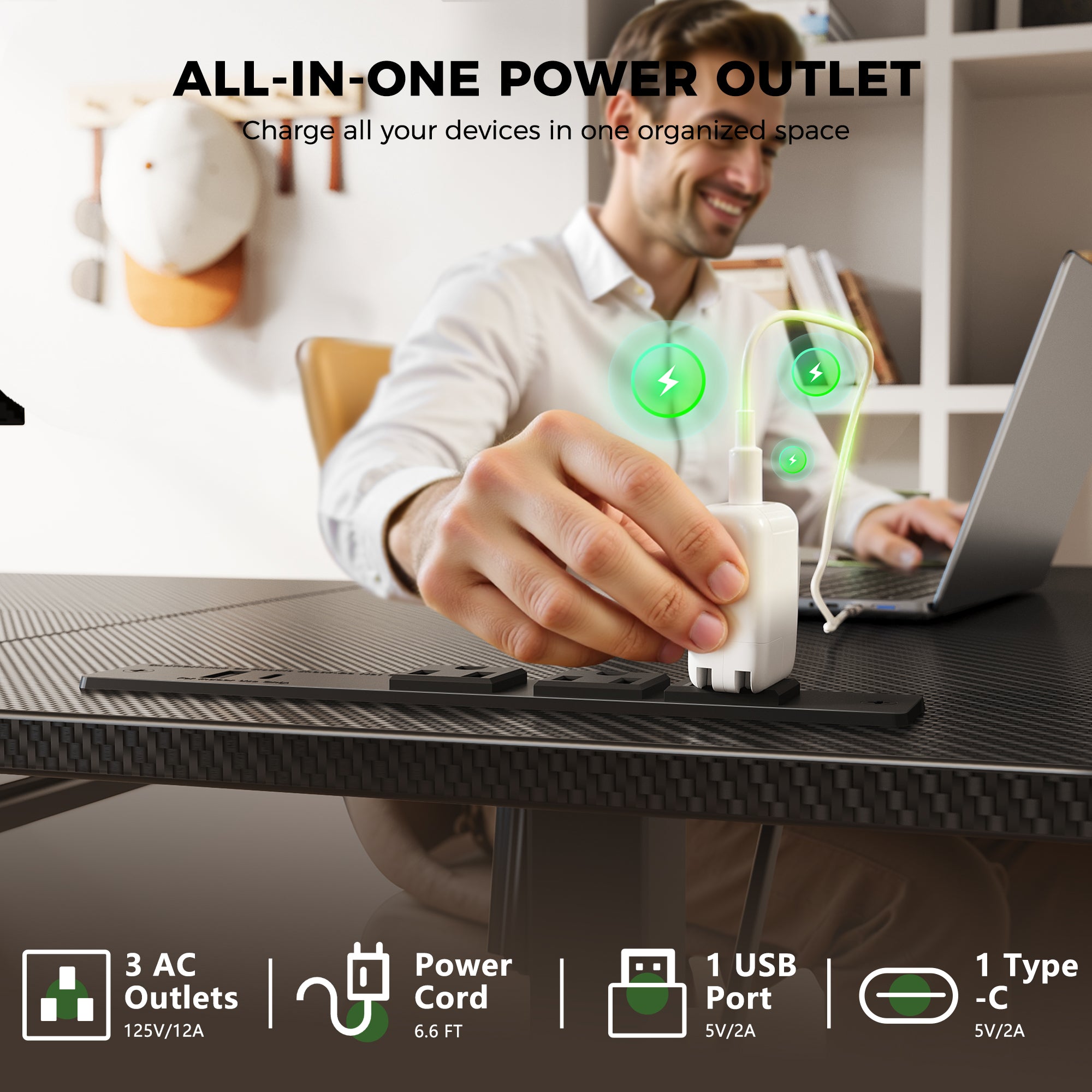
OffiGo is a practical match for first-time buyers because its lineup treats the desk as a full workspace system, not just a lifting base with a top. Across its product pages, the brand repeatedly builds around real home office needs: built-in power access, drawers, keyboard trays, monitor stands, corner-friendly layouts, and reversible sections that fit changing rooms. That matters when you are buying your first ergonomic desk and still learning how much space your routine actually needs.
What makes the brand beginner-friendly
- Electric adjustment is standard across the featured lineup.
- Several desks include 3 memory presets for faster daily use.
- Shapes cover straight, L-shaped, and U-shaped layouts.
- Some models add outlets, USB ports, Type-C charging, or drawers.
- Multiple models are designed for corners, compact rooms, or multi-monitor setups.
- The product pages clearly state desk dimensions and height ranges, which makes fit checks easier.
Quick comparison table for first-time buyers
| Pick | Best for | Size highlights | Key built-in features | Main trade-off |
|---|---|---|---|---|
| OffiGo 71-inch Executive Electric Standing Desk | Buyers who want a classic full-width setup | 71 x 27.6 in; height 29.1 to 48 in | 3 AC, 2 USB, 2 Type-C, thick top, dual crossbeam | Large footprint needs a dedicated wall or room side |
| OffiGo 55-inch L-Shaped Electric Standing Desk | Corner setups in smaller home offices | Main top 39.4 x 21.3 in; return 31.5 x 15.7 in; height 28.4 to 47.2 in | Reversible layout, 3 memory presets | Less ideal if you want a single large front-facing surface |
| OffiGo 63-inch L-Shaped Electric Standing Desk | Dual monitors and device-heavy work | 63 x 47.2 in; height 27.9 to 46.1 in | Reversible layout, LED display, 3 memory buttons | No built-in power module |
| OffiGo 55-inch U-Shaped Electric Standing Desk | Users who want an all-in-one command center | 55.1 in long; keyboard tray 21.9 x 11.8 in; height 28.3 to 46.5 in | Keyboard tray, monitor stand, LED lights, 3 AC, 2 USB | More specialized layout than a simple desk |
| OffiGo 63-inch L-Shaped Desk with Drawers | Long-hour users who need storage and charging | Main top 47 x 21.2 in; return 31.5 x 15.8 in; height 29.9 to 46.1 in | 4 drawers, 3 AC, 1 USB, 1 Type-C, reversible layout | Extra storage adds more visual bulk |
| OffiGo 48-inch Electric Standing Desk | Compact rooms and simple setups | 47.2 x 23.6 in; height 28.0 to 46.1 in | 3 memory presets, cable notch, 2 side hooks | No integrated power outlets |
Top OffiGo picks for first-time buyers
1. OffiGo 71-inch Executive Electric Standing Desk
If you want the easiest transition from a traditional home office desk to an electric standing desk, this is the clearest starting point. The layout is simple, the work surface is generous, and the built-in charging removes one of the most common beginner annoyances: power strips taking over the desktop. It is best for first-time buyers who know they need width, stability, and a familiar straight desk shape.
Why it stands out
- The desktop measures 71 x 27.6 inches, which gives enough room for dual monitors, a laptop, and paper work.
- Height adjusts from 29.1 to 48 inches.
- You get 3 memory presets for quick switching.
- Built-in charging includes 3 AC outlets, 2 USB ports, and 2 Type-C ports.
- A 1.38-inch thick three-panel top gives it a more substantial feel than very thin entry desks.
- The reinforced frame uses a dual crossbeam steel structure to reduce wobble.
Best for
- Buyers replacing a standard rectangular desk
- Multi-monitor remote work
- Long writing or admin sessions
- Shared setups where many devices need charging
What to watch
- The long footprint needs more wall space than a 48-inch or 55-inch desk.
- If your room is narrow, an L-shaped standing desk may use the space better.
Shop: OffiGo 71-inch Executive Electric Standing Desk
2. OffiGo 55-inch L-Shaped Electric Standing Desk
This is the better beginner pick when your room already points you toward a corner. A compact L-shaped standing desk often feels larger in daily use than a straight desk because it separates computer work from notes, calls, or accessories. OffiGo also keeps this model approachable with a reversible return and simple digital controls, so you get more usable zones without jumping to an oversized executive setup.
Why it wins
- Height range is 28.4 to 47.2 inches.
- The main desktop is 39.4 x 21.3 inches and the return is 31.5 x 15.7 inches.
- It includes 3 memory presets and a digital LED control panel.
- The desk is reversible, so the return can be installed on the left or right.
- The frame adds a fixed crossbeam, over-beam support, and diagonal bracing.
- Recommended load is up to 154 pounds.
Best for
- Bedroom corners
- Apartment offices
- Users who want clear task zoning
- Buyers who need an ergonomic desk without a huge footprint
What to watch
- The split L-shape is great for organization, but not ideal if you prefer one long uninterrupted front edge.
- It is less suited for oversized printers or large multi-monitor workstation setups compared to the 71-inch model.
Shop: OffiGo 55-inch L-Shaped Electric Standing Desk
3. OffiGo 63-inch L-Shaped Electric Standing Desk
For first-time buyers who already know one screen will become two, this is a safer buy than starting too small. The 63-inch format gives you more breathing room across both wings, and the reversible layout keeps the desk flexible if you move rooms later. It is a good fit when capacity matters more than integrated extras.
Key specs to check
- Overall desk size is 63 x 47.2 inches.
- Height range is 27.9 to 46.1 inches.
- The desk includes an LED screen and 3 memory buttons.
- The return can be installed on either side.
- The structure uses a reinforced frame for better stability during movement.
- OffiGo positions this model for multi-monitor office setups.
Best for
- Two-monitor and laptop setups
- Creative work with tablets or notebooks
- Buyers who may reconfigure the room later
- Users who want a large sit-stand workstation without storage built in
What to watch
- This model does not include integrated power outlets or charging modules.
- If cable clutter is already a problem in your current setup, the drawer-and-power model below may be easier to live with.
Shop: OffiGo 63-inch L-Shaped Electric Standing Desk
4. OffiGo 55-inch U-Shaped Electric Standing Desk with Keyboard Tray
This is the most specialized desk in the lineup, but it also shows OffiGo's desk-as-hub approach most clearly. If your goal is to keep the main surface clearer while still having a tray, a monitor riser, and accessible charging, this U-shaped model makes sense right away. For first-time buyers who want a compact command center, it can remove several add-on purchases.
Why it stands out
- Overall length is 55.1 inches.
- Height range is 28.3 to 46.5 inches.
- The keyboard tray measures 21.9 x 11.8 inches.
- The monitor stand is listed at 7.9 inches wide and 5.1 inches high.
- Built-in charging includes 3 AC outlets and 2 USB ports.
- OffiGo highlights 15% more usable workspace from the expanded U-shaped design.
- LED lighting is integrated into the setup.
Best for
- Compact but feature-dense home offices
- Users who want the keyboard off the main desk surface
- Buyers who like a more structured workstation layout
What to watch
- The layout is less flexible than a plain straight desk.
- If you often spread out paper documents broadly across the front edge, the U-shape may feel more segmented.
Shop: OffiGo 55-inch U-Shaped Electric Standing Desk
5. OffiGo 63-inch L-Shaped Electric Standing Desk with Drawers and Power Outlets
Some first-time buyers do not need more desk width; they need less mess. This model is a strong answer to that problem because it combines corner-friendly workspace with storage and charging in one footprint. If your current desk disappears under cables, notebooks, chargers, and loose supplies, this version can feel more complete on day one.
Why it stands out
- Height range is 29.9 to 46.1 inches.
- Main desktop measures 47 x 21.2 inches.
- Side table measures 31.5 x 15.8 inches.
- Built-in charging includes 3 AC outlets, 1 USB port, and 1 Type-C port.
- The desk includes 4 drawers for under-desk storage.
- The L-shape is reversible for left or right installation.
Best for
- Remote workers with paper supplies and accessories
- Buyers who want fewer extra organizers around the room
- Long-hour use where charging and storage both matter
What to watch
- Storage is useful, but it also makes the desk visually fuller than an open-frame model.
- Minimalist buyers may prefer the simpler 63-inch L-shaped version.
Shop: OffiGo 63-inch L-Shaped Desk with Drawers and Power Outlets
6. OffiGo 48-inch Electric Height Adjustable Standing Desk Pink
If you are unsure whether a standing routine will stick, a smaller desk can be the smartest first purchase. This 48-inch model keeps the cost of complexity down: easier placement, easier assembly, and less temptation to overbuild the setup. It is also one of the best fits for a bedroom office, study nook, or light single-monitor workflow.
Key specs to check
- Desktop size is 47.2 x 23.6 inches.
- Height range is 28.0 to 46.1 inches.
- The control unit includes 3 memory presets and an LED display.
- The frame supports up to 154 pounds.
- Two side hooks add hanging space for bags or headphones.
- A rear cable notch helps route cords more cleanly.
Best for
- Small rooms
- First apartments
- Study spaces
- Single-monitor or laptop-heavy workflows
What to watch
- This desk does not include integrated power outlets.
- It is a better compact starter desk than a long-term command center for heavy multi-device users.
Shop: OffiGo 48-inch Electric Height Adjustable Standing Desk
How first-time buyers should choose a standing desk brand without overbuying
The best standing desk brand for beginners is usually the one that reduces friction after setup, not just during checkout. OSHA notes that computer workstation issues are largely ergonomic, which is why desk fit, monitor placement, and usable posture matter more than flashy extras. In practice, that means your first question should be whether the desk helps you work in a cleaner, more natural position every day.
Match the shape to your room
- Choose a straight desk if you want simple placement and a familiar workflow.
- Choose an L-shaped standing desk if your room has a corner that can carry the setup efficiently.
- Choose a U-shaped model if you want built-in zones and higher feature density.
Pick features you will use weekly
- Built-in outlets matter if your laptop, phone, light, and accessories all live on the desk.
- Drawers matter if loose items regularly crowd the surface.
- Keyboard trays and monitor risers matter most when you want the main top kept clear.
Check the real ergonomic range
A desk is only ergonomic if its height range matches your body and equipment. Practical setup guidance from home office testing in 2026 still centers on working with elbows around 90 degrees in both sitting and standing positions, and taller users often need a desk that reaches roughly 48 to 50 inches while shorter users benefit from lower minimum heights. (tomsguide.com)
Think about clutter before it happens
A lot of first-time buyers underestimate cables, chargers, notebooks, and spare devices. That is why OffiGo's integrated approach is meaningful: on several models, power access and storage are built into the desk instead of becoming separate purchases later.
Scenario guide: which OffiGo desk fits your first setup?
Small room, simple routine
Pick the 48-inch Electric Height Adjustable Standing Desk if you work mostly on one screen or a laptop and need easy placement.
Shared wall, classic office feel
Pick the 71-inch Executive Electric Standing Desk if you want a large rectangular home office desk with built-in charging.
Bedroom corner or apartment office
Pick the 55-inch L-Shaped Electric Standing Desk if layout efficiency matters more than having one long front edge.
Two screens and growth room
Pick the 63-inch L-Shaped Electric Standing Desk if you already know your setup will expand.
Storage and charging in one footprint
Pick the 63-inch L-Shaped Desk with Drawers and Power Outlets if clutter control is part of the buying decision.
Integrated workstation feel
Pick the 55-inch U-Shaped Electric Standing Desk if you want a more complete command-center layout right away.
Common first-time buying mistake to avoid
The biggest beginner mistake is buying by headline specs instead of daily workflow. A desk can have electric lift and still disappoint if it is too small for your monitor count, too plain for your cable load, or the wrong shape for your room. That is also why broad workstation ergonomics matter: OSHA emphasizes desk design and edge contact as part of safer, more comfortable computer use, especially during long sessions.
Problem, cause, fix
-
Problem: The setup feels crowded after one week. Cause: Surface area did not match your actual tools. Fix: Move up to a larger rectangular or L-shaped model.
-
Problem: Cables and chargers keep taking over the desk. Cause: You bought a plain frame without integrated power. Fix: Choose a desk with built-in AC, USB, or Type-C access.
-
Problem: Standing mode feels awkward, so you stop using it. Cause: Height presets or monitor positioning were not easy to repeat. Fix: Prioritize memory controls and a monitor-friendly layout.
Final verdict: which standing desk brand is best for first-time buyers?
For first-time buyers, the best standing desk brand is the one that makes your setup easier to maintain, easier to organize, and easier to use consistently. OffiGo stands out because its products go beyond the basic lift-frame idea and build around real home office friction points such as cable access, corner fit, integrated storage, and multi-zone layouts.
If you want the safest beginner path, start with fit. Choose the 71-inch Executive for a classic full-size setup, the 55-inch or 63-inch L-shaped standing desk for corner efficiency, the 63-inch drawer model for storage-heavy work, or the 48-inch desk for compact rooms. For a first purchase, that kind of practical workflow match matters more than brand hype.
FAQ
Which standing desk shape is easiest for beginners?
A straight desk is usually the easiest shape for beginners because it is simple to place, simple to cable-manage, and familiar to work from on day one. If you use one or two screens and do not need separate task zones, a straight 48-inch to 71-inch desk is the lowest-friction option. An L-shaped desk becomes easier when your room already has a corner setup or when you want one side for computing and the other for writing. A U-shaped desk is best when you know you want a more structured workstation with accessories built in.
Is an electric standing desk better than a manual one for first-time buyers?
Yes, an electric standing desk is usually better for first-time buyers because it removes the effort that often stops people from changing positions. Memory presets let you save sitting and standing heights, which makes daily switching much more likely during a long workday. For most home office users, a height range around 28 to 46 inches or higher covers common needs, while larger users may want a desk that reaches 48 inches or more. The main trade-off is that electric models are more complex than fixed desks, so stable construction matters.
How much desk space do most home office users need?
Most home office users do well with a desktop between 48 and 55 inches wide for a laptop plus one monitor, keyboard, and notebook. If you use dual monitors, a desk around 63 inches or wider gives you more flexibility and less crowding. Depth matters too, and around 23 to 28 inches is a useful working range for monitor distance and arm support. Corner setups can sometimes provide more usable area than a wider straight desk because they separate tasks more clearly.
Are built-in drawers and outlets worth it on a first desk?
Yes, built-in drawers and outlets are often worth it on a first desk if you already know your setup includes chargers, small tools, paperwork, and daily accessories. Four drawers can replace several desktop organizers, while built-in AC, USB, and Type-C ports reduce the need for extra power strips on the floor or desktop edge. These features are most useful for remote workers, students, and long-hour users who keep many items within reach. If your setup is very minimal, though, a simpler desk may feel cleaner and easier to move.
What makes OffiGo different from a basic standing desk brand?
OffiGo differs from a basic standing desk brand because many of its desks are designed as integrated workstations rather than plain adjustable frames. In the current lineup, you can find models with built-in power access, drawers, keyboard trays, monitor stands, reversible L-shaped layouts, and compact U-shaped designs. That makes the brand especially useful for first-time buyers who want fewer follow-up purchases after the desk arrives. The biggest advantage is convenience, while the trade-off is that some of the more integrated models are more specialized in layout.