
Introduction
A big home office desk setup can feel scattered because every task pulls you to a different surface. Therefore, many people end up rotating between a desk, a side table, and a random shelf for charging.
Do you want a standing desk setup that feels like a central command station? A central workspace layout built around an island desk can help you switch between focus work, calls, and admin without leaving your core zone.
The timing is right, too. Grand View Research projects the standing desks market will grow at a 5.3% CAGR from 2025 to 2030, which reflects how quickly sit-stand has become a default expectation for home office standing desk shoppers. Grand View Research
Best OffiGo Desks for an Island Layout
Why the island layout changes everything
An island-style home office standing desk sits away from the wall so you can move around it. As a result, your chair, your camera angle, and your accessory placement all become easier to tune.
For a central workspace layout, the goal is simple:
- One primary island for deep work
- One secondary edge for storage and charging overflow
- Clear walk paths so the room stays calm, not cramped
1: OffiGo 71" Executive Electric Standing Desk

- Scenario: the main island in a big home office desk setup where you want a single, wide surface for deep work.
- Overview: 71 in x 27.6 in extra-wide desktop built from a three-panel top.
- Height range: 29.1 in to 48 in with 3 memory presets, so you can keep consistent sit and stand positions.
- Built-in power: designed with on-desk charging, including AC outlets plus USB and Type-C ports.
- Stability focus: reinforced dual crossbeam steel frame to reduce wobble when you type or lean at standing height.
- Organization details: cable management and a side hook help keep headphones and bags off the floor.
Why it wins:
- If your standing desk setup keeps collapsing into clutter, a wider top gives you room to separate a "work lane" (keyboard and mouse) from a "reference lane" (notes, tablet, or paperwork). That separation matters more in an island layout because you see the desk from every angle.
Shop: OffiGo 71" Executive Electric Standing Desk
2: OffiGo 63" L-Shaped Electric Standing Desk with Fabric Drawers

- Scenario: an island-plus return when your central workspace layout needs a paperwork side and a screen side.
- Overview: main desktop is 47 in x 21.2 in, plus a side table that is 31.5 in x 15.8 in.
- Storage style: 4 built-in fabric drawers to hide daily clutter without adding a separate cabinet.
- Height range: 29.9 in to 46.1 in using preset control buttons.
- Built-in power: 3 AC outlets, 1 USB port, and 1 Type-C port for desktop charging.
- Cable control: rear cable tray helps keep your island walk path safer and cleaner.
- Layout flexibility: reversible extension, so the return can go left or right depending on your room.
Why it wins:
- In a home office standing desk island, drawers do more than store pens. They create a reliable "reset routine" because everything has a place. That makes the desk feel executive instead of improvised.
Shop: OffiGo 63" L-Shaped Standing Desk with 4 Fabric Drawers
3: OffiGo 63" L-Shaped Height Adjustable Standing Desk (Reversible)
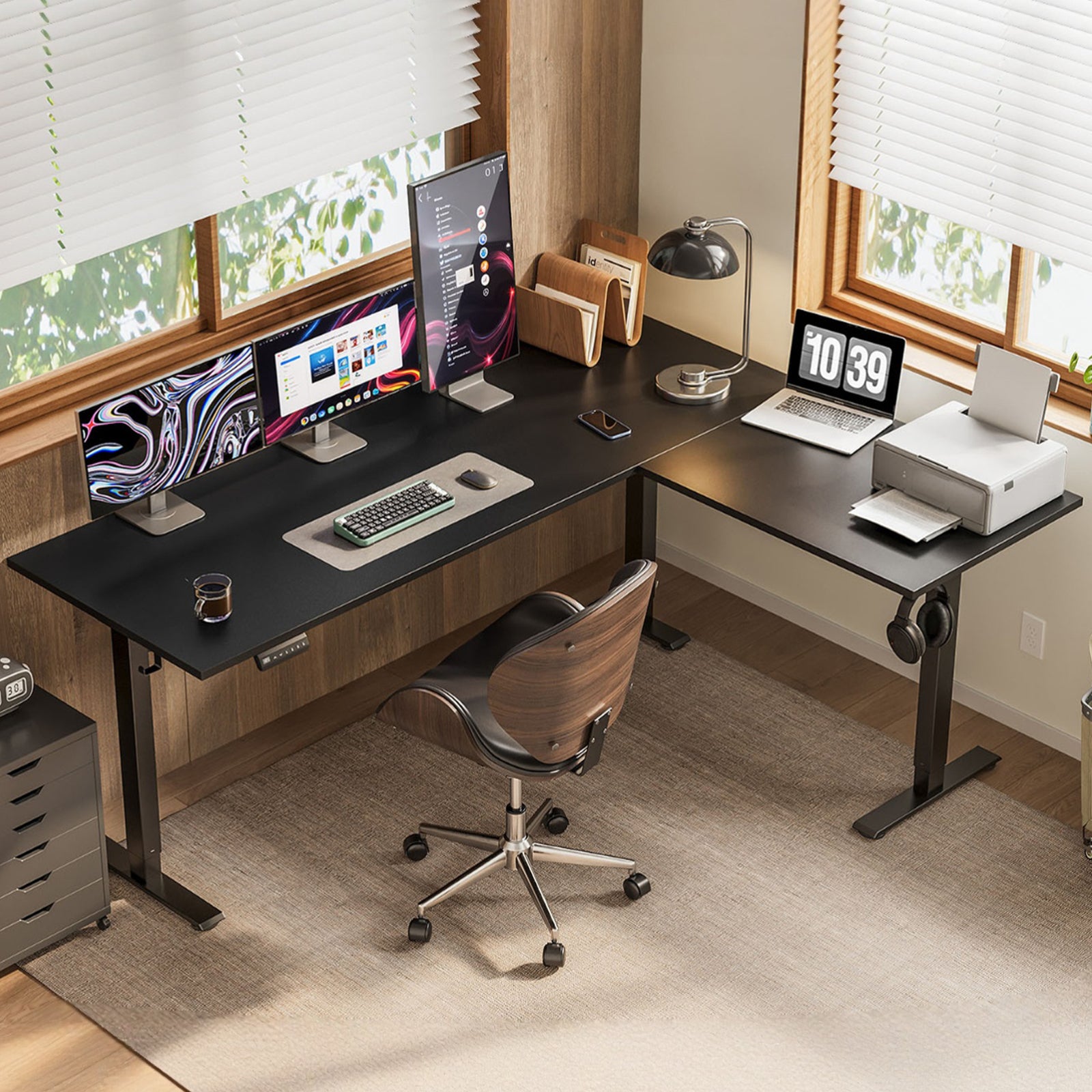
- Scenario: a dual-zone island for people who run two workflows, like writing plus editing, or work plus gaming.
- Overview: listed as 63 in length and 47.2 in width, built for multi-device setups.
- Height range: 27.9 in to 46.1 in, which gives extra flexibility if you prefer a slightly lower seated height.
- Controls: LED height display plus 3 memory buttons for quick changes.
- Layout flexibility: reversible L design, so you can match the return to your door, window, or camera background.
- Stability detail: reinforced structure designed to stay stable during height changes.
Why it wins:
- If your central workspace layout needs a clean separation, an L-shape can act like two desks without adding a second table. That helps you keep your "focus zone" untouched while your "active zone" handles printers, mail, or a laptop dock.
Shop: OffiGo 63" L-Shaped Reversible Standing Desk
4: OffiGo 55" L-Shaped Standing Desk with Movable Storage Cabinet
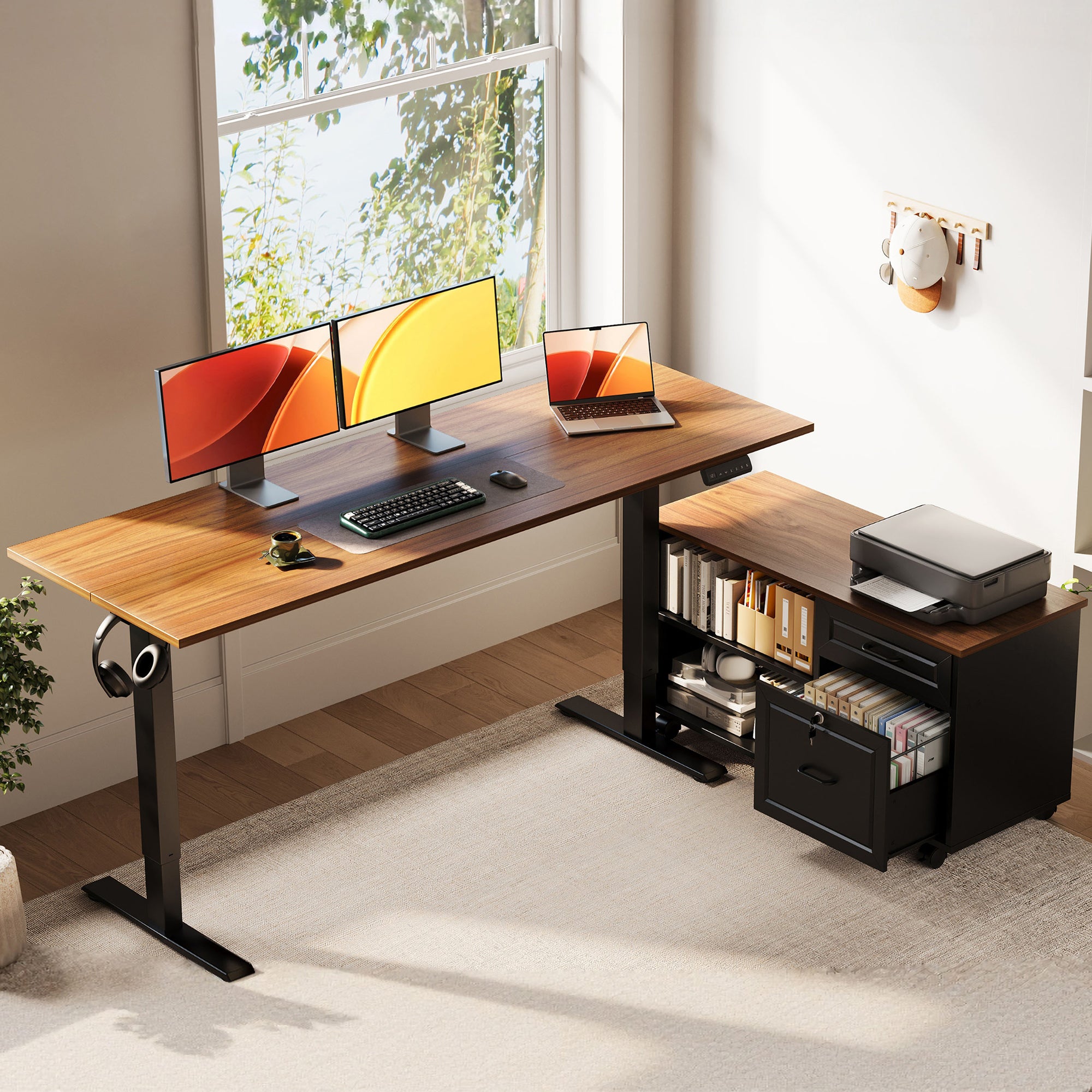
- Scenario: an executive home office setup where you want the island desk to stay clean and the storage to live beside it.
- Overview: desktop is 55.1 in x 23.6 in, paired with a filing cabinet that measures 39.4 in x 15.8 in x 18.7 in.
- Height range: 28.4 in to 47.2 in for sit-stand switching.
- Storage style: a dedicated filing cabinet with compartments designed for folders, books, and office supplies.
- Privacy detail: lockable cabinet design for sensitive documents.
- Layout advantage: the mobile cabinet can be positioned to match your workflow, which helps when you re-orient your island for calls.
Why it wins:
- Many home office standing desk islands fail because storage gets added as an afterthought. A cabinet that is built into the system keeps the room feeling intentional, which is the core of an executive home office setup.
Shop: OffiGo 55" L-Shaped Standing Desk with Movable Storage Cabinet
5: OffiGo 59" L-Shaped Standing Desk with Keyboard Tray and Monitor Stand

- Scenario: an island layout built for input-heavy work, where keyboard height and screen height both matter.
- Overview: desktop is 59 in x 47.2 in, designed for multi-monitor workflows.
- Height range: 28.4 in to 45.7 in for sit-stand switching.
- Ergonomic add-ons: integrated monitor stand plus a pull-out keyboard tray.
- Keyboard tray size: 25.6 in x 11.8 in, sized to hold a keyboard and mouse.
- Built-in power: 3 AC outlets plus 2 USB ports for charging close to your main work lane.
- Storage: drawers are included for small gear; the listing shows a drawer size of 13.6 in x 6.6 in x 6.6 in.
Why it wins:
- In a standing desk setup, the fastest way to break posture is to type with shrugged shoulders. A keyboard tray can bring the keyboard down while the monitor stand keeps the screen up, so your arms and neck do not fight each other.
Shop: OffiGo 59" L-Shaped Standing Desk with Keyboard Tray and Monitor Stand
Buying Guide: Build the Island Standing Desk Setup
Key factors (with real setup questions)
Desktop footprint: Can you walk 360 degrees?
- For an island desk, you want enough clearance to pull out your chair and still pass behind it.
Height range: Does your standing elbow height match?
- When you stand, your elbows should land near 90 degrees with relaxed shoulders. If the desk forces your shoulders up, the range is not a fit.
Power and ports: Do you need outlets on top?
- If you charge a laptop, phone, headphones, and a light, on-desk power reduces floor cables.
Storage style: drawers, cabinet, or both?
- Drawers are best for daily small items.
- A cabinet is better for document-heavy executive home office setup needs.
Practical tips for a central workspace layout
- Leave 36 in to 42 in walk paths, especially behind the chair and on the cable-feed side.
- Face the door if you take frequent calls, because it reduces surprise interruptions.
- Keep the "high-touch" items (mouse, notepad, phone) within a forearm reach, not a full arm reach.
For 2026 home office standing desk routines, break patterns matter as much as desk height. NIOSH notes that musculoskeletal discomfort and eyestrain were reduced when twice-daily conventional breaks were supplemented with hourly 5-minute breaks, which is a practical target for long sessions at an island desk. CDC
Common mistakes to avoid
- Island too close to walls and windows, which creates a "fake island" you cannot walk around.
- Monitor too low, which pulls your head forward and turns a central workspace layout into a neck strain loop.
- Power routed across the floor without a plan, which makes your big home office desk setup feel messy.
Ergonomics cue for 2026 setups
Want a simple 2026 rule that holds up?
- Build in repeatable positions.
That means:
- Save two presets (sit and stand) and leave them alone for a week.
- Move your chair, mat, and footrest into the same spots each day.
- Keep your keyboard and mouse centered to your torso, not centered to the desk.
Comparison Table
| Desk | Layout Type | Desktop Size | Height Range | Storage | Built-in Power |
|---|---|---|---|---|---|
| OffiGo 71" Executive Standing Desk | I-shape | 71" x 27.6" | 29.1" to 48" | None | 3 AC, 2 USB, 2 Type-C |
| OffiGo 63" L-Shaped Standing Desk with 4 Drawers | L-shape | Main 47" x 21.2" plus side 31.5" x 15.8" | 29.9" to 46.1" | 4 fabric drawers | 3 AC, 1 USB, 1 Type-C |
| OffiGo 63" L-Shaped Reversible Standing Desk | L-shape | Main 41.7" x 21.3" plus side 47.2" x 21.3" | 27.9" to 46.1" | None | None |
| OffiGo 55" L-Shaped Standing Desk with Storage Cabinet | L-shape | 55.1" x 23.6" plus cabinet 39.4" x 15.8" x 18.7" | 28.4" to 47.2" | Movable cabinet (lockable) | None |
| OffiGo 59" L-Shaped Standing Desk with Keyboard Tray and Monitor Stand | L-shape | Main 39" x 19.7" plus side 47.2" x 19.7" | 28.4" to 45.7" | 2 fabric drawers | 3 AC, 2 USB |
Conclusion
If you want a standing desk setup that truly works as an island, start with the surface and the walk paths. Then, choose storage and power based on what actually clutters your desk today.
Quick picks for a large room:
- Best center-island anchor: OffiGo 71" Executive Electric Standing Desk
- Best big home office desk setup for storage control: OffiGo 63" L-Shaped with Fabric Drawers
- Best executive home office setup feel: OffiGo 55" with Movable Storage Cabinet
Official Site: OffiGo
FAQ
1) What is an island standing desk layout, and who is it for?
An island layout places your desk away from the walls so you can move around it and re-orient your setup for different tasks. It works best in a large home office where you want a central workspace layout that supports deep work, calls, and quick transitions. It also helps if you collaborate in-person, because a guest can sit across from you without crowding. If your room is tight, measure first because an island can feel cramped fast.
2) How much space do I need around a home office standing desk for an island setup?
Plan clearance on all sides so your chair, drawers, and cable drops do not become obstacles. A practical baseline is 36 to 42 inches for primary walk paths, especially behind your chair and on the side where you access storage. If you use an L-shaped desk as an island, also check the inside corner so your legs and footrest do not get trapped. Before buying, tape the footprint on the floor and do one full day of "pretend" movement.
3) How do I place power and cables in a big home office desk setup?
First, choose the desk position, then map the shortest safe route to a wall outlet so cables do not cross your main walk path. In island layouts, built-in desktop power can reduce the need for long cords because chargers stay on the surface. Next, route one main power feed downward, then split to devices under the top using a tray or ties so nothing hangs during height changes. Finally, keep moving storage cabinets independent from cable routing so you can reposition without yanking plugs.
4) What height should I set my standing desk at for typing and mousing?
Set the desk so your elbows are near 90 degrees and your shoulders stay relaxed, because shoulder lift is a common cause of upper-back fatigue. Your wrists should be neutral, so the keyboard should not force your hands to bend upward. Save one seated preset and one standing preset, then adjust each by small steps over several days as your body adapts. If your forearms feel pressure on the desk edge, the desk is often too high or your keyboard is too far forward.
5) How do I set up monitors in a central workspace layout to avoid neck strain?
Place the primary monitor directly in front of you and keep the top portion of the screen near eye level so you do not look down for hours. If you use two monitors, angle them inward so your head turns less and your eyes do more of the work. In an island setup, also think about what is behind the monitors, because your camera background matters for calls. If glare changes through the day, rotate the whole desk orientation before you start lowering the screen.
6) Should I choose an L-shaped standing desk or a straight desk for an executive home office setup?
A straight desk is better when you want a clean island centerpiece and you prefer one forward-facing work lane. An L-shaped desk is better when you need two zones, such as a main computer zone plus a paperwork or printing zone. For an executive home office setup, an L-shape can also create a natural separation between daily tools and client-facing space. The tradeoff is clearance, because an L-shaped island needs more room to keep walk paths comfortable.
7) How do I alternate sitting and standing without getting tired?
Treat sit-stand as position changes, not endurance standing, because fatigue usually comes from staying still too long. Start with short standing blocks, such as 10 to 20 minutes, then build up as your legs and feet adapt over one to two weeks. Use supportive shoes or a mat and keep small movements in your routine so your knees do not lock out. If your low back tightens, check monitor height and keyboard position first, because posture errors often feel like "standing problems."
0 comments