
Introduction
A home office desk has to do more than “go up and down.” In 2026, the best electric standing desks for home offices are the ones that match how you actually work: the shape that fits your room, the storage that prevents daily clutter, and the power/ports that keep charging simple.
To ground the “why now” behind sit-stand desks, U.S. Bureau of Labor Statistics data shows that in 2025 civilian workers averaged 3.55 hours sitting and 4.14 hours standing per workday—meaning many roles already involve meaningful time on your feet, and a workstation that supports posture changes matters. (bls.gov)
So what should you prioritize first—surface area, drawers, built-in power, or an L-shaped/U-shaped layout that turns a corner into a real workstation? This blog focuses on scene-driven picks from OffiGo: compact starters, storage-first desks, and wraparound layouts designed for modern workdays.
Product Picks for Real Home Office Setups
1) OffiGo 48" Electric Height Adjustable Standing Desk – Pink Sit-Stand Workstation
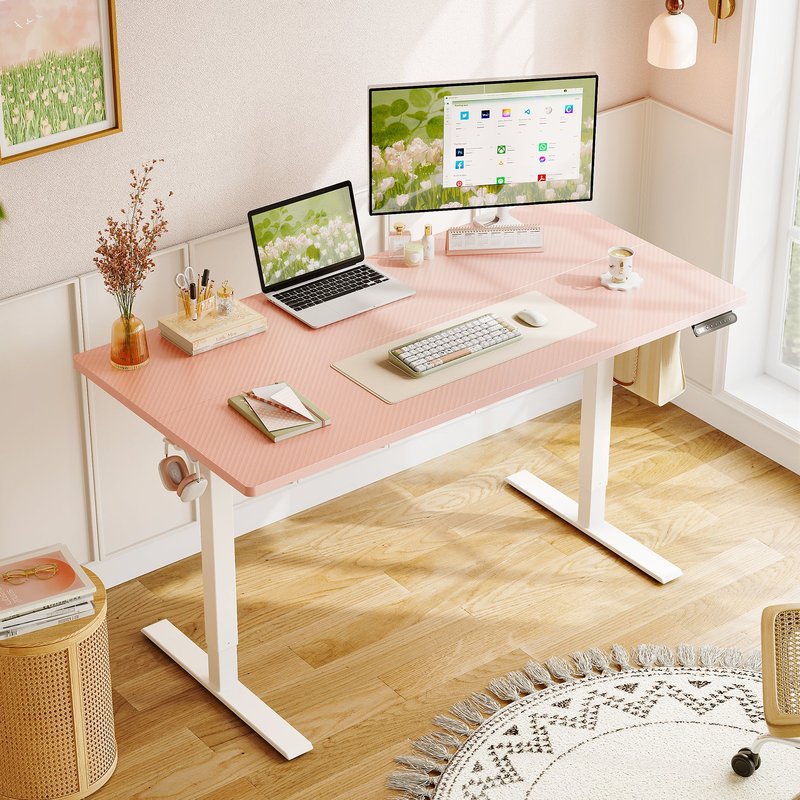
If you‘re building a simple home office that still needs true sit-stand flexibility, this 48-inch OffiGo desk keeps things straightforward. It’s designed for everyday tasks—email, writing, study, and typical laptop or monitor setups—without committing you to a large corner footprint or built-in electronics you may not need.
- Height range (approx.): 28.0"–46.1"
- Desktop size: 47.2" × 23.6"
- Weight capacity: 154 lb
- Controls: intuitive memory presets for quick posture changes
- Build: heavy-duty steel frame for daily lifting cycles
- Practical detail: built-in side hooks for headphones/bag accessories
2) OffiGo 48" Electric Standing Desk with 3 Wooden Drawers, Monitor Shelf & USB Power Outlets

Do you keep buying little organizers that never quite solve the mess? This OffiGo 48-inch setup is the opposite approach: storage and charging are built into the workstation, so your everyday items have a consistent “home” instead of living on the desktop.
- Storage: three integrated wooden drawers to keep supplies reachable but out of sight
- Ergonomics: monitor shelf raises screens to reduce neck flexion in long sessions
- Power: USB power outlets to keep a phone, headset, or accessories topped up
- Workflow fit: great for laptop + monitor setups or dual screens in a compact footprint
- Organization angle: reduces the need for extra side carts in tight rooms
- Daily use: designed around frequent posture changes and all-day work habits
3) OffiGo 55" L-Shaped Electric Standing Desk with Spacious Work Surface & Adjustable Height

Want more surface area without committing to a huge executive desk? A 55-inch L-shaped layout is often the sweet spot for first-time corner buyers: it expands usable space for multiple devices while keeping walkways open.
- Shape: reversible L configuration adapts to left- or right-side room layouts
- Use case: supports dual monitors + laptop, or “computer zone + writing zone” setups
- Adjustment: smooth electric height changes to alternate posture during long work blocks
- Controls: memory presets to keep seated/standing heights consistent
- Construction focus: built for stable daily use in home office environments
- Style: clean modern look that blends into home interiors
4) OffiGo 55" L-Shaped Electric Standing Desk with Keyboard Tray & Monitor Shelf
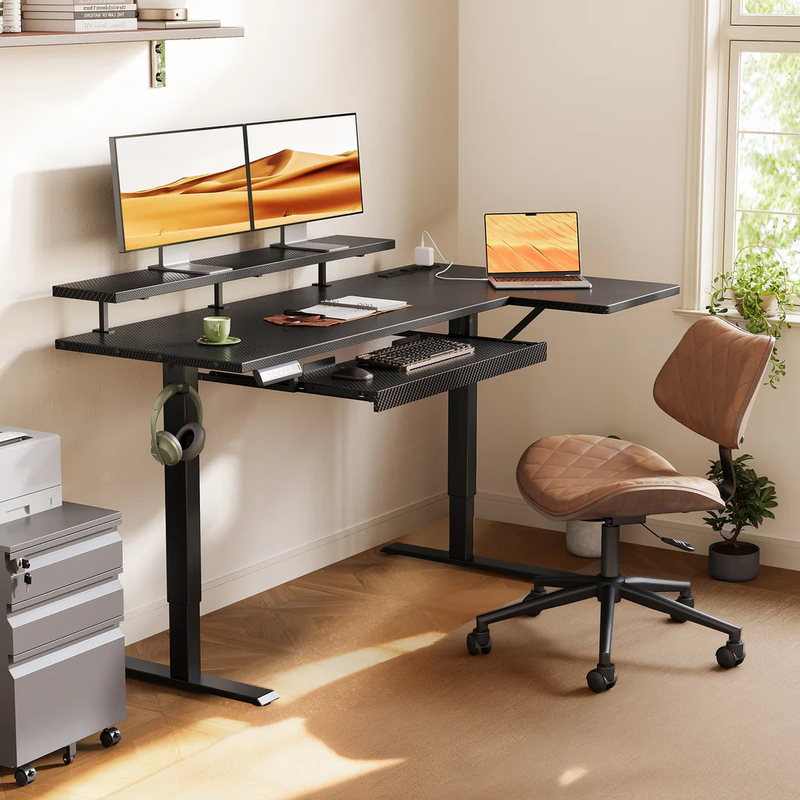
If you type for hours, the keyboard position and monitor height matter as much as the standing feature. This model adds an ergonomic layer: a keyboard tray and monitor shelf that help separate “screen height” from “hand height,” which can be useful when you’re dialing in posture.
- Ergonomics: monitor shelf helps bring screens up to a more comfortable viewing levelkeyboard tray supports a more neutral wrist position
- Workspace: keyboard tray frees up desktop space for a cleaner, wider working area
- Charging: built-in power outlets with USB and Type-C charging support
- Flexibility: reversible corner configuration for different room layouts
- Daily use: designed for high-frequency sit-stand switching
- Workspace feel: keeps commonly used items within reach without crowding the main typing area
5) OffiGo 55" U-Shaped Electric Standing Desk with Storage, Keyboard Tray & Integrated Power
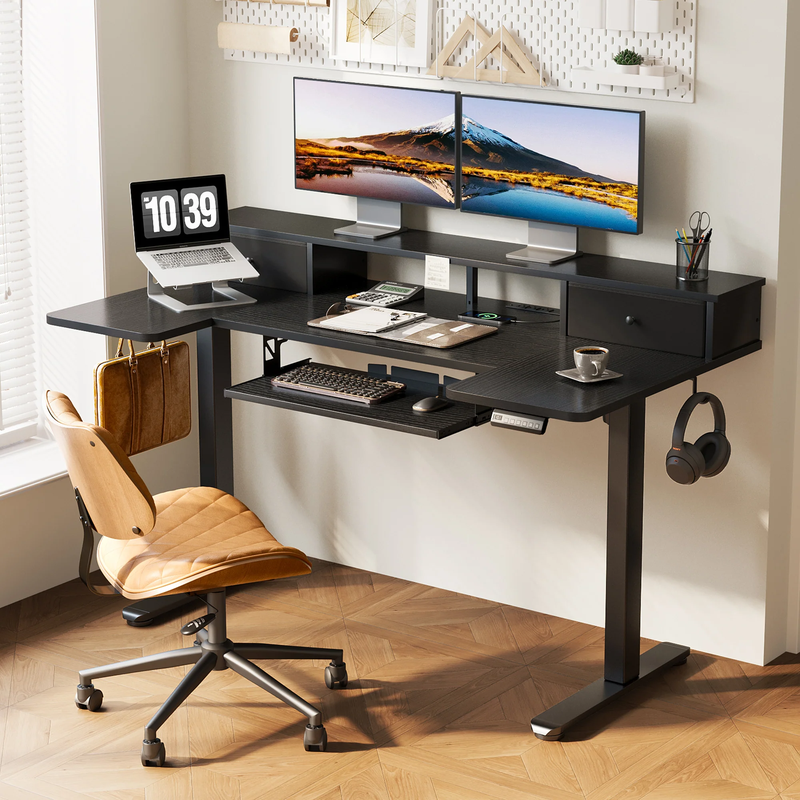
This is the “everything built in” corner-style pick for people who hate accessory creep. Instead of adding a separate keyboard tray, drawers, and a power strip later, this OffiGo desk brings the common daily-use features together.
- Storage: built-in drawers reduce desktop piles and “floating” accessories
- Typing comfort: slide-out keyboard tray supports long work sessions
- Monitor ergonomics: elevated monitor shelf keeps sightlines higher
- Power: integrated power access reduces the need for floor-based strips
- Corner efficiency: 55" U shape makes a small room feel like a real workstation
- Work rhythm: memory controls support quick swaps between seated and standing blocks
6) OffiGo 55" L-Shaped Electric Standing Desk with File Cabinet, Drawers & Adjustable Height

Paperwork is still real in 2026—shipping labels, tax documents, school forms, project folders. If you need filing built into the workstation, this OffiGo L-shaped model includes a file cabinet component so you can keep documents close without adding another piece of furniture.
- Storage: integrated file cabinet with a lockable drawer and smooth-rolling casters
- Corner layout: 55" L-shape adds surface area while keeping floor space efficient
- Sit-stand use: electric height adjustment supports posture changes during long days
- Practical details: accessory hooks help keep headphones/bags off the desktop
- Stability focus: dual-beam frame design aimed at steady daily use
- Room planning: cabinet can help replace a separate side cart in a small room
7) OffiGo 63" L-Shaped Electric Standing Desk with Adjustable Height

If your setup is growing—two monitors, a laptop dock, speakers, maybe a small printer—the jump to a 63-inch L-shaped surface can feel like a true “home office upgrade.”
- Surface: 63" corner workspace for more spread-out layouts
- Layout: reversible L design adapts to left/right room constraints
- Controls: memory presets help keep seated and standing heights consistent
- Stability: frame designed for steady everyday home-office lifting cycles
- Comfort: electric height adjustment encourages consistent sit-stand transitions
- Daily use: designed for steady, repeatable posture changes
8) OffiGo 63" L-Shaped Electric Standing Desk with Fabric Drawers & Built-in Power Outlets

This is the storage-heavy corner option for people who want a clean surface without adding a separate organizer tower. With four fabric drawers, it‘s designed to keep the day-to-day items (cables, notebooks, devices, supplies) off the work area.
- Storage: four built-in fabric drawers for supplies and daily essentials
- Power: built-in outlets plus USB and Type-C ports for modern multi-device charging
- Height range: 29.9"–46.1" electric adjustment with preset control buttons
- Cable management: rear cable tray helps keep wires routed and tidy
- Layout: reversible design supports left or right extension install
- Room fit: L-shape leverages corners for space efficiency
9) OffiGo 71" Executive Electric Standing Desk with Built-in Power Outlets & 1.38" Thick Desktop
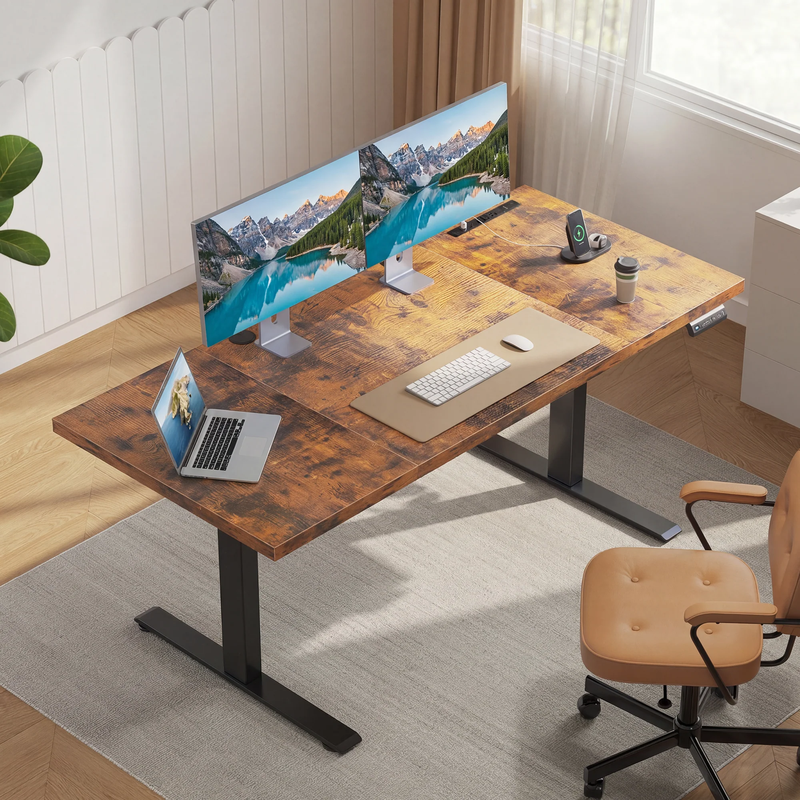
Need a wide, executive-style surface that doesn’t feel like a folding table? This 71-inch OffiGo desk leans into “big workstation energy” while keeping modern practicality with built-in power.
- Width: 71" surface supports multi-monitor setups and large document spreads
- Power: built-in outlets support charging laptops, monitors, and accessories on desk
- Comfort: smooth height adjustment encourages posture changes during long meetings
- Workspace fit: works well for roles that juggle screens + paperwork simultaneously
- Design intent: a professional look for rooms where the desk is a focal point
10) OffiGo 55" U-Shaped Electric Standing Desk with Monitor Stand & Keyboard Tray, Height Adjustable Home Office Desk
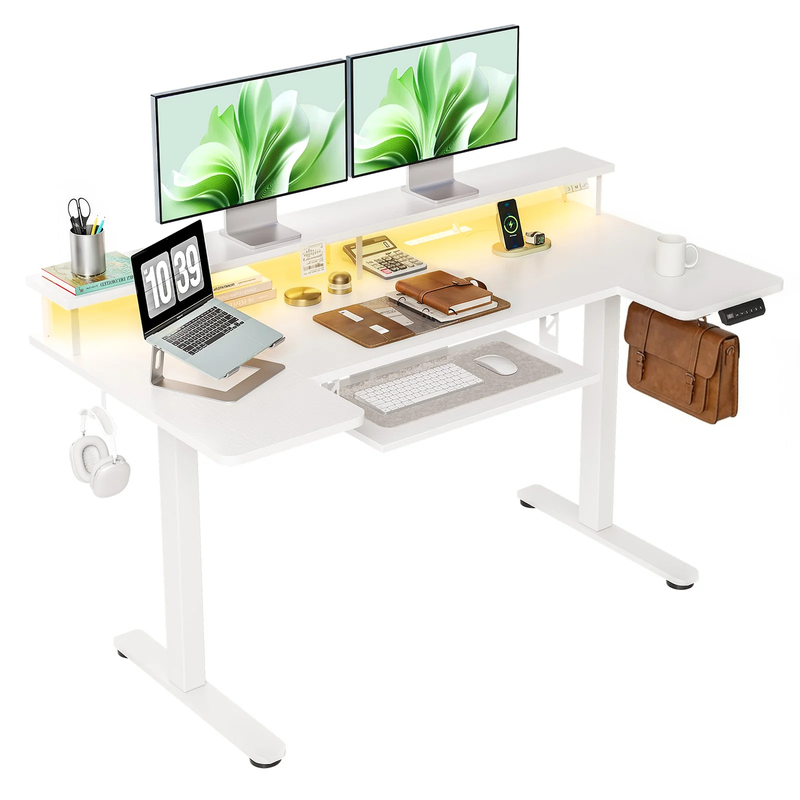
If you do creative work, editing, streaming, or any workflow where tools need to stay within arm’s reach, a U-shaped desk can feel like a cockpit. This OffiGo model combines a wraparound shape with storage and comfort features for long sessions.
- Shape: U layout supports an immersive workstation feel
- Storage: raised full-width monitor stand frees up the main desktop surface
- Typing comfort: pull-out keyboard tray supports longer work blocks
- Extras: includes power outlets and LED lights (per product page)
- Space efficiency: designed for home offices and compact workspaces where features matter
- Sit-stand use: electric lift supports switching posture through the day
Buying Guide: How to Choose Your Best Fit
Desk shape: straight vs L-shaped vs U-shaped
Which shape matches your room right now—and the way you move in it? A straight desk is simplest for small rooms and flexible placement, especially if your desk sits against a wall. L-shaped electric standing desks are ideal when you want a corner-friendly footprint that still leaves open floor space for chair movement and storage. U-shaped desks feel more wraparound, which is great for creators, but measure walkway clearance so the desk doesn‘t dominate the room.
Storage needs: drawers vs file cabinet
Do you need quick-access drawers for daily items, or a real filing solution for folders and paperwork? Built-in drawers help prevent “desktop drift,” where small tools and adapters multiply into piles. A file-cabinet-inclusive desk reduces the need to buy extra furniture, which can be a bigger deal than the desk itself in smaller rooms. If your goal is a clean look, prioritize integrated storage so your setup stays consistent week after week.
Power + ports: AC, USB, and Type-C
Are your outlets inconvenient, or do you charge multiple devices every day? Built-in power outlets can reduce floor clutter and make cable routing more predictable when the desk changes height. USB ports help keep small devices charged without a separate adapter brick, while Type-C is increasingly helpful for modern laptops and accessories in 2026. If you already have a perfect power strip setup, you may prefer a simpler desk and keep charging modular.
Size, surface, and your “real” workflow
How much space do you actually use during a typical work session? If you’re on a laptop only, a 48-inch desk can be plenty; if you run dual monitors and keep reference documents open, you‘ll appreciate more width or an L return. Monitor shelves are great when you want elevated screens without buying separate risers, but they also “commit” your monitor position—ideal for consistency, less ideal if you move things around often. Think about where you want your keyboard/mouse zone, then choose a surface that supports that posture.
Practical setup tips that make sit-stand easier
First, plan cable routing before final assembly so you don’t have to undo parts later. Next, leave slack in cables for full height travel; a safe starting point is to route cables with a gentle loop and test the desk from lowest to highest position before clipping everything down. Finally, set your seated and standing presets on day one—otherwise most people never use the standing feature consistently. If you‘re using monitor arms, re-check all bolts after a week of use because the first few height cycles can reveal small stability or cable-tension issues.
Common mistakes to avoid
A common mistake is buying too large for the room: even a great desk feels bad if it blocks drawers, doors, or walkways. Another frequent issue is ignoring storage needs; people buy a big surface, then add organizers, then lose leg space and cable cleanliness. Also, don’t underestimate charging: if you plug/unplug devices daily, built-in power can reduce friction, but only if you plan cable paths so cords don‘t snag when the desk rises. Lastly, tighten hardware carefully during assembly—small looseness can amplify wobble and noise over time.
Comparison Table (key attributes)
| Pick | Shape | Width | Storage | Power/Ports | Height range (noted) | Standout feature | Trade-offs to consider |
|---|---|---|---|---|---|---|---|
| OffiGo 48" Pink Sit-Stand Workstation | Straight | 48" | None | None | 28.0"–46.1" | Simple starter sit-stand | No integrated power or storage; may require add-ons for cable management |
| OffiGo 48" w/ 3 Drawers + Monitor Shelf | Straight | 48" | 3 drawers | USB outlets | 29.9"–46.1" | Storage-first compact desk | Less surface area than L/U shapes for large multi-device layouts |
| OffiGo 55" L-Shaped Spacious Surface | L-shaped | 55" | None | None | 28.4"–47.2" | First-time corner upgrade | Fewer built-ins; may add accessories later |
| OffiGo 55" L-Shaped w/ Keyboard Tray + Monitor Shelf | L-shaped | 55" | Keyboard Tray | Outlets + USB + Type-C | 28.4"–47.2" | Ergonomic tiers | Stand shelf/tray layout is more “fixed,” less flexible if you rearrange often |
| OffiGo 55" U-Shaped w/ Storage + Power | U-shaped | 55" | 2 fabric Drawers | Outlets + USB | 28.3"–46.5" | All-in-one workstation | More built-ins can mean more assembly steps and less “blank canvas” feel |
| OffiGo 55" L-Shaped w/ File Cabinet | L-shaped | 55" | File cabinet + wooden drawer | None | 28.4"–47.2" | Paperwork organization | Larger footprint than a simple L desk; cabinet placement needs planning |
| OffiGo 63" L-Shaped Reversible Large Workspace | L-shaped | 63" | None | None | 27.9"–46.1" | Bigger corner surface | May be too large for tight rooms or narrow walkways |
| OffiGo 63" w/ Fabric Drawers + Power | L-shaped | 63" | 4 fabric drawers | Outlets + USB + Type-C | 29.9"–46.1" | Storage-heavy corner control | Fabric drawers favor organization over “locking” file-style storage |
| OffiGo 71" Executive w/ Thick Desktop | Straight | 71" | None | Outlets + USB + Type-C | 29.1"–48.0" | Extra-wide, premium-feel top | Requires more wall space; not ideal for very small rooms |
| OffiGo 55" U-Shaped w/ Drawers + Tray | U-shaped | 55" | None | Outlets + USB | 28.3"–46.5" | Wraparound creator zone | U shape needs more clearance; can feel bulky in tight spaces |
Conclusion
The best electric standing desks for home offices in 2026 aren’t defined by a single spec—they‘re defined by fit. Pick a straight desk for a simple starter setup, an L-shaped desk when you want a corner workstation that supports multitasking, or a U-shaped desk if you want a wraparound zone for gear and creative work.
OffiGo’s lineup stands out for a practical, home-first approach: storage-forward designs, integrated power where it matters, and layouts that help you build a complete workspace instead of just buying a tabletop. Explore the OffiGo collection and choose the desk that matches your room and your real daily workflow.
FAQ
1) How do I choose between L-shaped and U-shaped standing desks?
Choose an L-shaped desk when you want a corner-friendly footprint that still preserves open floor space for chair movement and room flow. A U-shaped desk is better when you keep gear, notebooks, and accessories within arm’s reach and want a wraparound “zone” for focused work. Before choosing U-shaped, measure chair clearance and walking paths; aim for at least 24" of comfortable passage in tight rooms. If you‘re building two distinct work areas (computer + writing/printing), L-shaped is usually the simplest upgrade.
2) What height range should an electric standing desk cover for home use?
A home-friendly height range should support both your seated posture (with your chair height) and your standing posture with elbows around a 90-degree typing angle. As a reference point, OffiGo’s 48" Pink desk lists an approximate 28.0"–46.1" range, which can fit many common home setups. If multiple people share the desk, prioritize models with memory presets so switching between users doesn‘t become a daily hassle. Also plan for footwear: standing in shoes can effectively raise your working height compared to standing barefoot.
3) Are built-in power outlets worth it, or should I add a power strip?
Built-in power outlets are worth it when you charge multiple devices daily and want fewer cables dropping to the floor. With a sit-stand desk, integrated power can also simplify cable slack management because you’re routing fewer cords across long distances. A separate power strip still works, but it often adds cable-routing work and can clutter leg space—especially if you need to mount it under the desk. If your outlet is far from the desk, built-in power is a strong quality-of-life upgrade.
4) What‘s the real benefit of built-in drawers on a standing desk?
Built-in drawers change your day-to-day workflow because they prevent small items from living permanently on your work surface. When adapters, pens, chargers, and notebooks have a dedicated place, your desk feels “ready” faster, which improves consistency—especially in shared spaces. Drawers also help cable accessories stay grouped, so you don’t end up with loose dongles and cords drifting into piles. If you switch between work and personal use in the same room, drawers make it easier to reset the space quickly.
5) Will an electric standing desk wobble at standing height, and how do I reduce it?
Some wobble can happen depending on frame design, how evenly weight is distributed, and how tightly the desk is assembled. To reduce wobble, center heavy items (like a desktop PC) and avoid loading one corner with a monitor arm plus accessories. During assembly, tighten all hardware fully, then re-check bolts after a week of use because parts can settle slightly with repeated height changes. If you use dual monitors, consider symmetrical placement and keep the highest standing height only as high as you need for neutral posture.
6) How do I set up cable management on a desk with built-in power?
Start by mapping what plugs into the desk power module versus what needs to reach the wall, then route cables to the nearest exit point under the desktop. Leave enough slack for the desk‘s full height travel; a good practice is to create a gentle “service loop” and secure it with clips so it can move without snagging. Bundle cables by device (monitors together, laptop/dock together) so troubleshooting is easier later. After setting presets, run the desk from lowest to highest height once or twice and confirm no cable goes taut.
0 comments