
Understanding a Healthy Home Standing Desk Setup
A standing desk can feel like the right fix for long home-office days, yet discomfort often shows up for a simple reason: the desk moves, but the setup around it does not. When your elbows sit too high, the monitor drops too low, or you stand still for hours, small alignment problems can turn into neck tension, bent wrists, sore feet, and a tight lower back. A healthy home standing desk setup works when the desk height, screen position, reach zones, and movement routine all fit your body instead of forcing your body to fit the furniture.
That is why the goal is not just to stand more. It is to create a workstation you can use comfortably every day. OffiGo builds desk-centered home office systems for long working hours, with options that combine electric height adjustment, storage, monitor support, keyboard trays, and built-in power in one layout. Along the way, you will see how to position a standing desk, how to move while using it, and how to match the desk format to the way you actually work at home.
What should your standing desk position look like?
A good standing position should feel calm, not forced. Your shoulders stay relaxed, your elbows stay close to a 90-degree angle, your forearms sit roughly parallel to the floor, and your wrists stay as straight as possible while typing. For the screen, the top of the monitor should sit around eye level, with the display centered in front of you and about an arm's length away. Reference guides from Autonomous and Eureka both emphasize this basic alignment because it reduces neck tilt and unnecessary reaching during long sessions.
Key markers to check
- Elbows near 90 degrees
- Forearms close to parallel with the floor
- Wrists neutral, not bent upward
- Monitor top around eye level
- Screen centered in front of you
- Feet planted with knees slightly soft
Why this matters
- Better body alignment reduces awkward postures
- Less overreaching means less shoulder and wrist strain
- Easier transitions help you switch between sitting and standing without resetting everything
- According to OSHA, awkward postures and repetitive tasks increase the risk of musculoskeletal disorders, while ergonomic design helps reduce muscle fatigue and the severity of work-related strain
Accessories can improve the fit when the desktop alone is not enough. A monitor shelf or arm can raise the screen. A keyboard tray can lower typing height if the desktop sits a little high. An anti-fatigue mat can make hard flooring easier on your feet. In other words, standing desk ergonomics at home comes from body alignment plus movement, not height adjustment alone.
Before you start: prerequisites and safety checks
Before you fine-tune anything, make sure the desk and room can support the setup you want. This step prevents the most common home-office problems, such as cables pulling tight during height changes, monitors sitting too low, or a desk shape that overwhelms a small room.
What to check
- Confirm the desk height range fits your body size
- Check whether you need a monitor shelf, riser, or arm
- Clear cables before testing height changes
- Make sure floor space allows chair movement and foot placement
- Test whether your flooring needs an anti-fatigue mat
- Save two or three height presets once you find comfortable positions
What to watch
- Do not assume one preset works for both typing and writing
- Do not leave chargers or power strips dangling under the desk
- Do not lock yourself into standing for long blocks just because the desk can rise
OffiGo's current desk range is built around electric sit-stand use in real homes, with compact I-shaped desks, corner-friendly L-shaped desks, and feature-rich U-shaped layouts designed for long-hour work and better organization.
Step 1: Set the desk height to match your elbows
A healthy home standing desk setup starts with the work surface, not the monitor. Raise or lower the desk until your shoulders relax, your elbows stay close to your sides, and your forearms line up near parallel with the floor. If you feel your shoulders creeping upward or your wrists bending back to reach the keyboard, the desk is too high.
What to do
- Stand naturally, not extra tall
- Bend your elbows to about 90 degrees
- Raise or lower the desk to meet that height
- Put the keyboard and mouse at the same level
- Type for 2 to 3 minutes before saving a preset
Why this matters
- Proper elbow height reduces shoulder shrugging
- Straighter wrists lower typing strain
- Consistent presets make sit-stand transitions faster
The [OffiGo 48" Electric Height Adjustable Standing Desk – Pink Sit-Stand Workstation] is a good example of a compact electric standing desk home office users can dial in quickly. It adjusts from 28.0 to 46.1 inches, includes three memory presets, and uses a 47.2 x 23.6 inch desktop that gives most single- or dual-screen users enough room without taking over a bedroom or study corner. The steel frame supports up to 154 pounds, and the rear cable notch plus side hooks help keep the work surface cleaner while you test and save your ideal heights.
Step 2: How high should the monitor be at a standing desk?
Once desk height feels right, move to the screen. Even a well-set keyboard position will not feel comfortable if you keep looking down all day. For most users, the top of the monitor should sit around eye level, with the screen directly in front of you and about an arm's length away. Autonomous recommends top-of-screen eye-level positioning, while Eureka suggests keeping the top edge slightly below eye level and the screen about 50 to 75 cm away.
What to do
- Center the monitor directly in front of your face
- Raise the screen until the top sits near eye level
- Keep the display about one arm's length away
- Tilt slightly upward only if needed
- For dual monitors, center the primary screen or split the midpoint evenly
Common mistake
- Leaving a monitor too low because the desk already moves
- Placing the screen off to one side for all-day work
- Using stacked books that wobble during desk movement
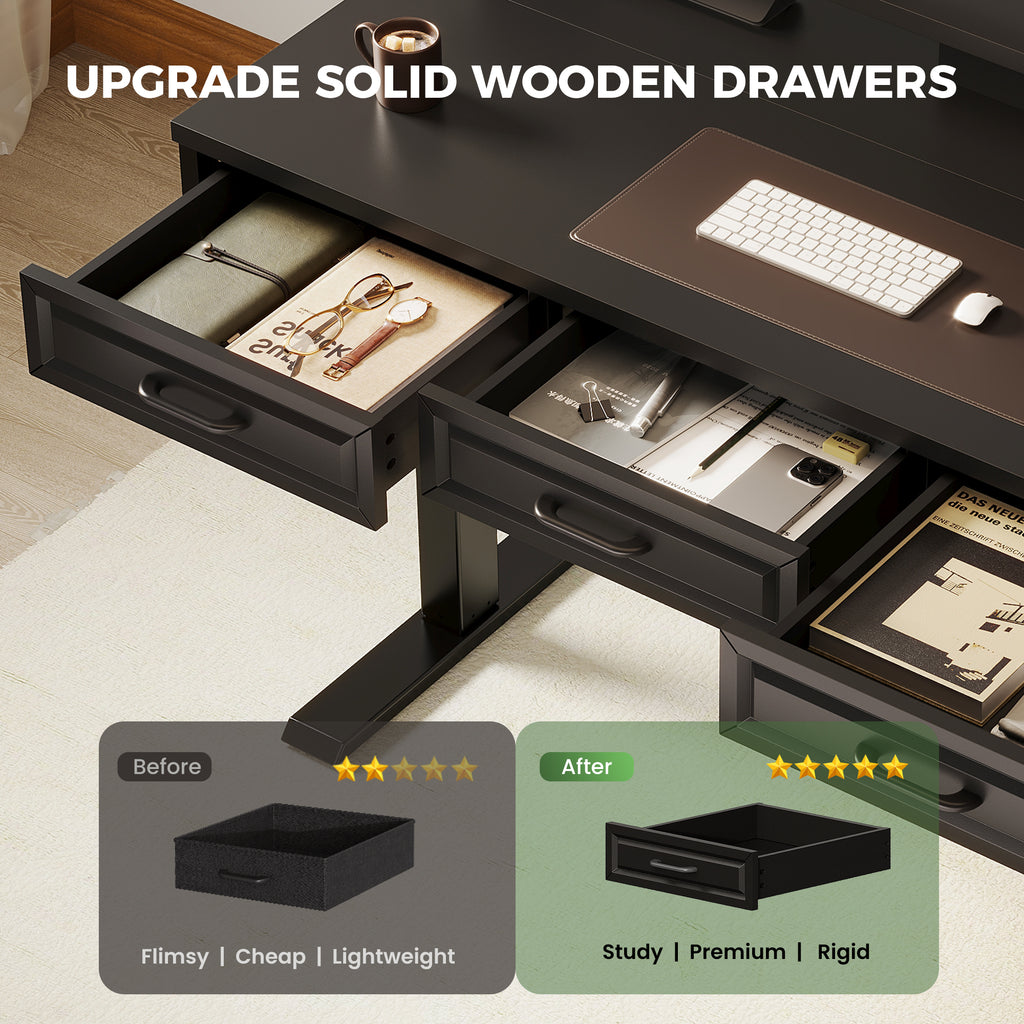
If your monitor sits low on the desktop, a built-in shelf can make monitor height for standing desk use much easier to fix. The OffiGo 48" Electric Standing Desk with 3 Wooden Drawers, Monitor Shelf & USB Power Outlets uses a full-width monitor shelf plus three wooden drawers, which is especially useful in small spaces where you need both vertical organization and better screen placement. Its desktop measures 47.2 x 21.3 inches, the shelf height is 4.7 inches, the frame supports up to 154 pounds, and the desk adjusts from 29.9 to 46.1 inches with three memory presets.
Shop: OffiGo 48" Electric Standing Desk with 3 Wooden Drawers, Monitor Shelf & USB Power Outlets
Step 3: Build a reach zone that reduces strain
The next part of standing desk ergonomics at home is reach. If your phone, notebook, charger, and mouse keep drifting into awkward spots, your body will keep following them. A healthy setup keeps your most-used items in the primary reach zone, which means close enough to grab without leaning, twisting, or extending your shoulder.
What to do
- Keep keyboard and mouse directly in front
- Place your phone, notebook, and water within easy reach
- Move rarely used items to drawers or side storage
- Leave open space for forearm support when typing
- Route charging cables behind or below the main work area
Why this matters
- Cleaner reach zones reduce torso twisting
- Less clutter makes posture easier to maintain
- Better storage keeps the typing area clear
For storage-heavy workflows, integrated organization matters as much as posture. The OffiGo 55" L-Shaped Height Adjustable Standing Desk with Large Movable Storage Cabinet gives you a 55.1 x 23.6 inch main desktop plus a 39.4 x 15.8 x 18.7 inch filing cabinet. The cabinet is movable, lockable, and designed with dedicated space for printers, folders, books, and office supplies. Because the layout can work left, right, or even inline, it is useful when you need separate zones for computer work, paperwork, and devices without crowding the main typing area.
Step 4: Create a sit-stand movement routine you can actually keep
The best standing desk setup for posture still fails if you stand like a statue. What helps most is regular movement you can repeat without thinking. That means alternating sitting and standing in short cycles, shifting your weight, taking short walks, and changing foot position instead of treating standing as the only "correct" mode.
What to do
- Start with 20 to 30 minutes standing each hour
- Sit again before your feet or back feel tired
- Shift weight from side to side every few minutes
- Take a 1 to 2 minute walk after long focus blocks
- Reposition your feet instead of locking your knees
What to watch
- Do not jump from mostly sitting to all-day standing
- Do not keep your knees rigid
- Do not ignore foot discomfort on hard floors
This matters because the risk comes from staying in awkward or repetitive positions too long, not from sitting or standing alone. OSHA notes that repetitive tasks and awkward body postures increase injury risk, which is why a home office sit stand desk comfort routine should focus on changing position often. If your floor is hard, add an anti-fatigue mat and treat it as a support tool, not a reason to stand longer than your body wants.
Step 5: Match the desk style to the way you work at home
Desk shape changes how easily you can maintain a healthy home standing desk setup. A compact desk works well for focused solo work. An L-shaped model creates separate zones for writing, screens, and accessories. A wraparound desk supports multitasking when you want everything nearby without constant reaching.
Compact setups for focused daily work
A smaller desk is often the better choice when your office lives in a bedroom, apartment corner, or study nook. The OffiGo 48" Electric Height Adjustable Standing Desk – Pink Sit-Stand Workstation keeps the footprint approachable while still supporting dual-monitor-capable daily work, three memory presets, and a 154-pound load capacity. This style works best when your priority is a clean, flexible surface and easy sit-stand transitions rather than built-in storage.
Organized setups for storage-first users
If desktop clutter changes your posture more than desk height does, choose a model with integrated organization. The OffiGo 48" Electric Standing Desk with 3 Wooden Drawers, Monitor Shelf & USB Power Outlets combines drawers, a monitor shelf, cable management, and a built-in power hub in a compact format. That makes it useful for remote workers who want pens, notebooks, cables, and small devices off the main surface without giving up a small-room footprint.
Corner workstations for multitasking
An L-shaped layout makes sense when you divide your day between computer work, note-taking, admin tasks, and video calls. The [OffiGo 55" L-Shaped Electric Standing Desk with Keyboard Tray & Monitor Shelf] is built for that style of workflow. It adjusts from 28.4 to 47.2 inches, stores three memory presets, runs at about 50 dB under no-load, and includes a pull-out keyboard tray, ergonomic monitor shelf, reversible corner layout, side hook, and built-in power with USB and Type-C ports. If you want clearer work zones without adding separate furniture, this desk format is usually the easiest upgrade.
Wraparound setups for feature-rich home offices
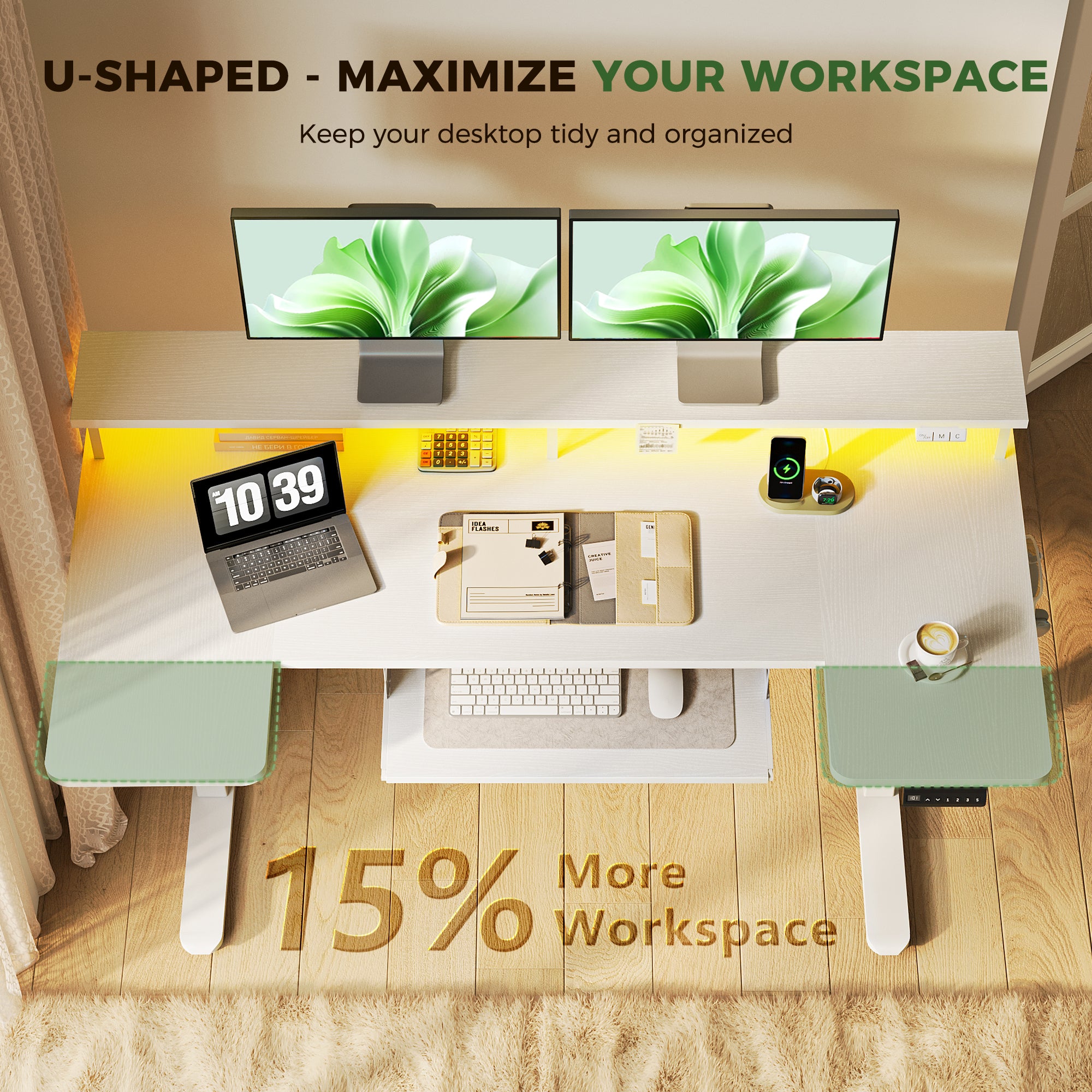
A larger integrated desk is a strong fit when you use multiple screens, switch between keyboard and writing tasks, or want charging built into the workstation. The OffiGo 55" U-Shaped Electric Standing Desk with Monitor Stand & Keyboard Tray offers a 55.1-inch wide surface, a 29.1-inch U-shaped tabletop section, a 21.9 x 11.8 inch keyboard tray, and a height range of 28.3 to 46.5 inches. It also includes three AC outlets, two USB ports, LED lighting, and a monitor stand, which helps keep tools close without filling the primary work zone.
Step 6: Fine-tune accessories for comfort and consistency
Accessories should solve a real problem in your setup. If they add clutter or force new habits you will not keep, they are not helping. The easiest way to choose well is to connect each accessory to one discomfort point, such as low monitor placement, crowded typing space, sore feet, or cable mess.
Tools or settings
- Monitor arm or shelf for low screens
- Keyboard tray for a desktop that feels too high
- Anti-fatigue mat for hard floors
- Built-in outlets or USB ports for cleaner charging
- Drawer storage for notebooks, cables, and office supplies
Why this matters
- Fewer add-ons keep the desk easier to reset
- Better cable control makes height changes safer
- A consistent layout supports better posture every day
For users who want several ergonomic features already built in, the OffiGo 55" L-Shaped Electric Standing Desk with Keyboard Tray & Monitor Shelf is especially practical because it combines screen elevation, lower typing support, charging access, and a reversible layout in one desk. That reduces the number of separate accessories you need to buy, mount, and manage just to get a comfortable setup.
Healthy home office scenarios to address
Different workflows need different layouts. The most comfortable setup is the one that supports your routine with the fewest workarounds.
Common scenarios
- Remote worker using a laptop and two monitors: prioritize a monitor shelf or arm, enough depth for the keyboard, and clear cable routing
- Small-space user needing a 48-inch desk with storage: prioritize drawers, built-in power, and a compact top that still supports daily essentials
- Multitasker using a corner desk for admin work and calls: prioritize L-shaped zoning, separate surfaces, and quick memory presets
- Long-hour user wanting more integration: prioritize built-in power, monitor support, keyboard tray access, and organized reach zones
OffiGo's product line is clearly built around these home-office patterns. The brand positions its desks for long working hours and focuses on combining storage, power access, and sit-stand flexibility in layouts sized for real homes rather than oversized commercial offices.
Troubleshooting common standing desk comfort issues
Even a good setup may need small corrections during the first week. Use this quick table to fix the most common problems before they become daily habits.
| Problem | Likely Cause | Solution |
|---|---|---|
| Neck feels tight | Monitor too low | Raise and center screen |
| Shoulders feel tense | Desk too high | Lower to elbow height |
| Wrists feel bent | Keyboard too high | Reposition or add tray |
| Feet feel sore | Too much static standing | Add mat, rotate posture |
| Desktop feels crowded | Poor zoning, no storage | Use drawers or larger format |
What to watch
- If discomfort starts within 10 minutes, the fit is still off
- If one shoulder hurts more than the other, your monitor or mouse is likely off-center
- If your feet ache first, shorten standing intervals before blaming the desk
- If clutter keeps returning, your storage plan is too small for your workflow
Key setup principles that matter most
A healthy home standing desk setup does not need to be complicated. It needs to be repeatable. Once you fit the surface to your elbows, raise the screen to the right level, organize for reach, and alternate positions through the day, comfort becomes easier to maintain.
Keep these principles in mind
- Fit the work surface to elbow height
- Keep the monitor aligned with eye level
- Organize for reach, not just appearance
- Alternate sitting, standing, and light movement
- Choose a desk format that matches your room and workload
Conclusion: Build a setup you will actually use
The most effective setup is the one you can keep using on a normal Tuesday, not the one that looks perfect for five minutes. When your standing desk height matches your elbows, the monitor sits at the right level, and your workflow has room for movement, you get a more comfortable and more realistic system for long home-office days. Start with fit, then add only the features that remove friction.
If you are choosing a desk around that process, OffiGo's compact, L-shaped, and U-shaped electric desk systems make it easier to build around real needs such as storage, keyboard position, monitor support, and device charging. That is the practical path to better standing desk ergonomics at home.
FAQ
How long should you stand at a standing desk at home?
You should usually stand in short, repeatable blocks instead of trying to stand for hours at a time. A practical starting point is 20 to 30 minutes of standing within each hour, then adjusting based on foot, back, and focus comfort. If you are new to sit-stand work, begin with two or three standing sessions before lunch and increase gradually over one to two weeks. The goal is regular movement, not maximum standing time.
What is the best monitor height for a home standing desk setup?
The best monitor height places the top of the screen around eye level for your normal standing posture. Keep the display centered in front of you and roughly an arm's length away, then make small changes if you notice neck tilt or leaning. If you wear progressive lenses, lowering the screen slightly may feel better than a strict eye-level position. For dual monitors, center the primary display or split the midpoint evenly if both screens are used the same amount.
Do I need a keyboard tray for standing desk ergonomics?
You need a keyboard tray when the desktop is slightly too high for relaxed shoulders and straight wrists. It is especially helpful if your monitor has to sit higher than your typing surface, or if a built-in shelf raises the screen but leaves the keyboard too high. A tray can lower your hands by a few inches and create a better elbow angle without changing monitor position. If your desk already lets you type with elbows near 90 degrees and neutral wrists, a tray may not be necessary.
Is an L-shaped standing desk better for multitasking at home?
Yes, an L-shaped standing desk is often better for multitasking because it creates separate zones without forcing you to overreach. One side can hold your main monitor and keyboard, while the other side supports writing, printing, planning, or video-call accessories. This layout works well when you switch tasks often and want to keep materials visible but not crowded into one narrow area. It is most useful in corners or medium-size rooms where you can take advantage of the extra surface.
Which standing desk is best for a small home office with storage?
A small home office with storage usually works best with a compact 48-inch electric desk that includes drawers or a monitor shelf. That format keeps the footprint manageable while still giving you room for a monitor, laptop, keyboard, and daily supplies. If your main issue is clutter, choose a model with built-in drawers and power access so chargers and notebooks do not take over the typing space. If your priority is the smallest visual footprint, a simpler 48-inch electric desk with clean cable routing may be the better fit.
0 comments