
Which Desk Setup Actually Fits a Remote Workday?
Remote Work Fit Check
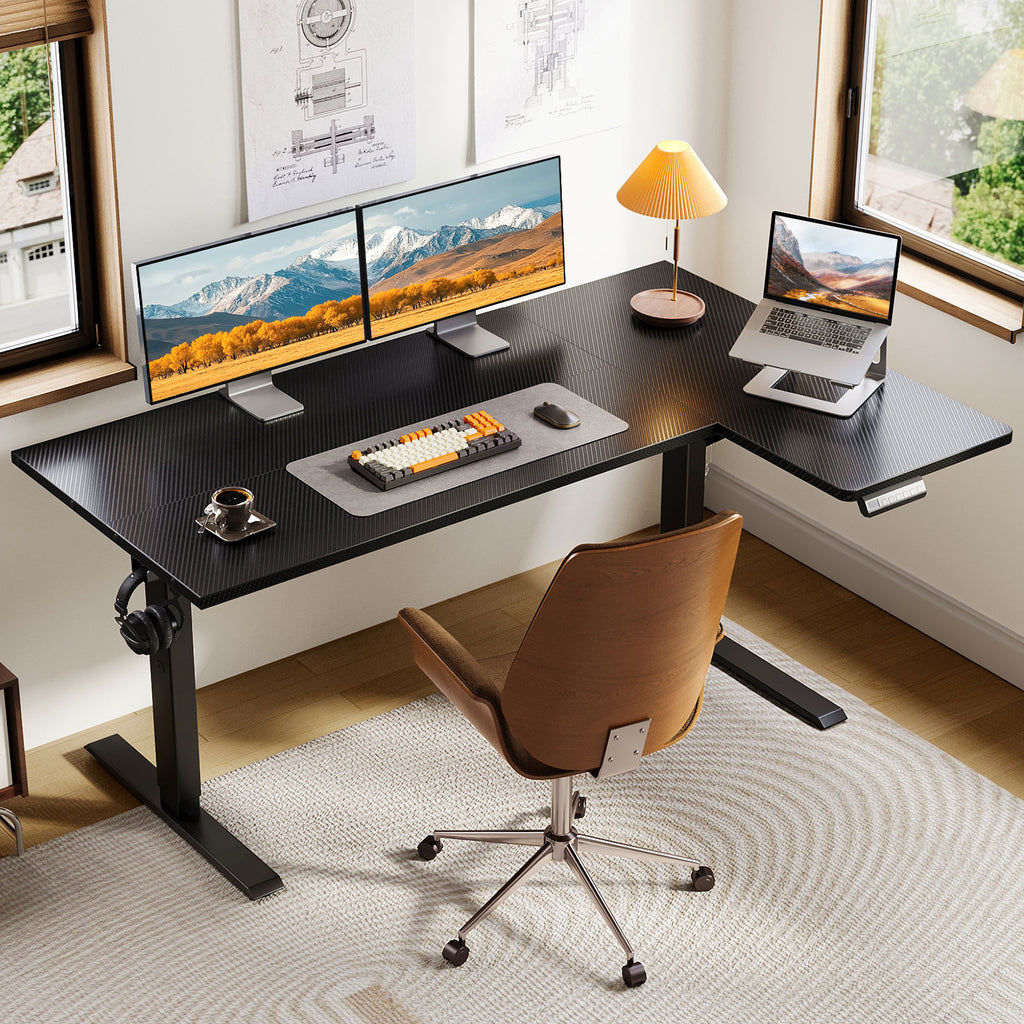
Adjustable desks can solve one problem and create three new ones if the setup is wrong. You raise the surface for a call, then a charging cable pulls tight, your monitor shakes while you type, and your notebook has nowhere to go. For remote professionals, the desk is not just furniture. It is the control center for screens, focus work, video meetings, charging, storage, and posture changes.
The shortlist below compares five OffiGo adjustable desks by workflow, not by looks alone. You will see which model fits a large command center, a multi-monitor corner, a compact posture-focused station, a wraparound setup, or a clean L-shaped standing desk. The goal is simple: match the surface shape, height range, power access, and stability features to the way you actually work.
Source-Backed Recommendation Criteria
What Remote Professionals Usually Prioritize
A good home office standing desk should fit your body first and your gear second. OSHA notes that keyboard height should be about elbow height and workstation cords should be long enough to allow equipment placement in different positions. CDC also frames ergonomics as reducing workplace risk factors that can contribute to musculoskeletal discomfort, which matters when your home desk supports eight-hour workdays.
Use these filters before you compare features:
- Height fit: Your elbows should stay close to 90 degrees when seated and standing.
- Stability: Prioritize reinforced frames, crossbeams, and balanced gear placement.
- Surface shape: Choose straight, L-shaped, or U-shaped layouts based on screen count and room shape.
- Presets: Memory buttons make daily posture changes easier to repeat.
- Power access: Built-in outlets and USB ports reduce cable clutter on powered workstations.
- Cable travel: Cables must move safely from the lowest to highest desk position.
Five Adjustable Desks Worth Shortlisting
1. Executive Command Center
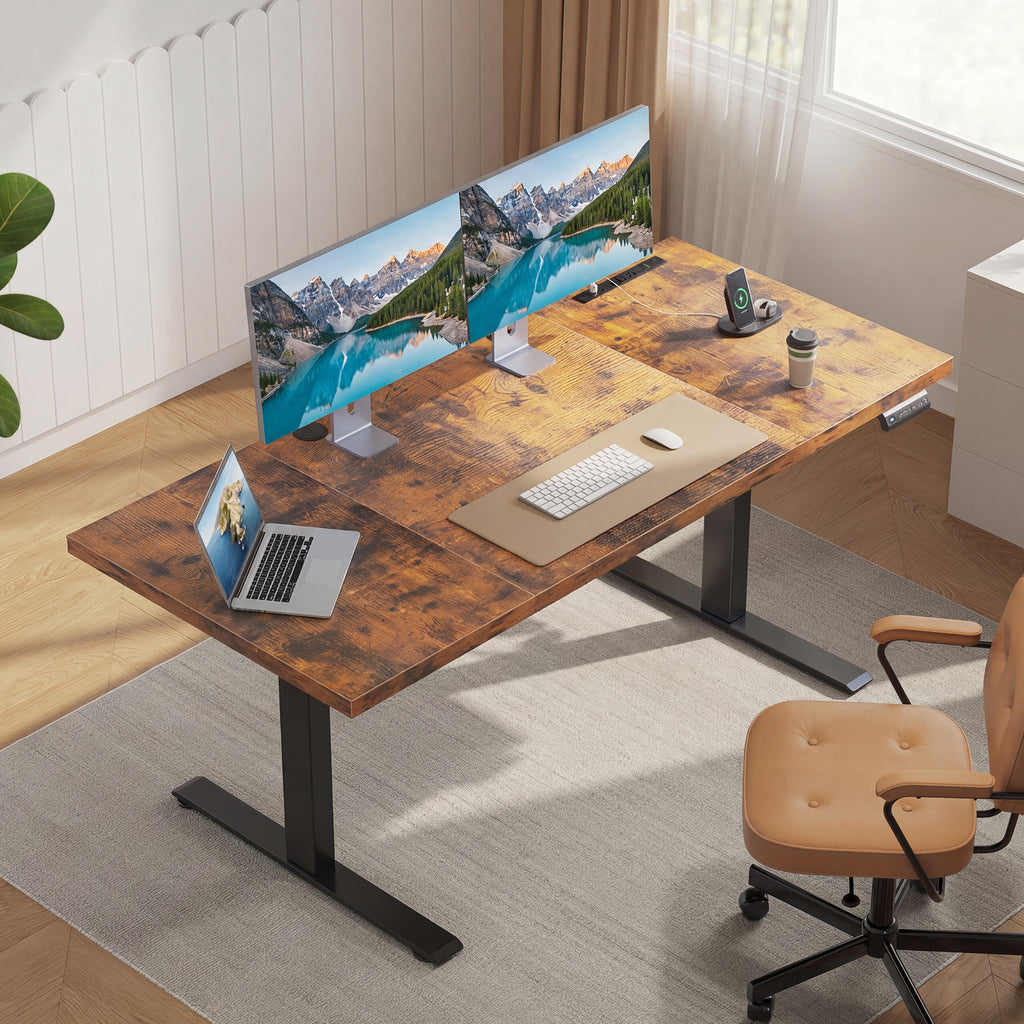
This is the strongest fit if your workday includes multiple screens, documents, calls, and long focus blocks. The OffiGo 71-inch Executive Electric Standing Desk gives you a broad straight desktop without forcing a corner layout. The tradeoff is space: measure the wall and walking path before choosing it for a smaller room.
Why it stands out
- 71 by 27.6-inch desktop for dual monitors, laptop, keyboard, and notes.
- 29.1 to 48-inch height range for seated and standing work.
- 1.38-inch thick desktop for a more substantial work surface.
- 3 AC outlets, 2 USB ports, and 2 Type-C ports for powered desk setups.
- Double crossbeam structure to support stability during height changes.
Best for
- Remote managers who run calls and deep work from one station.
- Analysts using two screens plus paper notes.
- Writers or consultants who want one wide, clean work lane.
Shop: OffiGo 71-inch Executive Electric Standing Desk
2. Flexible Multi-Monitor Corner
Choose this pick when a straight desk feels too narrow, but you do not need built-in outlets as the main feature. The OffiGo 63-inch Reversible L-Shaped Standing Desk gives you a larger corner footprint for screens, reference material, and a second device zone. Its main tradeoff is that the L-shape needs careful placement, especially near doors, windows, or wall outlets.
Why it stands out
- 63-inch L-shaped surface with a 47.2-inch width span.
- Reversible sub-desktop installs on the left or right side.
- 27.9 to 46.1-inch height adjustment range.
- 3 memory buttons with LED height display.
- Reinforced frame with four support gaskets for added steadiness.
Best for
- Designers, developers, and traders using several displays.
- Remote professionals who split work and personal devices.
- Corner offices where surface area matters more than compact depth.
Shop: OffiGo 63-inch Reversible L-Shaped Standing Desk
3. Posture-Focused Corner Desk
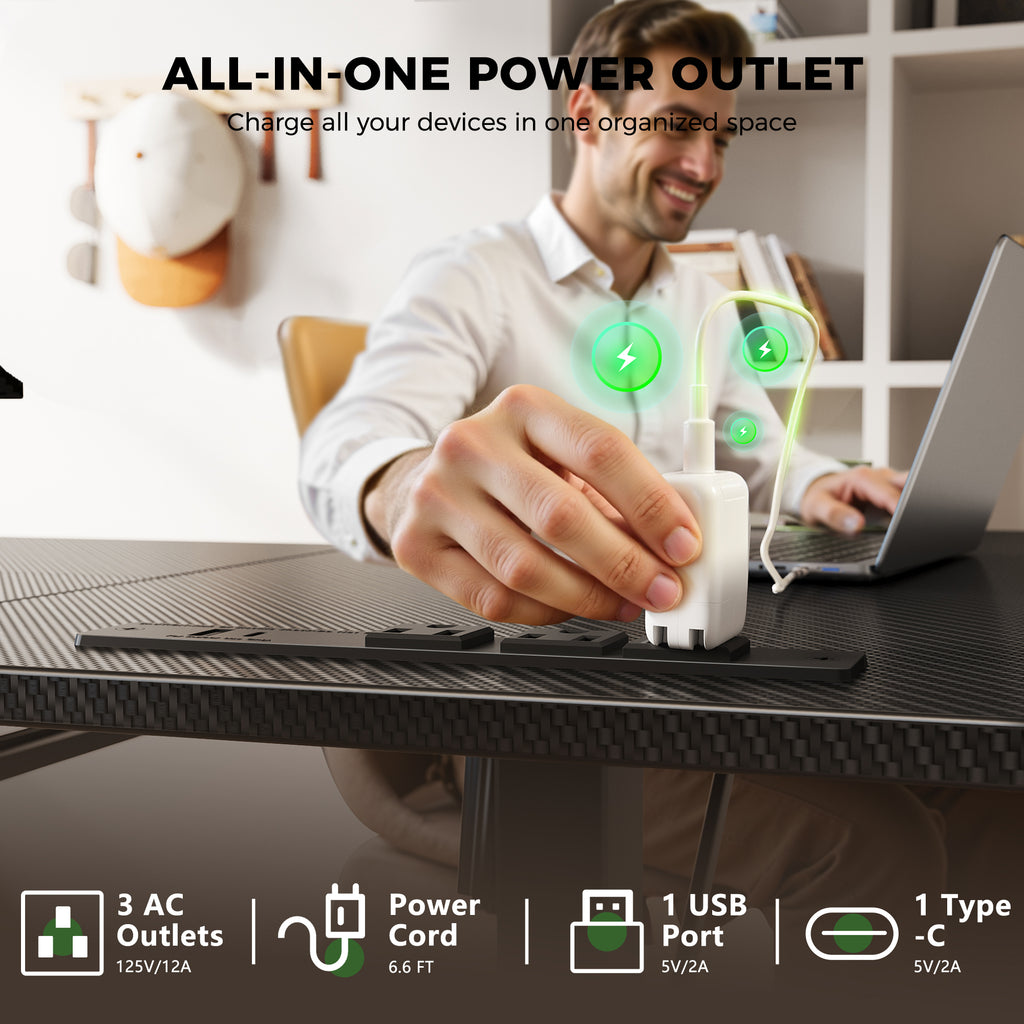
This pick works well if your main frustration is a crowded keyboard, low monitor, or messy charging setup. The OffiGo 55-inch L-Shaped Desk With Keyboard Tray And Shelf combines a corner surface with a monitor shelf and pull-out keyboard tray, so the screen, hands, and work surface have clearer zones. The tradeoff is layout discipline: you need to keep the tray path clear.
Why it stands out
- Main desktop measures 39.4 by 21.3 inches.
- Side desktop measures 31.5 by 15.8 inches.
- Keyboard tray measures 25.6 by 11.8 inches.
- Monitor stand measures 39.4 by 7.9 inches.
- 28.4 to 47.2-inch adjustable height range.
- 3 AC outlets, 1 USB port, and 1 Type-C port.
- 3 programmable memory buttons on the LED control panel.
Best for
- Compact corner setups in bedrooms or study rooms.
- Remote workers who use a laptop plus external monitor.
- Users who want separate keyboard and monitor zones.
Shop: OffiGo 55-inch L-Shaped Desk With Keyboard Tray And Shelf
4. Compact Wraparound Station
This is the multitasking pick for smaller rooms where every surface zone must work hard. The OffiGo 55-inch U-Shaped Electric Standing Desk adds a wraparound feel, monitor stand, keyboard tray, LED lighting, hooks, and built-in charging. The practical watch-out is depth: U-shaped surfaces can feel tight if you use oversized monitor arms or very large speakers.
Why it stands out
- 55.1-inch main desk length with a U-shaped tabletop section.
- 29.1-inch U-shaped tabletop extension.
- 21.9 by 11.8-inch keyboard tray.
- 43.5-inch distance between legs for seating clearance.
- 28.3 to 46.5-inch height adjustment range.
- 3 AC outlets and 2 USB ports for everyday charging.
Best for
- Remote professionals who juggle calls, notes, and devices.
- Smaller rooms where corner efficiency matters.
- Users who like a cockpit-style workstation.
Shop: OffiGo 55-inch U-Shaped Electric Standing Desk
5. Streamlined L-Shaped Setup
This model is for readers who want corner efficiency without extra keyboard trays or heavy feature stacking. The OffiGo 55-inch Reversible L-Shaped Spacious Work Surface Desk keeps the setup cleaner while still offering height adjustment, memory presets, and a reversible side tabletop. The tradeoff is that you may need separate accessories for charging, cable trays, or monitor height.
Why it stands out
- Main desktop measures 39.4 inches long by 21.3 inches deep.
- Sub-desktop measures 31.5 inches long by 15.7 inches wide.
- 36 inches of legroom between desk legs.
- 28.4 to 47.2-inch height adjustment range.
- Reversible L-shaped side can be installed left or right.
- Reinforced support beams and fixed crossbars reduce wobble.
Best for
- Simple home office standing desk layouts.
- Students or writers who need a flexible corner surface.
- Users who prefer adding their own power and cable accessories.
Shop: OffiGo 55-inch Reversible L-Shaped Spacious Work Surface Desk
How To Choose Adjustable Desks For Remote Work
Start With Workflow
Do not begin with the biggest desktop you can fit. Start by mapping the daily tasks you repeat most: video calls, spreadsheet work, coding, design, writing, gaming, or admin. Then assign surface zones before you compare dimensions.
- Calls: Keep one camera-facing area clean and uncluttered.
- Design work: Leave side space for tablets, notes, or reference devices.
- Analysis: Prioritize depth and width for multiple screens.
- Writing: Choose a calmer surface with room for keyboard, mouse, and notebook.
Check Height Range
A sit stand desk only helps if the seated and standing heights match your elbows, shoulders, and screen position. Measure your seated elbow height first, then your standing elbow height while wearing your normal shoes. After setup, save both positions into the memory buttons so you are not guessing every morning.
- Keep forearms roughly level with the desktop.
- Avoid raised shoulders when typing.
- Keep wrists neutral instead of bent upward.
- Set the monitor so your neck stays relaxed.
Judge Stability
Standing-height wobble is more noticeable than seated wobble because the frame is extended. It becomes especially annoying when typing, writing, or using a monitor arm. For a loaded electric standing desk, look at frame bracing, crossbeam design, support gaskets, and how evenly your monitors sit on the surface.
- Place heavy monitors near the strongest frame zones.
- Avoid loading one far corner with all equipment.
- Recheck floor levelers after assembly.
- Leave a load buffer instead of maxing out the desk.
Plan Cable Movement
Power planning matters more on adjustable desks than on fixed desks. Every cable must travel from the seated height to the standing height without pulling, looping under the feet, or disconnecting a monitor. Before final placement, raise the desk fully and watch each cable move.
- Use cable sleeves or trays for grouped wires.
- Keep the wall outlet side consistent with your desk orientation.
- Add slack at the highest height, not the lowest height.
- Keep power bricks off the floor when possible.
Scenario Variations And Quick Fixes
Match The Pick To The User
Different remote professionals need different desk shapes. If your work is screen-heavy, the 63-inch L-shaped model or 71-inch executive desk will feel easier to live with. If your room is compact, the 55-inch U-shaped or L-shaped options can give you more usable zones without taking over the entire wall.
- Creators: Prioritize width, side surface, and screen lanes.
- Gamers: Prioritize cable control and monitor clearance.
- Analysts: Prioritize depth, stability, and multi-screen comfort.
- Writers: Prioritize a clean main surface and quick presets.
- Small rooms: Prioritize reversible corner layouts.
Problem Cause Fix
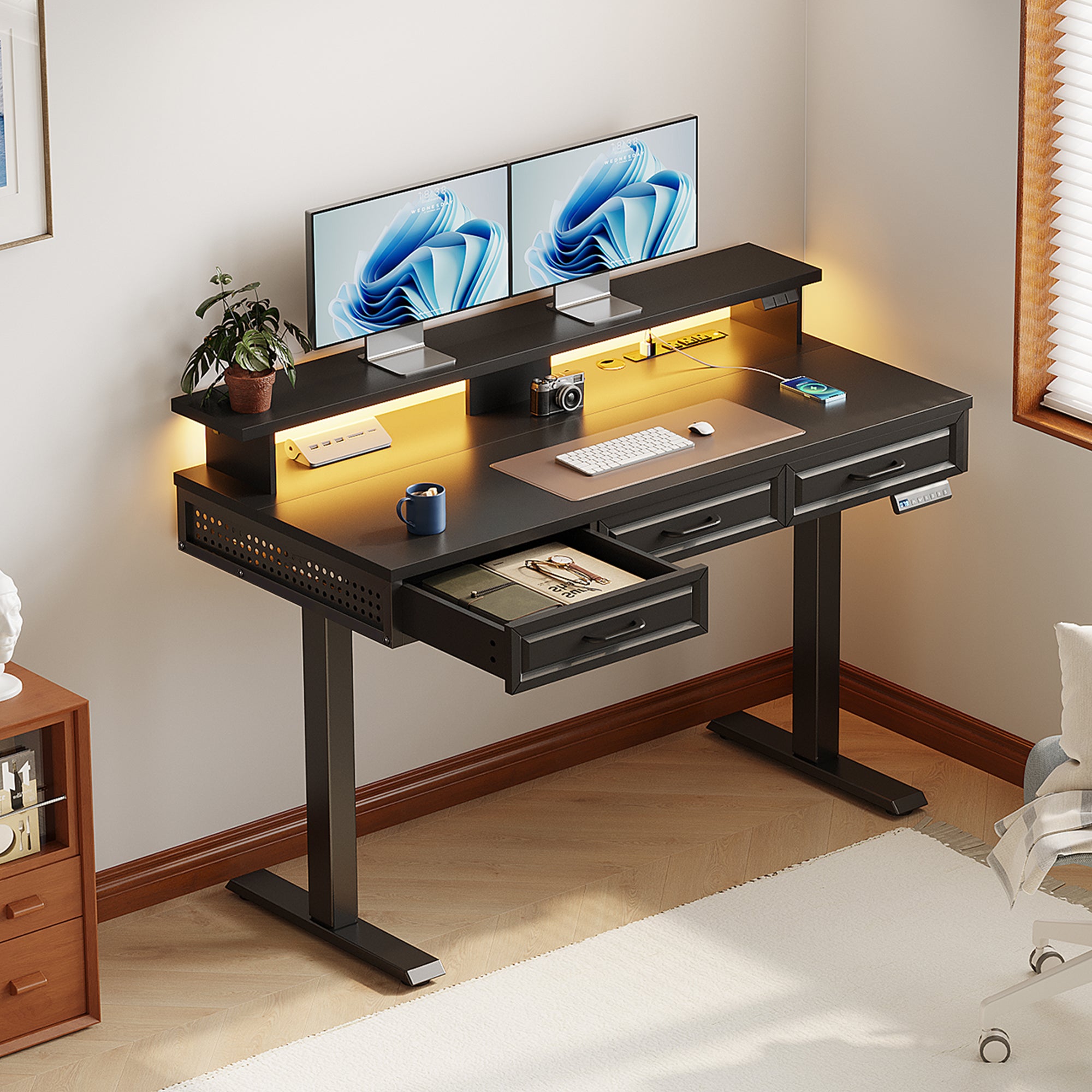
| Problem | Likely Cause | Practical Fix |
|---|---|---|
| Desk wobbles while standing | Uneven floor, overloaded corner, or loose hardware | Level the feet, rebalance monitors, and retighten frame bolts |
| Cables tug upward | Cable path was measured only at seated height | Raise the desk fully, add slack, and group wires in a sleeve |
| Presets feel uncomfortable | Heights were set by guesswork | Reset presets using seated and standing elbow alignment |
| Monitor feels too low | Screen sits flat on the desktop | Use the built-in shelf or add a monitor riser |
| Keyboard tray feels crowded | Mouse and keyboard compete for the same tray zone | Center the keyboard first, then place the mouse within easy reach |
Conclusion And Next Action
Key Takeaway
The best adjustable desk for a remote professional is not automatically the largest or most feature-heavy model. It is the desk that matches your work pattern, body height, screen count, cable needs, and room shape. For an all-day command center, the 71-inch Executive Electric Standing Desk is the strongest fit. For corner workflows, the 63-inch reversible L-shaped model gives more flexible surface area. For compact rooms, the 55-inch L-shaped option keeps the surface simple, while the U-shaped option adds tray, monitor stand, lighting and built-in charging.
Before you choose, sketch your current setup on paper. Mark your monitor count, keyboard position, laptop location, charger path, and standing height target. That five-minute check will prevent the most common mistakes: buying too little depth, forgetting cable travel, or choosing a shape that fights the room.
FAQ
What size adjustable desk is best for remote work?
A 55 to 71-inch adjustable desk works well for most remote professionals, depending on screen count and room size. Choose 55 inches if you use one monitor, a laptop, and a compact corner. Move toward 63 inches or 71 inches if you use two monitors, paper notes, a docking station, or creative tools. Always measure wall width, chair clearance, and cable reach before choosing the largest option.
Are L-shaped adjustable desks better for multiple monitors?
L-shaped adjustable desks are often better for multiple monitors because they create separate zones for screens, writing, and accessories. A reversible L-shaped standing desk is especially useful when you are not sure whether the return side should sit left or right. However, L-shaped desks need more planning around room corners and wall outlets. If you want one straight visual line, a wide 71-inch desk may feel cleaner.
How important are built-in outlets on a standing desk?
Built-in outlets are very helpful if you charge several devices during the workday. A powered desk can keep your laptop, phone, headset, lamp, and monitor accessories closer to the surface instead of scattered across the floor. The main detail is cable travel: the desk’s main power cord still needs enough slack for full height adjustment. If the desk lacks built-in power, plan a cable tray and power strip before assembly.
What causes wobble at standing height?
Wobble at standing height usually comes from uneven floors, loose fasteners, overloaded corners, or weak frame geometry. It can also increase when a heavy monitor arm is mounted far to one side. Start by leveling the feet and tightening the frame after the first few days of use. Then move heavier gear closer to the center or above stronger support points.
How often should someone switch between sitting and standing?
Most remote workers should switch often enough to avoid staying in one posture for hours. A practical starting point is to stand for 15 to 30 minutes, then sit again before your legs or lower back feel tired. Use memory presets so the switch takes one button press instead of manual adjustment. The best routine is one you can repeat daily without interrupting calls or focus work.
0 comments